
1. Wprowadzenie
This manual provides detailed instructions for the installation, operation, and maintenance of your GNCC GT1Pro-W-1P Outdoor Security Camera. This product is designed to enhance your home security with features such as 2K resolution, motion detection, color night vision, and two-way audio. Please read this manual thoroughly before use to ensure proper functionality and safety.
2. Zawartość opakowania
Sprawdź, czy w paczce znajdują się wszystkie elementy. Jeśli brakuje któregokolwiek z nich lub jest on uszkodzony, skontaktuj się z obsługą klienta.
- GNCC GT1Pro-W-1P Outdoor Security Camera (2 units)
- Instrukcja obsługi
- Śruby montażowe i kołki ścienne
- Zasilacze (2 sztuki)
- Mounting Stands (2 units)
3. Konfiguracja i instalacja
3.1 Fizyczna instalacja
The GNCC GT1Pro-W-1P camera is designed for wall mounting. Choose a location that provides the desired viewing angle and is within reach of a power outlet. Ensure the camera is positioned to cover the area you wish to monitor.
- Zaznacz punkty wiercenia: Use the included mounting stand as a template to mark the screw holes on the wall.
- Wiercenie otworów: Drill pilot holes at the marked positions. Insert the wall plugs if mounting on masonry.
- Zabezpiecz stojak: Attach the mounting stand to the wall using the provided screws.
- Podłącz kamerę: Securely attach the camera to the mounting stand. Adjust the camera angle as needed.
- Podłącz zasilanie: Connect the power adapter to the camera and plug it into a suitable outdoor-rated power outlet.

Image: The GNCC GT1Pro-W-1P camera mounted on a wall, highlighting its IP65 waterproof rating, suitable for outdoor use.
3.2 Pobieranie aplikacji i tworzenie konta
The GNCC camera operates with the Osaio app. Download the app to your smartphone to manage your camera settings and view kanały na żywo.
- Download Osaio App: Szukaj "Osaio" in your smartphone's app store (Apple App Store or Google Play Store) and download the application.
- Utwórz konto: Open the Osaio app and follow the on-screen instructions to create a new user account.
3.3 Łączenie z Wi-Fi
Ensure your Wi-Fi network is 2.4 GHz, as the camera is compatible only with this frequency band. If your router uses both 2.4 GHz and 5 GHz, ensure the 2.4 GHz band is enabled and accessible.
- Włącz kamerę: Plug in the camera. Wait for the indicator light to flash, indicating it's ready for pairing.
- Dodaj urządzenie w aplikacji: Open the Osaio app, tap the "+" icon to add a new device. Select your camera model from the list.
- Postępuj zgodnie z instrukcjami w aplikacji: The app will guide you through connecting the camera to your 2.4 GHz Wi-Fi network. This typically involves scanning a QR code generated by the app with the camera lens.
- Potwierdzenie: Po nawiązaniu połączenia kontrolka kamery zaświeci się, a aplikacja potwierdzi pomyślne sparowanie.
4. Działanie
4.1 Na żywo View i rozdzielczość 2K
Access the live video feed from your camera through the Osaio app. The camera provides 2K Ultra HD resolution, offering clear and detailed images of your monitored area.

Obraz: Byłyample of 2K HDR video quality, showcasing the camera's ability to capture clear details.
4.2 Dźwięk dwukierunkowy
The camera features built-in two-way audio, allowing you to communicate with individuals near the camera through the Osaio app. This is useful for speaking to visitors or deterring unwanted guests.
- Aktywuj mikrofon: Na żywo view interface of the Osaio app, tap the microphone icon to speak.
- Słuchać: The camera's speaker will transmit your voice, and you can hear responses through your phone's speaker.

Image: Illustration of the camera's two-way audio feature, enabling communication with people near the camera.
4.3 Detekcja ruchu i alerty
The camera is equipped with advanced motion detection. When motion is detected, the camera can record footage and send instant notifications to your smartphone via the Osaio app.
- Włącz wykrywanie ruchu: Navigate to the camera settings in the Osaio app to enable motion detection.
- Dostosuj czułość: Dostosuj czułość wykrywania ruchu, aby zminimalizować liczbę fałszywych alarmów.
- Otrzymywać powiadomienia: Ensure app notifications are enabled on your smartphone to receive alerts.
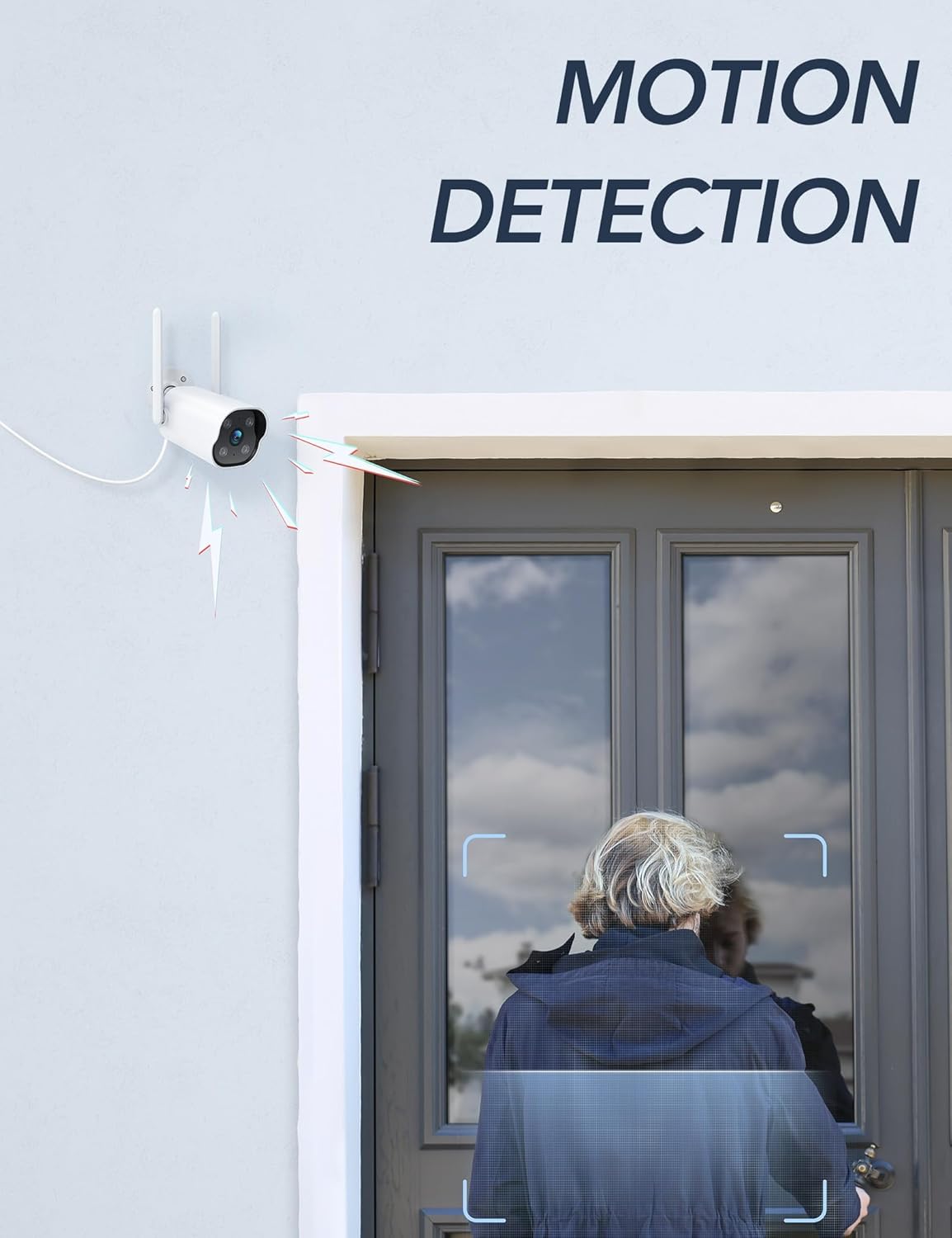
Image: The camera's motion detection feature, showing it identifying a person at a doorway.

Obraz: Byłyample of push notifications received on a smartphone when motion or sound is detected by the camera.
4.4 Widzenie nocne
The camera provides enhanced night vision, allowing clear visibility up to 50 feet (15 meters) in low-light conditions. It supports color night vision for improved detail.
4.5 Nagrywanie 24/7
The camera supports continuous 24/7 recording, ensuring constant surveillance of your property. Recorded footage can be accessed via the Osaio app.

Image: The Osaio app interface displaying a timeline of continuous 24/7 video recording, with thumbnails of captured events.
5. Opcje przechowywania wideo
Your GNCC camera offers flexible options for storing recorded video footage.
- Pamięć lokalna (karta SD): The camera supports local storage via a Micro SD card (not included). Insert an SD card (up to 128 GB) into the designated slot on the camera for continuous recording or event-triggered footage.
- Przechowywanie w chmurze: Optional cloud storage services are available through the Osaio app. This provides off-site backup of your recordings. A free trial period may be offered.

Image: Visual representation of the camera's dual storage options: cloud storage and local SD card storage (up to 128GB).
6. Konserwacja
- Czyszczenie: Okresowo czyść obiektyw aparatu miękką, suchą ściereczką, aby zapewnić dobrą jakość obrazu. Nie używaj silnych środków chemicznych.
- Aktualizacje oprogramowania układowego: Check the Osaio app regularly for available firmware updates. Keeping your camera's firmware updated ensures optimal performance and security.
- Podłączenie zasilania: Upewnij się, że połączenie elektryczne jest bezpieczne i nieuszkodzone.
7. Rozwiązywanie Problemów
| Problem | Rozwiązanie |
|---|---|
| Kamera nie łączy się z siecią Wi-Fi. | Ensure your Wi-Fi network is 2.4 GHz. The camera does not support 5 GHz Wi-Fi. Check Wi-Fi password and signal strength. Restart your router and camera. |
| Nie otrzymano żadnych powiadomień. | Verify that motion detection is enabled in the Osaio app. Check your smartphone's notification settings to ensure the Osaio app has permission to send alerts. |
| Niska jakość obrazu. | Wyczyść obiektyw aparatu. Upewnij się, że w polu widzenia aparatu nie ma żadnych przeszkód. viewSprawdź prędkość swojego połączenia internetowego. |
| Dwukierunkowa transmisja dźwięku nie działa. | Ensure your smartphone's microphone and speaker are enabled and not muted. Check the volume settings in the Osaio app. |
| Karta SD nie nagrywa. | Ensure the SD card is correctly inserted and formatted within the Osaio app. Check if the SD card has sufficient free space. The camera supports up to 128 GB. |
8. Specyfikacje
| Funkcja | Szczegół |
|---|---|
| Numer modelu | GT1Pro-W-1P |
| Rozdzielczość wideo | 2K Ultra HD |
| Łączność | 2.4 GHz Wi-Fi, Wired (Power) |
| Cechy specjalne | 2-Way Audio, Motion Sensor, Night Vision (Color), Weather Proof (IP65) |
| Opcje przechowywania | Karta Micro SD (do 128 GB, nie dołączona), pamięć masowa w chmurze (opcjonalnie) |
| Do użytku wewnątrz/na zewnątrz | Plenerowy |
| Źródło zasilania | Elektryczny przewodowy |
| Kompatybilne urządzenia | Smartphone (via Osaio App) |
| Wymiary (dł. x szer. x wys.) | Wymiary 11 x 7.6 x 5 cm |
| Waga | 608 gramów |
| Zawarte komponenty | Instruction Manual, Mounting Screws, Power Adapter, Stand |
9. Gwarancja i wsparcie
For warranty information or technical support, please refer to the warranty card included with your product or visit the official GNCC website. You can also contact GNCC customer service through the Osaio app or their website for assistance with product inquiries, troubleshooting, or service requests.
Wsparcie online: www.gncc.com/support