
1. Wprowadzenie
This manual provides essential information for the safe and efficient operation of your podoru 10000mAh Magnetic Power Bank. Please read these instructions thoroughly before using the device and retain them for future reference.
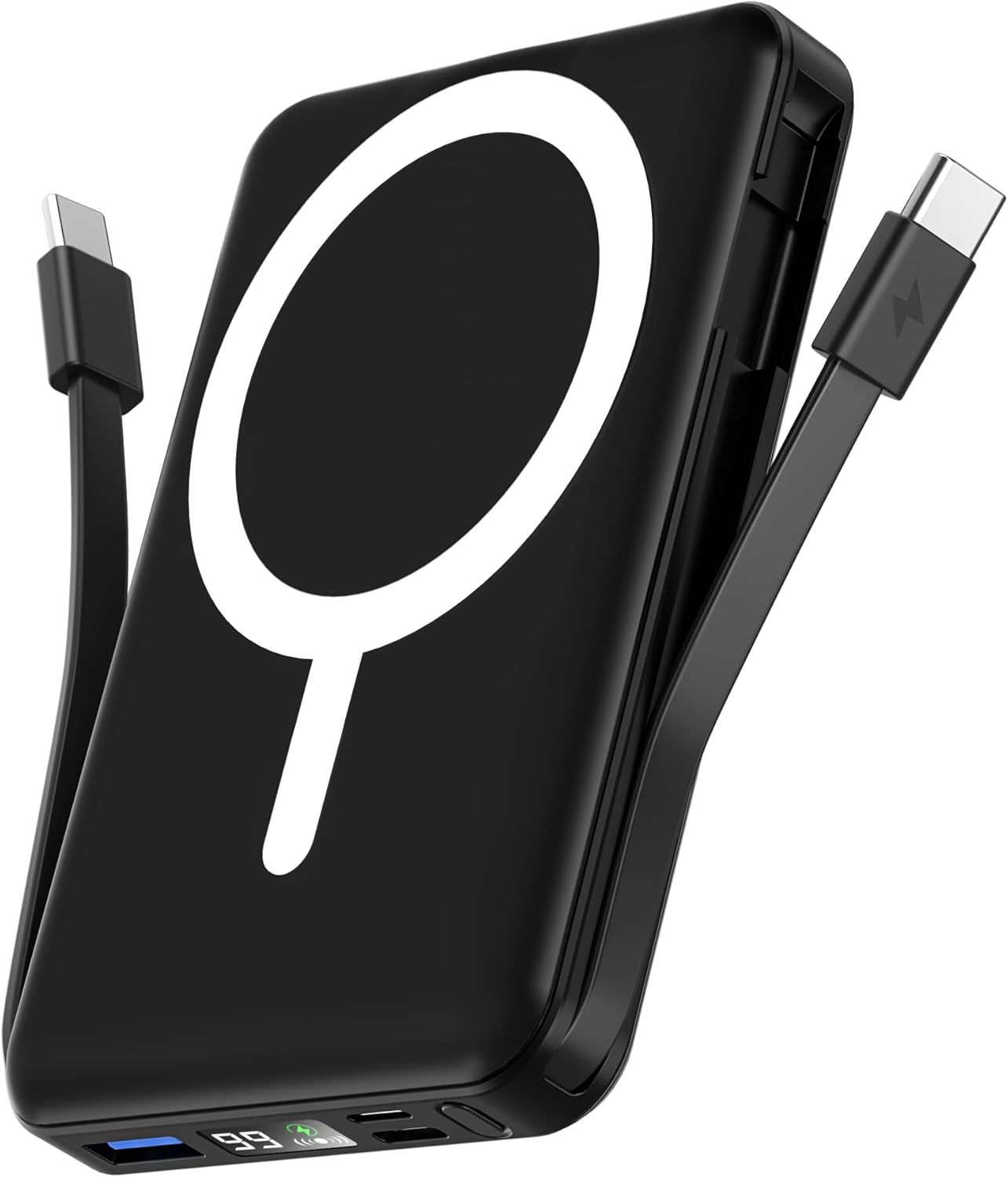
Image 1: The podoru 10000mAh Magnetic Power Bank in black, featuring its magnetic charging surface and built-in cables.
2. Główne cechy
- 10000mAh Duża pojemność: Provides substantial power for extended device usage.
- Magnetyczne ładowanie bezprzewodowe: Supports up to 15W wireless charging for compatible iPhone 12-17 series.
- Built-in Dual USB-C Cables: Integrated USB-C cables for convenient wired charging of various devices, eliminating the need for extra cables.
- Ładowanie wielu urządzeń: Capable of charging up to 5 devices simultaneously via wireless, USB-C PD (20W output), USB (22.5W output), and built-in cables.
- Cyfrowy wyświetlacz LED: Clear display shows exact remaining power percentage, wireless charging status, and PD fast charging indicator.
- Kompaktowa i przenośna konstrukcja: Lightweight (186g) and pocket-sized (105x71x19mm) for easy portability.
- Zintegrowana podpórka: Umożliwia korzystanie z urządzeń bez użycia rąk viewpodczas ładowania.
- Najwyższe bezpieczeństwo: Features comprehensive multi-protect safety system including temperature control, overcharge protection, and short circuit protection.
3. Zawartość opakowania
Proszę sprawdzić, czy w paczce znajdują się następujące elementy:
- podoru 10000mAh Magnetic Power Bank (Model KT-D011)
- Instrukcja obsługi
- Kabel ładujący USB-C do USB-C (do ładowania powerbanku)
4. Konfiguracja początkowa
4.1 Pierwsze użycie
Before first use, fully charge your power bank. This ensures optimal battery performance and longevity. The digital LED display will show "100%" when fully charged.
4.2 Sprawdzanie poziomu baterii
Press the power button once to activate the LED display and view aktualny procent bateriitage. The display will also show the wireless charging symbol and a green PD fast charging symbol when active.
5. Instrukcja obsługi
5.1 Bezprzewodowe ładowanie
- Ensure your device is compatible with magnetic wireless charging (e.g., iPhone 12-17 series).
- Align the back of your compatible device with the magnetic charging surface of the power bank. The magnets will securely attach the device.
- The power bank will automatically begin wireless charging. The LED display will show the wireless charging symbol.

Image 2: Illustrates an iPhone magnetically attached to the power bank for wireless charging.
5.2 Wired Charging (Using Built-in Cables)
- Locate the built-in USB-C cables on the sides of the power bank.
- Gently pull out the appropriate cable (USB-C to USB-C or USB-C to Lightning, depending on your device).
- Podłącz kabel do portu ładowania urządzenia. Powerbank automatycznie rozpocznie ładowanie.

Image 3: The power bank simultaneously charging multiple devices using its built-in cables and wireless function.
5.3 Wired Charging (Using External Ports)
- The power bank features additional USB-A and USB-C input/output ports.
- Connect your device using a compatible external charging cable to the desired port.
- Powerbank automatycznie rozpocznie ładowanie.
5.4 Ładowanie powerbanku
The power bank can be recharged using either a Lightning cable or a USB-C cable.
- Connect a Lightning cable to the Lightning input port or a USB-C cable to the USB-C input/output port.
- Connect the other end of the cable to a power adapter (not included).
- Na wyświetlaczu LED będzie widoczny postęp ładowania.

Image 4: Demonstrates recharging the power bank using either a Lightning or USB-C cable.
5.5 Kickstand Functionality
The power bank features a built-in kickstand for convenient hands-free viewing while your phone is magnetically attached and charging.
- Ostrożnie wysuń zintegrowaną podpórkę z tyłu powerbanku.
- Place the power bank with your attached phone on a flat surface.
- Dostosuj kąt tak, aby był optymalny viewing.
6. Zgodność
Ten powerbank jest kompatybilny z szeroką gamą urządzeń:
- Magnetyczne ładowanie bezprzewodowe: iPhone 12 Series, iPhone 13 Series (including mini, Pro, Pro Max), iPhone 14 Series (including Plus, Pro, Pro Max), iPhone 15 Series (including Plus, Pro, Pro Max), iPhone 16 Series (including Plus, Pro, Pro Max), iPhone 17 Series (including Pro, Pro Max, Air).
- Ładowanie przewodowe: Compatible with iPhone and Type-C devices (e.g., Samsung, Pixel, Huawei series, Tablets) using the built-in USB-C cables or external cables via USB-A/USB-C ports.

Image 5: Illustrates the power bank's compatibility with various smartphone brands and tablets.
7. Specyfikacje
| Funkcja | Szczegół |
|---|---|
| Wymiary produktu | 4.13 x 2.79 x 0.74 cala |
| Waga przedmiotu | 8.4 uncji (186 g) |
| Numer modelu | KT-D011 |
| Typ baterii | Wymagana 1 bateria litowo-polimerowa |
| Pojemność baterii | 10000 mlnamp Godziny |
| Wyjście ładowania bezprzewodowego | Do 15 W |
| Wyjście USB-C PD | Do 20 W |
| Wyjście USB | Do 22.5 W |
| Wejście Lightning | Do 12 W |
| Wejście USB-C | Do 20 W |
| Cechy specjalne | Built-in Cables, Digital Display, Fast Charging, Pocket Size, Wireless Charging |
8. Informacje dotyczące bezpieczeństwa
Aby zapewnić bezpieczną eksploatację i zapobiec uszkodzeniom, należy przestrzegać następujących zasad:
- Do not disassemble, hit, crush, or throw the power bank into fire.
- Jeśli bateria jest poważnie spuchnięta, natychmiast przerwij użytkowanie.
- Do not use in a high-temperature environment.
- Do not immerse the power bank in water.
- Przechowywać w miejscu niedostępnym dla dzieci.
- Zjawisko lekkiego nagrzewania się powerbanku podczas ładowania jest normalne.
- Unikaj używania uszkodzonych kabli i ładowarek.
- Do not place metal objects between the power bank and the device during wireless charging.
9. Konserwacja
- Keep the power bank clean and dry. Do not wash with corrosive chemicals.
- Charge the power bank once every 3 months if it is not used for a long time to maintain battery health.
- Przechowywać w chłodnym, suchym miejscu, z dala od bezpośredniego światła słonecznego i ekstremalnych temperatur.
10. Rozwiązywanie Problemów
- Urządzenie się nie ładuje: Ensure the power bank is charged. Check cable connections. For wireless charging, ensure proper alignment and device compatibility.
- Powolne ładowanie: Verify that your device and cable support fast charging. Ensure the power bank has sufficient charge.
- Power bank nie ładuje: Try a different charging cable or power adapter. Ensure the charging port is clean and free of debris.
- Wyświetlacz LED nie działa: Press the power button to activate the display. If it remains off, the power bank may be fully discharged or require service.
11. Gwarancja i wsparcie
For warranty information or technical support, please refer to the contact details provided with your purchase or visit the official podoru website. Each item has a unique code that can be verified before shipping for authenticity.