
1. Wprowadzenie
Thank you for choosing the AULA F3018 Mechanical Keyboard. This keyboard is designed for high-level mechanical performance and robust construction, offering precision for gaming and comfort for typing. It features Blue switches for a tactile and audible click, an ABNT2 layout with 'Ç' for Brazilian Portuguese compatibility, and full RGB lighting with multiple customizable effects. The reinforced braided cable enhances durability and ensures a stable connection. This manual provides essential information for setup, operation, and maintenance of your keyboard.
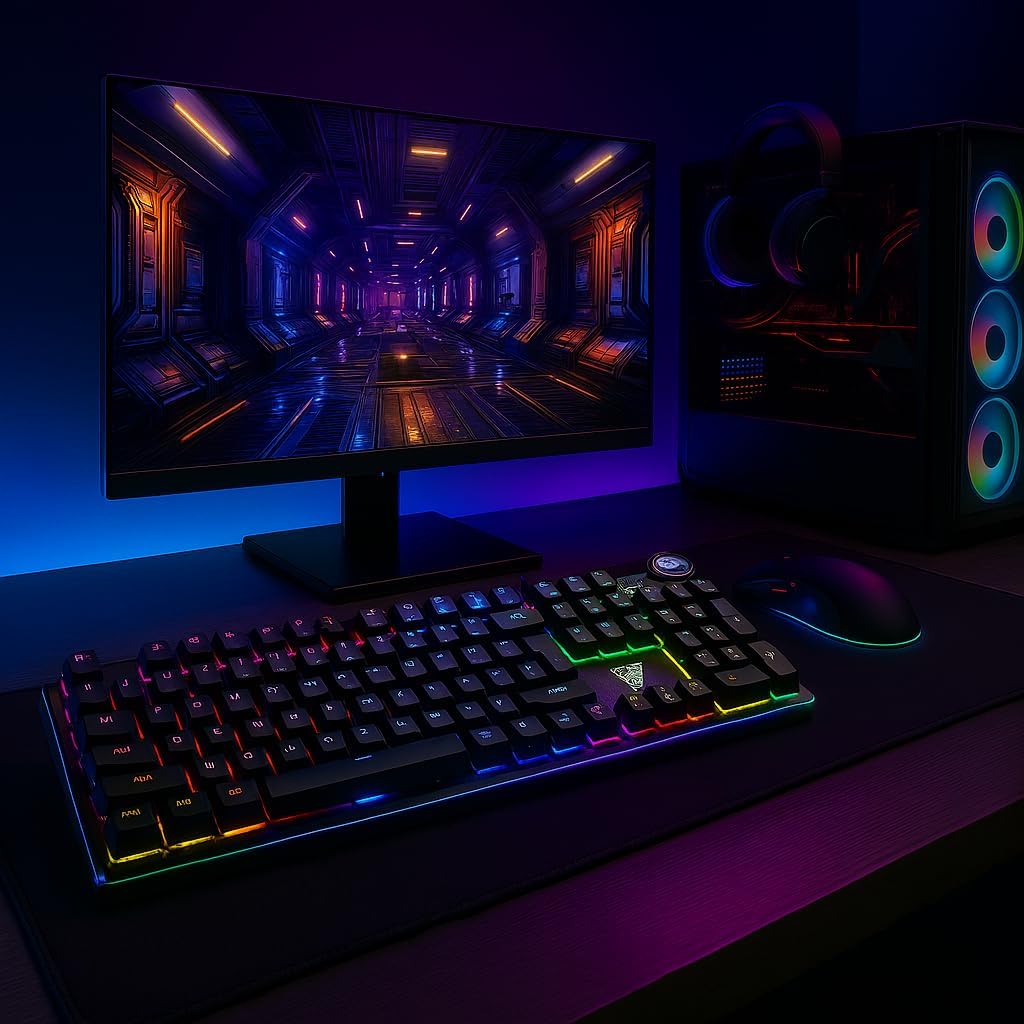
Image 1.1: AULA F3018 Mechanical Keyboard in a typical desktop setup, showcasing its RGB lighting and full-size design.
2. Zawartość opakowania
Sprawdź, czy w przesyłce znajdują się wszystkie elementy:
- Klawiatura mechaniczna AULA F3018
- Kabel USB (dołączony)
- Instrukcja obsługi (ten dokument)
3. Konfiguracja
Follow these steps to connect your AULA F3018 Mechanical Keyboard:
- Rozpakuj klawiaturę: Ostrożnie wyjmij klawiaturę z opakowania.
- Połącz z komputerem: Insert the USB connector of the keyboard's reinforced cable into an available USB port on your computer (PC, Notebook, or MacBook). The keyboard supports USB 2.0 and USB 3.0 ports.
- Instalacja sterownika: The keyboard is plug-and-play. Your operating system will automatically detect and install the necessary drivers. No additional software installation is required for basic functionality.
- Sprawdź połączenie: Once connected, the keyboard's RGB lighting should illuminate, indicating a successful connection. You can now begin using your keyboard.

Obraz 3.1: Pod kątem view of the AULA F3018 keyboard, highlighting the durable, reinforced USB cable for connection.
4. Instrukcja obsługi
4.1. Funkcje podstawowe
The AULA F3018 is a full-size ABNT2 layout keyboard with 108 keys, providing all standard typing and navigation functions.
4.2. Sterowanie oświetleniem RGB
The keyboard features full RGB backlighting with multiple effects. Use the following key combinations to control the lighting:
- Fn + [Key]: Specific keys may have secondary functions for lighting control. Refer to the keycaps for symbols indicating lighting adjustments.
- Tryby oświetlenia: Cycle through various lighting effects and patterns.
- Regulacja jasności: Increase or decrease the brightness of the backlighting.
- Regulacja prędkości: Change the speed of dynamic lighting effects.

Image 4.1: The AULA F3018 keyboard illuminated with vibrant RGB lighting, demonstrating customizable visual effects.
4.3. Sterowanie multimediami
The keyboard includes dedicated multimedia keys and a volume control knob for convenient media management:
- Pokrętło głośności: Rotate the knob clockwise to increase volume, counter-clockwise to decrease volume. Press the knob to mute/unmute audio.
- Dedykowane klawisze multimedialne: Located above the numeric keypad, these keys provide quick access to functions like Play/Pause, Stop, Previous Track, and Next Track.

Rysunek 4.2: Szczegółowy view of the volume control knob and adjacent multimedia keys on the AULA F3018 keyboard.
5. Konserwacja
Właściwa konserwacja zapewnia długowieczność i optymalną wydajność klawiatury:
- Czyszczenie: Do czyszczenia powierzchni klawiatury używaj miękkiej, suchej ściereczki. Do usuwania kurzu i zanieczyszczeń spomiędzy klawiszy użyj sprężonego powietrza. Unikaj stosowania silnych środków chemicznych i materiałów ściernych.
- Zapobieganie rozlaniu: While the keyboard is moisture-resistant, avoid direct liquid spills. In case of a spill, immediately disconnect the keyboard and allow it to dry completely before reconnecting.
- Pielęgnacja kabli: Do not bend or twist the reinforced cable excessively. Store it neatly to prevent damage.
- Składowanie: Jeśli klawiatura nie będzie używana przez dłuższy czas, należy ją przechowywać w czystym i suchym miejscu, z dala od bezpośredniego światła słonecznego i ekstremalnych temperatur.
6. Rozwiązywanie Problemów
If you encounter issues with your AULA F3018 keyboard, refer to the following common problems and solutions:
- Klawiatura nie odpowiada:
- Sprawdź, czy kabel USB jest prawidłowo podłączony do klawiatury i komputera.
- Spróbuj podłączyć klawiaturę do innego portu USB w komputerze.
- Uruchom ponownie komputer.
- Przetestuj klawiaturę na innym komputerze, aby wykluczyć problem związany z danym komputerem.
- Oświetlenie RGB nie działa:
- Check if the lighting is turned off or set to minimum brightness using the keyboard's lighting control functions (e.g., Fn + [Key]).
- Sprawdź, czy klawiatura jest prawidłowo podłączona i ma zasilanie.
- Klawisze nie rejestrują się lub są wpisywane podwójnie:
- Clean the affected key(s) with compressed air to remove any debris.
- If the issue persists, it might indicate a hardware fault. Contact customer support.
- Klawisze multimedialne nie działają:
- Ensure your operating system's media player is active and in focus.
- Check for any conflicting software or drivers.
7. Specyfikacje
| Funkcja | Opis |
|---|---|
| Nazwa modelu | Klawiatura mechaniczna AULA F3018 |
| Numer modelu | F3018 |
| Marka | AULA (Generic) |
| Typ przełącznika | Tactile Blue Switch |
| Układ klawiatury | ABNT2 (Portuguese) |
| Liczba kluczy | 108 |
| Łączność | Wired (USB, USB 2.0, USB 3.0) |
| Podświetlenie | Full RGB, Adjustable |
| Kompatybilne urządzenia | MacBook, Notebook, PC |
| Tworzywo | Akrylonitryl-butadien-styren (ABS) |
| Kolor | Czarny |
| Wymiary (dł. x szer. x wys.) | Wymiary: 44 cm x 14 cm x 3 cm |
| Poziom wodoodporności | Odporny na wilgoć |
| Zalecane zastosowania | Gaming, Personal, Programming |
| Zawarte komponenty | Kabel USB |
| Kraj pochodzenia | Chiny |

Image 7.1: Dimensions of the AULA F3018 Mechanical Keyboard, showing its length, width, and height.

Image 7.2: Key features of the AULA F3018 keyboard, including switch type, layout, and connectivity.
8. Gwarancja i wsparcie
The AULA F3018 Mechanical Keyboard comes with a 30-dniowa gwarancja sprzedawcy od daty zakupu. Niniejsza gwarancja obejmuje wady produkcyjne powstałe w wyniku normalnego użytkowania.
For technical support, warranty claims, or any questions regarding your product, please contact your retailer or the seller directly. Please retain your proof of purchase for warranty validation.