
Wstęp
This manual provides essential information for setting up, operating, maintaining, and troubleshooting your Apple iPad Pro 11-inch (M5). Please read this guide thoroughly to ensure optimal performance and longevity of your device. For the most up-to-date information and support, visit the official Apple Support webstrona.
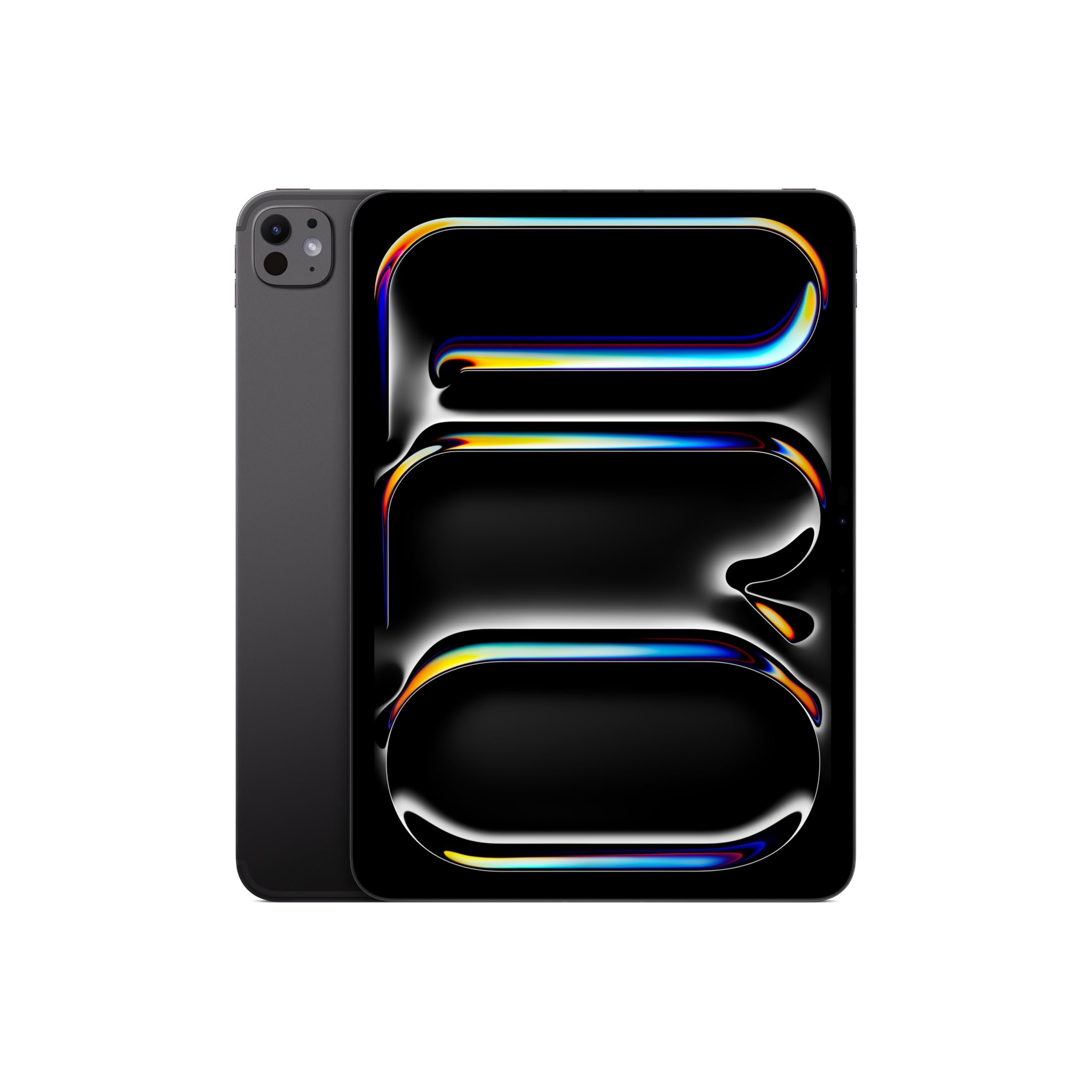
Image: The Apple iPad Pro 11-inch (M5) in Space Black, showcasinze względu na jego elegancki wygląd.
Co jest w pudełku
Verify that all items are present in your iPad Pro packaging:
- iPad Pro 11 cali (M5)
- Kabel ładujący USB-C
- Zasilacz 20W USB-C

Image: The contents of the Apple iPad Pro box, displaying the iPad, USB-C charge cable, and 20W USB-C power adapter.
Organizować coś
1. Pierwsze włączenie zasilania
- Naciśnij i przytrzymaj górny przycisk, aż pojawi się logo Apple.
- Postępuj zgodnie z instrukcjami wyświetlanymi na ekranie, aby wybrać język i region.
2. Connect to Wi-Fi or Cellular
- Wi-Fi: Wybierz swoją sieć Wi-Fi z listy i wpisz hasło.
- Cellular (Wi-Fi + Cellular models): Insert a nano-SIM card or activate an eSIM plan.
3. Set Up Face ID
Face ID allows you to securely unlock your iPad, authenticate purchases, and sign in to apps using facial recognition.
- During setup, follow the prompts to enroll your face.
- Ensure your face is well-lit and positioned correctly within the frame.
4. Apple ID
Sign in with your existing Apple ID or create a new one. Your Apple ID is used for iCloud, App Store, iTunes Store, and other Apple services.
Operating Your iPad Pro
Wyświetlacz i interakcja
The iPad Pro features an Ultra Retina XDR Display with ProMotion technology, offering adaptive refresh rates for smooth scrolling and responsiveness. It supports P3 wide color and True Tone for accurate color representation.
M5 Chip Performance
Powered by the Apple M5 chip, your iPad Pro delivers exceptional performance for demanding tasks, including professional workflows, advanced gaming, and AI-driven applications. The integrated Neural Accelerators enhance on-device AI capabilities.

Image: The Apple iPad Pro 11-inch (M5) attached to a Magic Keyboard, showcasing its powerful M5 chip and multitasking capabilities with various applications open.
iPadOS and Apple Intelligence
iPadOS 26 provides a flexible windowing system for efficient multitasking. Inteligencja Apple is integrated to assist with communication, expression, and task completion, prioritizing user privacy.
Cameras and LiDAR Scanner
The iPad Pro includes a landscape 12MP Center Stagi pokój for video calls and a 12-megapikselowy aparat szerokokątny with an adaptive True Tone flash for high-quality photos and videos. The Skaner LiDAR enhances augmented reality experiences and improves low-light photography.
Łączność
Enjoy fast wireless connections with Wi-Fi 7 (Apple N1) for quick data transfers. 5G cellular (Apple C1X) models offer robust connectivity in more locations.
Apple Pencil and Magic Keyboard (Sold Separately)
For enhanced creativity and productivity, the iPad Pro is compatible with Apple Pencil Pro I Apple Pencil (USB-C) for drawing, note-taking, and precise control. The Magiczna klawiatura offers a comfortable typing experience and a trackpad with haptic feedback.

Image: A user interacting with the Apple iPad Pro using an Apple Pencil, highlighting its utility for creative tasks.

Obraz: Zbliżenie view of the Apple Pencil Pro in use on the iPad Pro screen, illustrating its precision for digital artistry.
Konserwacja
Cleaning Your iPad Pro
- Do czyszczenia ekranu i zewnętrznej części należy używać miękkiej, niepozostawiającej włókien ściereczki.
- Avoid abrasive materials, aerosols, solvents, or ammonia-based cleaners.
- Nie rozpylać środków czyszczących bezpośrednio na urządzenie.
Pielęgnacja baterii
- Aby zapewnić optymalną żywotność baterii, należy unikać ekstremalnych temperatur.
- Charge your iPad Pro using the provided USB-C charge cable and power adapter.
- Regularly update iPadOS to benefit from battery optimization features.
Aktualizacje oprogramowania
Keep your iPadOS updated to the latest version to ensure access to new features, security enhancements, and performance improvements. Go to Ustawienia > Ogólne > Aktualizacja oprogramowania.
Rozwiązywanie problemów
Urządzenie nie odpowiada
If your iPad Pro is unresponsive, try a force restart:
- Press and quickly release the Volume Up button.
- Press and quickly release the Volume Down button.
- Naciśnij i przytrzymaj górny przycisk, aż pojawi się logo Apple.
Problemy z łącznością sieciową
- Wi-Fi: Ensure your router is on and within range. Try forgetting the network (Settings > Wi-Fi > [Network Name] > Forget This Network) and reconnecting.
- Komórkowy: Check your cellular plan status and ensure cellular data is enabled in Settings > Cellular Data.
Problemy z aplikacją
If an app is not functioning correctly, try closing and reopening it. If the issue persists, check the App Store for updates or reinstall the app.
Specyfikacje
| Funkcja | Szczegół |
|---|---|
| Nazwa modelu | iPad Pro 11 cali (M5) |
| Numer modelu przedmiotu | ME2Q4LL/A |
| Wymiary produktu | 6.99 x 9.83 x 0.21 cala |
| Waga przedmiotu | 15.7 uncji |
| Wyświetlacz | 11-inch Ultra Retina XDR Display, Tandem OLED, 2420-by-1668-pixel resolution at 264 ppi, ProMotion, P3 Wide Color, True Tone |
| Żeton | Apple M5 chip (9-core CPU, 10-core GPU, Neural Accelerators) |
| Pojemność pamięci masowej | 512 GB |
| Kamery | 12MP Wide camera, 12MP TrueDepth (Center Stage) camera, LiDAR Scanner |
| Nagrywanie wideo | Up to 4K at 60 fps, ProRes video recording |
| Łączność | Wi-Fi 7 (802.11be), Bluetooth 6, 5G (sub-6 GHz) on Cellular models |
| Porty | Thunderbolt / USB 4 port (Charging, DisplayPort, Thunderbolt 3, USB 4, USB 3) |
| Bezpieczeństwo | Identyfikator twarzy |
| Bateria | Built-in 31.29-watt-hour rechargeable lithium-polymer battery (Up to 10 hours Wi-Fi, 9 hours Cellular) |
| System operacyjny | iPadOS |
Gwarancja i wsparcie
Your Apple iPad Pro 11-inch (M5) is covered by a limited warranty. For detailed warranty information, please refer to the documentation included with your product or visit the official Apple website. Apple also offers various support resources, including online knowledge bases, community forums, and direct customer support.
For technical assistance, service, and support, please visit support.apple.com/ipad or contact Apple Support directly.