
1. Wprowadzenie
Thank you for choosing the HUANUO Gas Spring Laptop and Monitor Arm. This versatile arm is designed to optimize your workspace by providing flexible positioning for both your laptop and an external monitor. Featuring a gas spring mechanism, it allows for smooth, effortless adjustments to achieve an ergonomic setup, reducing strain and improving productivity. This manual provides detailed instructions for safe installation, operation, and maintenance of your new arm.

Image: The HUANUO 2-in-1 arm configured for a laptop (left) and a monitor (right).
2. Informacje dotyczące bezpieczeństwa
- Przed montażem i użyciem należy uważnie przeczytać wszystkie instrukcje.
- Do not exceed the maximum load capacity of 9kg (for monitor) or 7.7kg (for laptop).
- Ensure the mounting surface (desk) is stable and strong enough to support the arm and attached devices.
- Podczas instalacji należy trzymać dzieci i zwierzęta z daleka.
- Dokręć wszystkie śruby mocno, ale nie dokręcaj ich zbyt mocno, aby uniknąć zerwania gwintów lub uszkodzenia elementów.
- Adjust the gas spring tension carefully to match the weight of your device. Improper tension can cause the arm to move unexpectedly.
3. Wymagania dotyczące kompatybilności
- Laptop: Up to 17 inches, weighing up to 7.7kg.
- Monitor: 13 to 34 inches, weighing up to 9kg. Must have VESA mounting patterns of 75x75mm or 100x100mm.
- Grubość biurka:
- C-Clamp: Od 10 mm do 65 mm
- Grommet Mount: 10mm to 75mm

Image: Detailed compatibility specifications for laptop, monitor, and VESA standards.
4. Instrukcja instalacji
4.1 Opcje montażu
The arm supports two installation methods: C-clamp i mocowanie z przelotką. Wybierz metodę odpowiednią dla swojego biurka.

Image: C-clamp and Grommet mounting methods with compatible desk thickness ranges.
4.2 Etapy montażu
- Podłącz Clamp/Podstawa przelotki: Secure the chosen mounting base to your desk. Ensure it is tightly fastened to prevent wobbling.
- Montaż ramienia: Slide the arm onto the pole of the base.
- Attach the VESA Plate or Laptop Tray: Secure the VESA plate to your monitor using the provided screws, or attach the laptop tray to the arm.
- Zamontuj urządzenie: If using a monitor, slide the VESA plate with the monitor onto the arm. If using a laptop, place your laptop on the tray.

Image: Step-by-step visual guide for assembling the arm components.
4.3 Regulacja napięcia sprężyny gazowej
The gas spring tension must be adjusted to match the weight of your monitor or laptop. This ensures the arm holds its position securely and allows for smooth movement.
- Krok 1: Push the upper arm horizontally downwards.
- Krok 2: Use the provided Allen key to adjust the gas spring tension. Turn towards "+" to increase tension (for heavier devices) or towards "-" to decrease tension (for lighter devices). Adjust until the arm can hold its position freely.

Image: Instructions for adjusting the gas spring tension.
5. Obsługa i regulacje
Once installed, the HUANUO arm offers extensive adjustability to customize your viewzdobywania doświadczenia.
- Regulacja wysokości: The gas spring allows for smooth vertical movement. Gently push or pull the arm to your desired height.
- Przechylenie: Adjust the screen tilt from +80° to -50° to reduce glare and find the optimal viewkąt.
- Obracać: Rotate the arm ±90° left or right to share your screen or change your viewkierunku.
- Obrót: The VESA plate allows for 360° rotation, enabling you to switch between landscape and portrait orientations.
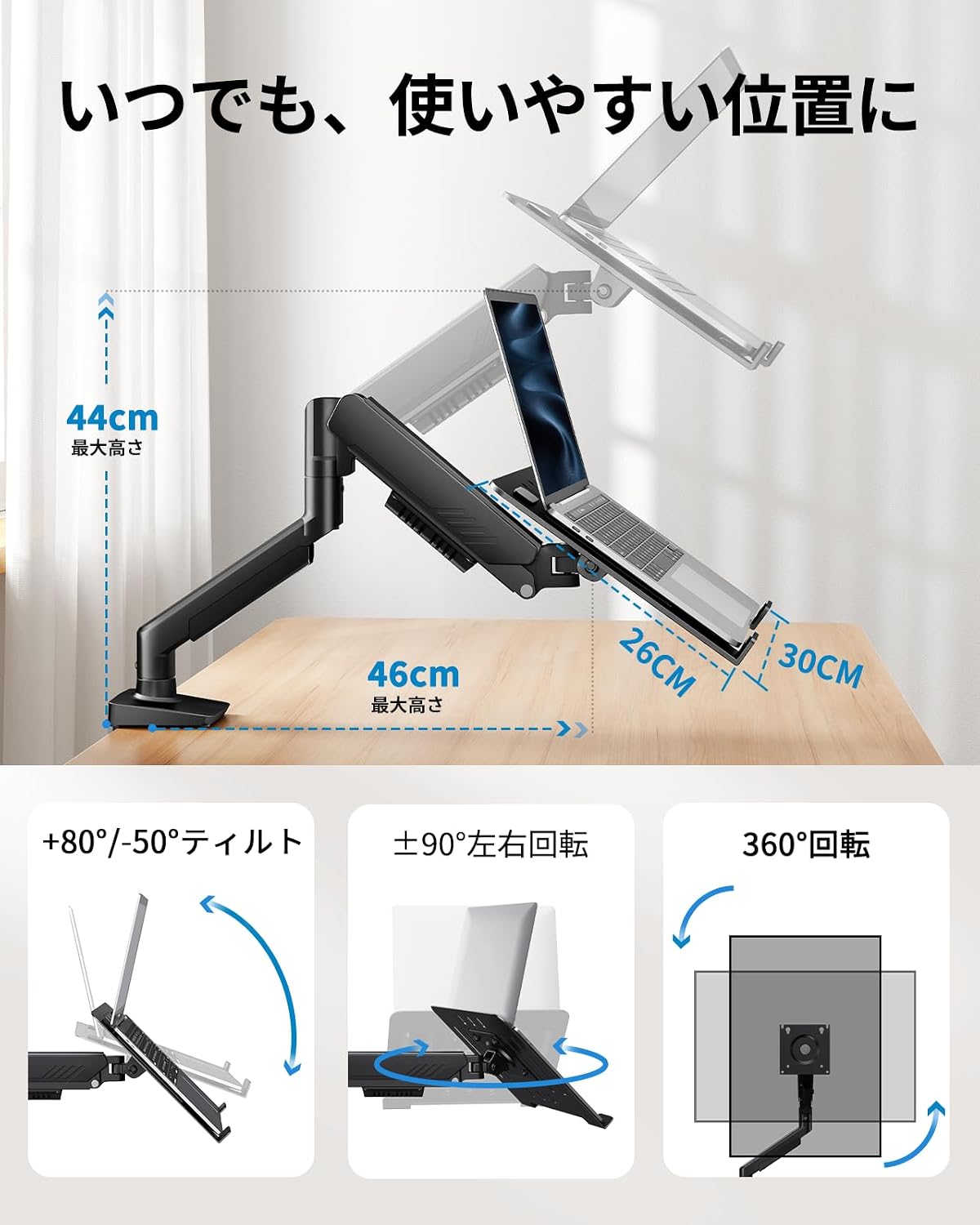
Image: Demonstrating the arm's tilt, swivel, and rotation features.
5.1 Zarządzanie kablami
Integrated cable management clips along the arm help keep your workspace tidy and organized. Route your cables through these clips to prevent clutter and ensure a clean setup.
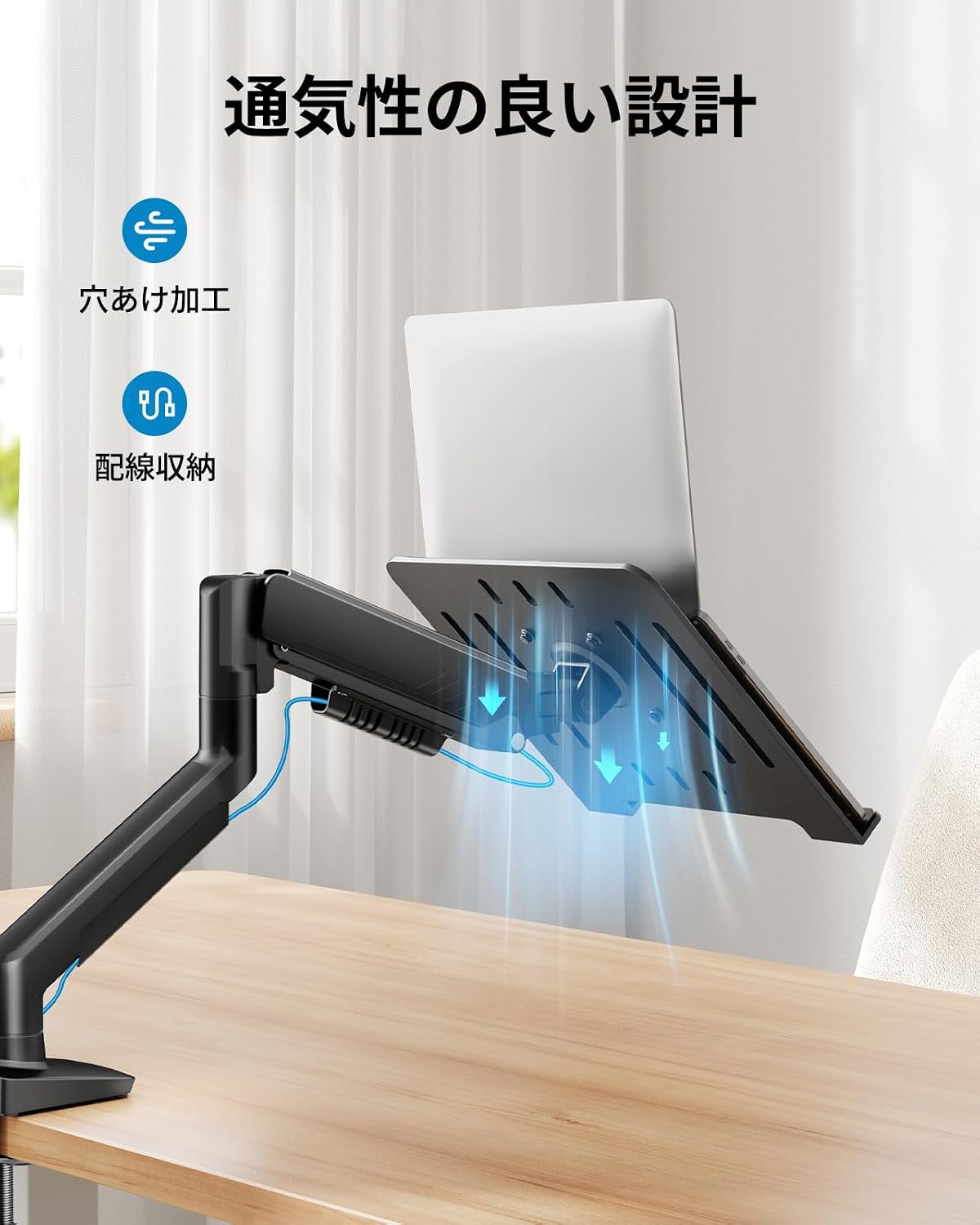
Obraz: Byłyample of cable routing using the arm's integrated cable management.
6. Konserwacja
Regularna konserwacja zapewnia długowieczność i optymalną wydajność ramienia monitora.
- Czyszczenie: Wipe the arm and tray with a soft, damp szmatką. Unikaj środków czyszczących o działaniu ściernym i rozpuszczalników.
- Sprawdź połączenia: Okresowo sprawdzaj wszystkie śruby i nakrętki, aby upewnić się, że są dobrze dokręcone. W razie potrzeby dokręć je ponownie.
- Sprężyna gazowa: Jeśli ruch ramienia z czasem stanie się sztywny lub luźny, należy ponownie wyregulować napięcie sprężyny gazowej, zgodnie z opisem w rozdziale 4.3.
7. Rozwiązywanie Problemów
| Problem | Możliwa przyczyna | Rozwiązanie |
|---|---|---|
| Arm does not hold position / Sags | Gas spring tension is too low for the device weight. | Increase gas spring tension (turn towards '+') using the Allen key. Refer to Section 4.3. |
| Arm is difficult to move / Stays too high | Gas spring tension is too high for the device weight. | Decrease gas spring tension (turn towards '-') using the Allen key. Refer to Section 4.3. |
| Arm wobbles or feels unstable | Montaż clamp/grommet is not tight enough, or desk is unstable. | Upewnij się, że clamp or grommet mount is securely tightened to the desk. Verify desk stability. |
| Monitor/Laptop not level | Tilt adjustment is loose or uneven. | Tighten the tilt mechanism screws. Adjust the tilt evenly. |
8. Specyfikacje
- Marka: HUANUO
- Model: B0FVSCTWDZ
- Typ montażu: Mocowanie stołowe (C-Clamp & Grommet)
- Typ ruchu: Rotational, Gas Spring
- Tworzywo: Metal
- Kolor: Czarny
- Zgodne urządzenia: Laptopy, Monitory
- Kompatybilność laptopa: Up to 17 inches, Max Load 7.7kg
- Kompatybilność monitora: 13-34 inches, Max Load 9kg
- Zgodność z VESA: 75x75mm, 100x100mm
- Grubość biurka (C-Clamp): 10 mm - 65 mm
- Desk Thickness (Grommet): 10 mm - 75 mm
- Zakres przechyłu: +80° / -50°
- Zakres obrotu: ±90°
- Obrót: 360°
9. Gwarancja i wsparcie
This HUANUO product comes with a 5-year manufacturer's warranty, covering defects in materials and workmanship under normal use. Please retain your proof of purchase for warranty claims.
For technical support, troubleshooting assistance, or warranty inquiries, please contact HUANUO customer service through the retailer where you purchased the product or visit the official HUANUO webwitryna do informacji kontaktowych.
Webstrona: www.huanuo.com (Uwaga: To jest symbol zastępczy URL. Please refer to your product packaging or official HUANUO documentation for the correct support webstrona.)