
1. Wprowadzenie
Thank you for choosing the CINMOORE CM-C2U 3K Indoor Security Camera. This manual provides essential information for setting up, operating, and maintaining your camera to ensure optimal performance and security. This camera is designed for indoor use, offering advanced features such as 3K UHD video, AI-powered detection, pan-tilt-zoom functionality, and dual-band Wi-Fi connectivity.
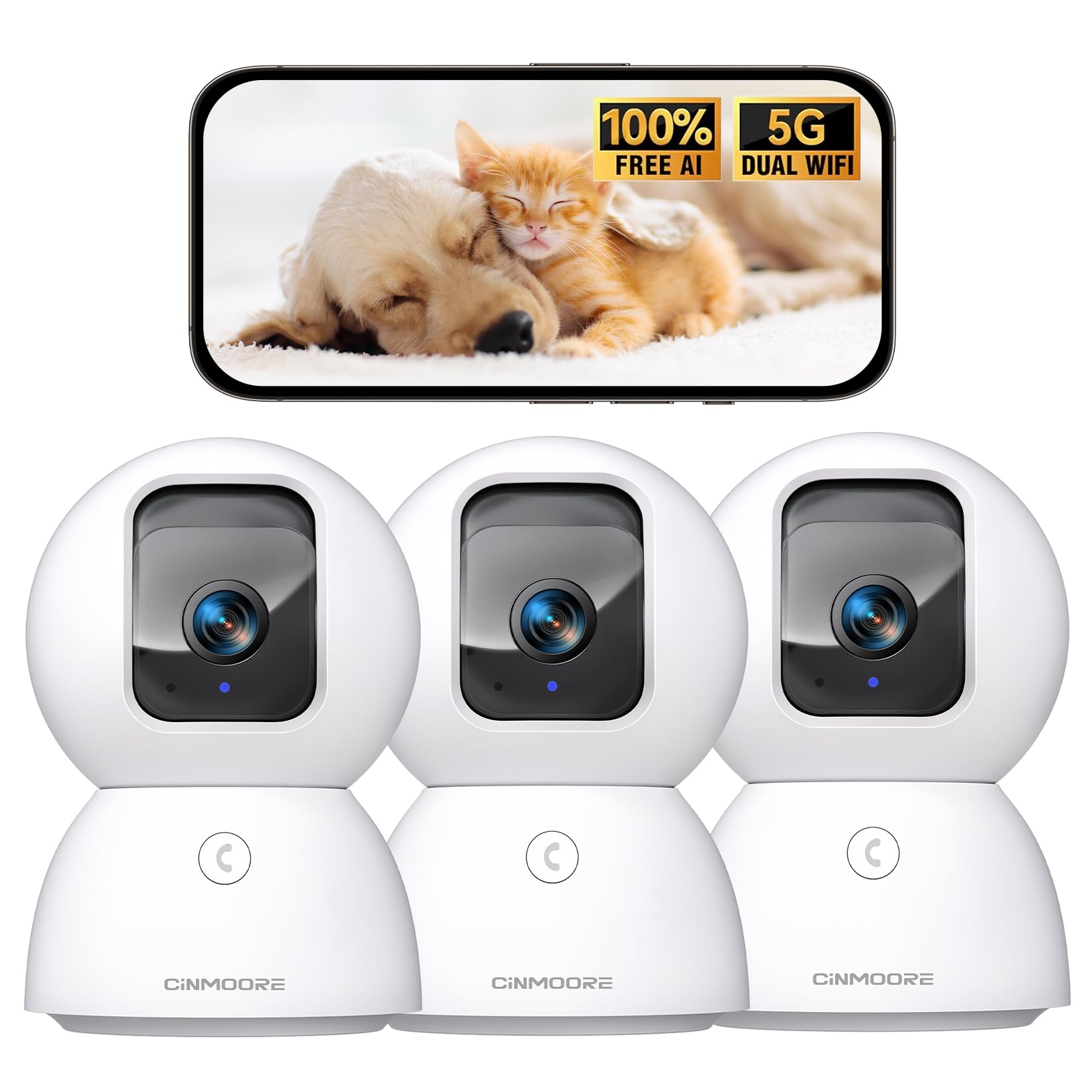
Figure 1: CINMOORE CM-C2U 3K Indoor Security Camera
2. Co znajduje się w pudełku
- CINMOORE Security Camera (x3)
- Mounting Bracket Base (x3)
- Zasilacz (x3)
- Kabel danych (x3)
- Kotwy śrubowe (x3)
- Instrukcja obsługi (x1)
3. Instrukcje konfiguracji
3.1 Początkowe włączenie zasilania
- Connect the data cable to the camera's power port.
- Podłącz zasilacz do standardowego gniazdka elektrycznego.
- The camera will power on, and an indicator light will blink, signaling it's ready for setup.
3.2 Pobieranie aplikacji i łączenie
- Download the official CINMOORE app from your smartphone's app store (iOS or Android).
- Utwórz konto lub zaloguj się, jeśli już je posiadasz.
- Follow the in-app instructions to add your new camera. This typically involves scanning a QR code located on the camera's base.
- Connect the camera to your home Wi-Fi network. The camera supports Dual-Band 2.4GHz/5GHz Wi-Fi 6 for a stable connection.
Video: C2U Indoor Camera 1-minute Setup. This video demonstrates the quick and easy setup process for the CINMOORE C2U Indoor Camera, guiding users through connecting the device to the power supply and linking it to the mobile application.
4. Instrukcja obsługi
4.1 Monitorowanie wideo na żywo
Access the live feed from your camera anytime, anywhere via the CINMOORE app. The 3K UHD resolution provides clear and detailed visuals.

Figure 2: Demonstrates the superior 3K clarity of the camera's video feed compared to 2K resolution, highlighting vivid detail for monitoring.
4.2 Sterowanie obrotem, pochyleniem i powiększeniem (PTZ)
Use the virtual joystick in the app to remotely control the camera's movement. Enjoy a 360° horizontal pan and a 109° vertical tilt to cover every corner of your room. The camera also features AI auto-tracking to follow detected movement.

Figure 3: Illustrates the camera's comprehensive 360° pan and tilt capabilities, along with other key features like 3K Ultra HD, sound/crying alerts, and local facial recognition.
4.3 Dźwięk dwukierunkowy
Engage in real-time conversations using the full-duplex two-way audio feature. Speak through the app and hear responses from the camera's location. A one-click call button can trigger family alerts.
4.4 Wykrywanie i śledzenie sztucznej inteligencji
The camera offers free AI detections for facial recognition (stores up to 5 faces locally), person detection, pet detection, baby crying detection, and smoke/gas alarm recognition. Receive instant alerts on your smartphone when activity is detected. Customize detection zones to focus on specific areas.

Figure 4: Highlights the camera's no-subscription local AI detection features, including recognition of up to 5 faces and 6 types of detections (person, pet, motion, noise, loitering, facial) while ensuring 100% privacy.
4.5 Widzenie nocne
The 0-Glow Night Vision 2.0 provides clear monitoring in low-light conditions without emitting a visible red glow, ensuring undisturbed sleep for babies and pets. The night vision range is up to 33 feet.

Figure 5: Compares the CINMOORE camera's 0-Glow Night Vision with a traditional camera's red glow, emphasizing safe and undisturbed monitoring for infants and pets.
4.6 Opcje przechowywania
Choose between local storage via an SD card (up to 512GB, not included) for 24/7 recording, or optional AWS Cloud storage with bank-level security (30-day free trial available). SD card encryption ensures footage is only viewable within the CINMOORE App.

Figure 6: Details the camera's encrypted and secure storage options, including SD card support (up to 512GB, not included) and optional AWS Cloud Storage with a 30-day free trial.
4.7 Tryb prywatności
Activate the one-tap privacy mode, which physically covers the camera lens, ensuring your privacy when you are home.
5. Opcje montażu
The CINMOORE CM-C2U camera offers flexible mounting options to suit your needs:
- Montaż na blacie: Wystarczy umieścić kamerę na dowolnej płaskiej powierzchni, np. stole, półce lub biurku.
- Mocowanie ścienne: Use the included mounting bracket base and screw anchors to securely attach the camera to a wall.
- Montaż sufitowy: The camera can also be mounted to the ceiling using the provided bracket for an overhead view.
Ensure the camera is positioned to provide the optimal viewing angle for your desired monitoring area.
Video: Setup Guide for IMILAB indoor camera. This video provides a step-by-step guide on how to set up an IMILAB indoor camera, including unboxing, connecting to power, app setup, and mounting options.
6. Specyfikacje
| Nazwa modelu | CM-C2U |
| Zastosowanie wewnątrz/na zewnątrz | Wnętrz |
| Rozdzielczość przechwytywania wideo | 3K/4MP |
| Protokół łączności | Wi-Fi (Dual-Band 2.4GHz/5GHz Wi-Fi 6) |
| Źródło zasilania | Elektryczny przewodowy |
| Typ kontrolera | Amazon Alexa |
| Typ montażu | Ceiling Mount / Tabletop Mount / Wall Mount |
| Zakres noktowizora | 33 Feet (0-Glow) |
| Pamięć lokalna | SD card (up to 512GB, not included) |
| Wymiary | 3 x 4.5 x 3 cala |
| Waga przedmiotu | 2.33 funta |
7. Konserwacja
- Czyszczenie: Delikatnie przetrzyj obiektyw i korpus aparatu miękką, suchą ściereczką. Unikaj stosowania silnych środków chemicznych i materiałów ściernych.
- Aktualizacje oprogramowania układowego: Regularly check the CINMOORE app for available firmware updates to ensure your camera has the latest features and security enhancements.
- Cykl zasilania: If the camera experiences connectivity issues, try unplugging it from the power source for 10 seconds and then plugging it back in.
- Zarządzanie kartami SD: W przypadku korzystania z karty SD należy okresowo ją aktualizować.view i zarządzaj nagranymi footagaby zapobiec zapełnieniu karty.
8. Rozwiązywanie Problemów
- Kamera nie łączy się z Wi-Fi:
- Upewnij się, że Twoja sieć Wi-Fi obsługuje częstotliwość 2.4 GHz lub 5 GHz.
- Sprawdź, czy hasło Wi-Fi zostało wprowadzone poprawnie.
- Przesuń kamerę bliżej routera Wi-Fi.
- Uruchom ponownie router i kamerę.
- Słaba jakość wideo:
- Sprawdź prędkość swojego połączenia internetowego.
- Upewnij się, że obiektyw aparatu jest czysty.
- Jeśli to możliwe, dostosuj ustawienia jakości wideo w aplikacji.
- Brak alertów o wykryciu ruchu:
- Sprawdź, czy wykrywanie ruchu jest włączone w ustawieniach aplikacji.
- Adjust motion sensitivity levels.
- Sprawdź ustawienia powiadomień aplikacji na swoim smartfonie.
- Problemy z dwukierunkowym dźwiękiem:
- Sprawdź, czy mikrofon w telefonie jest włączony dla tej aplikacji.
- Check the volume settings in the app.
- Zminimalizuj hałas w tle, aby zapewnić lepszą komunikację.
9. Gwarancja i wsparcie
The CINMOORE CM-C2U camera comes with a 24-month warranty. For any issues or inquiries, please contact CINMOORE customer support. We offer free replacement for eligible issues, extended warranty options, and professional support to ensure your satisfaction.
For further assistance, refer to the help section within the CINMOORE app or visit our official webstrona.