
Wstęp
Thank you for choosing the Altec Lansing Comfort Pro Over Ear Bluetooth Headphones. These headphones are designed to provide a high-quality audio experience with advanced features such as Active Noise Cancellation (ANC), Environmental Noise Cancellation (ENC), Spatial Audio, and a long-lasting battery. This manual will guide you through the setup, operation, and maintenance of your new headphones.
Co jest w pudełku
- Altec Lansing Comfort Pro Wireless Headphones
- Kabel ładujący USB-C (nie jest wymieniony wprost, ale służy do ładowania)
- Audio Cable (not explicitly listed but common for wired use)
- Carrying Case (implied by images)
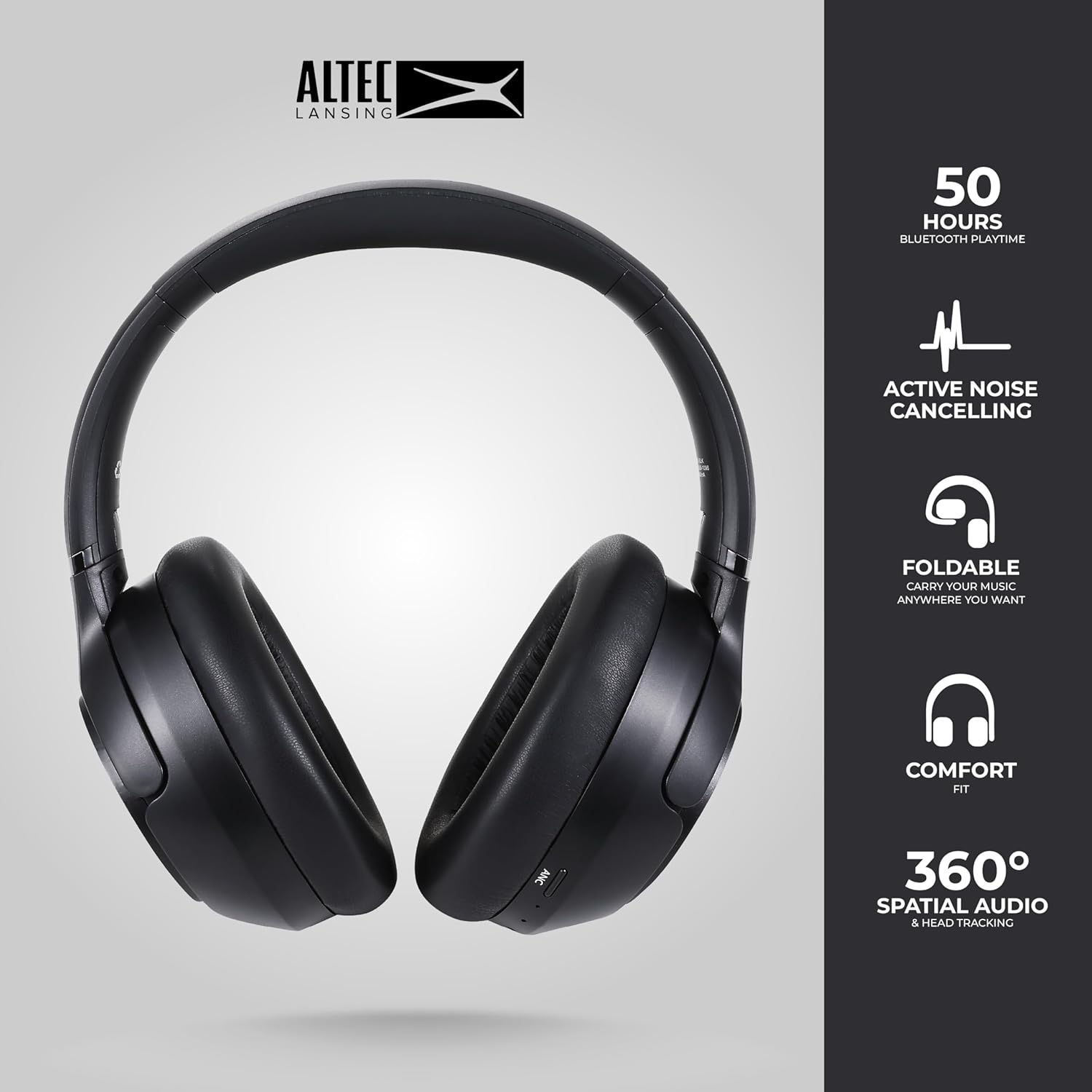
Image: The Altec Lansing Comfort Pro headphones, showcasing their sleek design and key features like 50 hours Bluetooth playtime, Active Noise Cancelling, foldable design, comfort fit, and 360° Spatial Audio & Head Tracking.
Organizować coś
1. Ładowanie słuchawek
Before first use, fully charge your headphones. Connect the provided USB-C charging cable to the charging port on the headphones and the other end to a USB power source. The LED indicator will show charging status and turn off or change color when fully charged. A full charge typically takes approximately two hours.
2. Włączanie/wyłączanie zasilania
- Włączanie: Naciśnij i przytrzymaj przycisk zasilania przez około 3 sekundy, aż zaświeci się kontrolka LED.
- Aby wyłączyć: Naciśnij i przytrzymaj przycisk zasilania przez około 3 sekundy, aż wskaźnik LED zgaśnie.
3. Parowanie Bluetooth
The headphones support Bluetooth 5.4 for stable connectivity and multipoint pairing for connecting to two devices simultaneously.
- Upewnij się, że słuchawki są wyłączone.
- Naciśnij i przytrzymaj przycisk zasilania przez około 5–7 sekund, aż dioda LED zacznie szybko migać (zazwyczaj na niebiesko i czerwono), wskazując tryb parowania.
- Na swoim urządzeniu (smartfonie, laptopie, tablecie) przejdź do ustawień Bluetooth i włącz Bluetooth.
- Szukaj available devices and select "Altec Lansing Comfort Pro" from the list.
- Po nawiązaniu połączenia dioda LED przestanie migać i będzie świecić ciągłym niebieskim światłem.
- For multipoint pairing, connect to the first device, then put the headphones back into pairing mode and connect to the second device. The headphones will intelligently switch between the two connected devices.

Obraz: szczegółowy view of the Altec Lansing Comfort Pro headphones highlighting the adjustable headband and the soft, lightweight ear cushions designed for comfort during extended use.
Operacyjny
Sterowanie słuchawkami
The headphones feature intuitive controls located on the earcups. Refer to the image below for button identification.

Obraz: Zbliżenie view of the right earcup of the Altec Lansing Comfort Pro headphones, showing the power button, volume controls, and other function buttons.
- Przycisk zasilania: Press and hold to power on/off. Short press for play/pause, answer/end calls.
- Zwiększanie głośności (+): Naciśnij krótko, aby zwiększyć głośność. Naciśnij długo, aby przejść do następnego utworu.
- Ściszanie (-): Naciśnij krótko, aby zmniejszyć głośność. Naciśnij długo, aby przejść do poprzedniego utworu.
- Przycisk ANC: Press to cycle through Active Noise Cancellation modes (ANC On, Ambient Mode, ANC Off).
- Przycisk wielofunkcyjny (MFB): Double press to activate Voice Assistant (Siri/Google Voice). Triple press to activate Low Latency Mode.
Aktywna redukcja hałasu (ANC) i redukcja hałasu otoczenia (ENC)
The Comfort Pro headphones feature powerful ANC to block out external noise and ENC for clear calls. Press the dedicated ANC button to toggle between ANC On, Ambient Mode (allowing some environmental sounds for awareness), and ANC Off. ENC is automatically active during calls to ensure your voice is clear.
Dźwięk przestrzenny
Experience immersive sound with Spatial Audio. This feature creates a 3D soundstage, making audio feel more lifelike. Spatial Audio is automatically enabled when supported by your device and content.
Tryb niskiego opóźnienia
For gaming or video playback where audio-visual synchronization is critical, activate Low Latency Mode by triple-pressing the MFB. This reduces audio delay for a more synchronized experience.
Asystent głosowy
Access your device's voice assistant (Siri or Google Voice) by double-pressing the MFB. You can then issue commands through the headphone's microphone.
Zarządzanie połączeniami
- Odbieranie/kończenie połączeń: Krótko naciśnij przycisk zasilania.
- Odrzuć połączenie: Naciśnij i przytrzymaj przycisk zasilania przez 2 sekundy.
Konserwacja
Czyszczenie
Aby zachować wydajność i wygląd słuchawek:
- Wytrzyj nauszniki i pałąk miękką, suchą i niepozostawiającą włókien ściereczką.
- W przypadku uporczywych zabrudzeń należy delikatnieampPrzetrzyj szmatkę wodą. Unikaj stosowania silnych środków chemicznych, rozpuszczalników i ściernych środków czyszczących.
- Nie dopuść do przedostania się wilgoci do otworów.
Składowanie
When not in use, store your headphones in the provided carrying case to protect them from dust, scratches, and impacts. The foldable design allows for compact storage.

Image: The Altec Lansing Comfort Pro headphones neatly folded and stored inside their protective carrying case, emphasizing portability and protection.
Pielęgnacja baterii
- Unikaj częstego całkowitego rozładowywania akumulatora.
- Store the headphones with a partial charge if not used for extended periods.
- Unikaj ekstremalnych temperatur, które mogą skrócić żywotność baterii.
Rozwiązywanie problemów
If you encounter any issues with your Altec Lansing Comfort Pro headphones, refer to the following common solutions:
- Słuchawki nie włączają się: Upewnij się, że słuchawki są w pełni naładowane. Podłącz je do źródła zasilania i spróbuj ponownie po kilku minutach.
- Nie można sparować z urządzeniem:
- Sprawdź, czy słuchawki są w trybie parowania (dioda LED miga szybko).
- Wyłącz i włącz ponownie Bluetooth w swoim urządzeniu.
- Delete "Altec Lansing Comfort Pro" from your device's Bluetooth list and attempt to pair again.
- Spróbuj sparować z innym urządzeniem, aby wykluczyć problemy związane z konkretnym urządzeniem.
- Brak dźwięku lub niski poziom głośności:
- Sprawdź poziom głośności zarówno na słuchawkach, jak i na podłączonym urządzeniu.
- Sprawdź, czy słuchawki są prawidłowo podłączone przez Bluetooth.
- Jeśli korzystasz z połączenia przewodowego, upewnij się, że kabel audio jest dokładnie włożony zarówno do słuchawek, jak i do źródła dźwięku.
- ANC nie działa efektywnie:
- Sprawdź, czy funkcja ANC jest włączona, naciskając przycisk ANC.
- Dopasuj słuchawki tak, aby dobrze przylegały do uszu.
- ANC is most effective against low-frequency, constant noise. It may not completely block out voices or sudden, high-frequency sounds.
- Asystent głosowy nie odpowiada: Ensure your device's voice assistant is enabled and that the headphones are properly connected. Double-press the MFB firmly.
Specyfikacje
| Nazwa modelu | MX3050 (MZX3050-BLK-STK-6) |
| Technologia łączności | Bezprzewodowy (Bluetooth) |
| Wersja Bluetooth | 5.4 |
| Żywotność baterii | Up to 60 Hours (40 Hours with ANC activated) |
| Funkcje kontroli hałasu | Aktywna redukcja hałasu (ANC), redukcja hałasu otoczenia (ENC) |
| Kształt słuchawki | Nauszne |
| Metoda kontroli | App, Voice, On-headphone buttons |
| Kompatybilne urządzenia | Smartfony, laptopy, tablety |
| Tworzywo | Fabric/Silicone and Plastic/Metal (Combination) |
| Waga przedmiotu | 1 funt |
| Poziom wodoodporności | Wodoodporny |
Gwarancja i wsparcie
For warranty information and customer support, please refer to the documentation included with your purchase or visit the official Altec Lansing website. You can typically find detailed warranty terms, FAQs, and contact information for technical assistance there.
Zasoby internetowe: www.alteclansing.com