
Wstęp
This manual provides essential information for setting up, operating, and maintaining your Roku 32-Inch Select Series 1080p Full HD Smart TV. Designed for a delightful streaming experience, this TV offers excellent picture quality, clear sound, and automatic updates. Please read this manual thoroughly before using your television.
Co jest w pudełku
Sprawdź, czy w opakowaniu znajdują się wszystkie elementy:
- Roku 32-Inch Select Series 1080p Full HD Smart TV
- Zdalne sterowanie
- Stojak (2 sztuki)
- Śruby stojaka (4 sztuki)
- Kabel zasilający
- Instrukcja obsługi (ten dokument)

Image: Contents of the Roku TV box, showing the television, remote control, two stand pieces, and four screws.
Instrukcje konfiguracji
1. Montaż stojaka pod telewizor
- Carefully place your TV face-down on a soft, clean surface to prevent damage to the screen.
- Dopasuj elementy podstawy do otworów na śruby na spodzie telewizora.
- Secure each stand piece with two screws using a Phillips head screwdriver. Do not overtighten.
2. Podłączanie zasilania i urządzeń
- Podłącz kabel zasilający do gniazda zasilania telewizora, a następnie do gniazdka ściennego.
- Connect your external devices (e.g., cable box, gaming console, Blu-ray player) to the available HDMI ports on the back of the TV. This model features 3 HDMI ports.
- For older devices, use the AV input ports (yellow, white, red).
- An optical audio output is available for connecting to soundbars or home theater systems.
- A USB port is provided for media playback.

Obraz: Tył view of the Roku TV displaying HDMI, AV, Antenna, USB, Optical, and Headphone ports.
3. Pierwsze włączenie i połączenie sieciowe
- Naciśnij przycisk zasilania na pilocie lub telewizorze.
- Postępuj zgodnie z instrukcjami wyświetlanymi na ekranie, aby wybrać swój język i połączyć się z siecią Wi-Fi.
- Activate your Roku account or create a new one. This is required to access streaming channels and features.
Instrukcja obsługi
1. Roku OS Interface
The Roku OS provides a simple and intuitive home screen for accessing all your entertainment. Easily navigate between streaming apps, live TV, and connected devices.

Image: The Roku TV home screen with a menu on the left and app icons on the right, including Netflix, Disney+, Apple TV, and Roku Channel.
2. Voice Remote
Your Roku TV comes with a voice remote for convenient control. Use your voice to search for content, launch apps, and control playback.
- Wyszukiwanie głosowe: Press the voice button and speak your command (e.g., "Find comedies," "Open Netflix").
- Skróty aplikacji: Dedykowane przyciski umożliwiają szybki dostęp do popularnych serwisów streamingowych.
- Regulacja głośności: Dostosuj głośność za pomocą przycisków bocznych.
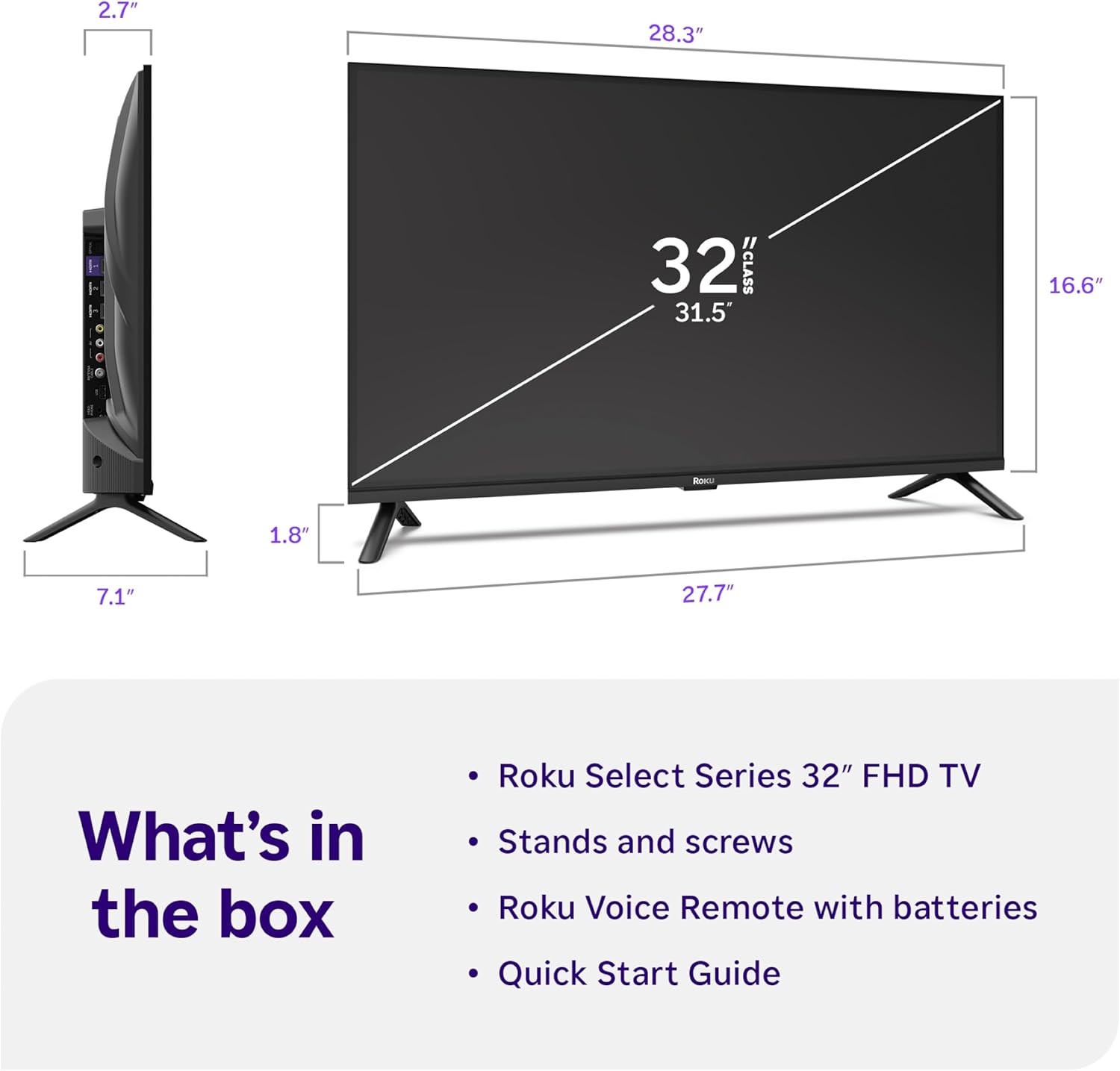
Image: Close-up of the Roku Voice Remote, highlighting buttons for TV power, volume, mute, voice search, instant replay, options, and dedicated app shortcuts.
3. Streaming Apps and Live TV
Access thousands of streaming channels, including Netflix, Disney+, Hulu, Prime Video, and Apple TV+. The Roku Channel also offers free live TV and on-demand content.

Image: A vibrant Roku TV home screen displaying a selection of popular streaming applications and recommended shows.
4. Ustawienia obrazu
Zoptymalizuj swoje viewing experience with various picture settings:
- Inteligentny obraz Roku: Automatically adjusts picture mode for optimal viewing.
- Tryby obrazu: Choose from presets like Movie, Sports, Vivid, Standard, or Low Power.
- Personalizacja: Adjust brightness, contrast, sharpness, color, and tint for a personalized picture.
5. Ustawienia dźwięku
Ulepsz swoje wrażenia dźwiękowe:
- Dźwięk Dolby: Enjoy clear speech and louder sound.
- Tryby dźwięku: Select from Standard, Dialogue, Movie, Music, or Night mode.
- Bluetooth Headphone Mode: Connect your wireless headphones to listen without disturbing others.

Image: A child wearing wireless headphones while watching the Roku TV, demonstrating the Bluetooth Headphone Mode.
6. Integracja inteligentnego domu
Your Roku TV is compatible with various smart home ecosystems:
- Sterowanie głosowe: Use Roku Voice, Siri, Alexa, or Google Assistant for hands-free control.
- Apple AirPlay: Effortlessly share videos, photos, and music from your Apple devices.
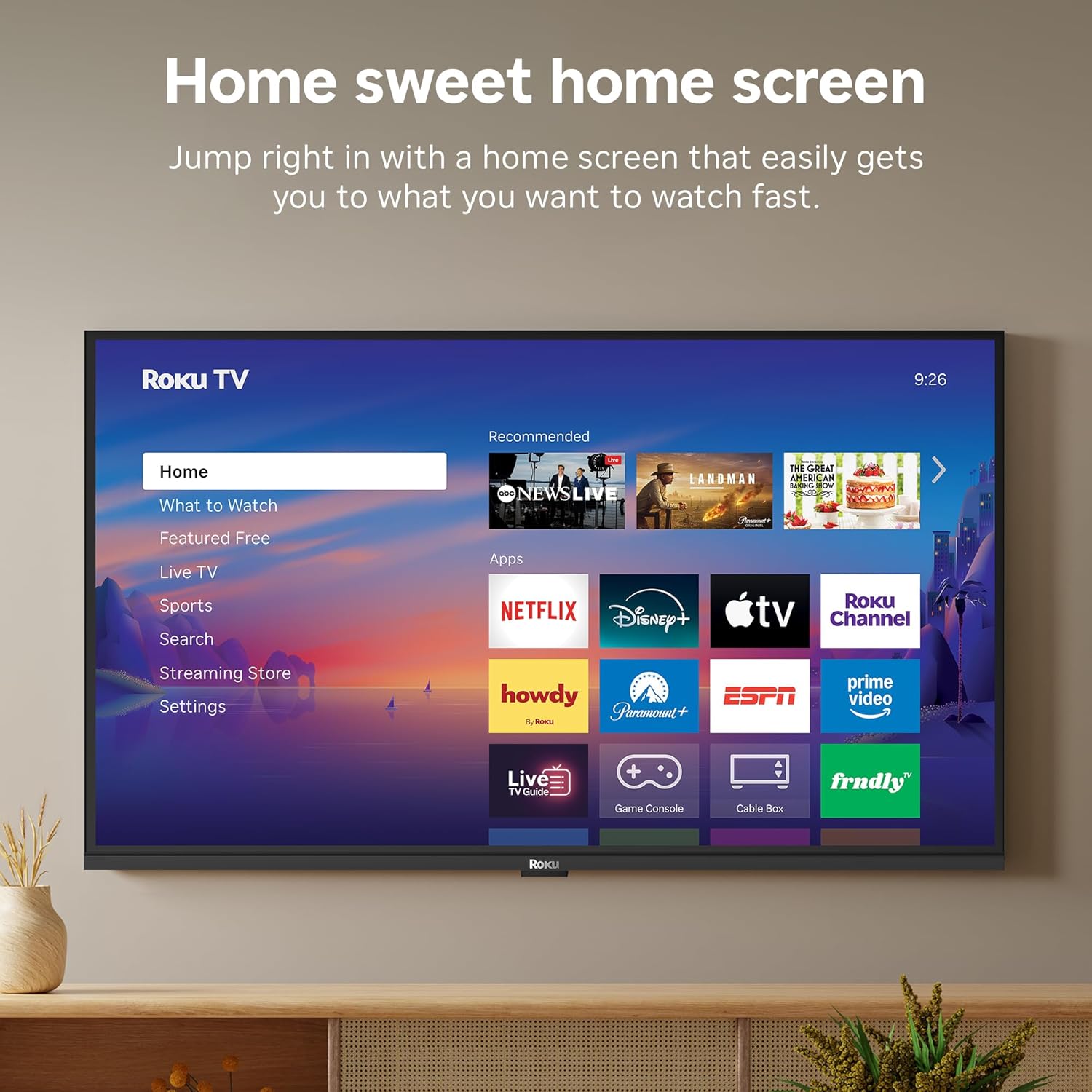
Image: The Roku TV screen displaying smart home compatibility logos for Roku Smart Home, Apple AirPlay, Apple Home, Alexa, and Google Home, with a smart speaker nearby.
7. Kontrola rodzicielska
Manage content access with built-in parental controls, including V-Chip technology, to ensure a safe viewśrodowisko dla dzieci.
Oficjalny film o produkcie
Wideo: Ponadview of the Roku TV OS, demonstrating its user-friendly interface, app selection, and smart features. This video is provided by Roku, Inc.
Specyfikacje
- Rozmiar ekranu:
- 32 cali
- Rezolucja:
- 1080p Full HD
- Technologia wyświetlania:
- PROWADZONY
- Częstotliwość odświeżania:
- 60 Hz
- Cechy szczególne:
- Bluetooth Headphone Mode, Dolby Audio, Voice Remote, Roku Smart Picture
- Technologia łączności:
- Bluetooth, WiFi
- Interfejs sprzętowy:
- 3 HDMI Ports, 1 USB Port, S/PDIF (Optical Audio Out)
- System operacyjny:
- Roku OS
- Wymiary produktu (gł. x szer. x wys.):
- 7.1" gł. x 28.3" szer. x 18.4" wys.
- Waga przedmiotu:
- 7.7 funty (z podstawą)
- Standard mocowania VESA:
- 200x200mm
- Numer modelu:
- 32R3E5
- Kod UPC:
- 829610009469
Rozwiązywanie problemów
If you encounter issues with your Roku TV, please refer to the following common solutions:
- Brak zasilania: Upewnij się, że kabel zasilający jest prawidłowo podłączony zarówno do telewizora, jak i do sprawnego gniazdka elektrycznego. Spróbuj użyć innego gniazdka.
- Brak obrazu/dźwięku: Verify that the correct input source is selected on your TV. Check all cable connections (HDMI, AV, etc.) for looseness.
- Pilot nie odpowiada: Replace the batteries in your remote control. Ensure there are no obstructions between the remote and the TV.
- Problemy z połączeniem sieciowym: Restart your Wi-Fi router and modem. Go to the TV's Settings > Network > Check connection to diagnose and reconnect.
- App Not Loading: Restart the app. If the issue persists, try removing and reinstalling the app from the Roku Channel Store.
For more detailed troubleshooting, visit the official Roku support webstrona.
Konserwacja
To ensure the longevity and optimal performance of your Roku TV, follow these maintenance guidelines:
- Czyszczenie ekranu: Delikatnie przetrzyj ekran miękką, suchą ściereczką z mikrofibry. W przypadku uporczywych plam delikatnie przetrzyj.ampPrzetrzyj ściereczkę wodą lub specjalnym płynem do czyszczenia ekranów przeznaczonym do urządzeń elektronicznych. Nie rozpylaj płynu bezpośrednio na ekran.
- Czyszczenie obudowy telewizora: Use a soft, dry cloth to wipe the exterior of the TV. Avoid abrasive cleaners or solvents.
- Wentylacja: Upewnij się, że otwory wentylacyjne telewizora nie są zablokowane, aby zapobiec przegrzaniu. Zachowaj odpowiednią przestrzeń wokół telewizora, aby zapewnić cyrkulację powietrza.
- Aktualizacje oprogramowania: Your Roku TV automatically receives software updates. Ensure your TV is connected to the internet to receive the latest features and performance improvements.
- Zarządzanie energią: Odłączaj telewizor od gniazdka elektrycznego podczas burzy z piorunami lub jeśli nie będziesz go używać przez dłuższy czas.
Gwarancja i wsparcie
Informacje o gwarancji
Roku warrants the hardware of this device against defects in materials and workmanship under normal use for a period of one (1) year from the date of purchase ("Warranty Period"). If Roku determines that the device’s hardware is defective during the Warranty Period, Roku’s sole obligation, and your exclusive remedy, will be to either repair or replace the unit with either a new or rebuilt device, at its option. This warranty applies if the device is used in accordance with the provided documentation.
Important information about warranty returns and replacements is available on the Roku support site. You may also return a device for any reason, subject to the terms of the applicable return policy: 1) Within thirty (30) days from the date of purchase from Roku; or 2) within the applicable return period if purchased from an authorized reseller or distributor. Additional details regarding product returns can be found on the Roku support site.
Obsługa klienta
For further assistance, technical support, or to access the full range of support resources, please visit the official Roku support webStrona internetowa. Znajdziesz tam odpowiedzi na często zadawane pytania, poradniki rozwiązywania problemów i dane kontaktowe do działu obsługi klienta.