
Wstęp
The iLive Cinema Pop-up Movie Kit is a comprehensive portable entertainment solution designed to transform any space into a personal cinema. This kit includes a 720p projector, a 120-inch ultra-bright projector screen, an adjustable tripod, and a powerful Bluetooth 5.0 speaker system. Enjoy crisp images and rich audio for both indoor and outdoor movie nights.
Co jest zawarte
- Projektor 720p
- 120-inch Anti-Wrinkle Polyester Projector Screen (16:9 aspect ratio, 1.3 gain)
- Professional-Grade Tripod with integrated bubble level (360-degree pan, ±180-degree tilt, 41.73-inch max height, 4 kg capacity)
- Bluetooth 5.0 Speaker System (dual 4-inch full-range speakers, 16W peak output, LED light effects, rechargeable battery)
- Zdalne sterowanie
- Kabel zasilający
- Kabel HDMI
- Kabel audio 3.5 mm
- Kabel USB
- Etui transportowe
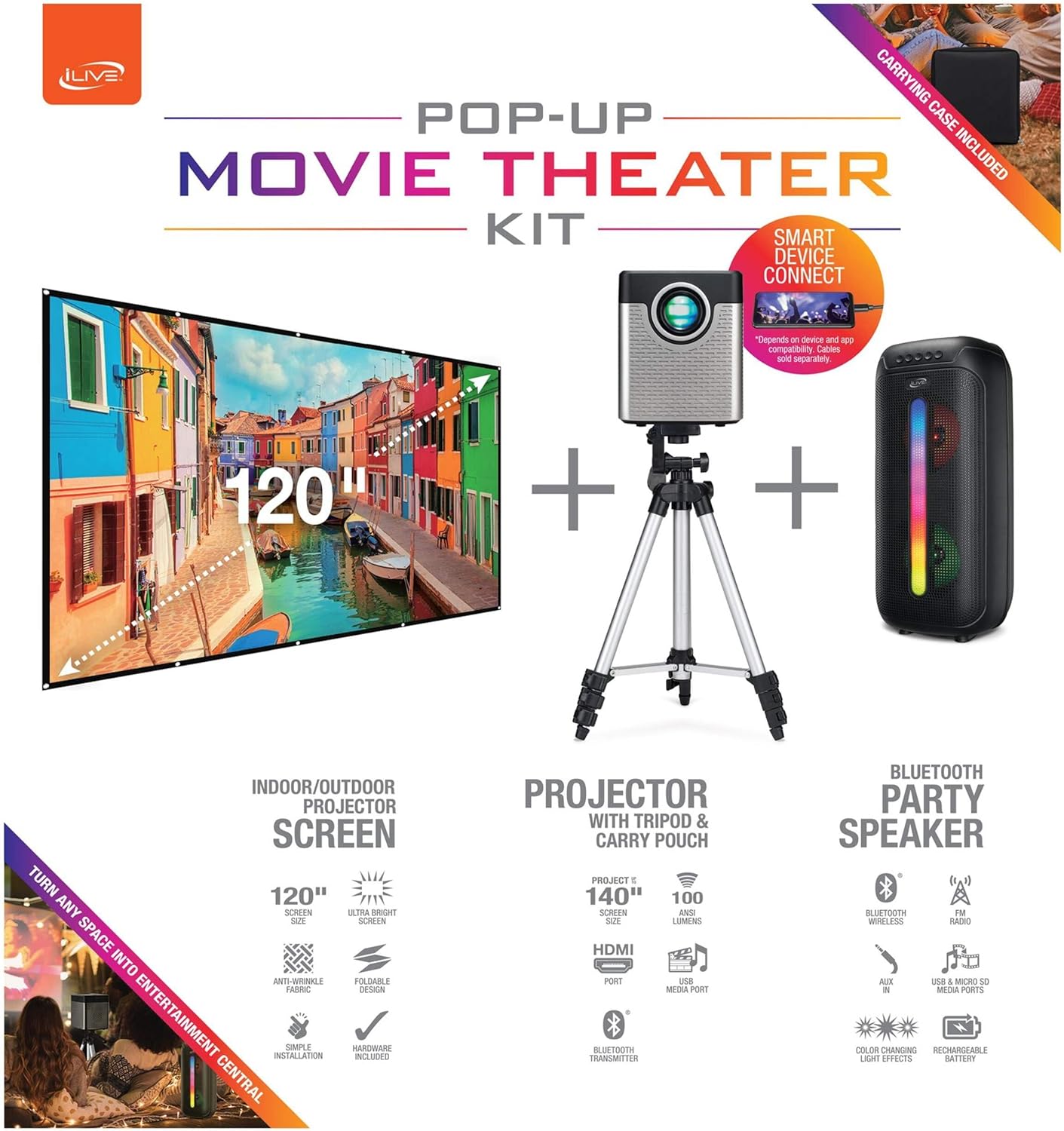
Figure 1: Diagram of the iLive Cinema Pop-up Movie Kit components.

Figure 2: The complete kit packed in its carrying case.
Organizować coś
- Rozpakuj komponenty: Ostrożnie wyjmij wszystkie przedmioty z walizki.
- Złóż statyw: Extend the legs of the tripod and secure them. Adjust the height to your desired viewing level. The integrated bubble level assists in ensuring a stable and level base.
- Montaż projektora: Securely attach the projector to the tripod mount. Ensure it is stable and facing the desired projection area.
- Set Up Screen: Unfold the 120-inch anti-wrinkle screen. If using the tripod, attach the screen to the tripod frame using the provided fasteners. Ensure the screen is taut and wrinkle-free for optimal viewing. For alternative mounting, use the grommets along the screen's edges with appropriate wall hooks (not included).
- Position Speaker: Place the Bluetooth speaker in a location that provides optimal sound distribution for your viewObszar objęty badaniem.
- Podłącz zasilanie: Connect the power cable to the projector and a suitable power outlet.
- Podłącz urządzenia (opcjonalnie): Connect your media source (e.g., laptop, gaming console, Blu-ray player) to the projector using an HDMI or USB cable. For external audio, use the 3.5mm audio input or connect wirelessly via Bluetooth to the speaker.

Figure 3: Projector mounted on the tripod.

Rysunek 4: Example outdoor setup with the projector and screen.
Instrukcja obsługi
Obsługa projektora
- Włączanie/wyłączanie: Naciśnij przycisk zasilania na projektorze lub pilocie, aby włączyć lub wyłączyć urządzenie.
- Źródło sygnału wejściowego: Use the remote control to select the desired input source (HDMI, USB, etc.).
- Regulacja ostrości: Wyreguluj pierścień ostrości na obiektywie projektora, aż obraz będzie wyraźny.
- Korekcja Keystone'a: If the projected image appears trapezoidal, use the keystone correction feature (manual or automatic, if available) to adjust the image to a rectangular shape. The projector supports vertical keystone correction.
- Proporcje obrazu: Select between 16:9 and 4:3 aspect ratios based on your content and preference.
- Odległość projekcji: The projector has a flexible projection range of 2.6 to 12.5 feet. Adjust the distance to achieve the desired screen size.
Obsługa głośnika Bluetooth
- Włączanie/wyłączanie: Press and hold the power button on the speaker to turn it on or off.
- Parowanie Bluetooth: Aktywuj Bluetooth na swoim urządzeniu (np. smartfonie, tablecie). Szukaj the iLive speaker in the list of available devices and pair.
- Regulacja głośności: Dostosuj głośność za pomocą elementów sterujących na głośniku lub podłączonym urządzeniu.
- Efekty świetlne LED: The speaker features LED light effects. Refer to the speaker's specific controls for adjusting or disabling these effects.
- Prawdziwe bezprzewodowe stereo (TWS): If you have two iLive Bluetooth speakers, you can pair them together for a True Wireless Stereo experience. Follow the instructions provided with the speaker for TWS pairing.
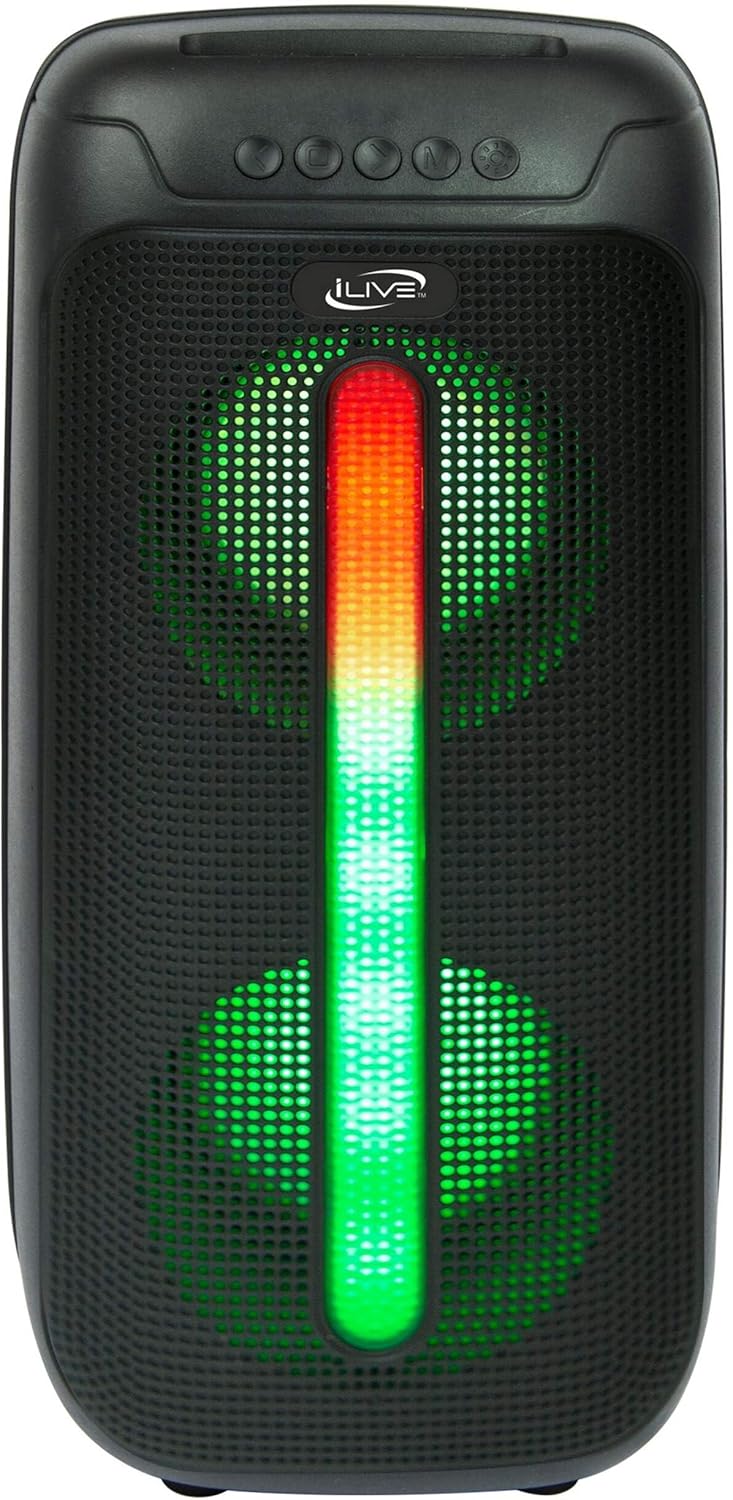
Figure 5: iLive Bluetooth 5.0 Speaker.
Konserwacja
- Obiektyw projektora: Use a soft, lint-free cloth to gently clean the projector lens. Avoid abrasive materials or harsh chemicals.
- Projector Vents: Ensure the projector's ventilation openings are clear of dust and debris to prevent overheating.
- Czyszczenie ekranu: The anti-wrinkle polyester screen can be gently wiped with a damp cloth if necessary. Allow it to air dry completely before folding or storing.
- Pielęgnacja głośników: Keep the speaker dry and clean. Avoid exposing it to extreme temperatures or direct sunlight.
- Składowanie: When not in use, store all components in the provided carrying case in a cool, dry place to protect them from dust and damage.
Rozwiązywanie problemów
- Brak obrazu na ekranie:
- Sprawdź, czy projektor jest włączony i czy osłona obiektywu jest zdjęta.
- Sprawdź, czy w projektorze wybrano prawidłowe źródło sygnału wejściowego.
- Sprawdź, czy wszystkie połączenia kablowe (HDMI, USB) są bezpieczne.
- Rozmazany obraz:
- Wyreguluj pierścień ostrości na obiektywie projektora.
- Ensure the projection distance is within the recommended range (2.6-12.5 ft).
- Zniekształcony obraz (trapezoidalny):
- Use the keystone correction feature to adjust the image geometry.
- Ensure the projector is placed on a level surface or the tripod is properly adjusted.
- Brak dźwięku z głośnika:
- Sprawdź, czy głośnik jest włączony i naładowany.
- Verify Bluetooth pairing or 3.5mm audio cable connection.
- Sprawdź poziom głośności głośnika i podłączonego urządzenia.
- Problemy z parowaniem Bluetooth:
- Upewnij się, że głośnik jest w trybie parowania.
- Przesuń głośnik bliżej urządzenia.
- Odłącz i ponownie sparuj urządzenie.
Specyfikacje
| Funkcja | Specyfikacja |
|---|---|
| Numer modelu | THE2024BDL |
| Rozdzielczość wyświetlacza | 1280x720 (720p) |
| Typ wyświetlacza | PROWADZONY |
| Jasność | 3000 lumenów |
| Współczynnik kontrastu | 1000:1 |
| Proporcje obrazu | 16:9, 4:3 |
| Żywotność źródła światła | 20,000 godzin |
| Zakres projekcji | 2.6 - 12.5 Feet |
| Maksymalny rozmiar obrazu | 120 cali |
| Łączność | HDMI, USB, 3.5mm Audio, Bluetooth 5.0 |
| Wyjście głośnika | 16W Peak (Dual 4-inch drivers) |
| Żywotność baterii głośnika | Do 4 godzin (przy 50% głośności) |
| Funkcje statywu | Integrated bubble level, 360-degree pan, ±180-degree tilt, 41.73-inch max height, 4 kg capacity |
| Obsługa kodowania wideo | H.264, H.265 |
| Metoda kontroli | Zdalne sterowanie |
Oficjalne filmy produktowe
W chwili obecnej nie są dostępne żadne oficjalne filmy sprzedawców dotyczące tego produktu.
Gwarancja i wsparcie
For warranty information or technical support, please contact iLive customer service at 1-888-999-4215. Please have your model number (THE2024BDL) and proof of purchase ready when contacting support.