
Wstęp
Camp Snap CS-V105 is a screen-free digital camera designed for capturing moments without digital distractions. Its durable construction and simple controls make it ideal for outdoor adventures, travel, and everyday photography. This manual provides essential information for setting up, operating, maintaining, and troubleshooting your camera.
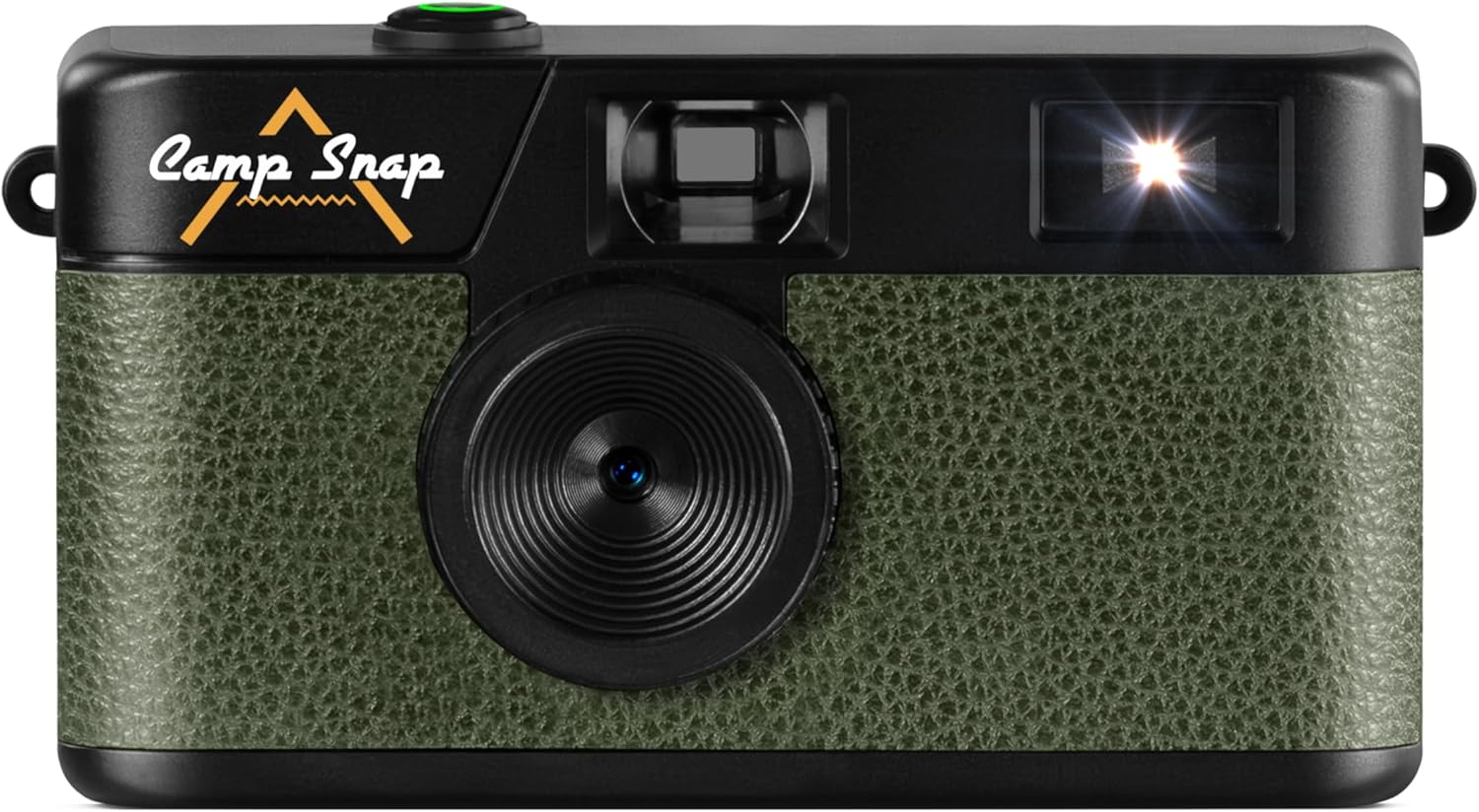
Obraz: Przód view z Camp Snap CS-V105 Digital Camera, showcasing its olive green textured finish and black body with the Camp Snap logo.
Co jest w pudełku
Sprawdź, czy w opakowaniu znajdują się wszystkie elementy:
- Camp Snap CS-V105 Digital Camera
- Instrukcja obsługi
- Karta Micro SD (wstępnie zainstalowana lub dołączona osobno)
- Kabel USB-C do USB-C
Organizować coś
1. Ładowanie aparatu
The camera features an internal, rechargeable battery. Before first use, fully charge the camera using the provided USB-C cable. Connect one end of the USB-C cable to the camera's USB-C port (located on the side) and the other end to a compatible USB power adapter or computer.
2. Wkładanie karty Micro SD
The camera requires a Micro SD card for storing photos. A Micro SD card is included. Locate the Micro SD card slot (usually next to the USB-C port) and gently insert the card until it clicks into place. Ensure the card is inserted in the correct orientation.

Obraz: Strona view z Camp Snap CS-V105 Digital Camera, highlighting the USB-C port and Micro SD card slot.
Instrukcja obsługi
1. Włączanie/wyłączanie zasilania
To power on the camera, press and hold the shutter button (the green button on top) for a few seconds. The camera will emit a sound, indicating it is ready. To power off, press and hold the shutter button again until the camera powers down.
2. Robienie zdjęć
Point the camera at your subject using the optical viewfinder. Press the shutter button firmly to capture a photo. The camera will make a shutter sound, and the photo will be saved to the Micro SD card.

Obraz: Szczyt view z Camp Snap CS-V105 Digital Camera, highlighting the green shutter button.
3. Kontrola lampy błyskowej
The camera features a built-in flash. On the back of the camera, locate the flash switch. Slide the switch to select between "OFF", "ON", or "Flash" (auto flash) modes. Use the flash in low-light conditions.

Obraz: Z powrotem view z Camp Snap CS-V105 Digital Camera, showing the flash ON/OFF switch and the small digital counter.
4. Setting Date and Time / Volume Control
On the side of the camera, there are small buttons labeled "MODE", "UP", and "DOWN". These buttons are used to set the date and time, and to control the volume of camera sounds. Refer to the on-screen prompts (if any, or through connected device) or experiment with combinations to adjust these settings.

Obraz: Strona view z Camp Snap CS-V105 Digital Camera, indicating the location of the date, time, and volume control buttons.
5. Applying Photo Filters
The camera supports interchangeable vintage film-style filters, allowing you to capture images with different aesthetic effects such as Classic, Vintage, and Black & White. These filters are applied during the capture process or can be selected via camera settings (refer to specific model instructions for filter selection method).

Obraz: Camp Snap CS-V105 Digital Camera shown alongside examples of photos taken with Classic, Vintage, and Black & White film-style filters.
6. Przesyłanie zdjęć
To transfer photos to a computer, connect the camera using the provided USB-C cable. The camera will appear as a removable storage device. You can then copy the JPEG image filez karty Micro SD do komputera.
Konserwacja
- Czyszczenie: Do czyszczenia korpusu aparatu używaj miękkiej, suchej ściereczki. Do czyszczenia obiektywu użyj specjalnej ściereczki i płynu do czyszczenia obiektywów. Unikaj materiałów ściernych i silnych środków chemicznych.
- Składowanie: Przechowuj kamerę w chłodnym, suchym miejscu, z dala od bezpośredniego światła słonecznego i ekstremalnych temperatur.
- Pielęgnacja baterii: Aby przedłużyć żywotność baterii, unikaj częstego całkowitego rozładowywania baterii. Regularnie ładuj aparat, zwłaszcza jeśli nie będzie używany przez dłuższy czas.
- Wodoodporność: Kamera jest nie wodoodporny. Unikać narażenia na działanie wody i wysokiej wilgotności.
Rozwiązywanie problemów
- Kamera się nie włącza:
- Ensure the battery is charged. Connect the camera to a power source using the USB-C cable and try again.
- Photos are not saving:
- Check if a Micro SD card is properly inserted and has sufficient free space. Reformat the card if necessary (this will erase all data).
- Flash is not working:
- Verify that the flash switch on the back of the camera is set to "ON" or "Flash" mode.
- Nie można przesłać zdjęć do komputera:
- Ensure the USB-C cable is securely connected to both the camera and the computer. Try a different USB port or cable. The camera should appear as a removable drive.
Specyfikacje
| Marka | Camp Pstryknąć |
| Nazwa modelu | Campsnap Digital Camera (CS-V105) |
| Cechy specjalne | Compact, Screen-free Design, Digital |
| Wymiary produktu (DxSxW) | 14.5 x 9.6 x 4 cm (5.7 x 3.8 x 1.6 cala) |
| Kompatybilne urządzenia | Samodzielny |
| Maksymalna szybkość migawki | 1/60 sekundy |
| Typ kontroli ekspozycji | Automatyczny |
| Zakres ISO | 100-6400 |
| Stabilizacja obrazu | Cyfrowy |
| Rozdzielczość przechwytywania wideo | 2.7 tys. |
| Rozdzielczość zdjęć | 8 MP |
| Tryby fotografowania | Automatyczny |
| Poziom wodoodporności | Nie jest wodoodporny |
| File Format | JPEG (obrazy), MP4 (wideo) |
| Typ nośnika | Internal Memory, SD Card (Micro SD) |
| ViewTyp wyszukiwarki | Optyczny |
| Kolor | Oliwkowo-zielony |
Informacje o gwarancji
For detailed warranty information, please refer to the documentation included with your purchase or visit the official Camp Pstryknąć webWarunki gwarancji mogą się różnić w zależności od regionu.
Wsparcie
If you encounter any issues not covered in this manual or require further assistance, please visit the official Camp Snap support page or contact their customer service. Contact details can typically be found on the product packaging or the manufacturer's webstrona.