
Wstęp
About Your Pomya Mini Body Camera
The Pomya Mini Body Camera is a compact, high-definition recording device designed for various applications including daily recording, service delivery, and outdoor activities. It features 1080p HD video capture, night vision capabilities, and a wide-angle lens for comprehensive coverage.
Główne cechy:
- Nagrywanie HD: Captures 1080p HD videos with night vision, suitable for daily recording, service delivery, and outdoor activities.
- Widzenie nocne: Equipped with manual and automatic night vision, featuring 6 infrared LEDs for clear footage up to 33 feet in darkness, for day and night use.
- Wszechstronny montaż: Can be clipped onto clothing, mounted on a motorcycle, or used as a dash cam.
- Loop Recording & Wide Angle Lens: Automatycznie nadpisuje najstarsze footage when storage is full. Features a 130-degree wide-angle lens for extensive coverage.
- Zintegrowany wyświetlacz: A 2.0-inch HD display allows for direct video playback and photo viewing without a computer.

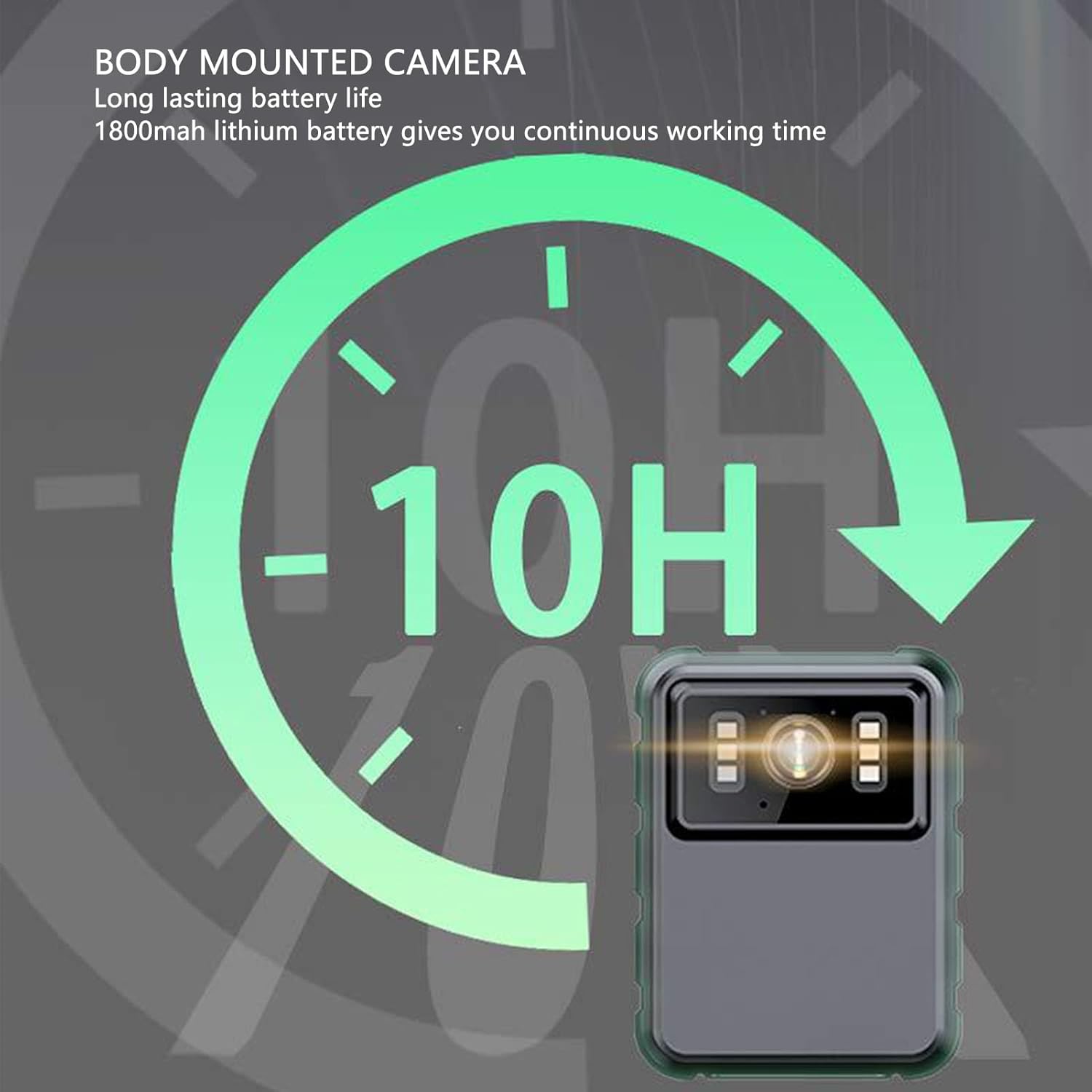
This graphic highlights the camera's long-lasting 1800mAh lithium battery, providing approximately 10 hours of continuous operation.
Produkt ponadview
Zawartość opakowania
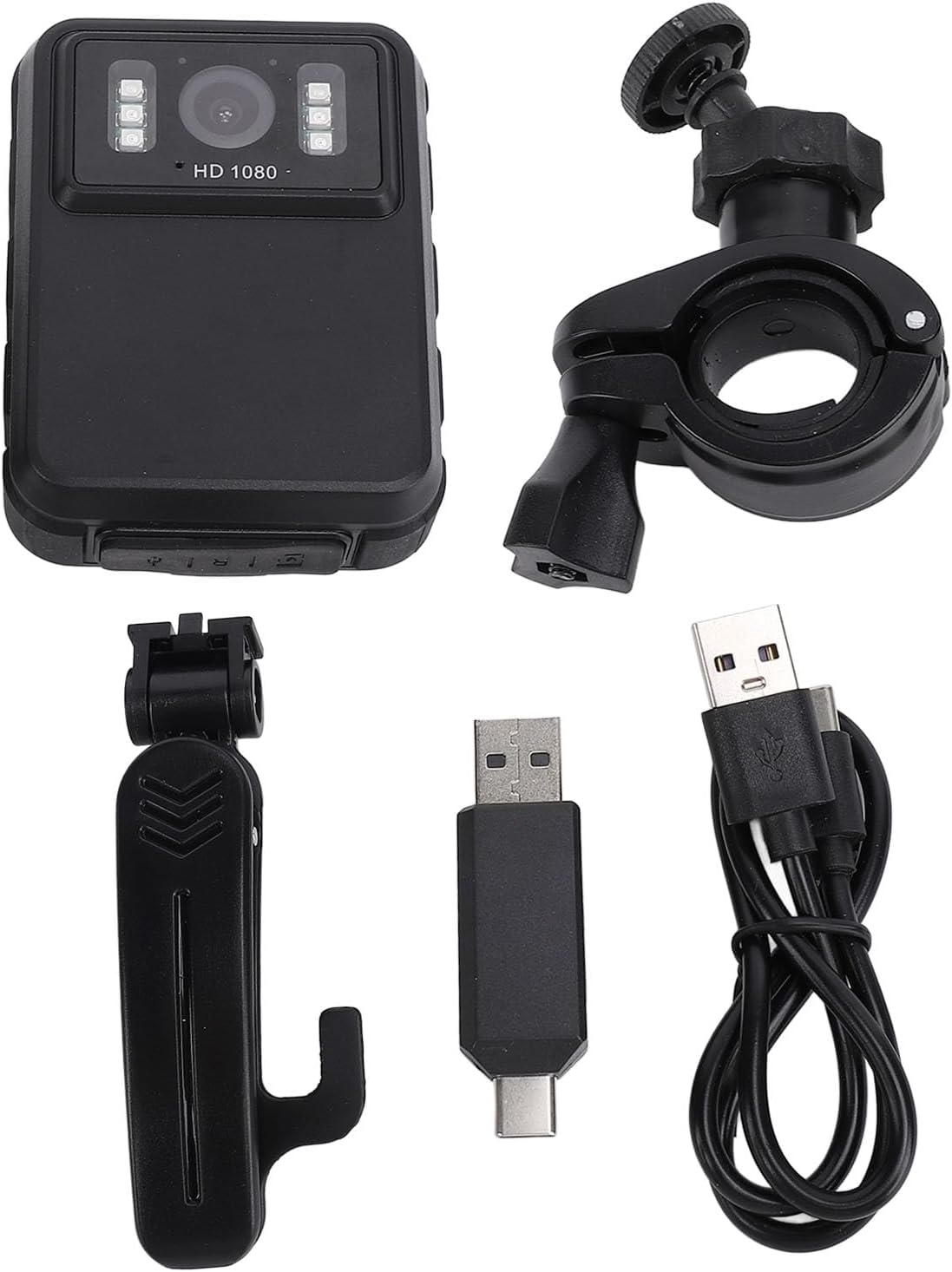
The standard package includes the Pomya Mini Body Camera, two types of brackets, one adapter, one charging cable, and a user manual.
This image displays the Pomya Mini Body Camera along with its accessories: a clip-on bracket, a handlebar mount bracket, a USB-C to USB-A adapter, and a USB charging cable.
Komponenty kamery
Zapoznaj się z przyciskami i portami aparatu, aby móc go optymalnie wykorzystać.

Na bok view of the camera highlighting the control buttons for navigation, mode selection, and power, along with the 2.0-inch IPS display.
Organizować coś
1. Ładowanie urządzenia
Before first use, fully charge the camera. Connect the charging cable to the camera's USB port and to a power source. The charging indicator will show the charging status.
2. Wkładanie karty pamięci
The camera supports a memory card (up to 128GB, not included). Locate the memory card slot and insert the card gently until it clicks into place. Ensure the camera is powered off before inserting or removing the card.
3. Attaching Brackets
Select the appropriate bracket for your intended use. The clip-on bracket allows attachment to clothing, while the handlebar mount is suitable for motorcycles or bicycles. Securely attach the camera to the chosen bracket.

The camera is shown mounted on a motorcycle handlebar, demonstrating its use as a dash cam or for recording outdoor activities.
A person wearing the Pomya Mini Body Camera clipped to their shirt, illustrating its wearable design for hands-free recording.
Instrukcja obsługi
Włączanie/wyłączanie zasilania
Press and hold the Power button (usually marked with a power symbol) for a few seconds to turn the camera on or off.
Nagrywanie wideo
Once powered on, the camera typically enters standby mode. Press the Record button (often marked with a red dot or camera icon) to start video recording. Press it again to stop recording.
Robienie zdjęć
In standby mode, press the Mode button to switch to photo mode. Press the Shutter button (often the same as the Record button or a separate button) to capture a photo.
Night Vision Activation
The camera features manual and automatic night vision. Refer to the on-screen menu or specific buttons for activating/deactivating night vision. The 6 infrared LEDs will illuminate for clear recording in low-light conditions.

This image illustrates the camera's night vision capability, showing how its 6 infrared lights enable clear video capture in dark environments up to 33 feet.
Nagrywanie w pętli
Kamera obsługuje nagrywanie w pętli, które automatycznie nadpisuje najstarsze nagrania.tage when the memory card is full. This ensures continuous recording without manual deletion of old files. This feature can usually be enabled or disabled in the camera settings.
Playback on Device
Use the 2.0-inch HD display to review recorded videos and photos directly on the camera. Navigate through fileza pomocą przycisków sterujących.

A visual representation demonstrating the 130-degree wide-angle lens, which captures a broader field of view for more comprehensive image and video recording.

This image compares the visual quality of 2K (2304x1296P) and 1080P (1920x1080P) video resolutions, highlighting the camera's capability to record in high definition.
Konserwacja
Czyszczenie
Do czyszczenia korpusu i obiektywu aparatu używaj miękkiej, suchej ściereczki. Unikaj stosowania płynnych środków czyszczących lub materiałów ściernych, które mogłyby uszkodzić urządzenie.
Składowanie
Przechowuj aparat w chłodnym, suchym miejscu, z dala od bezpośredniego światła słonecznego i ekstremalnych temperatur. W przypadku przechowywania przez dłuższy czas, upewnij się, że akumulator jest częściowo naładowany (około 50%), aby wydłużyć jego żywotność.
Pielęgnacja baterii
To maintain battery health, avoid fully discharging the battery frequently. Charge the camera regularly, even if not in use, to prevent deep discharge.
Rozwiązywanie problemów
Kamera się nie włącza
- Upewnij się, że bateria jest naładowana. Podłącz kamerę do źródła zasilania i ładuj ją przez co najmniej 30 minut, zanim spróbujesz ponownie ją włączyć.
- Press and hold the Power button for several seconds to ensure it's not a brief press issue.
Recording Issues (e.g., not recording, poor quality)
- Sprawdź, czy karta pamięci jest prawidłowo włożona i czy ma wystarczającą ilość wolnego miejsca.
- Format the memory card (this will erase all data, so back up important file(pierwszy).
- Upewnij się, że soczewka jest czysta i nie ma w niej żadnych zanieczyszczeń.
- Verify that the camera is in the correct recording mode.
Noktowizor nie działa
- Check the night vision settings to ensure it's enabled (either automatic or manual).
- Ensure there are no physical obstructions blocking the infrared LEDs.
Urządzenie zawiesza się lub nie odpowiada
- Perform a soft reset by pressing and holding the Power button until the device shuts down, then restart.
- If available, use a small pin to press the reset button (refer to the device diagram if present).
Specyfikacje
| Funkcja | Szczegół |
|---|---|
| Marka | Pomya |
| Model | Mini Body Camera (128GB) |
| Wbudowana bateria | Bateria litowa 1800mAh |
| Obiektyw Viewing kąt | 100° |
| Ekran wyświetlacza | 2.0 inch IPS Screen, 320x240 Resolution |
| Rozdzielczość kamery | 3840x2160p, 2560x1440p, 1920x1080p |
| audio Bitrate | WAV (512 kB/s) |
| Wizja nocna w podczerwieni | Support, Built-in 6 Energy Saving Infrared Lights |
| Infrared Switching Mode | Off, Auto, Manual Adjustment |
| Mikrofon | Omnidirectional Built-in Capacitor MIC |
| Recording Working Time | Około 8 godzin |
| Ciągły czas nagrywania | Około 8 godzin |
| Longest Photo Time | About 10H (1080p 30fps High Grade Video) |
| Waga przedmiotu | 10.9 uncji |
| Wymiary opakowania | 5.91 x 5.12 x 2.36 cala |
Gwarancja i wsparcie
For warranty information and technical support, please refer to the official Pomya website or contact customer service through your purchase platform. Keep your proof of purchase for warranty claims.