
1. Koniecview
The Gemmac FZC-AC01 Wake Up & Sleep Sound Machine Alarm Clock is a versatile device designed to enhance your sleep and wake-up routine. It combines a dual-alarm clock, 16 soothing white noise and nature sounds, and a 3-color LED warm light with touch dimming. Its compact, USB-rechargeable design makes it suitable for home, office, or travel use.
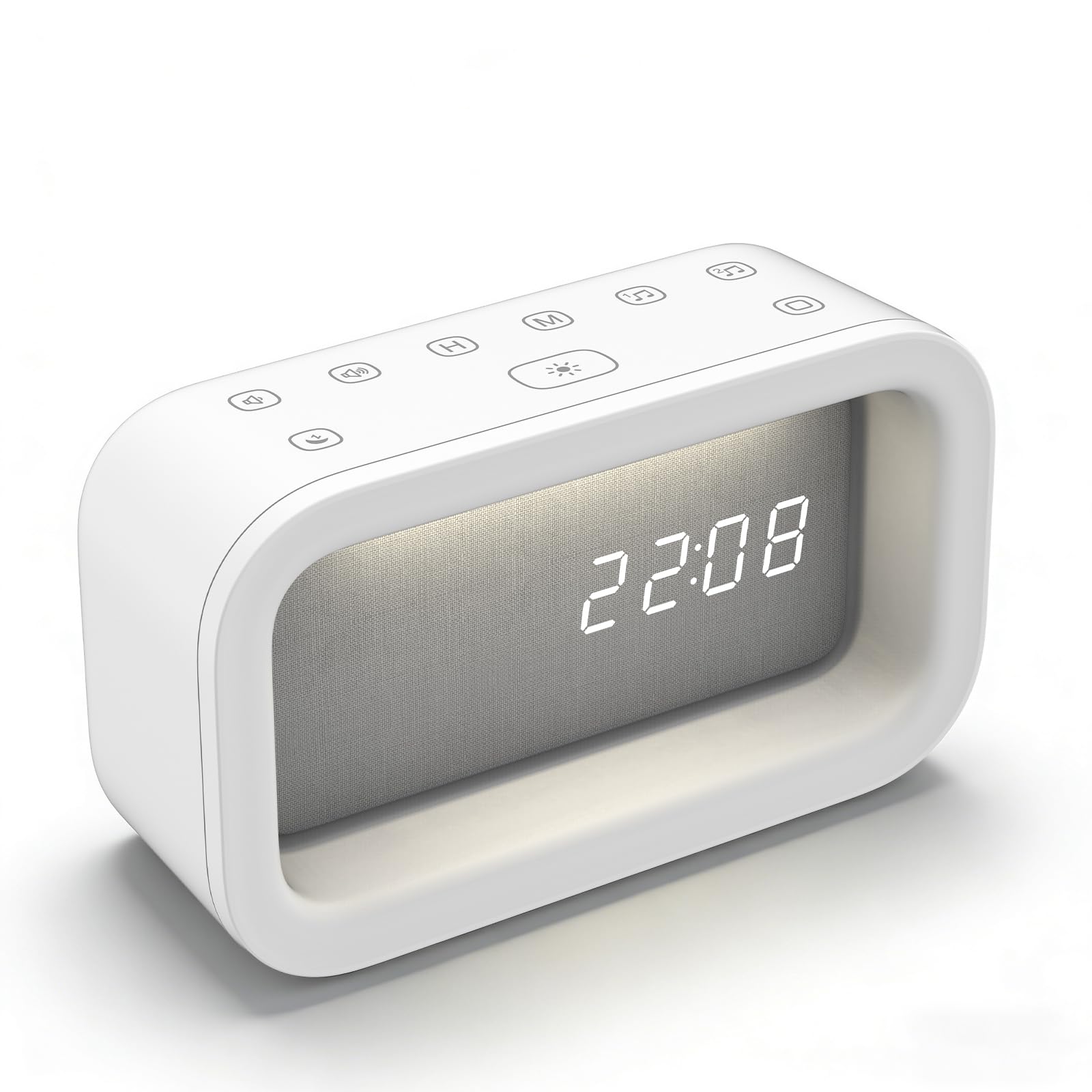
Image: The Gemmac FZC-AC01 Wake Up & Sleep Sound Machine Alarm Clock in white, displaying the time.
2. Główne cechy
- Dual-Alarm Clock: Functions as both a sleep aid and a gentle wake-up light. Features a snooze function for extended rest.
- 16 kojących dźwięków: Offers a selection of white noise and nature sounds to mask distractions and promote relaxation.
- 3 Ambient Light Modes: Provides three calming colors of dimmable warm light (White, Natural, Yellow) with highly responsive touch controls for brightness adjustment.
- Intuitive Touch Control & Flexible Timer: Easy adjustment of settings with touch controls. Sleep clock timer automatically turns off sounds and lights.
- Ładowanie przez USB: Built-in battery for cordless operation, rechargeable via the included USB cable.
- Kompaktowy i przenośny: Sleek and lightweight design, ideal for bedroom nightstands, office desks, or travel.

Image: Visual representation of the multi-functional aspects of the Gemmac FZC-AC01, including wake-up light, alarm clock, white noise machine, and night light.
3. Zawartość opakowania
Proszę sprawdzić, czy w paczce znajdują się następujące elementy:
- Gemmac FZC-AC01 Wake Up & Sleep Sound Machine Alarm Clock
- Kabel ładujący USB (typ C)
- Instrukcja obsługi
4. Schemat produktu
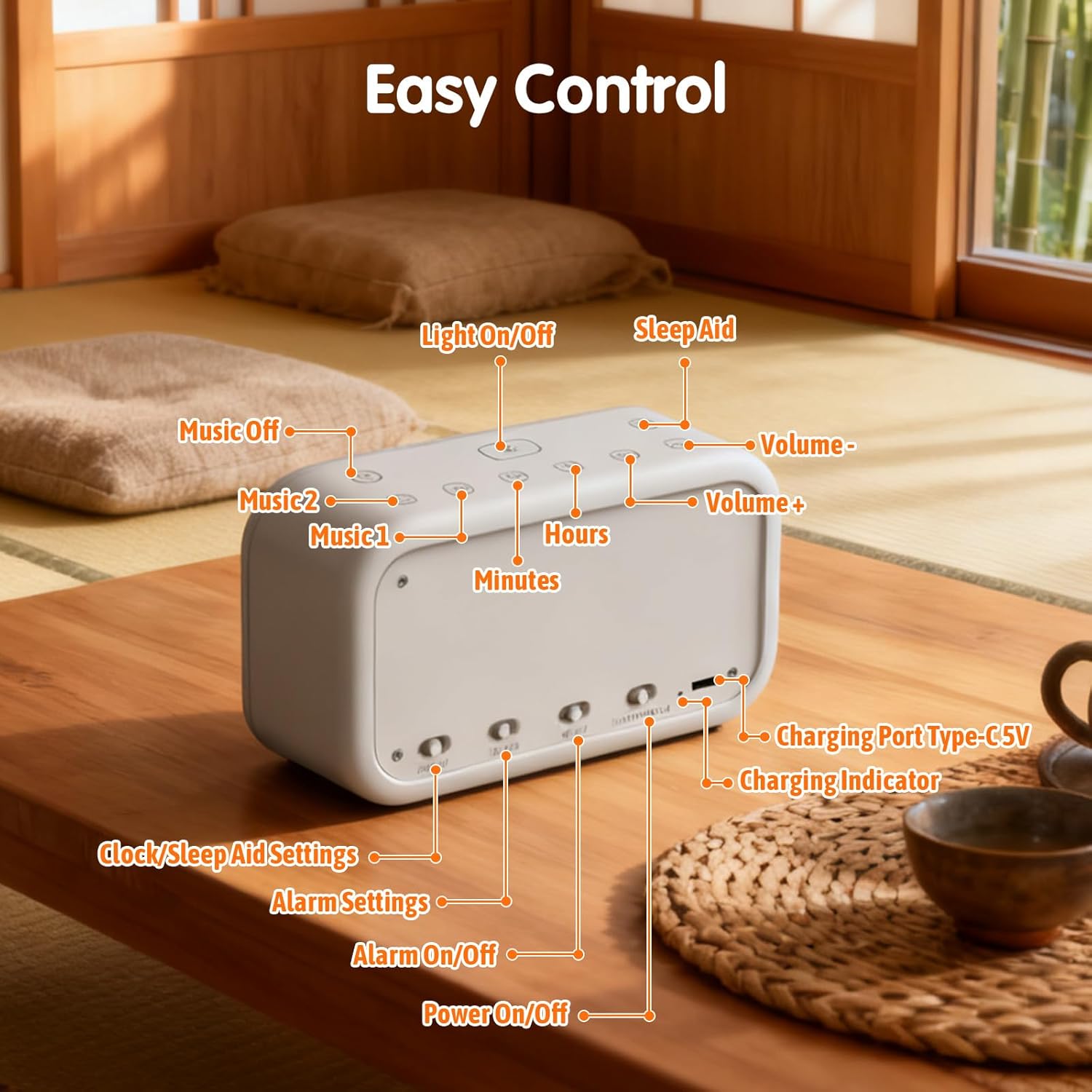
Image: Diagram illustrating the control buttons and ports on the Gemmac FZC-AC01, including Light On/Off, Sleep Aid, Volume controls, Hours, Minutes, Music selection, Charging Port Type-C 5V, Charging Indicator, Clock/Sleep Aid Settings, Alarm Settings, Alarm On/Off, and Power On/Off.
- Przycisk włączania/wyłączania światła
- Sleep Aid Button
- Przycisk zmniejszania głośności
- Przycisk zwiększania głośności
- Hours Adjustment Button
- Minutes Adjustment Button
- Music 1 Selection Button
- Music 2 Selection Button
- Charging Port Type-C 5V
- Kontrolka ładowania
- Clock/Sleep Aid Settings Switch
- Alarm Settings Switch (Alarm 1 / Alarm 2)
- Przycisk włączania/wyłączania alarmu
- Przełącznik włączania/wyłączania zasilania
5. Instrukcje konfiguracji
5.1. Ustawienie czasu
To set the current time on your device:
- Locate the switch on the bottom of the device.
- Slide the switch to the "Clock" position (indicated by a clock icon).
- Use the "H" button to adjust the hour and the "M" button to adjust the minutes.
- Once the desired time is set, slide the switch back to the "OK" position to confirm and save the time.
Video: Demonstrates how to set the time on the alarm clock. (0:00 - 0:26)
5.2. Ustawienie alarmu
Your device supports two independent alarms. To set an alarm:
- Locate the alarm setting switches on the bottom of the device.
- Slide the switch to "1" for Alarm 1 or "2" for Alarm 2.
- Short press the "H" button to set the alarm hour and the "M" button to set the alarm minutes.
- Touch the "Music 1" or "Music 2" buttons to select your desired alarm sound.
- Adjust the alarm volume using the Volume Up/Down buttons.
- Short touch the "Light On/Off" button (sun icon) to select whether the wake-up light is "ON" or "OFF" with the alarm.
- Press the "OK" button (located on the bottom) to confirm your alarm settings.
- To activate or deactivate an alarm, press the corresponding "Alarm On/Off" button (bell icon) on the bottom of the device.
Video: Demonstrates how to set an alarm, including time, sound, volume, and wake-up light. (0:27 - 1:09)
6. Instrukcja obsługi
6.1. Ustawienie trybu uśpienia
The sleep mode helps you fall asleep with soothing sounds and a gentle light that gradually fades.
- Slide the switch on the bottom to the "Sleep Aid" position (indicated by a moon icon).
- Touch the "H" and "M" buttons to select the desired duration for the sleep mode (e.g., 10, 20, 30, 40, 50 minutes).
- Briefly press the "Music 1" or "Music 2" buttons to select your preferred soothing sounds.
- Dostosuj głośność za pomocą przycisków zwiększania/zmniejszania głośności.
- Short press the "Light On/Off" button (sun icon) to toggle the wake-up light for sleep mode. "ON" means the light is selected, "OFF" means it is not.
- Click the "OK" button on the bottom to complete the sleep mode setting.
- To activate sleep mode, press the "Sleep Aid" button (moon icon) on the top panel. The night light and soothing sounds will automatically turn off after the set duration.
- To turn off sleep mode manually, press the "Sleep Aid" button again.
Video: Demonstrates how to set up the sleep mode timer and select sounds. (1:10 - 1:40)
6.2. Selecting Soothing Sounds
The device offers 16 different white noise and nature sounds to aid relaxation or mask distractions.
- While in sleep mode setting or alarm setting, briefly press the "Music 1" or "Music 2" buttons on the top panel to cycle through the available sounds.
- Dostosuj głośność za pomocą przycisków zwiększania/zmniejszania głośności.

Image: Illustrates the variety of 16 white noise and natural sound options available on the device.
Video: Demonstrates cycling through the 16 soothing sounds. (1:41 - 1:51)
6.3. Regulacja światła
The device features a 3-color LED warm light with stepless dimming.
- Zmień kolor światła: Short press the "Light On/Off" button (sun icon) on the top panel to cycle through White light, Natural light, and Yellow light.
- Dostosuj jasność (płynne przyciemnianie): Long press the "Light On/Off" button to continuously adjust the brightness from 20% to 100%. Release the button when the desired brightness is reached.
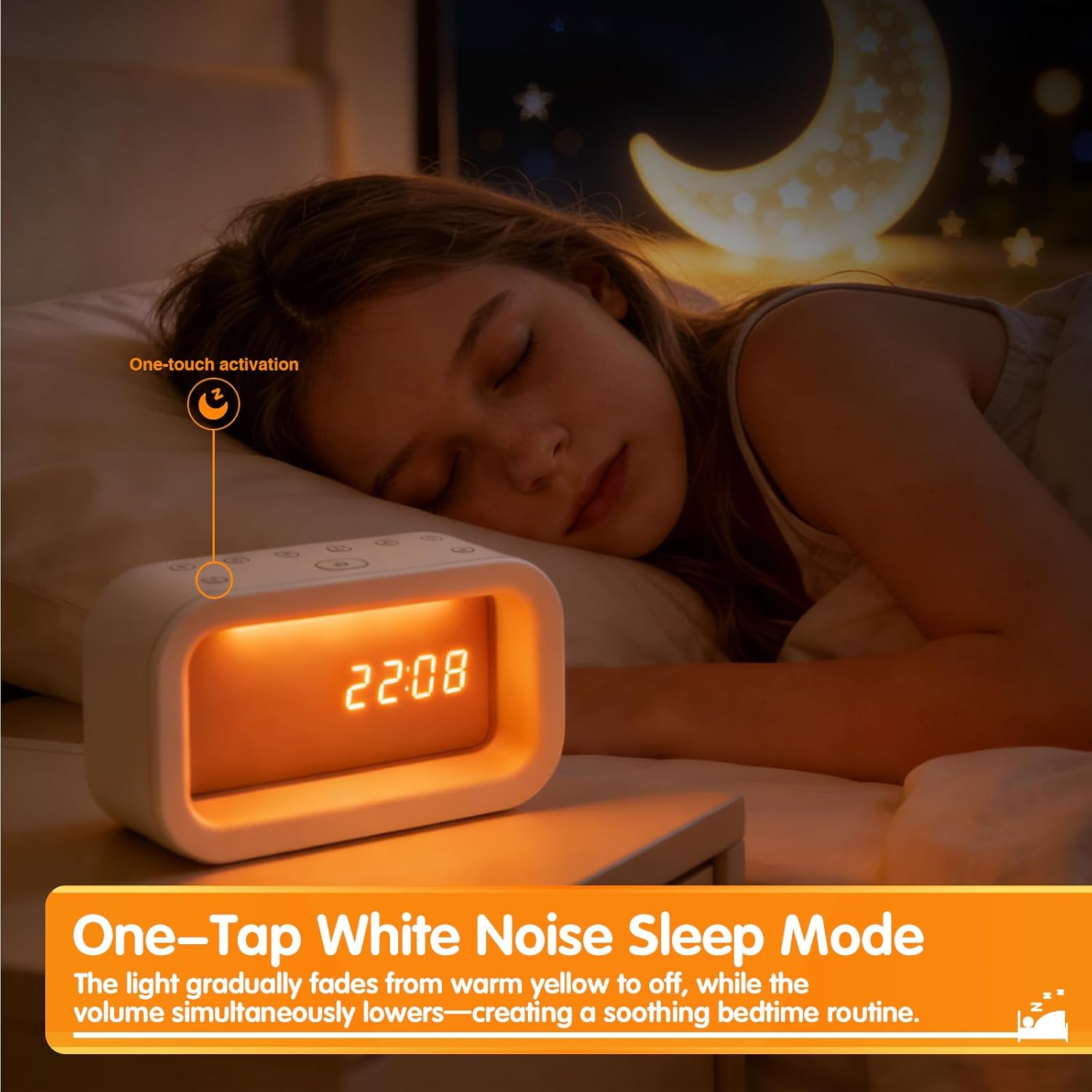
Image: Shows the three available light colors (White, Natural, Yellow) of the LED warm light.
Video: Demonstrates the 3 light modes and stepless dimming functionality. (1:52 - 2:06)
7. Konserwacja
- Czyszczenie: Przetrzyj urządzenie miękką, suchą ściereczką. Nie używaj środków czyszczących o właściwościach ściernych ani rozpuszczalników.
- Składowanie: Przechowuj urządzenie w chłodnym i suchym miejscu, jeśli nie będziesz go używać przez dłuższy czas.
- Ładowanie: Recharge the device regularly to maintain battery health, even if not used frequently.
- Unikaj wody: Trzymaj urządzenie z dala od wody i dużej wilgotności.
8. Rozwiązywanie Problemów
| Problem | Możliwa przyczyna | Rozwiązanie |
|---|---|---|
| Urządzenie się nie włącza. | Bateria jest rozładowana. | Podłącz urządzenie do źródła zasilania za pomocą kabla USB i pozwól mu się naładować. |
| Alarm nie włącza się. | Alarm nie jest włączony lub głośność jest zbyt niska. | Ensure the alarm is set and activated (check the bell icon on the bottom). Increase the alarm volume. |
| Wyświetlacz jest przyciemniony lub niewidoczny. | Ustawienie jasności jest zbyt niskie. | Long press the "Light On/Off" button to adjust the display brightness. |
| Sounds are not playing in sleep mode. | Sleep mode sounds not selected or volume too low. | Ensure sounds are selected in sleep mode settings and volume is adjusted. |
9. Specyfikacje
| Funkcja | Szczegół |
|---|---|
| Marka | Gemmac |
| Numer modelu | FZC-AC01 |
| Kolor | Biały |
| Wymiary produktu | Wymiary 13.97 x 3.81 x 7.87 cm |
| Waga przedmiotu | 200 gramów |
| Cechy specjalne | Cordless, Night Light, Gift |
| Typ wyświetlacza | PROWADZONY |
| Styl | Nowoczesny |

Image: Visual representation of the product dimensions (15.5cm / 6.10in length, 9cm / 3.54in height).
10. Gwarancja i wsparcie
For warranty information or technical support, please refer to the contact details provided with your purchase or visit the official Gemmac webstrona. Zachowaj dowód zakupu na potrzeby roszczeń gwarancyjnych.