
1. Wprowadzenie
This manual provides essential instructions for the setup, operation, and maintenance of your ILIFE A30 Pro Robot Vacuum and Mop Combo. Please read this manual thoroughly before using the product to ensure proper function and safety.
2. Zawartość opakowania
Sprawdź, czy w opakowaniu znajdują się wszystkie elementy:
- ILIFE A30 Pro Self-Emptying Robot Vacuum Cleaner (x1)
- Stacja samowyładowcza (x1)
- Dust Bags (5x 2.5L capacity)
- Replacement Side Brushes (4 Pcs)
- Pilot zdalnego sterowania (x1)
- 2-in-1 Integrated Water Tank (200ml dustbin, 200ml water tank)
- Mop Holder (x1)
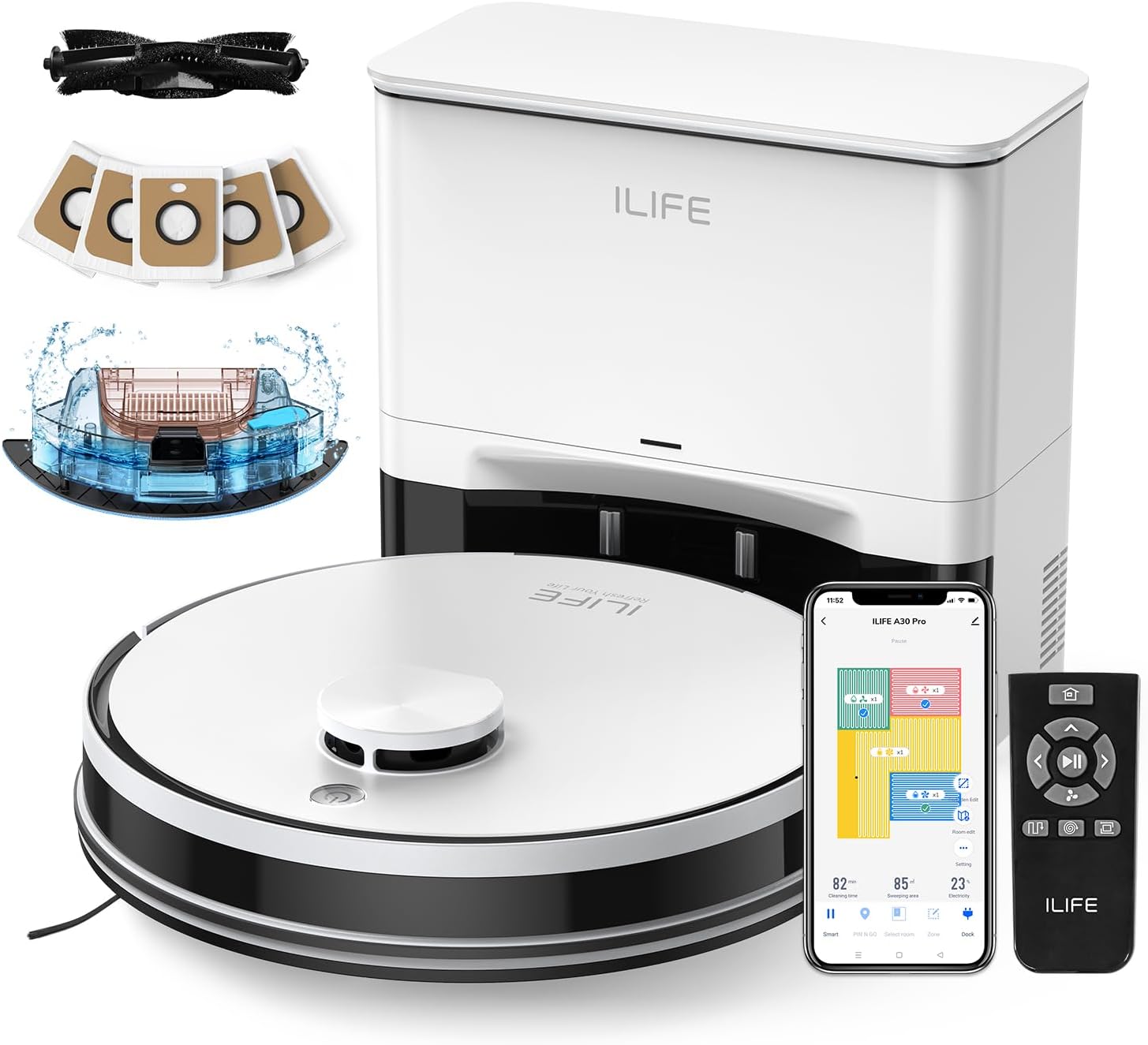
Image: The ILIFE A30 Pro robot vacuum, self-empty station, remote control, app interface, and various accessories including dust bags and side brushes.
3. Konfiguracja
3.1 Pierwsze ładowanie
- Umieść stację samowyładowczą przy ścianie na otwartej przestrzeni, upewniając się, że w odległości 1 metra (3 stóp) z przodu i 0.5 metra (1.5 stopy) z boków nie ma żadnych przeszkód.
- Podłącz zasilacz do stacji samowyładowczej i podłącz go do gniazdka ściennego.
- Place the ILIFE A30 Pro robot vacuum onto the charging contacts of the self-empty station. Ensure the charging pins align. The robot will begin charging automatically. Fully charge the robot before first use.
3.2 Montaż szczotek bocznych
- Odwróć robota odkurzającego do góry nogami.
- Align the side brushes with the corresponding posts on the robot (L for left, R for right).
- Dociśnij szczotki, aż zatrzasną się na swoim miejscu.

Image: A pack of four replacement side brushes, showing their design for easy installation onto the robot vacuum.
3.3 App Connection (ILIFEClean App)
- Download the "ILIFEClean" app from your smartphone's app store.
- Upewnij się, że Twój smartfon jest podłączony do Sieć Wi-Fi 2.4 GHz. The robot does not support 5GHz networks.
- Open the app and follow the on-screen instructions to add your ILIFE A30 Pro robot vacuum. This typically involves resetting the robot's WiFi and connecting to its temporary hotspot before returning to your home network.
4. Instrukcja obsługi
4.1 Rozpoczęcie cyklu czyszczenia
- Rozpoczęcie ręczne: Naciśnij przycisk zasilania na robocie lub przycisk „Clean” na pilocie.
- Start aplikacji: Open the ILIFEClean app and select the desired cleaning mode or schedule.
4.2 Tryby czyszczenia i siła ssania
The A30 Pro offers four suction modes, adjustable via the ILIFEClean app or remote control:
- Cichy: 500Pa (for light cleaning, reduced noise)
- Standard: 1000Pa (default cleaning)
- Mocny: 1800Pa (for moderate dirt)
- Maksymalnie: 5000Pa (for deep cleaning, pet hair)
4.3 Vacuum and Mop Function (3-in-1)
The A30 Pro features a 2-in-1 integrated water tank (200ml dustbin, 200ml water tank) allowing simultaneous vacuuming and mopping.
- Fill the water tank with clean water. Do not use cleaning solutions that may clog the nozzles.
- Attach the mop cloth to the mop holder and then attach the mop holder to the robot.
- Adjust the water level in the ILIFEClean app as needed.
- To use only the vacuum function, simply remove the mop holder.
4.4 Smart Navigation and App Features
The robot uses LIDAR navigation for smart home mapping, creating detailed maps for optimal cleaning routes.

Image: Illustration showing the robot vacuum using LIDAR navigation to create home maps, plan paths, and achieve efficient cleaning.
Using the ILIFEClean App, you can:
- Organizować coś Strefy zakazu ruchu to restrict the robot from entering specific areas.
- Określić Wirtualne ściany to create invisible barriers.
- Create cleaning schedules.
- Wybierz konkretne pomieszczenia lub obszary do sprzątania.
- Adjust water level and suction power.

Image: An illustration demonstrating how to set up No-Go Zones and Virtual Walls within the app to prevent the robot from entering certain areas.
5. Konserwacja
Regularna konserwacja zapewnia optymalną wydajność i wydłuża żywotność urządzenia ILIFE A30 Pro.
5.1 Self-Empty Station Dust Bag Replacement
The self-empty station uses 2.5L dust bags, each capable of holding debris for up to 8 weeks. Replace the dust bag when the indicator light on the station or the app notifies you.
- Open the lid of the self-empty station.
- Ostrożnie wyjmij cały worek na kurz, upewniając się, że otwór jest szczelnie zamknięty, aby zapobiec wydostawaniu się kurzu.
- Insert a new dust bag into the slot, ensuring it is properly seated.
- Zamknij pokrywę.

Image: The ILIFE A30 Pro robot vacuum next to its self-empty station, highlighting the 5x 2.5L dust bags that provide up to 8 weeks of hands-free cleaning per bag.
5.2 Czyszczenie szczotki głównej i szczotek bocznych
- Pędzel główny: Regularly remove hair and debris tangled around the main brush using the cleaning tool provided.
- Szczotki boczne: Check side brushes for wear or damage. Clean any tangled hair or debris. Replace them if they are worn out (replacement brushes are included).
5.3 Czyszczenie czujników
Wipe all sensors (cliff sensors, wall sensors, charging contacts) with a clean, dry cloth to ensure proper navigation and charging.
5.4 Konserwacja zbiornika na wodę i ściereczki mopa
- After each mopping cycle, empty any remaining water from the tank.
- Clean the mop cloth thoroughly and allow it to air dry before next use.
6. Rozwiązywanie Problemów
If your robot vacuum encounters an issue, refer to the following common solutions:
- Robot nie ładuje się: Ensure the charging contacts on both the robot and the self-empty station are clean and free of debris. Verify the power adapter is securely plugged in.
- Robot utknął lub porusza się nieregularnie: Clean all sensors. Remove any obstacles from the robot's path. Check for tangled hair in the main brush or side brushes.
- Problemy z połączeniem aplikacji: Confirm your WiFi network is 2.4GHz. Restart your router and the robot. Try re-pairing the robot with the app.
- Słaba skuteczność czyszczenia: Empty the dustbin/dust bag. Clean the main brush and side brushes. Ensure the water tank is filled for mopping.
- Self-empty station not emptying: Check if the dust bag is full or improperly installed. Ensure the suction path is clear.
W przypadku powtarzających się problemów prosimy o kontakt z obsługą klienta ILIFE.
7. Specyfikacje
| Funkcja | Specyfikacja |
|---|---|
| Model | ILIFE A30 Pro |
| Moc ssania | Up to 5000Pa (Quiet: 500Pa, Standard: 1000Pa, Strong: 1800Pa, Max: 5000Pa) |
| Pojemność worka na kurz (stacja samoopróżniająca) | 5 x 2.5L (up to 280 days hands-free cleaning) |
| Pojemność zbiornika na wodę 2 w 1 | 200ml Dustbin, 200ml Water Tank |
| Typ nawigacji | LIDAR Navigation, Smart Home Mapping |
| Kontrola aplikacji | ILIFEClean App (supports 2.4GHz WiFi only) |
8. Gwarancja i wsparcie
For warranty information, technical support, or service inquiries, please refer to the warranty card included with your product or visit the official ILIFE website. You can also contact ILIFE customer support through the ILIFEClean app or the contact information provided on the ILIFE official webstrona.
Uwaga: Warunki gwarancji mogą się różnić w zależności od regionu. Prosimy zachować dowód zakupu.