
1. Wprowadzenie
This manual provides detailed instructions for the setup, operation, maintenance, and troubleshooting of your GMKtec Nucbox G10 Mini PC. The Nucbox G10 is a compact and powerful desktop computer designed for various applications, from office tasks to multimedia entertainment, featuring an AMD Ryzen 5 3500U processor, 16GB DDR4 RAM, and a 1TB NVMe SSD.
2. Zawartość opakowania
Sprawdź, czy w przesyłce znajdują się wszystkie wymienione poniżej elementy:
- GMKtec Nucbox G10 AMD Ryzen 5 3500U Mini komputer PC
- Zasilacz i kabel
- Kabel HDMI
- Mocowanie VESA i śruby
- Instrukcja obsługi (ten dokument)

Image: Retail Boxed Packaging. This image displays the GMKtec Nucbox G10 Mini PC, power supply, HDMI cable, VESA mount, screws, and user manual, illustrating the complete contents of the product package.
3. Koniec produktuview
3.1 Główne cechy
- Edytor: AMD Ryzen 5 3500U (4 Cores, 8 Threads, up to 3.70GHz Turbo Boost)
- Grafika: Integrated AMD Radeon Vega 8 Graphics (1200 MHz)
- Pamięć: 16GB Dual Channel DDR4 RAM (expandable up to 64GB)
- Składowanie: 1TB M.2 2280 NVMe SSD (expandable up to 16TB via dual M.2 2280 PCIe 3.0 slots)
- Sieć: 2.5GbE Ethernet, WiFi 5, Bluetooth 5.0
- Wyjście wyświetlacza: Triple 4K display support via HDMI 2.1, DisplayPort 1.4, and Full Function USB-C
- Chłodzenie: Silent Turbo Cooling Fan system

Image: Nucbox G10 Feature Overview. This image provides a visual summary of the mini PC's core components including the AMD Ryzen 5 3500U CPU, Radeon Vega 8 Graphics, DDR4 RAM, M.2 SSD, 2.5GbE LAN, WiFi 5, Bluetooth 5.0, triple display support, and cooling system.
3.2 Porty i złącza
The Nucbox G10 features a comprehensive set of ports for connectivity:
- Przód: 1x CTIA Audio Jack, 2x USB 3.2 (5Gbps), 1x Power Button
- Tył: 1x Type-C (PD Only), 1x USB 2.0, 1x 2.5G Giga LAN, 1x HDMI 2.1 (4K@60Hz), 1x DP 1.4 (4K@60Hz), 1x Full Function USB-C (PD/DP/Data), 1x Kensington Lock slot

Image: Front Panel Ports. This image shows the front of the Nucbox G10, highlighting the power button, two USB 3.2 ports, and the CTIA audio jack.

Image: Rear Panel Ports. This image illustrates the rear of the Nucbox G10, detailing the USB-C (PD Only), USB 2.0, 2.5G LAN, HDMI 2.1, DisplayPort 1.4, Full Function USB-C, and Kensington Lock slot.
4. Przewodnik konfiguracji
4.1 Podłączanie urządzeń peryferyjnych
- Monitor: Connect your monitor(s) to the Mini PC using the HDMI, DisplayPort, or USB-C ports. The Nucbox G10 supports up to three 4K displays simultaneously.
- Klawiatura i mysz: Podłącz klawiaturę i mysz USB do dostępnych portów USB.
- Sieć: For a wired connection, connect an Ethernet cable from your router/modem to the 2.5GbE LAN port. For wireless, ensure your WiFi network is available.
- Audio: Connect speakers or headphones to the 3.5mm audio jack on the front panel if needed.
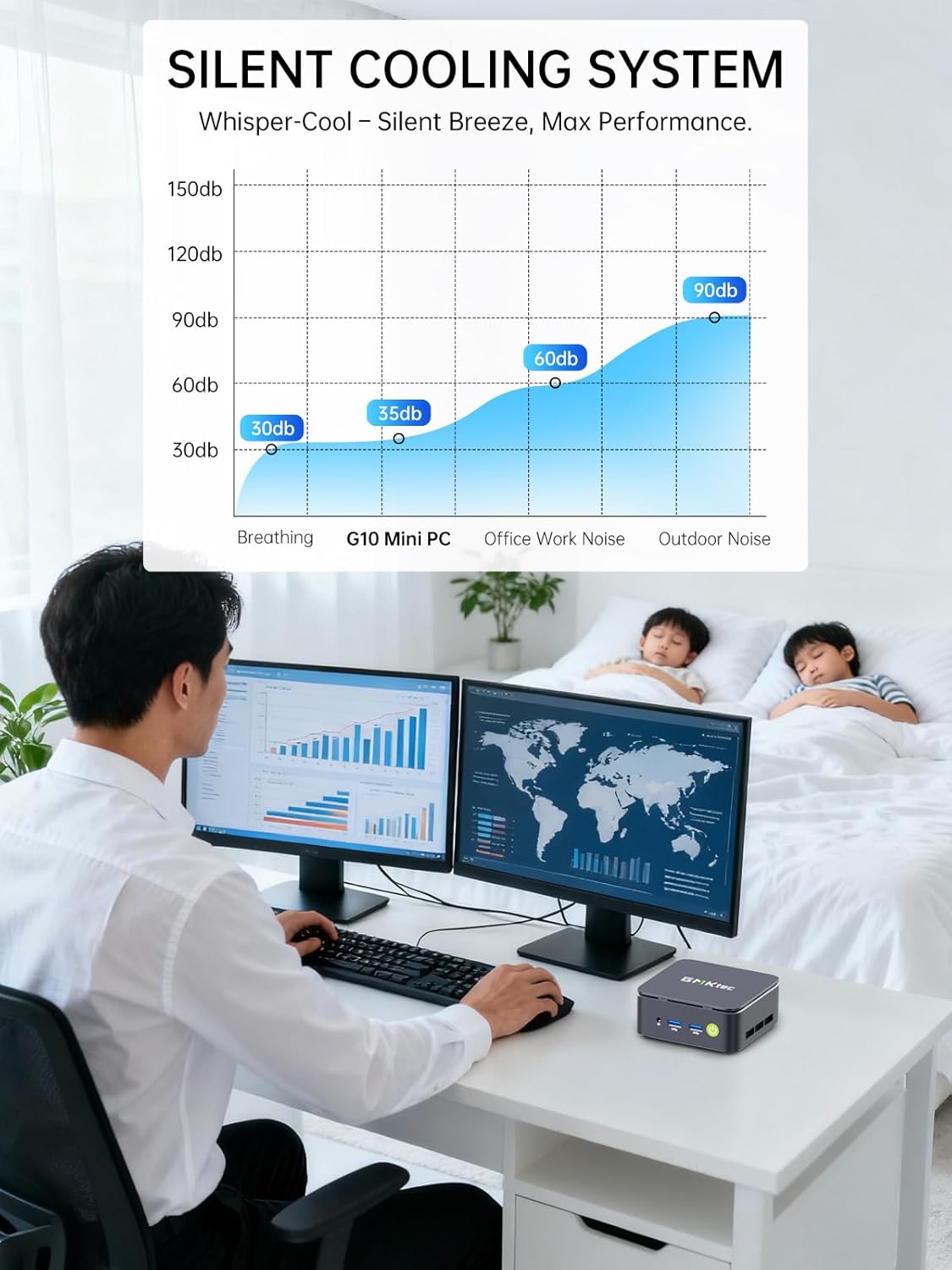
Image: Triple Display Setup. This image demonstrates the Nucbox G10 connected to two vertical monitors and a tablet, showcasing its triple display capability for enhanced productivity.
4.2 Połączenie zasilania
Connect the provided power adapter to the DC-in port on the Mini PC, then plug the power cable into a wall outlet. The Mini PC is designed for low power consumption.
4.3 Początkowe uruchomienie
Press the power button on the front panel. The Mini PC will boot into the pre-installed Windows 11 Pro operating system. Follow the on-screen instructions for initial Windows setup.
5. Instrukcja obsługi
5.1 Włączanie/wyłączanie zasilania
- Włączanie: Naciśnij przycisk zasilania raz.
- Wyłączone: W systemie Windows przejdź do Start > Zasilanie > Wyłącz. Możesz również nacisnąć i przytrzymać przycisk zasilania przez 5 sekundy, aby wymusić wyłączenie systemu (używaj tego tylko w razie potrzeby).
System operacyjny 5.2
Your Nucbox G10 comes with Windows 11 Pro pre-installed. Ensure you keep your operating system updated for optimal performance and security.
5.3 Łączność sieciowa
- Przewodowe (Ethernet): Once the Ethernet cable is connected, the system should automatically detect the network.
- Bezprzewodowa (Wi-Fi): In Windows, click the Wi-Fi icon in the taskbar, select your network, enter the password, and connect.
- Bluetooth: Aby połączyć urządzenia Bluetooth, przejdź do Ustawień systemu Windows > Bluetooth i urządzenia i sparuj urządzenie.
6. Konserwacja
6.1 Czyszczenie
Regularly clean the exterior of the Mini PC with a soft, dry cloth. Ensure ventilation openings are free from dust to maintain optimal cooling performance. Do not use liquid cleaners directly on the device.

Image: Ultra Efficient Cooling System. This image provides an internal view of the Nucbox G10, highlighting the silent turbo cooling fan designed for efficient heat dissipation.
6.2 Aktualizacje oprogramowania
Keep your Windows operating system and drivers updated to ensure system stability, security, and performance. Windows Update can be accessed via Settings > Windows Update.
6.3 Pamięć masowa i rozszerzanie pamięci
The Nucbox G10 supports memory expansion up to 64GB DDR4 RAM and storage expansion up to 16TB via its dual M.2 2280 PCIe 3.0 slots. Consult a qualified technician for hardware upgrades to avoid voiding your warranty or damaging the device.
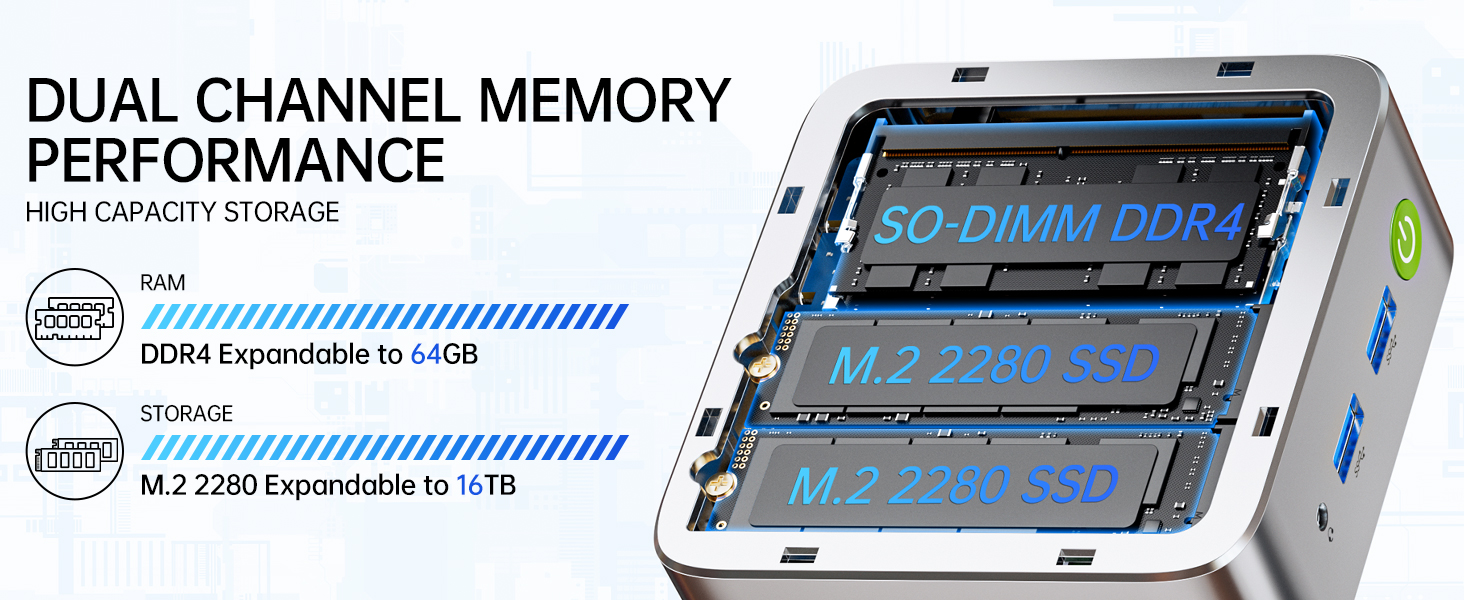
Image: Dual Channel Memory Performance and High Capacity Storage. This diagram illustrates the internal layout for SO-DIMM DDR4 RAM and M.2 2280 SSDs, indicating their expandability.
7. Rozwiązywanie Problemów
Jeśli masz problemy z komputerem Mini PC, zapoznaj się z poniższymi typowymi problemami i ich rozwiązaniami:
- Brak zasilania:
- Upewnij się, że zasilacz jest prawidłowo podłączony do komputera Mini PC i do sprawnego gniazdka elektrycznego.
- Sprawdź, czy gniazdko elektryczne działa prawidłowo, podłączając do niego inne urządzenie.
- Brak wyświetlacza:
- Check that the HDMI, DisplayPort, or USB-C cable is firmly connected to both the Mini PC and the monitor.
- Sprawdź, czy monitor jest włączony i ustawiony na prawidłowe źródło sygnału wejściowego.
- Spróbuj podłączyć się do innego wyświetlacza lub użyć innego kabla.
- Problemy z łącznością sieciową:
- wired: Sprawdź połączenie kabla Ethernet. Uruchom ponownie router/modem.
- Bezprzewodowy: Ensure Wi-Fi is enabled in Windows settings. Verify your Wi-Fi password. Restart your router.
- Niska wydajność:
- Zamknij niepotrzebne aplikacje działające w tle.
- Upewnij się, że system ma odpowiednią wentylację i nie przegrzewa się.
- Sprawdź i zainstaluj wszelkie oczekujące aktualizacje systemu Windows lub sterowniki.
- Uruchom oczyszczanie dysku, aby zwolnić miejsce na dysku.
8. Specyfikacje
| Funkcja | Specyfikacja |
|---|---|
| Marka | GMKtec |
| Nazwa modelu | G10 |
| System operacyjny | Windows 11 Pro |
| Model procesora | Procesor AMD Ryzen 5 3500U |
| Prędkość procesora | 3.7 GHz (Boost) |
| Liczba procesorów | 4 |
| Koprocesor graficzny | AMD Radeon Vega 8 Graphics 1200 MHz |
| Zainstalowana pamięć RAM | 16 GB DDR4 |
| Maksymalny rozmiar pamięci RAM | 64 GB |
| Prędkość pamięci | 2400 ton/sek |
| Pojemność pamięci masowej | Dysk SSD NVMe o pojemności 1 TB |
| Opis dysku twardego | Dual Slot M.2 2280 PCIE Max. 16TB |
| Technologia łączności | HDMI 2.1, RJ45 2.5GbE LAN, USB 3.2, USB-C (DP/DATA/PD), WIFI5/ BT 5.0 |
| Kompatybilność bezprzewodowa | 802.11a/b/g/n/ac (WiFi 5), Bluetooth 5.0 |
| Wyjście wideo | HDMI 2.1, DisplayPort, Type-C (Triple Display) |
| Maksymalna rozdzielczość wyświetlacza | 4096 × 2160 Pixels (4K) |
| Łączna liczba portów USB | 4 (2x USB 3.2, 1x USB 2.0, 1x USB-C Full Function) |
| Pobór mocy | 25 watów (typowo) |
| Wymiary przedmiotu | 4.1 x 3.8 x 1.7 cala |
| Waga przedmiotu | 0.95 kilograma |
| Metoda chłodzenia | Dual Cooling Fan |
| Dodatkowe funkcje | RTC Wake, Auto Power On, Wake On LAN, PXE Boot |
9. Gwarancja i wsparcie
9.1 Informacje o gwarancji
GMKtec oferuje 1-roczna ograniczona gwarancja for each Mini PC, starting from the date of purchase. This warranty covers defects due to design and workmanship. Please retain your proof of purchase for warranty claims.
9.2 Obsługa klienta
For technical assistance, warranty claims, or any questions regarding your GMKtec Nucbox G10 Mini PC, please contact GMKtec customer support. You can typically find contact information on the official GMKtec website or through the seller's contact page where you purchased the product (e.g., GMKtec-Direct on Amazon).