
1. Wprowadzenie
This manual provides essential information for the proper use and maintenance of your Redmi Move Smartwatch. Please read this manual carefully before using the device to ensure optimal performance and longevity. The Redmi Move Smartwatch features a 1.85" AMOLED display, Bluetooth calling, extensive sports tracking, and comprehensive health monitoring.

Image: The Redmi Move Smartwatch, showcasindzięki eleganckiemu wzornictwu i żywemu wyświetlaczowi.
2. Co znajduje się w pudełku
Po otwarciu opakowania należy sprawdzić, czy znajdują się w nim wszystkie poniższe elementy:
- Redmi Move Smartwatch
- Watch Band
- Kabel ładujący
- Instrukcja obsługi (ten dokument)
3. Konfiguracja
3.1 Pierwsze ładowanie
Before first use, fully charge your Redmi Move Smartwatch. Connect the charging cable to the watch's charging port and a compatible USB power adapter. A full charge typically takes approximately 10 minutes for 2 days of use, or longer for a complete charge.
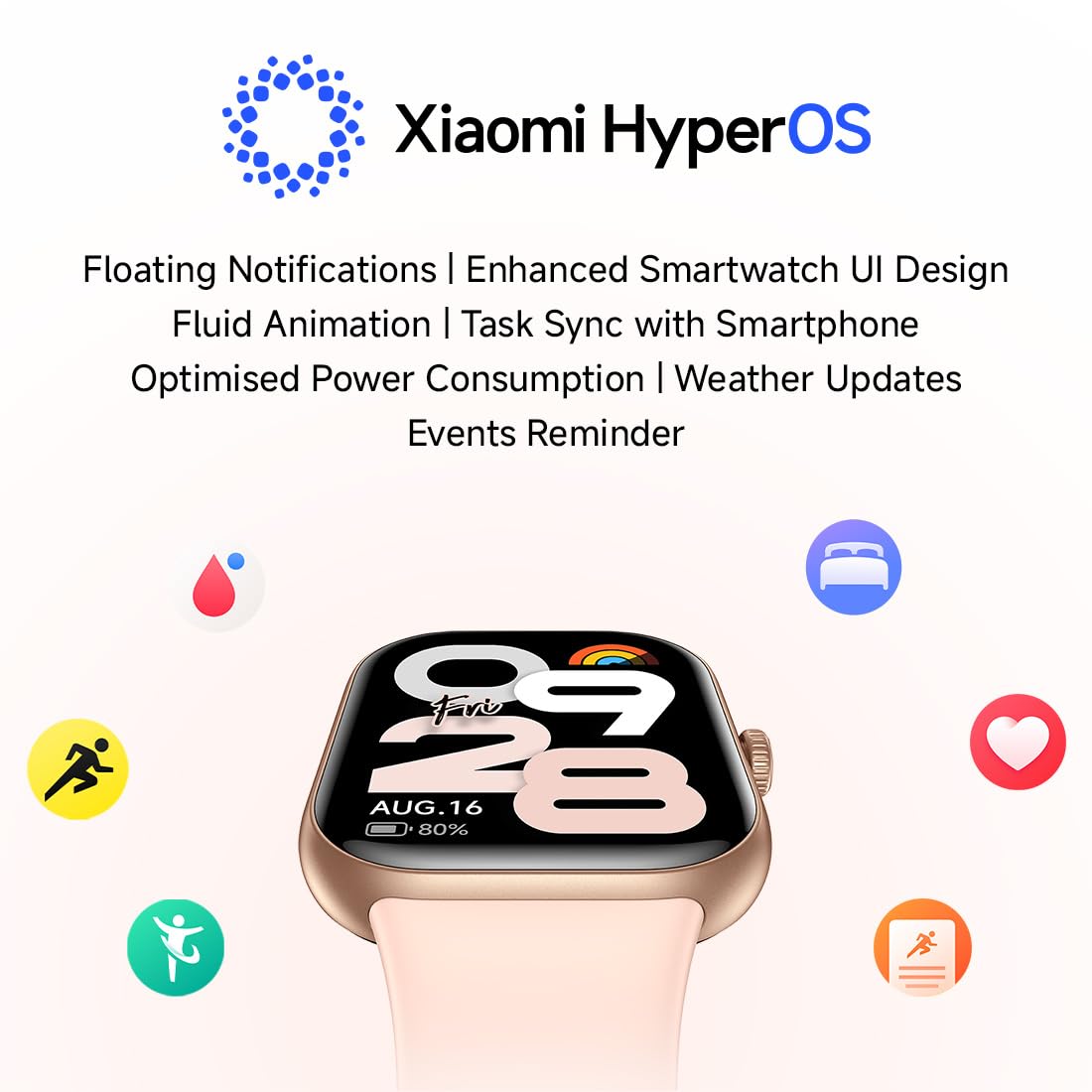
Image: The charging cable connected to the Redmi Move Smartwatch.
3.2 Parowanie ze smartfonem
- Sprawdź, czy Bluetooth w Twoim smartfonie jest włączony.
- Download and install the official Redmi/Xiaomi companion app (compatible with Android Wear 2.0 and Xiaomi HyperOS) from your device's app store.
- Otwórz aplikację i postępuj zgodnie z instrukcjami wyświetlanymi na ekranie, aby utworzyć konto lub się zalogować.
- Wybierz opcję „Dodaj urządzenie” lub podobną w aplikacji.
- Place your Redmi Move Smartwatch near your smartphone. The app will detect the watch.
- Potwierdź prośbę o sparowanie na smartfonie i smartwatchu.
- Po sparowaniu zegarek będzie synchronizował dane z telefonem.
4. Obsługa smartwatcha
4.1 Wyświetlacz i nawigacja
The Redmi Move Smartwatch features a 1.85" AMOLED display with 390x450 resolution, 322 PPI, and up to 600 nits peak brightness for clear visibility. It supports Always-On Display (AOD) and has a 60Hz refresh rate for smooth interactions. Navigation is primarily via the touchscreen and the functional rotating crown.
- Ekran dotykowy: Przesuwaj w górę, w dół, w lewo lub w prawo, aby poruszać się po menu i powiadomieniach. Dotknij, aby wybrać elementy.
- Obrotowa korona: Obróć, aby przewijać listy lub dostosować ustawienia. Naciśnij, aby wrócić do ekranu głównego lub potwierdzić wybór.
- Palm Touch: Cover the screen with your palm to quickly turn off the display or activate sleep mode.

Image: Close-up of the Redmi Move Smartwatch display, highlighting its clarity and information display.
4.2 Tarcze zegarka
Personalize your smartwatch with over 200 watch faces and 5 customizable layouts available through the companion app.

Image: Redmi Watch Move displaying different customizable watch faces.
4.3 Xiaomi HyperOS Features
The smartwatch operates on Xiaomi HyperOS, offering an enhanced user interface with fluid animations. Key features include:
- Floating Notifications
- Optimized Power Consumption
- Aktualizacje pogody
- Przypomnienia o wydarzeniach
- Task Synchronization with Smartphone
5. Funkcje monitorowania stanu zdrowia
The Redmi Move Smartwatch provides comprehensive 24/7 health tracking with up to 97% accuracy.
- Monitorowanie częstości akcji serca: Ciągle śledzi tętno.
- SpO₂ Monitoring: Mierzy poziom saturacji krwi tlenem.
- Monitorowanie snu: Analizuje wzorce i jakość snu.
- Monitorowanie stresu: Helps manage stress levels throughout the day.
- Steps and Calories: Monitoruje liczbę wykonanych kroków i spalonych kalorii.
- Śledzenie cyklu menstruacyjnego: Provides insights and predictions for female health.

Image: The smartwatch screen showing real-time heart rate data.
6. Tryby sportowe
Engage in over 140 sports modes to track your workouts effectively. The watch also features auto-detection for 7 common activities.
- Running (Outdoor/Treadmill)
- Walking (Indoor/Outdoor)
- Cycling (Indoor/Outdoor)
- Eliptyczny
- Wioślarz
- Skakanka
- Joga
- Strength/Resistance Training
- HIIT
- Trening funkcjonalny
- Hiking/Trekking
- Aerobics & Dance Fitness
- Pilates & Core Training
- Meditation & Breathing
- Cricket, Football, Badminton, Tennis, Basketball, Table Tennis, Volleyball

Image: Icons representing different sports modes available on the Redmi Move Smartwatch.
7. Połączenia Bluetooth
Wykonuj i odbieraj połączenia bezpośrednio z nadgarstka podłączonego do smartfona przez Bluetooth.
- Szybkie odpowiedzi: Wysyłaj wstępnie ustawione szybkie odpowiedzi na połączenia przychodzące lub wiadomości.
- Easy Dialing Pad: Wybieraj numery bezpośrednio z zegarka.
- Access Call History: View your recent call logs.

Image: A user interacting with the Redmi Move Smartwatch to answer a Bluetooth call.
8. Bateria i ładowanie
The Redmi Move Smartwatch is equipped with a 300 mAh Lithium Ion battery.
- Typowe zastosowanie: Do 14 dni pracy na baterii.
- With Always-On Display (AOD): Do 7 dni pracy na baterii.
- Szybkie ładowanie: Approximately 10 minutes of charging provides up to 2 days of use.

Image: The smartwatch screen showing battery percentage and estimated remaining battery life.
9. Konserwacja
9.1 Odporność na wodę i kurz
The Redmi Move Smartwatch has an IP68 rating, meaning it is resistant to dust and can withstand immersion in water up to 1.5 meters for 30 minutes. It is suitable for daily use, including sweaty workouts and unexpected rain. Avoid prolonged submersion or use in hot water/steam.

Image: Redmi Move Smartwatch shown partially submerged in water, illustrating its water resistance.
9.2 Cleaning and Strap Care
- Regularnie czyść ekran i obudowę zegarka miękką,amp płótno.
- Przed ładowaniem sprawdź, czy styki ładowania są czyste i suche.
- The watch features quick-release, anti-bacterial TPU straps for comfort and easy replacement. Clean straps with mild soap and water, then dry thoroughly.
10. Rozwiązywanie Problemów
If you encounter issues with your Redmi Move Smartwatch, refer to the following common solutions:
- Zegarek się nie włącza: Upewnij się, że zegarek jest w pełni naładowany. Podłącz go do ładowarki na co najmniej 30 minut.
- Nie można sparować ze smartfonem:
- Upewnij się, że Bluetooth jest włączony w Twoim telefonie.
- Upewnij się, że zegarek znajduje się w zasięgu telefonu.
- Uruchom ponownie zegarek i telefon.
- Spróbuj rozparować i ponownie sparować urządzenie za pomocą aplikacji towarzyszącej.
- Niedokładne dane dotyczące zdrowia: Upewnij się, że zegarek ściśle przylega do nadgarstka, nie jest za ciasny ani za luźny. Wyczyść czujniki z tyłu zegarka.
- Problemy z wyświetlaniem: If the screen is unresponsive, try restarting the watch. Ensure the screen is clean and dry.
- Krótka żywotność baterii: Reduce screen brightness, disable Always-On Display if not needed, and limit background app refresh.
W przypadku powtarzających się problemów należy skontaktować się z oficjalnym działem pomocy technicznej Redmi webodwiedź witrynę lub skontaktuj się z obsługą klienta.
11. Specyfikacje
| Funkcja | Szczegół |
|---|---|
| Nazwa modelu | Redmi watch Move |
| Numer modelu | BHR07WXIN |
| Typ wyświetlacza | AMOLED |
| Rozmiar ekranu | 1.85 cali |
| Rezolucja | 390x450 |
| Maksymalna jasność | X NUMX Nits |
| System operacyjny | Android Wear 2.0, Xiaomi HyperOS |
| Łączność | Bluetooth |
| Pojemność baterii | 300 mAh (litowo-jonowy) |
| Czas pracy baterii (typowy) | Do 14 dni |
| Battery Life (AOD) | Do 7 dni |
| Odporność na wodę | IP68 (15 Metres depth) |
| Czujniki | Heart Rate Sensor, Blood Oxygen Sensor, Accelerometer |
| GPS | Przez smartfon |
| Materiał paska | Poliuretan termoplastyczny (TPU) |
| Materiał obudowy | Poliwęglan (PC) |
| Waga | 34 gram |
12. Gwarancja i wsparcie
12.1 Informacje o gwarancji
The Redmi Move Smartwatch comes with a 1-year manufacturer's warranty, excluding the strap. Please retain your proof of purchase for warranty claims.
12.2 Obsługa klienta
For technical assistance, service, or further inquiries, please contact Redmi customer support.
- Producent: Optiemus Electronics Limited A-7, Sector-65, Noida, Gautam Buddha Nagar, Uttar Pradesh, 201309, India.
- Importer: Xiaomi Technology India Pvt. Ltd., Orchid Blck, EmbassyTech Village, Devarabeesanahalli, Bangalore - 560103, Karnataka.
- Wsparcie online: Odwiedź oficjalną pomoc techniczną Redmi webstrona z odpowiedziami na często zadawane pytania i opcjami kontaktu.