
1. Wprowadzenie
This manual provides detailed instructions for the proper use and maintenance of your TECKNET TK-HS036 Open Ear Bluetooth Headphones. Please read this manual thoroughly before using the product to ensure optimal performance and longevity. Keep this manual for future reference.
2. Zawartość opakowania
Sprawdź, czy w przesyłce znajdują się wszystkie elementy:
- TECKNET TK-HS036 Open Ear Bluetooth Headphones (Left and Right)
- Etui ładujące
- Kabel ładujący USB-C
- Instrukcja obsługi
3. Koniec produktuview
The TECKNET TK-HS036 headphones feature an open-ear design for comfort and situational awareness. They are designed to rest securely on your ear without blocking the ear canal.

Rysunek 3.1: Open-ear design for secure fit and all-day comfort. This design allows users to remain aware of their surroundings while listening to audio.
The charging case includes a smart digital display to indicate battery levels for both the case and individual earbuds.
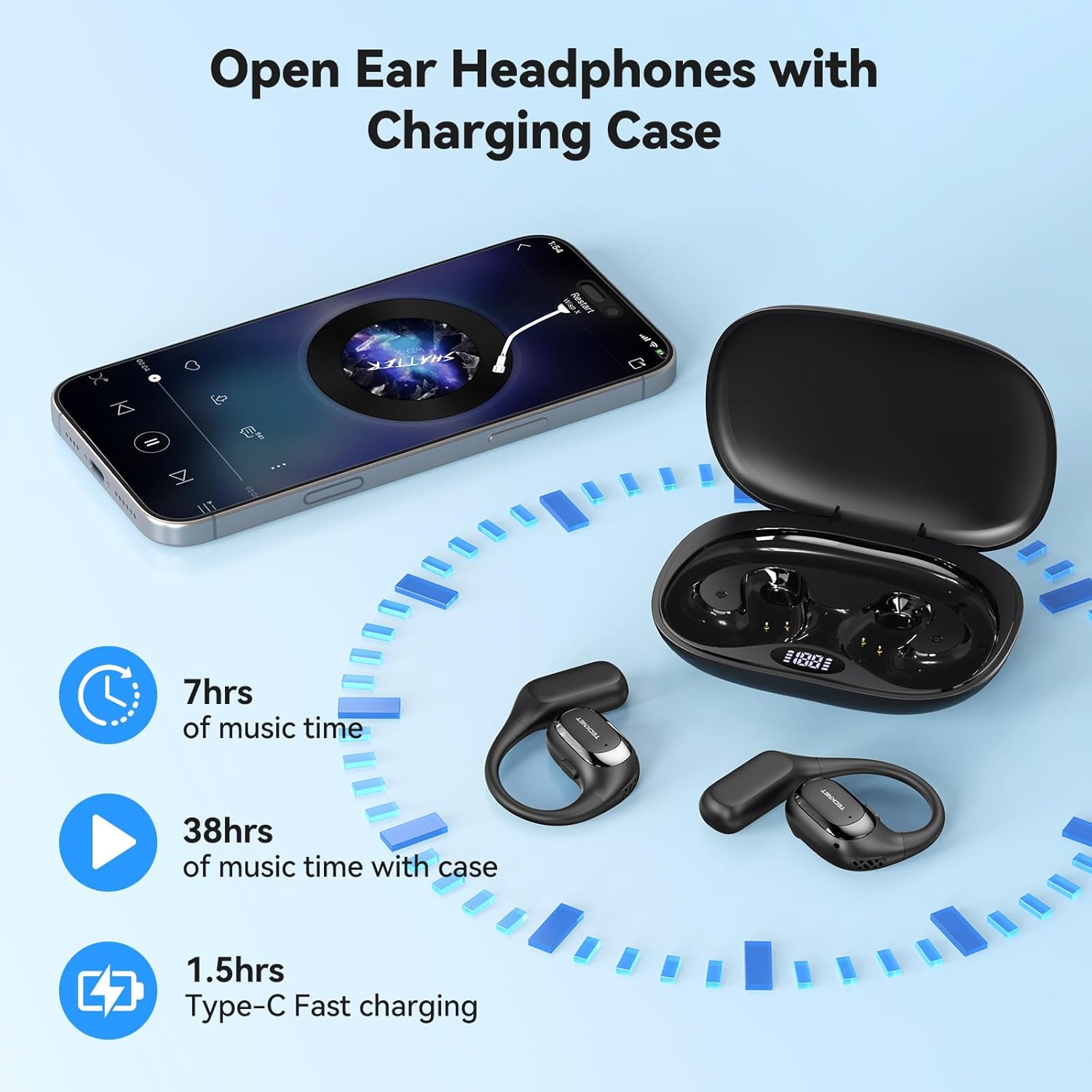
Rysunek 3.2: Headphones and charging case. The display on the case shows battery status. The image also indicates 7 hours of music time per charge, 38 hours total with the case, and 1.5 hours for Type-C fast charging.
4. Konfiguracja
4.1 Ładowanie słuchawek i etui
- Opłata początkowa: Przed pierwszym użyciem należy w pełni naładować słuchawki i etui ładujące.
- Ładowanie obudowy: Connect the provided USB-C cable to the charging port on the case and to a USB power adapter (not included). The digital display on the case will show the charging progress.
- Ładowanie słuchawek: Place the headphones into their respective slots in the charging case. Ensure the charging contacts align. The digital display will show the charging status of each earbud.
- Wskazanie pełnego naładowania: The display will indicate a full charge when complete. A full charge for the case and headphones typically takes approximately 1.5 hours.
4.2 Włączanie/wyłączanie zasilania
- Włączanie: Open the charging case, and the headphones will automatically power on. Alternatively, press and hold the multi-function button on each earbud for 3 seconds.
- Wyłączone: Place the headphones back into the charging case and close the lid; they will automatically power off and begin charging. Alternatively, press and hold the multi-function button on each earbud for 5 seconds.
4.3 parowanie Bluetooth
- Wejdź w tryb parowania: Open the charging case. The headphones will automatically enter pairing mode, indicated by a flashing LED light on the earbuds.
- Włącz Bluetooth: Na swoim urządzeniu (smartfonie, tablecie itp.) przejdź do ustawień Bluetooth i włącz Bluetooth.
- Wybierz urządzenie: Look for "TK-HS036" in the list of available devices and select it to connect.
- Potwierdzenie połączenia: Once connected, the LED indicator on the headphones will stop flashing, and you will hear an audible confirmation.

Rysunek 4.1: Bluetooth 6.0 connection process. The image shows a phone's Bluetooth settings with the TK-HS036 headphones successfully connected.
- Automatyczne ponowne połączenie: After the initial pairing, the headphones will automatically connect to the last paired device when powered on and within range.
5. Instrukcja obsługi
5.1 Odtwarzanie muzyki
- Odtwórz/Pauza: Naciśnij raz przycisk wielofunkcyjny na dowolnej słuchawce.
- Następny utwór: Kliknij dwukrotnie przycisk wielofunkcyjny na prawej słuchawce.
- Poprzedni utwór: Kliknij dwukrotnie przycisk wielofunkcyjny na lewej słuchawce.
- Zwiększenie głośności: Naciśnij trzykrotnie przycisk wielofunkcyjny na prawej słuchawce.
- Ściszanie: Naciśnij trzykrotnie przycisk wielofunkcyjny na lewej słuchawce.
5.2 Funkcje połączeń
- Odbieranie/kończenie połączeń: Naciśnij raz przycisk wielofunkcyjny na dowolnej słuchawce.
- Odrzuć połączenie: Naciśnij i przytrzymaj przycisk wielofunkcyjny na dowolnej słuchawce przez 2 sekundy.
- Aktywuj asystenta głosowego: Naciśnij i przytrzymaj przycisk wielofunkcyjny na dowolnej słuchawce przez 2 sekundy (gdy nie prowadzisz rozmowy).
5.3 Jakość dźwięku
The TK-HS036 headphones are equipped with a 14.2mm driver designed to deliver clear audio with enhanced bass.

Rysunek 5.1: Wewnętrzny view of the 14.2mm driver, responsible for audio output.
6. Konserwacja
6.1 Czyszczenie
- Wytrzyj słuchawki i etui ładujące miękką, suchą i niepozostawiającą włókien ściereczką.
- Nie należy używać środków czyszczących o właściwościach ściernych, alkoholu ani rozpuszczalników chemicznych.
- Upewnij się, że styki ładowania są czyste i wolne od zanieczyszczeń.
6.2 Przechowywanie
- Gdy nie używasz słuchawek, przechowuj je w etui ładującym, aby je chronić i utrzymać naładowanie.
- Unikać przechowywania w ekstremalnych temperaturach i przy wysokiej wilgotności.
6.3 Stopień wodoodporności IPX5
The headphones are rated IPX5 waterproof, meaning they are resistant to sweat and light splashes of water. They are not designed for submersion in water.

Rysunek 6.1: IPX5 Waterproof feature. The headphones are designed to withstand sweat and light rain, making them suitable for sports and outdoor activities.
7. Rozwiązywanie Problemów
| Problem | Możliwa przyczyna | Rozwiązanie |
|---|---|---|
| Słuchawki nie włączają się. | Niski poziom naładowania baterii. | Naładuj całkowicie słuchawki i etui ładujące. |
| Nie można sparować z urządzeniem. | Bluetooth w urządzeniu jest wyłączony; słuchawki nie są w trybie parowania; urządzenie znajduje się za daleko. | Ensure Bluetooth is enabled on your device. Place headphones in pairing mode. Move device closer to headphones. Forget previous pairings on your device and try again. |
| Brak dźwięku lub niski poziom głośności. | Volume too low on headphones or device; headphones not properly connected. | Adjust volume on both headphones and your device. Reconnect headphones to your device. |
| Przerywane połączenie. | Zakłócenia; urządzenie znajduje się za daleko; słaba bateria. | Move closer to your device. Avoid areas with strong Wi-Fi or other Bluetooth signals. Ensure headphones are charged. |
8. Specyfikacje
| Funkcja | Szczegół |
|---|---|
| Nazwa modelu | TK-HS036 |
| Marka | TeckNet |
| Technologia łączności | Bluetooth 6.0 |
| Umieszczenie ucha | On Ear (Open-Ear Design) |
| Stopień wodoodporności | IPX5 |
| Czas na muzykę (słuchawki douszne) | Do 7 godzin |
| Całkowity czas odtwarzania (z etui ładującym) | Up to 40 hours (approx. 38 hours stated in image) |
| Czas ładowania (etui) | Około 1.5 godziny (USB-C) |
| Rozmiar kierowcy | 14.2mm |
| Kolor | Czarny |
9. Gwarancja i wsparcie
TECKNET products come with a standard manufacturer's warranty. For specific warranty details, please refer to the warranty card included in your product packaging or visit the official TECKNET website. If you encounter any issues or have questions regarding your TK-HS036 headphones, please contact TECKNET customer support through their official channels.