
Wstęp
Thank you for choosing the Kinhank Super Console X2 Pro. This device combines a powerful retro gaming system (EmuELEC 4.6) with a versatile Android 9.0 smart TV box, offering a comprehensive entertainment experience. This manual provides detailed instructions to help you set up, operate, and maintain your console for optimal performance.
Zawartość opakowania
Sprawdź, czy w przesyłce znajdują się wszystkie wymienione poniżej elementy. Jeśli brakuje któregokolwiek z nich lub jest on uszkodzony, skontaktuj się z obsługą klienta.
- Kinhank Super Console X2 Pro Unit x 1
- Wireless Controllers x 2
- Pilot zdalnego sterowania x 1
- Zasilacz x 1
- Kabel HD x 1
- TF Card (pre-installed with games) x 1
- Koncentrator USB x 1
- Odbiornik USB x 1
- Instrukcja obsługi x 1
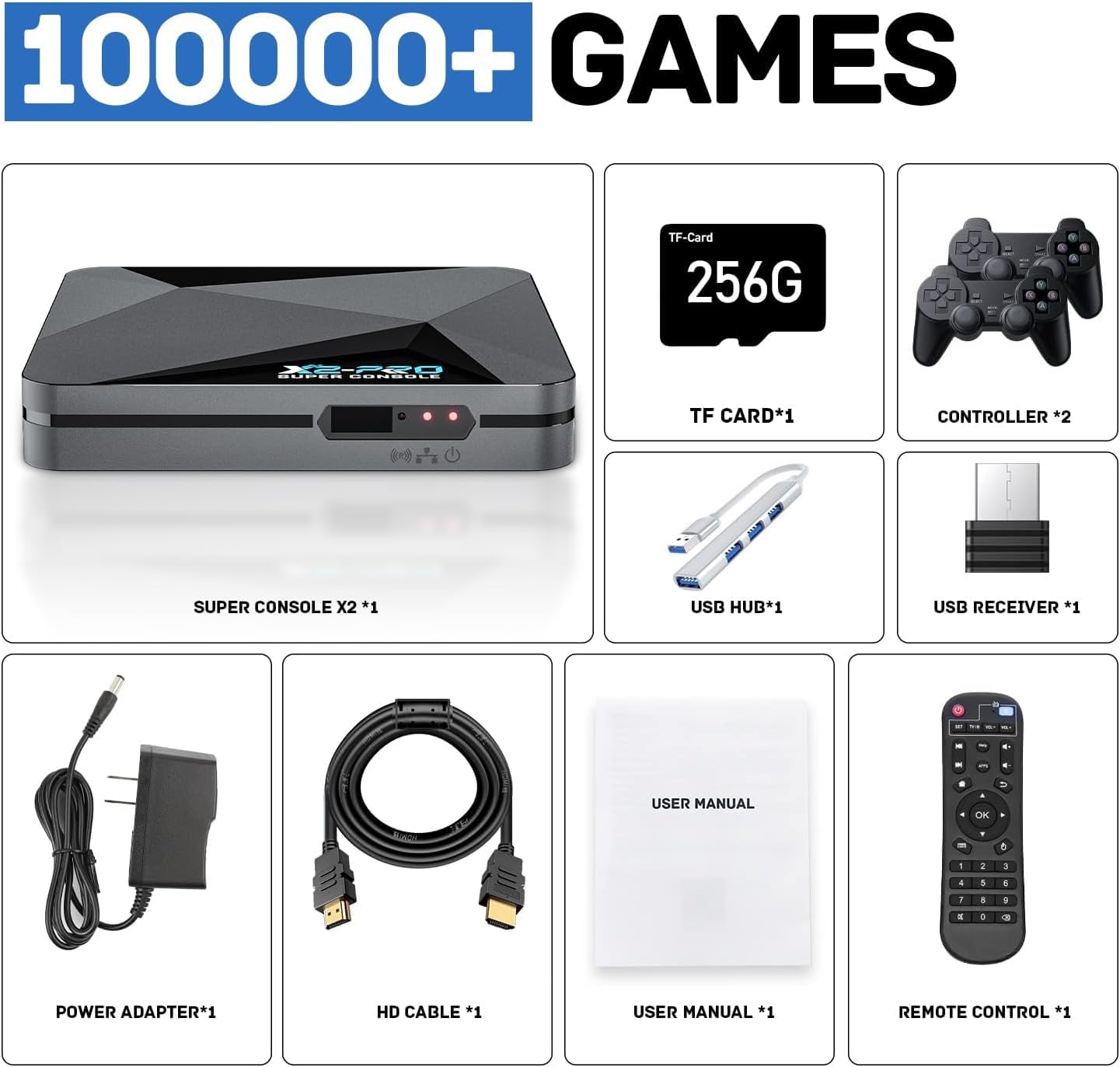
Image: Contents of the Kinhank Super Console X2 Pro package, including the console, two controllers, remote, power adapter, HD cable, TF card, USB hub, USB receiver, and user manual.
Przewodnik po konfiguracji
- Połącz z telewizorem: Connect the Super Console X2 Pro to your TV or monitor using the provided HD cable. Ensure the HD cable is securely plugged into both the console and your display's HD input.
- Podłączenie zasilania: Connect the power adapter to the console's power input port, then plug the adapter into a power outlet.
- Podłącz kontrolery: Podłącz odbiornik USB kontrolerów bezprzewodowych do jednego z portów USB konsoli. Kontrolery powinny sparować się automatycznie.
- Włóż kartę TF: Ensure the TF card (pre-installed with games) is properly inserted into the TF card slot on the console.
- Włączanie: Naciśnij przycisk zasilania na konsoli lub pilocie, aby włączyć urządzenie.
- Wybierz wejście: Switch your TV's input source to the corresponding HD input where the console is connected.

Image: The Kinhank Super Console X2 Pro unit, two wireless controllers, and a remote control, displayed alongside a television screen showing game content.
Instrukcja obsługi
Koniec systemuview: EmuELEC 4.6 and Android 9.0
The Super Console X2 Pro operates with two distinct systems: EmuELEC 4.6 for retro gaming and Android 9.0 for smart TV functionalities. You can switch between these systems using the provided remote control.

Image: A split screen showing the EmuELEC 4.6 interface on the left and the Android 9.0 interface with various applications on the right, illustrating the dual-system capability.
Przełączanie między systemami
Use the dedicated button on the remote control to seamlessly switch between the EmuELEC game system and the Android TV system. Refer to the remote control diagram in the package for specific button functions.

Image: A remote control positioned between two television screens, one displaying the EmuELEC interface and the other the Android application menu, indicating the ability to switch between the two operating systems.
Using EmuELEC (Game System)
- Gry nawigacyjne: Use the directional pad (D-pad) on the controller to browse through the pre-installed game library.
- Wybieranie gier: Press the 'A' button (or equivalent) on the controller to select and launch a game.
- Wychodzenie z gier: Consult the EmuELEC specific instructions (often a combination of 'START' + 'SELECT' or a dedicated hotkey) to exit a game and return to the main menu.
- Dodawanie gier: The console supports adding additional games. For detailed instructions on how to add games, please refer to the official Kinhank support webodwiedź witrynę lub skontaktuj się z obsługą klienta.
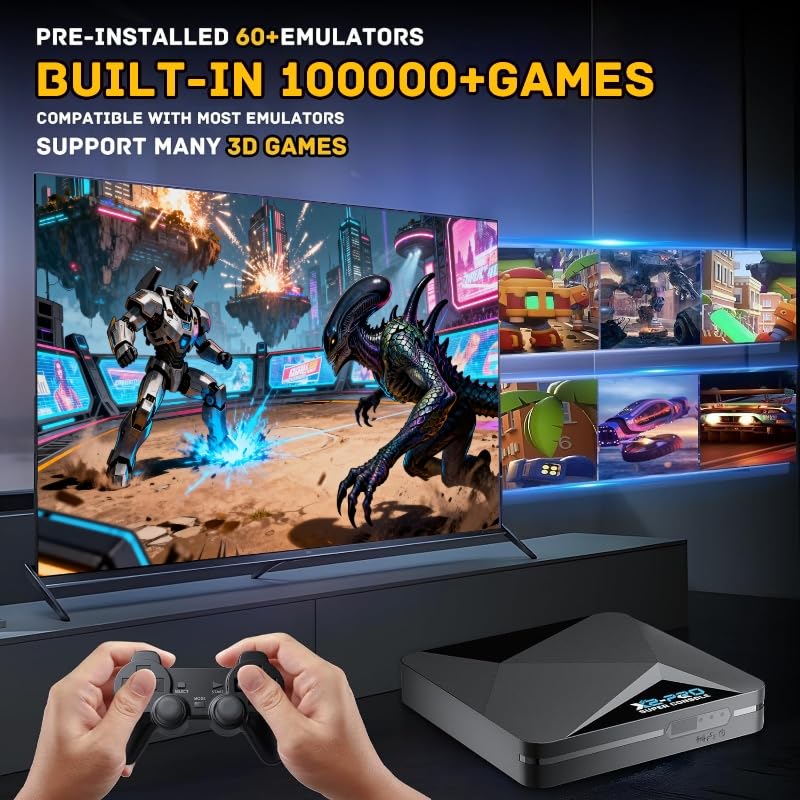
Image: A person holding a game controller, with the Kinhank Super Console X2 Pro unit visible, and a television screen displaying various retro game titles and gameplay footage.
Using Android 9.0 (Smart TV System)
- Nawigacja: Do poruszania się po interfejsie Androida użyj przycisków kierunkowych pilota oraz przycisku „OK”.
- Zastosowania: Access pre-installed applications or download new ones from the app store (if available and configured).
- Połączenie internetowe: Connect to your home Wi-Fi network via the Android settings menu for online features and streaming.
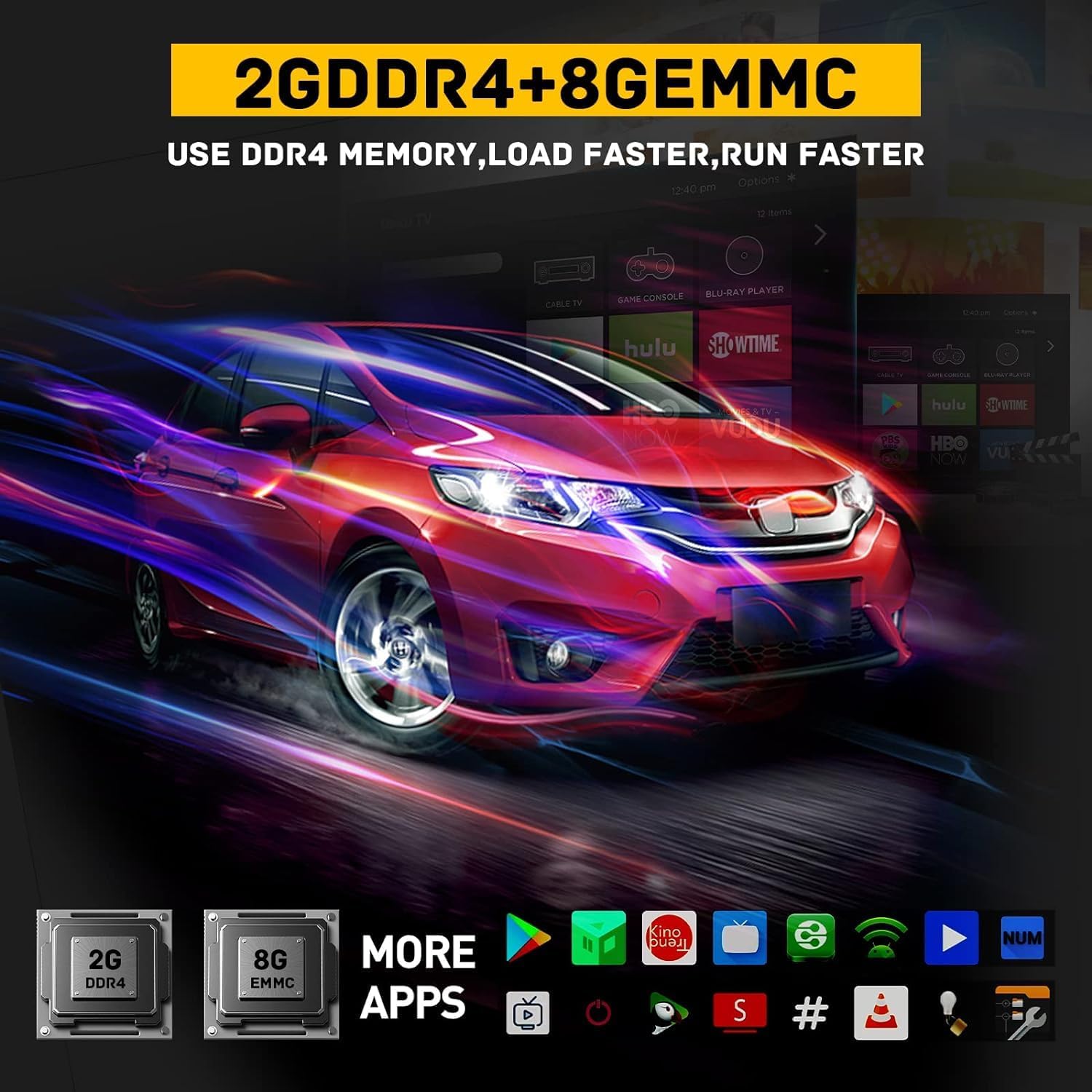
Image: A television screen displaying the Android 9.0 interface with various application icons, including streaming services and utilities, indicating the device's smart TV capabilities.
Łączność i wydajność
- Dwuzakresowe Wi-Fi: Supports 2.4G and 5G Wi-Fi for stable and fast wireless internet connectivity.
- Bluetooth 5.0: Allows connection to various Bluetooth-enabled devices such as headphones, speakers, and additional controllers.
- Ethernet 1000M: Provides a wired network connection for maximum speed and stability, reducing buffering and lag.
- S905X2 Chip: Equipped with an S905X2 chip for efficient processing, ensuring smooth gameplay and multimedia playback.
- 4K 60fps Output: Supports high-resolution video output up to 4K at 60 frames per second for a clear visual experience.

Image: The Kinhank Super Console X2 Pro unit with visual representations of 2.4G and 5G Wi-Fi signals and the Bluetooth 5.0 logo, indicating its advanced wireless connectivity features.
Konserwacja
- Czyszczenie: Use a soft, dry cloth to clean the console and controllers. Avoid liquid cleaners or abrasive materials.
- Wentylacja: Ensure the console is placed in a well-ventilated area to prevent overheating. Do not block ventilation openings.
- Aktualizacje oprogramowania: Periodically check for system updates for both EmuELEC and Android to ensure optimal performance and access to new features.
- Składowanie: Jeśli konsola nie będzie używana przez dłuższy czas, należy ją przechowywać w chłodnym, suchym miejscu, z dala od bezpośredniego światła słonecznego i ekstremalnych temperatur.
Rozwiązywanie problemów
| Problem | Możliwe rozwiązanie |
|---|---|
| No power/Console does not turn on. |
|
| Brak obrazu na telewizorze. |
|
| Kontrolery nie odpowiadają. |
|
| Gry się opóźniają lub zawieszają. |
|
| Cannot switch between EmuELEC and Android. |
|
Specyfikacje
- Model: Super Console X2 Pro
- Systemy operacyjne: EmuELEC 4.6, Android 9.0
- Edytor: Układ S905X2
- BARAN: 2 GB DDR4
- Składowanie: 8GB eMMC (internal), supports TF card expansion
- Łączność: 2.4G/5G Dual-Band Wi-Fi, Bluetooth 5.0, Ethernet 1000M
- Wyjście wideo: Up to 4K @ 60fps
- Wymiary: Approximately 1 x 0.8 x 0.5 inches (Console Unit)
- Waga: Approximately 2 pounds (Console Unit)
- Producent: Kinhank
Gwarancja i wsparcie
For warranty information and technical support, please refer to the warranty card included in your package or visit the official Kinhank website. You may also contact customer service directly for assistance with product issues or inquiries.
Odp. klientaview Notatka: A user reported excellent customer service for a controller issue, indicating prompt resolution. This suggests reliable support is available.