
1. Koniecview
The PlayStation 5 Disc Edition Console (Slim) model CFI-2100 offers a new generation of gaming experiences. It features an ultra-high speed SSD for lightning-fast loading, deeper immersion with haptic feedback, adaptive triggers, and 3D Audio technology. This console is designed to deliver stunning graphics and supports a back catalog of compatible PS4 games.
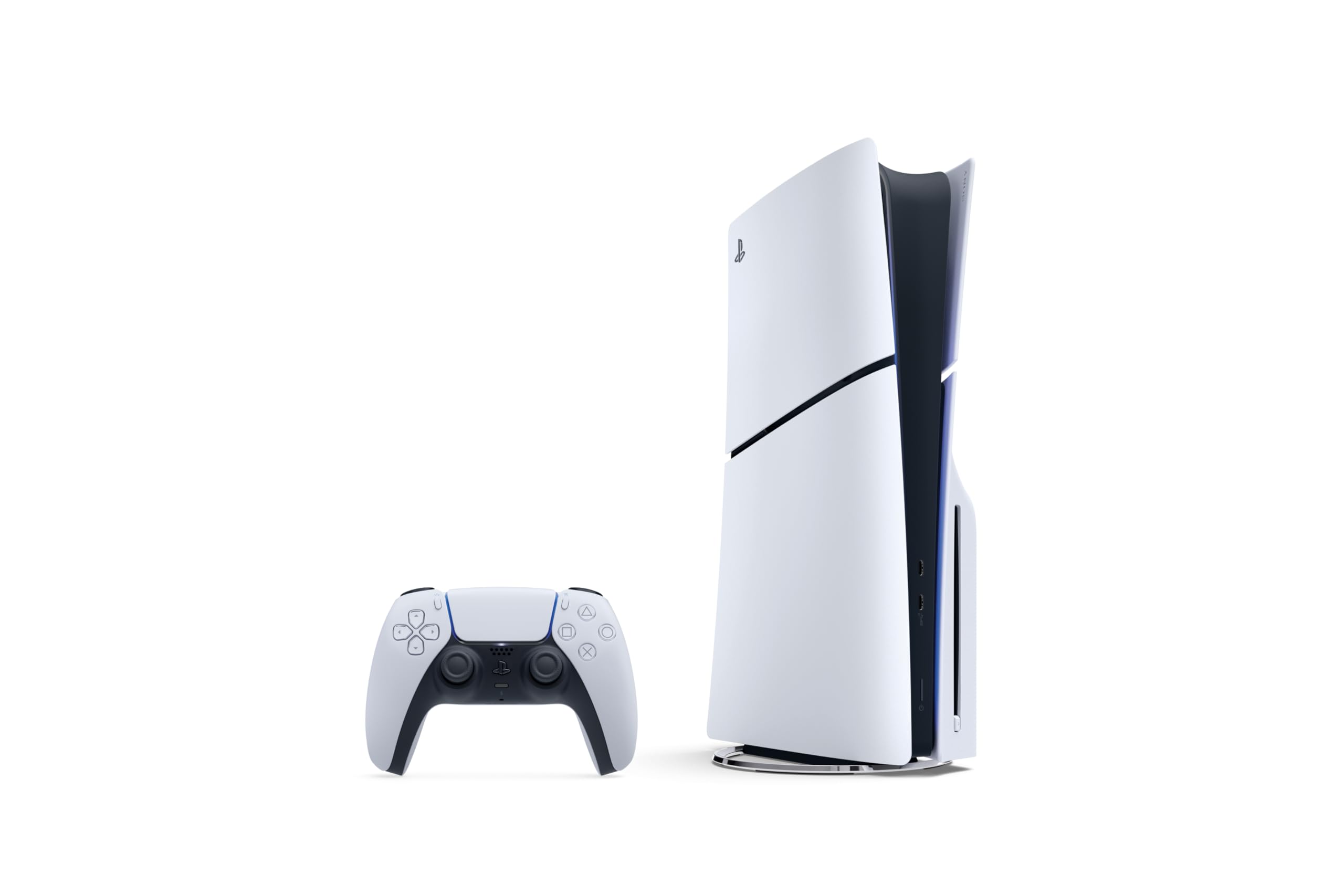
Image: The PlayStation 5 Disc Edition Console (Slim) shown horizontally with a DualSense wireless controller.
2. Konfiguracja
Before you begin, ensure you have all components included with your PlayStation 5 console:
- PlayStation 5 Console (1TB SSD, Disc Drive)
- Wireless DualSense Controller
- 2 poziome nóżki stojaka
- Kabel HDMI
- Przewód zasilający AC
- Kabel USB
- Materiały drukowane
- Astro's Playroom (pre-installed game)
A vertical stand is sold separately if you prefer that orientation.
2.1 Podłączanie konsoli
- Umieść konsolę: Position your PS5 console horizontally using the included stand feet on a stable surface near your TV. Ensure adequate ventilation around the console.
- Podłącz kabel HDMI: Connect one end of the HDMI cable to the HDMI OUT port on the back of your PS5 console and the other end to the HDMI input on your TV.
- Podłącz przewód zasilający: Plug the AC power cord into the AC IN connector on the back of your PS5 console, then plug the other end into a wall outlet.
- Podłącz kontroler: Use the USB cable to connect your DualSense wireless controller to a USB port on the console. This will pair the controller and charge it.
- Włączanie: Press the power button on the console or the PS button on your controller to turn on the system.
An internet connection is required to pair the Disc Drive and PS5 console upon initial setup and for system software updates.

Obraz: Przód view of the PS5 Disc Edition (Slim) showing the disc drive slot and USB ports.

Obraz: Bok view of the PS5 Disc Edition (Slim), highlighting its compact and sleek design.
3. Instrukcja obsługi
3.1 Włączanie/wyłączanie zasilania
- Włączanie: Press the power button on the console or the PS button on a paired DualSense controller.
- Aby wyłączyć: From the control center, select Power > Turn Off PS5. You can also press and hold the power button on the console until it beeps twice.
- Tryb odpoczynku: From the control center, select Power > Enter Rest Mode. In Rest Mode, the console can charge controllers, download updates, and keep games suspended.
3.2 Wkładanie i wyjmowanie płyt
- Aby włożyć płytę: Hold the disc with the label side facing up (when the console is horizontal with the disc drive on the left) and gently slide it into the disc slot until it is pulled in automatically.
- Aby wysunąć płytę: Press the eject button located next to the disc slot.
3.3 Użycie kontrolera
The DualSense wireless controller provides an immersive gaming experience. Ensure your controller is charged by connecting it to the console with the USB cable. For optimal 3D audio, connect compatible headphones to the controller or use built-in TV speakers with appropriate settings.
4. Główne cechy
- Dysk SSD o ultrawysokiej prędkości: Maximize your play sessions with near-instant load times for installed PS5 games, allowing creators to design games in ways never before possible.
- 1TB of Storage: Keep your favorite games ready and waiting for you to jump in and play with amppojemność pamięci masowej.
- Śledzenie promieni: Zanurz się w światach o zupełnie nowym poziomie realizmu, symulując pojedynczo promienie światła, co pozwala na tworzenie realistycznych cieni i odbić w obsługiwanych grach na PS5.
- Sprzężenie zwrotne dotykowe: Discover a deeper gaming experience with responsive vibrations that react to your in-game choices and simulate environmental factors.
- Wyzwalacze adaptacyjne: Experience dynamic resistance that mimics the tension of interactions with in-game gear and environments, such as drawing a bowstring or firing a weapon.
- Dźwięk 3D: Enjoy immersive soundscapes where audio seems to come from every direction, enhancing your perception of in-game environments. (Requires compatible headphones or TV speakers with system software update).
- Wsteczna kompatybilność: Play a vast catalog of supported PS4 games directly on your PS5 console.

Image: Icons representing key PS5 features including Ray Tracing, Ultra-high Speed SSD, 4K Gaming, 3D Audio, Haptic Feedback, and Adaptive Triggers.
4.1 Feature Videos
Wideo: Krótki filmikview of the PS5 Disc Edition, highlighting its flexibility and value for gamers who appreciate physical media and next-gen performance.
Video: Demonstrates the backwards compatibility of the PS5 Disc Edition, showing how PS4 games can be played and often benefit from improved performance on the new console.
5. Konserwacja
Proper maintenance ensures the longevity and optimal performance of your PlayStation 5 console.
- Czyszczenie: Regularly wipe the console and controller with a soft, dry cloth. Avoid using liquid cleaners or abrasive materials. Ensure ventilation ports are free from dust and obstructions.
- Aktualizacje oprogramowania: Keep your console's system software updated to the latest version. Updates often include performance improvements, new features, and security enhancements. The console can download updates in Rest Mode if configured.
- Zarządzanie pamięcią masową: Monitor your 1TB SSD storage. Delete unused games or media to free up space for new content.
6. Rozwiązywanie Problemów
If you encounter issues with your PlayStation 5 console, try the following basic troubleshooting steps:
- Brak zasilania: Check that the AC power cord is securely connected to both the console and a working wall outlet. Try a different outlet.
- Brak wyświetlacza: Ensure the HDMI cable is firmly connected to both the console and your TV. Try a different HDMI port on your TV or a different HDMI cable. Verify your TV is set to the correct HDMI input.
- Kontroler nie odpowiada: Ensure the controller is charged. Connect it to the console with the USB cable to re-pair it. If issues persist, try resetting the controller using the small reset button on its back.
- Błędy odczytu dysku: Ensure the disc is clean and free of scratches. Reinsert the disc. If the problem continues, try a different game disc to determine if the issue is with the console or the disc itself.
- System zawiesza się/awariuje: Restart the console. Ensure your system software is up to date.
Aby uzyskać bardziej szczegółowe informacje dotyczące rozwiązywania problemów lub uporczywych problemów, zapoznaj się z oficjalną pomocą techniczną PlayStation webstrona.
7. Specyfikacje
| Funkcja | Szczegół |
|---|---|
| Numer modelu | CFI-2100 |
| Składowanie | Dysk SSD 1TB |
| Napęd dyskowy | Dołączony |
| Wymiary (produkt) | 17 x 14 x 6.6 cala |
| Waga (przedmiot) | 9.48 funta |
| Producent | Sony Interactive Entertainment |
| Data wydania | 30 października 2025 r. |
| Baterie | Wymagana 1 bateria litowo-jonowa (w zestawie) |
8. Gwarancja i wsparcie
This PlayStation 5 console is manufactured by Sony Interactive Entertainment. For warranty information, technical support, and additional resources, please visit the official PlayStation support webZachowaj dowód zakupu na wypadek roszczeń gwarancyjnych.
Oficjalne wsparcie PlayStation: www.playstation.com/support/