
1. Wprowadzenie
This manual provides detailed instructions for the setup, operation, and maintenance of your Gloryang 668BT Thermal Label Printer. Please read this manual thoroughly before using the printer to ensure proper function and to maximize its lifespan. The Gloryang 668BT is designed for efficient and reliable label printing, suitable for various applications including shipping and product labeling.
2. Zawartość opakowania
Sprawdź, czy wszystkie wymienione poniżej elementy znajdują się w Twojej paczce. Jeśli brakuje któregokolwiek z nich lub jest on uszkodzony, skontaktuj się z obsługą klienta.
- Gloryang 668BT Thermal Label Printer
- Fan-fold Thermal Labels (550 count)
- Zasilacz
- USB Cable for Windows
- USB Cable for Mac
- Karta przewodnika APP
- Instrukcja obsługi

This image details the complete package contents for the Gloryang 668BT printer. It includes the printer unit, a stack of fan-fold labels, an APP Guide Card, a User Manual, a Power Adapter, a USB cable for Windows, and a USB cable for Mac.
3. Konfiguracja
3.1 Ładowanie etykiet
- Upewnij się, że drukarka jest wyłączona.
- Otwórz górną pokrywę drukarki.
- Place the fan-fold labels into the label compartment, ensuring the printing side faces upwards and the labels feed smoothly into the printer mechanism.
- Dopasuj prowadnice etykiet tak, aby dokładnie pasowały do szerokości etykiet, bez efektu „kliknięcia”.asing je.
- Zamknij górną pokrywę.

This image illustrates the Gloryang 668BT thermal label printer in operation, showing a shipping label being printed. A smartphone is connected, indicating mobile printing capabilities. A stack of 4x6 inch thermal labels is also visible, ready for use. Example tracking number: 1Z81RW830373586843.
3.2 Podłączanie drukarki
The Gloryang 668BT printer supports both USB and Bluetooth connectivity.
- Połączenie USB: Connect one end of the provided USB cable to the printer and the other end to your computer (Windows or Mac).
- Połączenie Bluetooth: Power on the printer. On your mobile device (iOS, Android, iPad), enable Bluetooth and search for available devices. Select 'Gloryang 668BT' to pair. Note: Bluetooth connection is not supported for Mac or Chromebook devices.

This image demonstrates the connectivity options for the Gloryang 668BT printer, including Bluetooth for mobile devices (iOS, Android, iPad) and USB cable for computers (Windows). It specifies that Bluetooth connectivity is not available for Mac or Chromebook systems. Example tracking number: 1Z81RW830373586843.
3.3 Driver and App Installation
For computer printing, install the appropriate driver for your operating system (Windows or Mac) from the official Gloryang website or the provided installation media. For mobile printing, download the dedicated Gloryang printing application from your device's app store (e.g., Apple App Store, Google Play Store) as indicated on the APP Guide Card.
4. Instrukcja obsługi
4.1 Drukowanie z urządzeń mobilnych
- Ensure the printer is powered on and connected via Bluetooth to your mobile device.
- Open the Gloryang printing application.
- Wybierz dokument lub obraz, który chcesz wydrukować.
- Adjust print settings such as label size and orientation within the app.
- Zainicjuj polecenie drukowania.
4.2 Drukowanie z komputerów
- Ensure the printer is powered on and connected via USB to your computer.
- Otwórz dokument lub etykietę file you wish to print (e.g., PDF, image file).
- Przejdź do 'File' > 'Print' or use the print shortcut (Ctrl+P for Windows, Cmd+P for Mac).
- Select 'Gloryang 668BT' as your printer.
- Adjust print settings, including paper size (e.g., 4x6 inches), orientation, and density, in the printer preferences.
- Kliknij „Drukuj”.
4.3 Obsługiwane typy etykiet
The Gloryang 668BT printer is compatible with various thermal label types, including standard shipping labels, product labels, and other specialized thermal labels. The labels are designed for strong adhesion and water resistance, ensuring durability.

This image illustrates the versatility of the Gloryang 668BT printer, capable of printing various types of labels, including standard shipping labels, round product labels for items like perfume bottles, and rectangular labels for food containers.

This image emphasizes the quality of the thermal labels compatible with the Gloryang 668BT printer, showcasing their strong adhesive backing and water-resistant properties, ensuring durability and secure attachment.
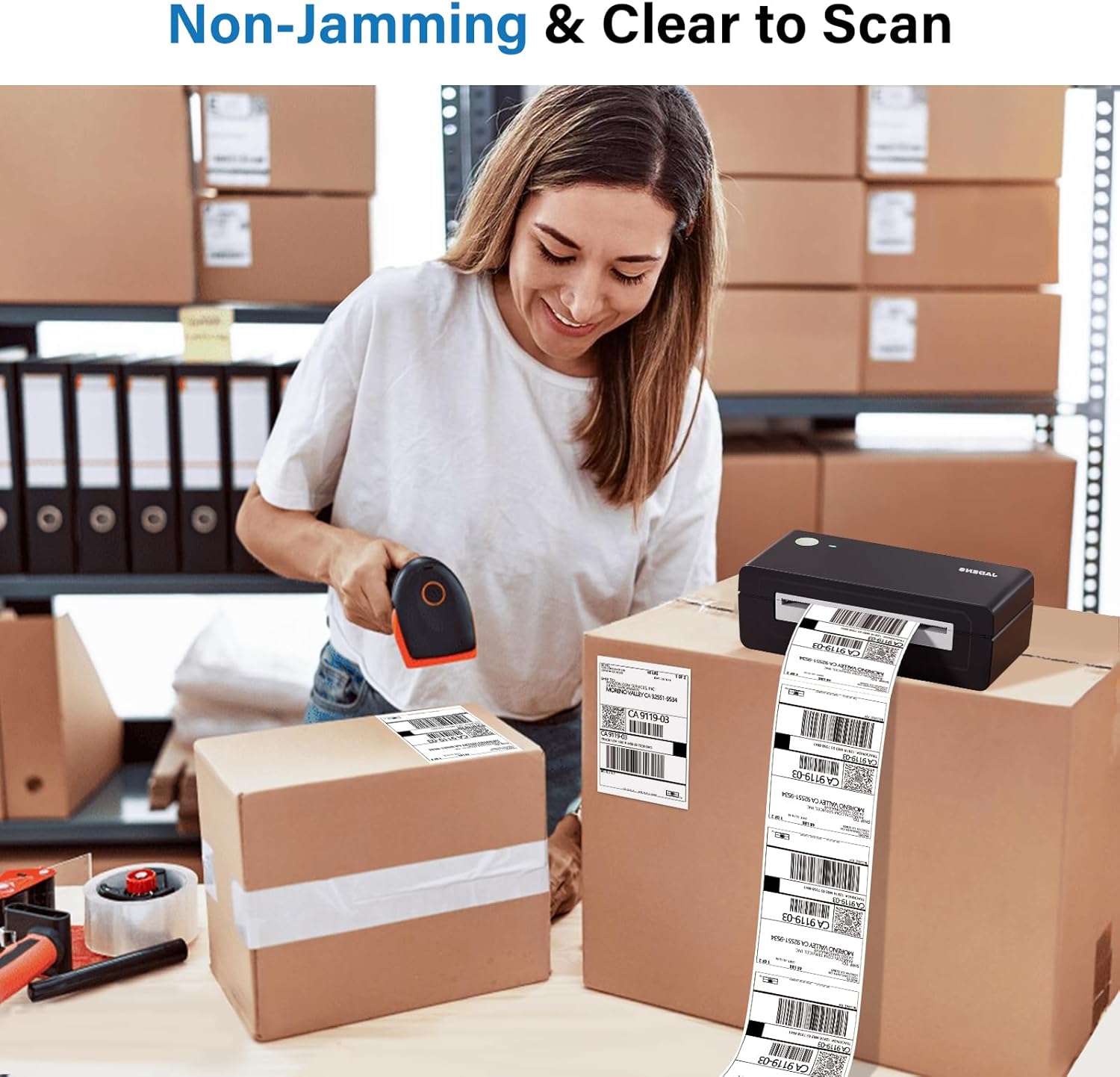
This image demonstrates the reliable performance of the Gloryang 668BT printer, highlighting its non-jamming mechanism and the clarity of the printed labels, which are easily scannable.

This image illustrates the convenience of the thermal labels, featuring a perforated line that allows for easy and clean tearing after printing, enhancing efficiency. Example address part: 420925519534. Byłyample tracking number: 1Z81RW830373586843.

This image displays a stack of 500 4" x 6" fanfold thermal shipping labels, emphasizing their standard size and the fanfold design which facilitates easy tearing and continuous feeding.
5. Konserwacja
Regularna konserwacja zapewnia optymalną wydajność i wydłuża żywotność drukarki.
- Czyszczenie głowicy drukującej: Delikatnie przetrzyj głowicę wacikiem nasączonym alkoholem lub specjalnym długopisem do czyszczenia głowic drukujących. Przed czyszczeniem upewnij się, że drukarka jest wyłączona i ostygła.
- Czyszczenie wałka dociskowego: Use an alcohol swab to clean the rubber platen roller. Rotate the roller manually to clean the entire surface.
- Czyszczenie zewnętrzne: Przetrzyj zewnętrzną część drukarki miękką, miękką szmatką.amp płótno. Unikaj stosowania ostrych środków chemicznych lub ściernych środków czyszczących.
- Usuwanie kurzu: Periodically use compressed air to remove dust and debris from inside the label compartment.
6. Rozwiązywanie Problemów
Aby zapoznać się z najczęstszymi problemami i ich rozwiązaniami, zapoznaj się z poniższą tabelą.
| Problem | Możliwa przyczyna | Rozwiązanie |
|---|---|---|
| Drukarka nie odpowiada | Power issue, loose cable, driver error | Check power connection. Reconnect USB/Bluetooth. Reinstall printer driver. |
| Niska jakość druku | Dirty print head, incorrect label type, low print density | Clean print head. Ensure thermal labels are used. Adjust print density in settings. |
| Etykiety nie są podawane | Labels incorrectly loaded, label jam, empty roll | Reload labels correctly. Clear any jammed labels. Replace with new labels. |
| Połączenie Bluetooth nie działa | Device incompatibility, Bluetooth off, pairing issue | Verify device compatibility (Mac/Chromebook not supported). Ensure Bluetooth is enabled. Re-pair the device. |
7. Specyfikacje
Key technical specifications for the Gloryang 668BT Thermal Label Printer.
| Funkcja | Szczegół |
|---|---|
| Model | 668BT |
| Technologia druku | Termiczny bezpośredni |
| Łączność | USB, Bluetooth |
| Obsługiwany system operacyjny | Windows, iOS, Android, iPad (Bluetooth not for Mac/Chromebook) |
| Szerokość etykiety | Variable (commonly 4x6 inches) |
| Wymiary | Approx. 7.28" L x 3.15" W x 2.36" H |
| Waga | Approx. 1.06 lbs (0.48 KG) |

This image highlights the compact and lightweight design of the Gloryang 668BT printer, making it suitable for on-the-go printing. It displays the printer's dimensions (7.28" x 2.36" x 3.15") and weight (1.06 lbs / 0.48 kg) in comparison to a standard desktop printer.
8. Gwarancja i wsparcie
The Gloryang 668BT Thermal Label Printer comes with a standard manufacturer's warranty. For specific warranty terms and conditions, please refer to the warranty card included in your package or visit the official Gloryang webstrona.
For technical support, troubleshooting assistance, or any inquiries regarding your product, please contact Gloryang customer service through the contact information provided in your user manual or on the official Gloryang website. Please have your model number (668BT) and purchase details ready when contacting support.
