
Wstęp
This manual provides essential instructions for the safe operation, setup, and maintenance of your DEERC M66 1080P Drone. Designed for beginners, teenagers, and families, this drone features a 4.3-inch screen remote control, a 1080P camera for close-up aerial photography, a brushless motor for stable flight, and 5G transmission for a smooth live view. Please read this manual thoroughly before operating the drone to ensure proper use and to prevent damage or injury.
Informacje dotyczące bezpieczeństwa
OSTRZEŻENIE: Do użytku wyłącznie pod bezpośrednim nadzorem osoby dorosłej.
- Dronem należy zawsze posługiwać się na otwartej przestrzeni, z dala od ludzi, zwierząt i przeszkód.
- Przed lotem należy sprawdzić, czy wszystkie śmigła są solidnie zamocowane.
- Nie lataj w pobliżu lotnisk ani przestrzeni powietrznej o ograniczonym dostępie.
- Unikaj latania przy silnym wietrze lub niekorzystnych warunkach pogodowych.
- Trzymaj palce i włosy z dala od obracających się śmigieł.
- Do not touch the motors immediately after flight as they may be hot.
- Always turn off the drone and remote control when not in use.
- Follow all local regulations and laws regarding drone operation.
Zawartość opakowania
Sprawdź, czy w przesyłce znajdują się wszystkie elementy wymienione poniżej:
- 1 x DEERC M66 Drone
- 1 x Remote Control with 4.3-inch Screen
- 2 x Drone Batteries (Lithium-polymer)
- 4 x zapasowe śmigła
- 1 x kabel ładujący USB
- 1 x śrubokręt
- 1 x Karta pamięci
- 1 x torebka
- Instrukcja obsługi (ten dokument)

Obraz: A visual representation of all components included in the DEERC M66 drone package, laid out neatly. This includes the folded drone, the remote control, two batteries, spare propellers, a USB charging cable, a screwdriver, a memory card, and a carrying bag.
Organizować coś
1. Montaż i ładowanie akumulatora
The DEERC M66 drone comes with two Lithium-polymer batteries, providing up to 40 minutes of total flight time. Ensure batteries are fully charged before each flight.
- Drone Battery: Insert the drone battery into the battery compartment on the rear of the drone until it clicks into place. To charge, connect the USB charging cable to the battery and a suitable USB power source (e.g., computer, USB adapter). The charging indicator will show the charging status.
- Bateria pilota zdalnego sterowania: The remote control requires 2 D batteries (not included). Open the battery compartment on the back of the remote control and insert the batteries, observing the correct polarity.
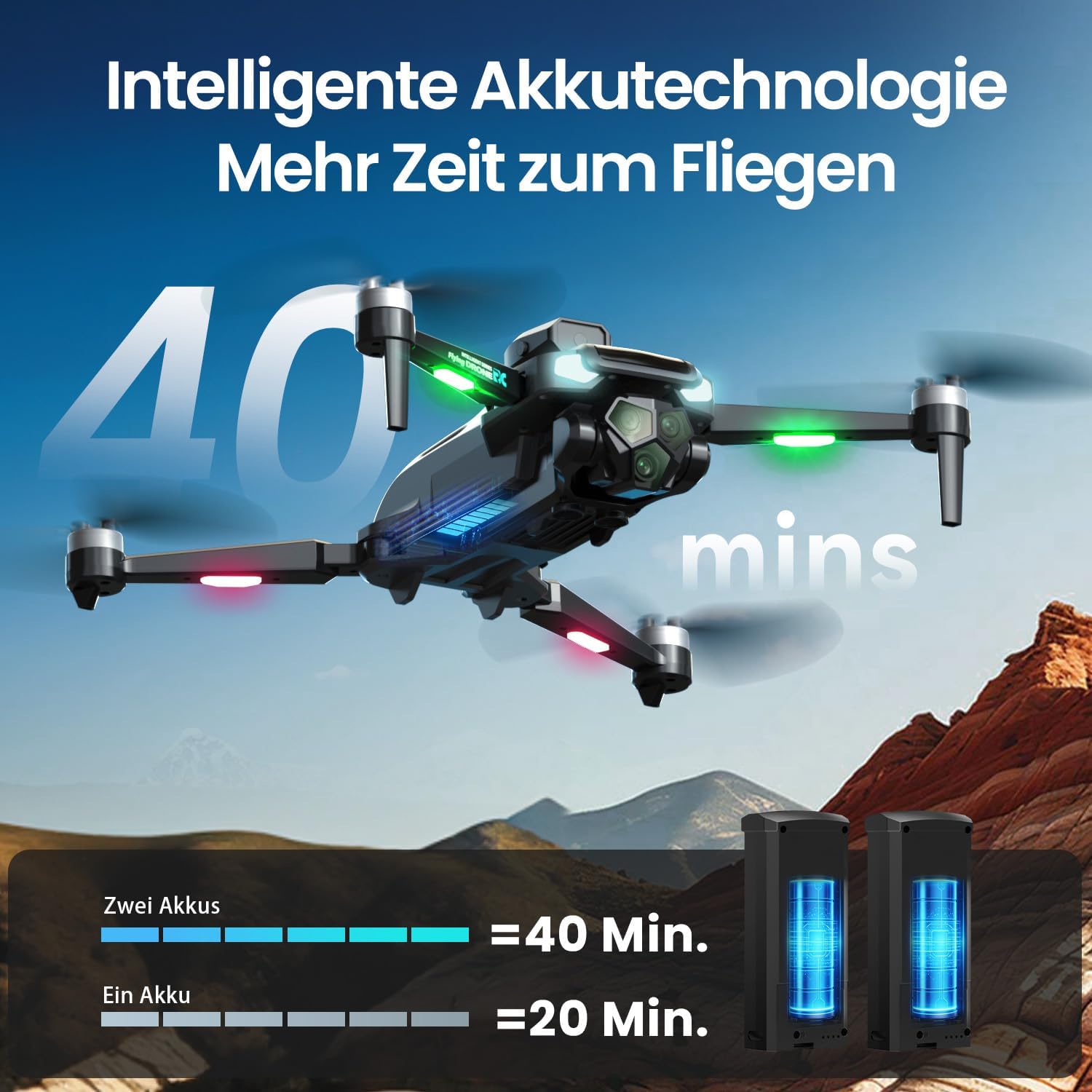
Obraz: The DEERC M66 drone in flight, with an overlay indicating "40 mins" flight time. Below, two drone batteries are shown, illustrating that two batteries provide 40 minutes of flight, while one provides 20 minutes. This highlights the extended flight capability.
2. Montaż śmigła
The drone's propellers are designed for easy replacement. If a propeller is damaged, replace it with a spare from the package.
- Identify the correct propeller type (A or B) for each motor arm.
- Align the propeller with the motor shaft and press down firmly until it is securely attached.
- Upewnij się, że wszystkie śmigła obracają się swobodnie i bez przeszkód.
3. Konfiguracja pilota
The remote control features an integrated 4.3-inch screen, eliminating the need for a smartphone.
- Unfold the remote control's screen and antennas.
- Naciśnij przycisk zasilania, aby włączyć pilota.
- Power on the drone. The remote control and drone will automatically pair. A successful connection will be indicated by a stable light on the drone and a live video feed on the remote's screen.
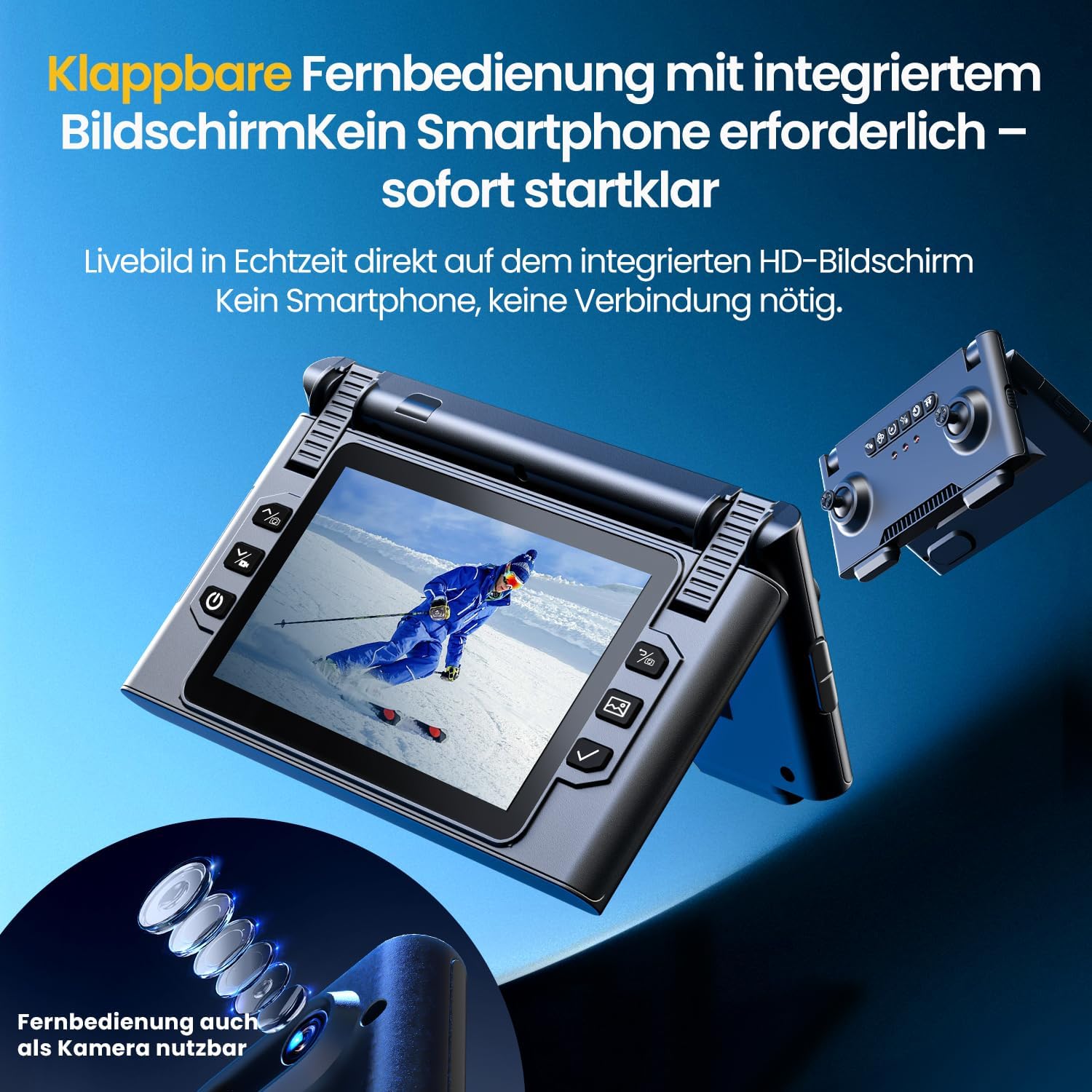
Obraz: Zbliżenie view of the DEERC M66 drone's foldable remote control, showcasing its integrated 4.3-inch HD screen. The screen displays a live feed, and the remote's buttons and joysticks are visible. This design allows for immediate flight without a smartphone connection.
Instrukcja obsługi
1. Podstawowe sterowanie lotem
- Start/lądowanie jednym klawiszem: Naciśnij specjalny przycisk na pilocie, aby automatycznie rozpocząć start lub lądowanie.
- Tryb bezgłowy: Activate Headless Mode to simplify flight orientation. In this mode, the drone's front will always be the direction the remote control is facing, regardless of the drone's actual orientation.
- Awaryjny postój: W przypadku awarii należy natychmiast nacisnąć przycisk zatrzymania awaryjnego, aby odciąć dopływ prądu do silników.

Obraz: Three distinct panels illustrating beginner-friendly flight features. The first shows the drone taking off from a landing pad, representing one-button start and landing. The second depicts the drone in headless mode, with arrows indicating simplified directional control. The third shows the drone descending rapidly, symbolizing the emergency stop function.
2. Flight Modes and Tricks
- Regulacja prędkości: The drone offers 3 speed levels (Slow, Medium, Fast) to accommodate different skill levels and flying environments. Adjust the speed using the dedicated button on the remote control.
- Obrót o 360°: Perform impressive aerial stunts with a single button press. Ensure sufficient altitude and clear surroundings before attempting flips.

Obraz: Two panels demonstrating advanced flight capabilities. The top panel shows the drone performing a 360-degree flip with a single button press, illustrating an aerial trick. The bottom panel displays three drones at different speeds (Slow, Medium, Fast), indicating the adjustable speed settings for varied flight experiences.
3. Obsługa i funkcje aparatu
The integrated 1080P camera is designed for clear close-up shots and everyday scenes.
- Kamera 1080P HD: Capture high-definition photos and videos. The camera features a 90° adjustable lens for flexible wide-angle shots.
- Sterowanie gestami: Initiate photo and video recording with simple hand gestures, making it easy to capture moments without touching the remote.
- Transmisja 5G: Enjoy a stable live image feed on the remote control's screen up to approximately 100 meters, providing real-time visual feedback for precise control.

Obraz: Szczegółowy view of the DEERC M66 drone, highlighting its 1080P HD camera with a 90-degree adjustable lens. The image also shows a comparison between 1080P and 720P resolution, emphasizing the clarity of the 1080P camera for aerial views.
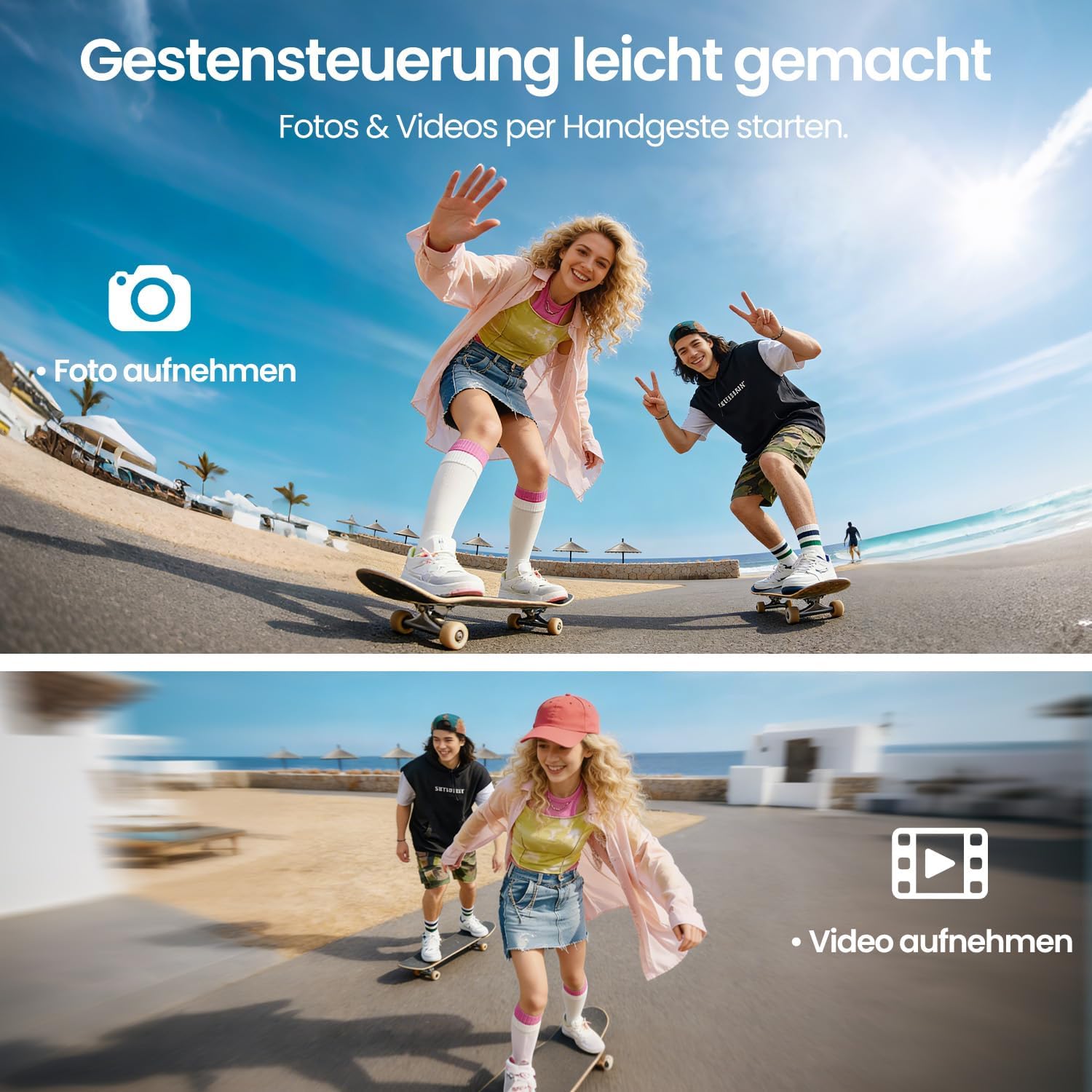
Obraz: Two panels demonstrating gesture control. The top panel shows a person making a hand gesture to take a photo, indicated by a camera icon. The bottom panel shows another person making a different hand gesture to record a video, indicated by a video camera icon. This illustrates the ease of capturing media hands-free.
4. Obstacle Avoidance and Stability
- 360° Omijanie przeszkód: The drone is equipped with 360° obstacle avoidance to help reduce collisions, making it safer for beginners.
- Pozycjonowanie przepływu optycznego: Optical flow sensors ensure stable positioning at low altitudes, contributing to a calm and uniform flight experience, especially indoors or in confined outdoor spaces.
- Silnik bezszczotkowy: The brushless motor provides quiet and stable flight performance, enhancing durability and efficiency.

Obraz: The DEERC M66 drone flying near a rocky surface, with visual cues indicating obstacle avoidance sensors and stable flight. An inset shows a brushless motor, emphasizing its quiet and uniform operation. This image highlights the drone's stability features and collision prevention.
Konserwacja
- Czyszczenie: Regularnie czyść korpus drona, śmigła i obiektyw kamery miękką, suchą ściereczką. Unikaj stosowania płynów i rozpuszczalników.
- Wymiana śmigła: Inspect propellers for damage before each flight. Replace any bent, cracked, or chipped propellers immediately using the provided screwdriver and spare propellers.
- Pielęgnacja baterii: Store batteries in a cool, dry place. Do not overcharge or over-discharge batteries. If the drone will not be used for an extended period, charge batteries to approximately 50% before storage.
- Kontrola silnika: Periodically check the brushless motors for any debris or obstructions. Ensure they spin freely.
Rozwiązywanie problemów
| Problem | Możliwa przyczyna | Rozwiązanie |
|---|---|---|
| Dron się nie włącza. | Akumulator nie jest naładowany lub nie został prawidłowo włożony. | Ensure drone battery is fully charged and correctly inserted. Check remote control batteries. |
| Pilot zdalnego sterowania nie łączy się z dronem. | Drone and remote are not paired or too far apart. | Ensure both devices are powered on and within range. Restart both devices and try pairing again. |
| Dron jest niestabilny w locie. | Damaged propellers, uncalibrated sensors, or strong winds. | Check and replace damaged propellers. Perform sensor calibration (refer to advanced settings in the remote control). Avoid flying in windy conditions. |
| Słaba jakość obrazu z kamery lub brak transmisji na żywo. | Weak 5G signal, dirty lens, or memory card issue. | Ensure drone is within 5G transmission range (approx. 100m). Clean the camera lens. Check if the memory card is properly inserted and has free space. |
| Dron dryfuje podczas zawisu. | Uncalibrated gyroscope or optical flow sensor. | Perform gyroscope and optical flow sensor calibration as per remote control instructions. |
Specyfikacje
| Funkcja | Szczegół |
|---|---|
| Numer modelu | M66 |
| Marka | DEERC |
| Wymiary (dł. x szer. x wys.) | 15 x 8 x 7.5 cm (złożony) |
| Waga przedmiotu | 148 gram |
| Rozdzielczość kamery | 1080p (Video Capture) |
| Ekran pilota zdalnego sterowania | 4.3 cali |
| Czas lotu | Do 40 minut (z 2 bateriami) |
| Typ silnika | Silnik bezszczotkowy |
| Technologia transmisji | 5G Wi-Fi |
| Cechy specjalne | Optical Flow Positioning, 360° Obstacle Avoidance, 360° Flip, Headless Mode, 3 Speed Levels |
| Skład baterii | Litowo-polimerowy |
| Bateria do pilota zdalnego sterowania | 2 baterie typu D (brak w zestawie) |
| Zakres wiekowy (opis) | 12 lata i więcej |
Gwarancja i wsparcie
For warranty information and technical support, please refer to the contact details provided with your purchase or visit the official DEERC webZachowaj dowód zakupu na wypadek roszczeń gwarancyjnych.
- Zasady zwrotu: 30-day refund/replacement policy (as per Amazon.com.be).
- Producent: DEERC
- Sprzedający: HOLYTON (fulfilled by Amazon)