
Wstęp
Dziękujemy za zakupasing the Generic Portable Bluetooth CD Player. This device offers versatile audio playback options, including CDs, USB drives, and Bluetooth connectivity, all in a compact and portable design. Please read this manual carefully to ensure proper use and to maximize your listening experience.
Zawartość opakowania
Sprawdź, czy w przesyłce znajdują się wszystkie elementy:
- Przenośny odtwarzacz cd
- Instrukcja obsługi
- Kabel ładujący typu C.
- Słuchawki
- Earmuffs (for earphones)
Produkt ponadview
Zapoznaj się z podzespołami i elementami sterowania swojego odtwarzacza CD.

Obraz: Przód i bok view of the CD player, highlighting the USB port, HOLD switch, and control buttons. The display shows "04:31".

Obraz: Szczegółowa strona view of the CD player, labeling the Type-C charging port, USB interface, 3.5mm headphone/speaker jack, and the On/Off/Key Lock switch.
Sterowanie i porty:
- Port ładowania typu C: Do podłączenia kabla ładującego.
- Interfejs USB: For connecting a USB flash drive for MP3 playback.
- 3.5mm Headphone/Speaker Jack: Do podłączenia przewodowych słuchawek lub zewnętrznych głośników.
- On/Off/Key Lock Switch (HOLD): Slides to power on/off the device or to lock/unlock buttons.
- Przyciski sterowania odtwarzaniem: Play/Pause, Skip Forward, Skip Backward, Stop.
- Przycisk trybu (M): To switch between CD, USB, and Bluetooth modes.
- Wyświetlacz LCD: Pokazuje numer utworu, czas i tryb.
Organizować coś
1. Ładowanie urządzenia
Before first use, fully charge the CD player. Connect the provided Type-C charging cable to the charging port on the device and to a 5V-2A USB power adapter (not included). The charging indicator will show the charging status. A full charge provides approximately 2 hours of playback with external release or 5-6 hours with headphones.
Obraz: Strona view of the CD player with labels for Type-C charging port and estimated battery life for different usage scenarios.
2. Włączanie/wyłączanie zasilania
Przesuń On/Off/Key Lock switch to the "ON" position to power on the device. To power off, slide it to the "OFF" position.
Instrukcja obsługi
1. Odtwarzanie płyt CD
- Otwórz pokrywę komory na płytę CD.
- Insert a CD (CD/CD-R/CD-RW/MP3 format) with the label side facing up.
- Zamknij pokrywę kieszeni na płytę CD.
- If not already in CD mode, press the Tryb (M) Naciskaj przycisk, aż na wyświetlaczu pojawi się napis „CD”.
- The player will automatically read the disc and begin playback.
- Use the Play/Pause, Skip Forward, Skip Backward, and Stop buttons to control playback.
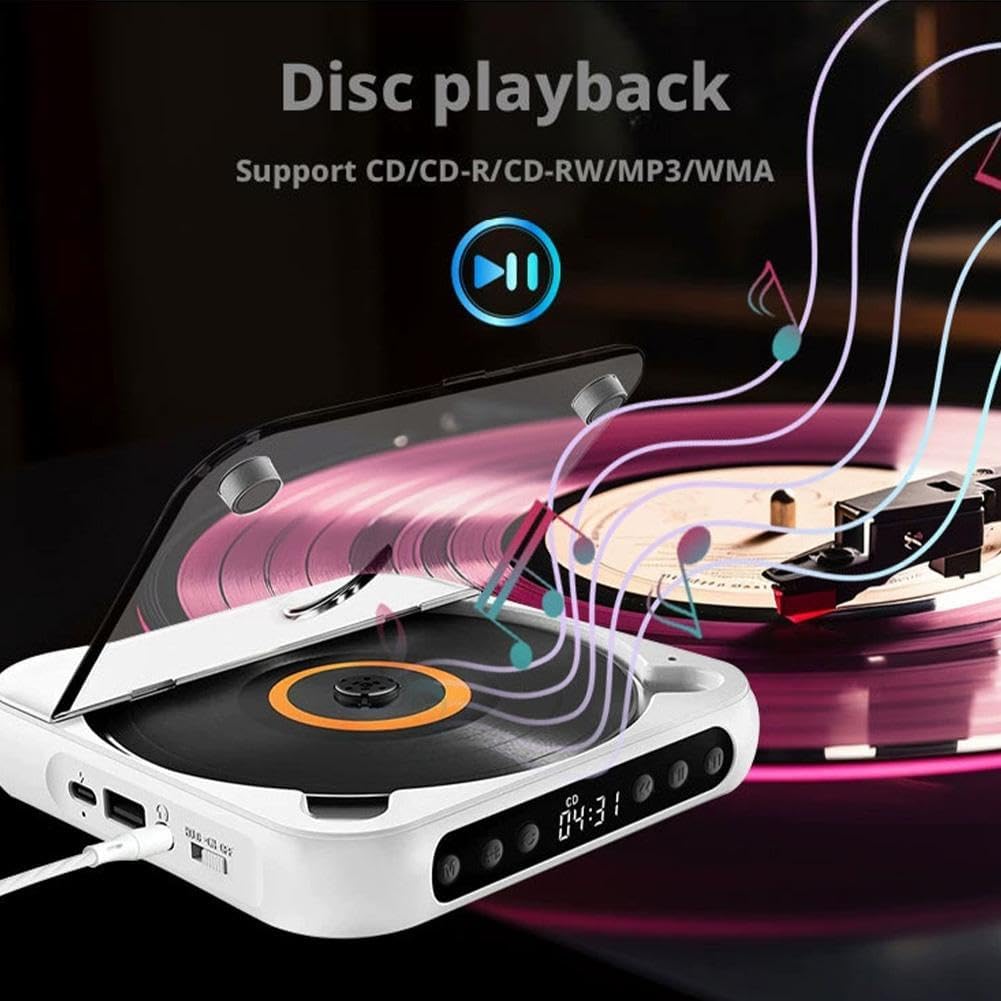
Obraz: The CD player with a disc spinning, illustrating the disc playback function. Supports CD/CD-R/CD-RW/MP3 formats.
2. Odtwarzanie USB
- Włóż dysk flash USB zawierający dźwięk w formacie MP3 files do interfejsu USB.
- Naciśnij Tryb (M) Naciskaj przycisk, aż na wyświetlaczu pojawi się napis „USB”.
- The player will automatically read the USB drive and begin playback of MP3 files.
- Use the Play/Pause, Skip Forward, Skip Backward, and Stop buttons to control playback.

Obraz: A USB flash drive inserted into the USB port of the CD player, demonstrating USB playback capability for MP3 files.
3. Połączenie Bluetooth
The CD player can connect wirelessly to Bluetooth speakers or headphones.
- Sprawdź, czy odtwarzacz CD jest włączony.
- Naciśnij Tryb (M) button until "BT" or "Bluetooth" appears on the display. The player will enter pairing mode.
- Włącz głośnik lub słuchawki Bluetooth i ustaw je w tryb parowania.
- The CD player will automatically search for and connect to nearby Bluetooth devices. Once connected, the display will indicate a successful connection.
- You can now play audio from the CD player through your connected Bluetooth device.

Obraz: Illustrations of the CD player connecting to a Bluetooth speaker, Bluetooth headset, external speakers via 3.5mm auxiliary cable, and wired headphones.
4. AUX Connection (Wired Output)
Connect wired headphones or external speakers using the 3.5mm audio jack.
- Plug your 3.5mm wired headphones or an AUX cable connected to external speakers into the 3.5mm headphone/speaker jack on the side of the CD player.
- The audio will automatically output through the connected device.
5. HOLD Key Lock Function
The HOLD function prevents accidental button presses during transport or when the device is in a bag.
- To activate: Slide the On/Off/Key Lock switch to the "HOLD" position. All buttons will be locked.
- To deactivate: Slide the switch back to the "ON" or "OFF" position.
Obraz: Detail of the HOLD switch, indicating "HOLD" and "ON" positions for locking and unlocking the player's functions.
6. Funkcja powtarzania
The repeat function allows you to repeat a single track or the entire disc/playlist.
- Podczas odtwarzania naciśnij Powtarzać button (often labeled with a loop icon or "REP") to cycle through repeat modes (e.g., repeat one, repeat all, random play). Refer to the display for the current repeat mode.

Obraz: The CD player with a highlighted repeat button, indicating its use for repeating tracks or entire discs.
Konserwacja
- Utrzymuj urządzenie w czystości i zapobiegaj jego zakurzaniu. Do czyszczenia używaj miękkiej, suchej ściereczki.
- Unikaj wystawiania urządzenia na działanie ekstremalnych temperatur, bezpośredniego światła słonecznego lub wysokiej wilgotności.
- Nie rozmontowuj urządzenia. Naprawy powinny być wykonywane wyłącznie przez wykwalifikowany personel.
- Handle CDs and USB drives carefully to prevent scratches or damage.
Rozwiązywanie problemów
| Problem | Możliwa przyczyna | Rozwiązanie |
|---|---|---|
| Urządzenie nie włącza się. | Niski poziom naładowania baterii lub wyłącznik zasilania w pozycji WYŁĄCZONY. | Charge the device. Ensure the On/Off switch is in the "ON" position. |
| Brak dźwięku w słuchawkach/głośnikach. | Headphones/speakers not connected properly, volume too low, or incorrect mode. | Check connections. Increase volume. Ensure correct mode (CD, USB, BT) is selected. |
| Płyta CD przeskakuje lub nie odtwarza się. | Scratched or dirty CD, incorrect CD format, or device moved during playback. | Clean the CD. Ensure it is a supported format (CD/CD-R/CD-RW/MP3). Avoid moving the player during playback. |
| Urządzenie Bluetooth nie łączy się. | Bluetooth device not in pairing mode, too far away, or already connected to another device. | Ensure both devices are in pairing mode and within range. Disconnect from other devices if necessary. |
| Nośnik USB nie został rozpoznany. | USB drive not formatted correctly, no supported files, or drive damaged. | Upewnij się, że dysk USB zawiera pliki MP3 files. Wypróbuj inny dysk USB. |
Specyfikacje
| Numer modelu | Generic672160 |
| Playback Disc Formats | CD, CD-R, CD-RW, MP3 |
| Obsługiwany format audio (USB) | MP3 |
| Pojemność baterii | Akumulator 2000 mAh |
| Objętość ładowaniatage | 5V-2A (typ C) |
| Wersja Bluetooth | 5.3 |
| Moc wyjściowa | 2W |
| Stosunek sygnału do szumu | 70dB |
| Zakres częstotliwości | 50Hz-20kHz |
| Wymiary (dł. x szer. x wys.) | 13.5 x 13.5 x 2.5 cm (5.3 x 5.3 x 1.0 cala) |
| Masa netto | 280 g (0.62 funta) |
Gwarancja i wsparcie
Ten produkt jest dostarczany z Dożywotnia gwarancja as per manufacturer specifications. For technical support, troubleshooting assistance, or warranty claims, please contact the seller or manufacturer directly through your purchase platform.
Manufacturer Contact Information: CAD-XX-CD-Player (as listed in product specifications).