
Wstęp
Thank you for choosing the HUANUO Ergonomic Office Chair. This manual provides essential information for the safe assembly, operation, and maintenance of your chair. Please read these instructions carefully before use and retain them for future reference.
Informacje dotyczące bezpieczeństwa
- Nie przekraczać maksymalnego zalecanego udźwigu 136 kg (300 funta).
- Read and follow all assembly instructions carefully to prevent injuries.
- Przed użyciem krzesła upewnij się, że wszystkie śruby i nakrętki są dobrze dokręcone. Regularnie sprawdzaj i dokręcaj w razie potrzeby.
- Trzymaj dzieci i zwierzęta z daleka podczas montażu.
- Aby zapobiec przewróceniu się krzesła, należy ustawić je na równej powierzchni.
- Unikaj stawania na krześle lub używania go jako podnóżka.
- Nie używaj krzesła, jeśli jakakolwiek część jest uszkodzona lub jej brakuje. Skontaktuj się z obsługą klienta w celu uzyskania części zamiennych.
Zawartość opakowania
Przed montażem należy sprawdzić, czy wszystkie elementy są obecne i nieuszkodzone. Szczegółową listę części i elementów montażowych można znaleźć w dołączonej instrukcji montażu.
- Oparcie z siatką
- Poduszka siedziska
- Zagłówek
- Podłokietniki (2)
- Cylinder podnoszący gaz
- Podstawa z kółkami
- Płytka mechanizmu
- Sprzęt i narzędzia montażowe
Konfiguracja i montaż
Assembly is required for this chair. For detailed, step-by-step instructions, please refer to the separate assembly manual included in your package. Ensure you have adequate space and follow the instructions carefully to ensure proper and safe assembly.
Etapy Zgromadzenia Ogólnego:
- Przymocuj koła do podstawy krzesła.
- Umieść cylinder podnośnika gazowego w środku podstawy.
- Przymocuj płytkę mechanizmu do spodniej strony poduszki siedziska.
- Połącz oparcie z poduszką siedziska.
- Zamontuj podłokietniki na siedzisku i oparciu.
- Mount the assembled seat and backrest onto the gas lift cylinder.
- Install the headrest onto the backrest.
Obsługa i regulacje
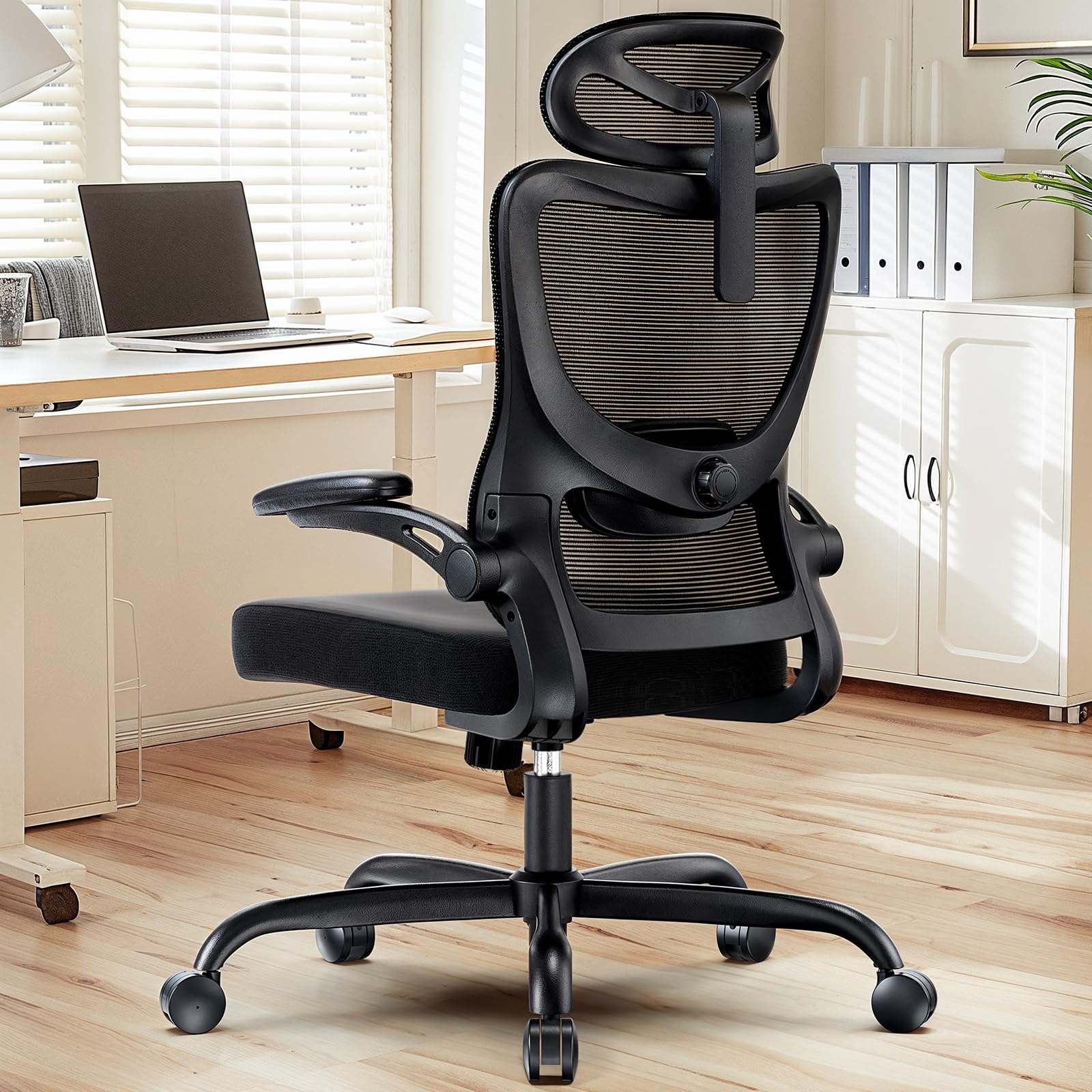
The HUANUO Ergonomic Office Chair offers multiple adjustment options to customize your seating experience for optimal comfort and support.

Obraz: Nadview of the chair's adjustable components, highlighting the 2D headrest, 2D lumbar support, and 3D armrests.
1. Regulacja zagłówka
The 2D adjustable headrest allows you to position it for optimal neck and head support.
- Regulacja wysokości: Grasp the headrest and slide it up or down to your desired height. It offers approximately 10.1 inches of vertical adjustment.
- Regulacja kąta: Tilt the headrest forward or backward to find the most comfortable angle for your head and neck.

Obraz: Visual guide for adjusting the 2D headrest, demonstrating its range of motion.
2. Backrest Recline and Tilt
The backrest can recline and tilt to suit various working or resting postures.
- Kąt odchylenia: The backrest can be reclined between 90° and 120°. Use the lever located on the right side under the seat to adjust and lock the recline angle.
- Napięcie pochylenia: Adjust the round knob under the seat to increase or decrease the tension required to recline the backrest. Turn clockwise to increase tension, counter-clockwise to decrease.

Obraz: Instructions for adjusting backrest recline and tilt, including the tilt tension knob and lock lever.
3. Regulacja podparcia lędźwiowego
The flexible lumbar support system adapts to your body shape, promoting optimal posture.
- Regulacja głębokości: The lumbar support can move 3 cm (1.2 inches) forward and backward. Use the knob on the side of the lumbar support to adjust its depth.
- Regulacja wysokości: The lumbar support can move 5.5 cm (2.2 inches) up and down. Grasp the lumbar support and slide it vertically to align with the natural curve of your lower back.

Obraz: Szczegółowy view of the flexible 2D lumbar support, illustrating how to adjust its depth and height.
4. Regulacja podłokietnika
The 3D armrests provide versatile support for your arms and can be folded away for convenience.
- Regulacja wysokości: Press the button on the side of the armrest and slide it up or down. It offers approximately 10.1 inches of vertical adjustment.
- Regulacja głębokości: Slide the armrest pad forward or backward by up to 5 cm (1.96 inches).
- Regulacja obrotu: Rotate the armrest pad left or right by up to 15°.
- Funkcja podnoszenia: The armrests can be folded up 90° to allow the chair to slide closer to a desk or for more freedom of movement.

Obraz: Visual guide for adjusting the 3D armrests, demonstrating flip-up, depth, and swivel functions.

Obraz: The armrests folded up 90 degrees, illustrating how they can be moved out of the way.
5. Regulacja wysokości siedziska
Adjust the seat height to ensure your feet are flat on the floor and your knees are at a 90-degree angle.
- Raise Seat: While seated, pull the lever on the left side of the seat upwards. The seat will rise. Release the lever at the desired height.
- Lower Seat: While seated, pull the lever on the left side of the seat upwards and apply weight to the seat. The seat will lower. Release the lever at the desired height.

Obraz: Detail of the seat cushion, showing its 3.14-inch thickness for comfort and support.
Konserwacja
Regular maintenance will help prolong the life and appearance of your HUANUO office chair.
- Czyszczenie: Przetrzyj krzesło miękką,amp cloth. For mesh areas, use a mild soap solution if necessary, and allow to air dry. Avoid harsh chemicals or abrasive cleaners.
- Kontrola: Okresowo sprawdzaj dokręcenie wszystkich śrub i wkrętów. W razie potrzeby dokręć je, aby zachować stabilność i bezpieczeństwo.
- Kółka: Regularnie czyść kółka, aby usunąć kurz i zanieczyszczenia, które mogą utrudniać płynny ruch.
Rozwiązywanie problemów
Jeśli napotkasz jakiekolwiek problemy z krzesłem, zapoznaj się z poniższymi typowymi rozwiązaniami:
- Krzesło się chwieje: Check all assembly bolts and screws. Ensure they are fully tightened. Verify the chair is on a flat, even surface.
- Podnośnik gazowy nie działa: Ensure the height adjustment lever is fully engaged or disengaged. If the issue persists, the gas lift cylinder may need replacement. Contact customer support.
- Kółka nie obracają się płynnie: Clean any hair or debris from the caster wheels. Lubricate with a silicone-based spray if necessary.
- Backrest does not recline/lock: Check the recline lock lever and tilt tension knob. Ensure they are correctly positioned.
Specyfikacje
Obraz: Detailed product dimensions and maximum load capacity.
| Funkcja | Szczegół |
|---|---|
| Numer modelu | MSOC10B-US |
| Marka | HUANUO |
| Kolor | Czarny |
| Tworzywo | Metal and Plastic (Frame), Foam (Seat), Mesh (Backrest) |
| Maksymalna ładowność | 136 kg (300 funta) |
| Headrest Width | 13.2 cali |
| Regulacja wysokości zagłówka | 10.1 cali |
| Wysokość oparcia | 24.1 cali |
| Szerokość siedziska | 20.1 cali |
| Głębokość siedziska | 20.1 cali |
| Grubość siedziska | 3.14 cali |
| Zakres regulacji wysokości siedziska | 14.5 cala do 18.5 cala |
| Regulacja podłokietnika | 3D (Height, Depth, Swivel), 90° Flip-up |
| Regulacja podparcia lędźwiowego | 2D (Height, Depth) |
| Rozkład oparcia | 90° do 120° |
| Wymagany montaż | Tak |
| UPC | 840478843729 |
Gwarancja i wsparcie
For warranty information, technical support, or to order replacement parts, please refer to the warranty card included with your product or visit the official HUANUO website. Please have your model number (MSOC10B-US) and purchase date available when contacting support.