
Wstęp
Thank you for choosing the LiNKFOR USB Gaming Microphone ULK113. This microphone is designed to provide clear audio for gaming, streaming, podcasting, and online communication. It features dynamic RGB lighting, one-tap noise cancellation, reverb effects, real-time gain control, and zero-latency monitoring. This manual will guide you through the setup, operation, and maintenance of your new microphone.
Zawartość opakowania
Please ensure all items are present before proceeding with the setup:
- LiNKFOR USB Gaming Microphone
- Stojak na biurko
- Mocowanie amortyzatora
- Filtr pop
- Kabel USB-C do USB-A
- Przejściówka z USB-A na USB-C

Image: All components included in the LiNKFOR USB Gaming Microphone package.
Instrukcje konfiguracji
- Assemble the Desktop Stand: Screw the microphone stand pole into the weighted base until secure.
- Zamontuj uchwyt amortyzujący: Screw the shock mount onto the top of the stand pole.
- Włóż mikrofon: Gently place the LiNKFOR USB Gaming Microphone into the shock mount. Ensure it is seated securely.
- Załóż filtr pop: Clip the pop filter onto the shock mount, positioning it in front of the microphone's grille.
- Połącz z urządzeniem:
- Connect the USB-C end of the provided cable to the USB-C port on the microphone.
- Connect the USB-A end of the cable to an available USB port on your PC, PS4/PS5, or Mac.
- For Android devices with OTG support, use the included USB-A to USB-C adapter to connect the microphone cable to your phone.
- Podłącz i graj: The microphone is plug-and-play, requiring no additional drivers for most compatible operating systems. Your device should automatically recognize the microphone.
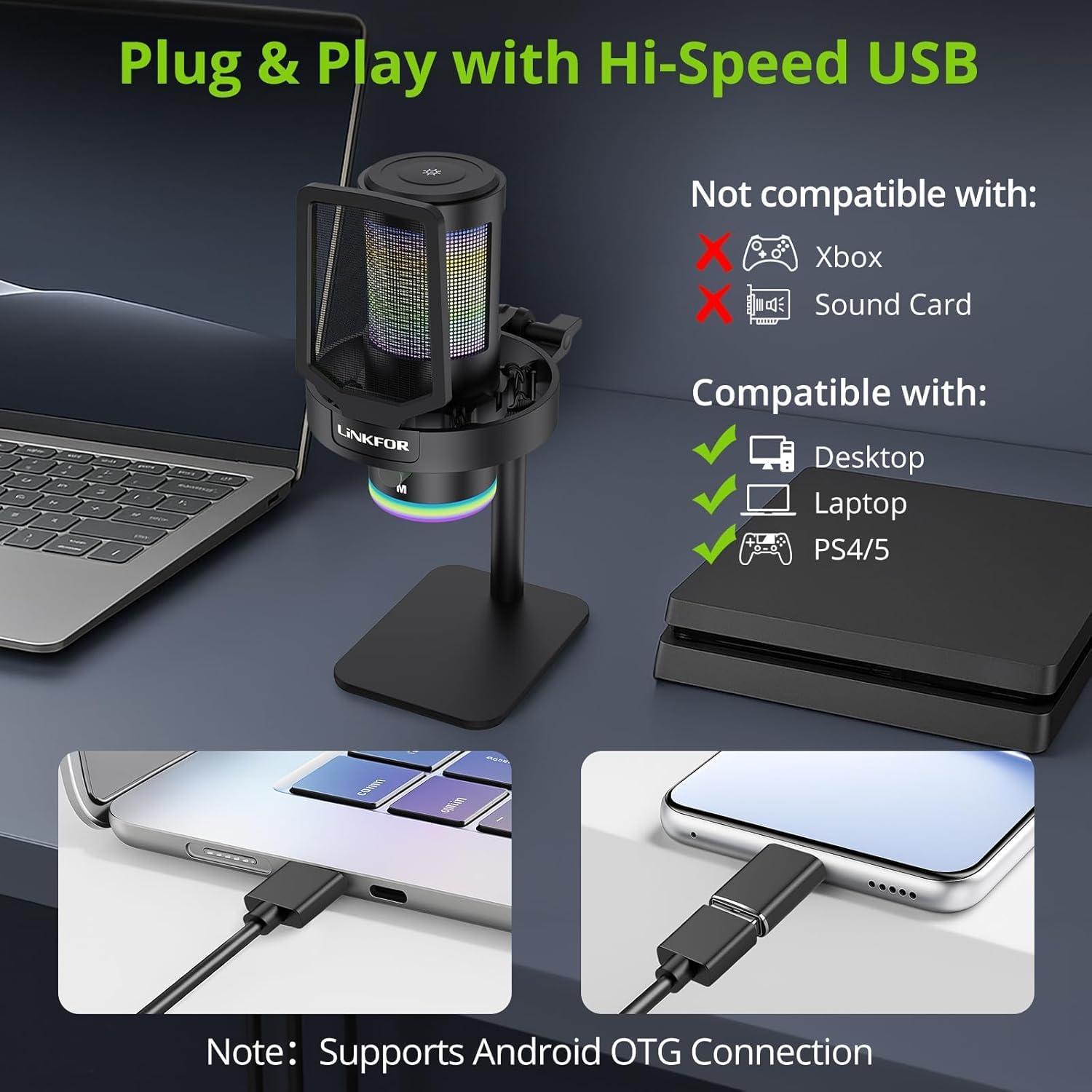
Image: The LiNKFOR USB Gaming Microphone connected to a laptop, demonstrating its plug-and-play functionality.
Wideo: Ponadview of the LiNKFOR USB Gaming Microphone, demonstrating its features and ease of use.
Instrukcja obsługi
1. Dynamic RGB Lights & Touch Control
- Change RGB Modes: Touch the top of the microphone to cycle through various vibrant RGB lighting modes or solid colors.
- Wyłącz światła: Long-press the top of the microphone to turn off the RGB lights.
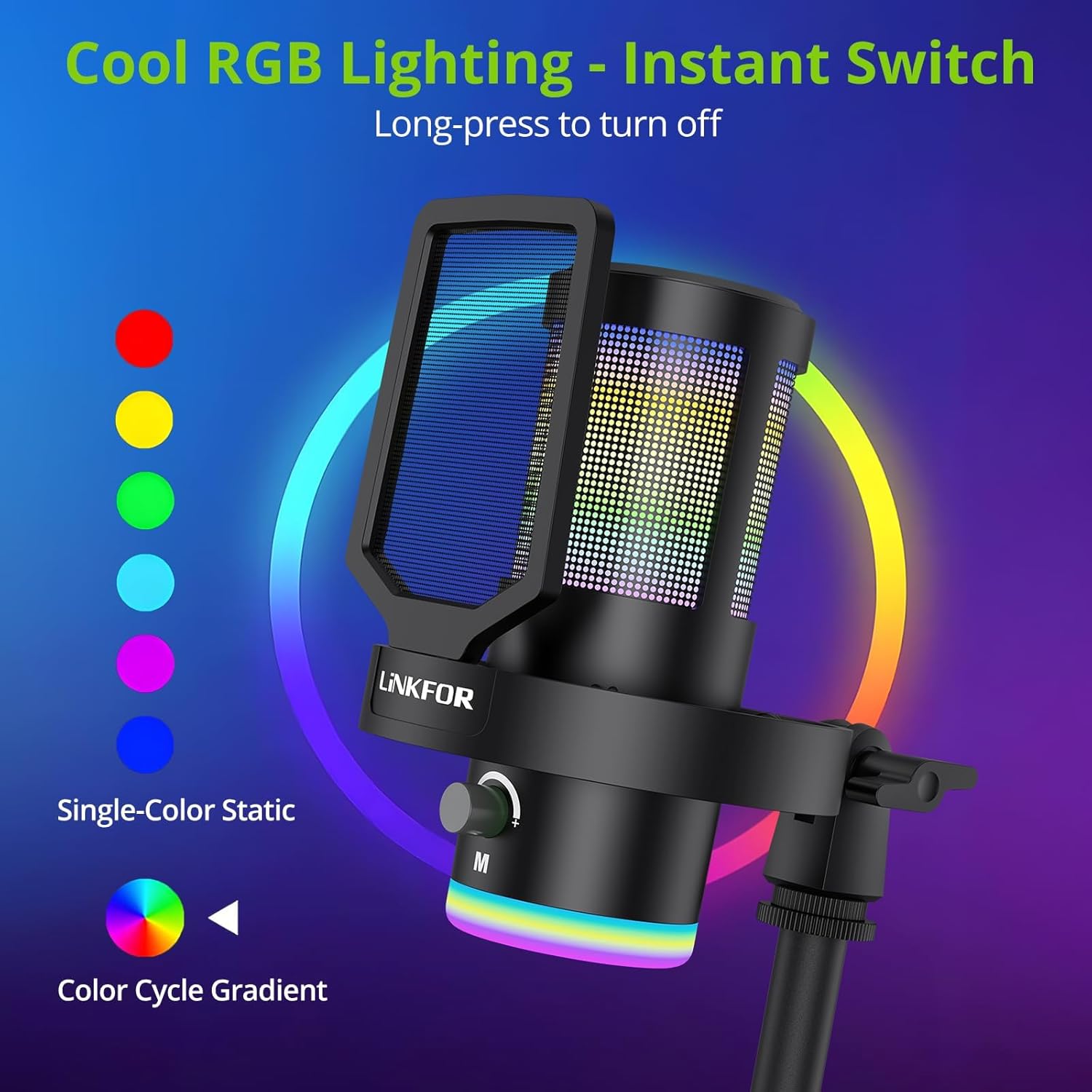
Obraz: Pokaz mikrofonuasindzięki dynamicznym efektom świetlnym RGB.
2. Studio Voice Clarity + One-Tap Noise Cancellation
- The professional cardioid capsule captures your voice clearly.
- Activate Noise Cancellation: Use the dedicated one-tap smart noise cancellation feature to reduce background sounds like fan noise, AC hum, or keyboard clicks.

Image: Visual representation of the microphone's noise reduction capabilities.
3. Reverb Effects & Real-Time Gain Control
- Przycisk pogłosu: Use the dedicated reverb button to add depth to your audio.
- Pokrętło wzmocnienia: Adjust the gain knob to fine-tune the input volume in real-time, preventing audio clipping or low volume during live sessions.
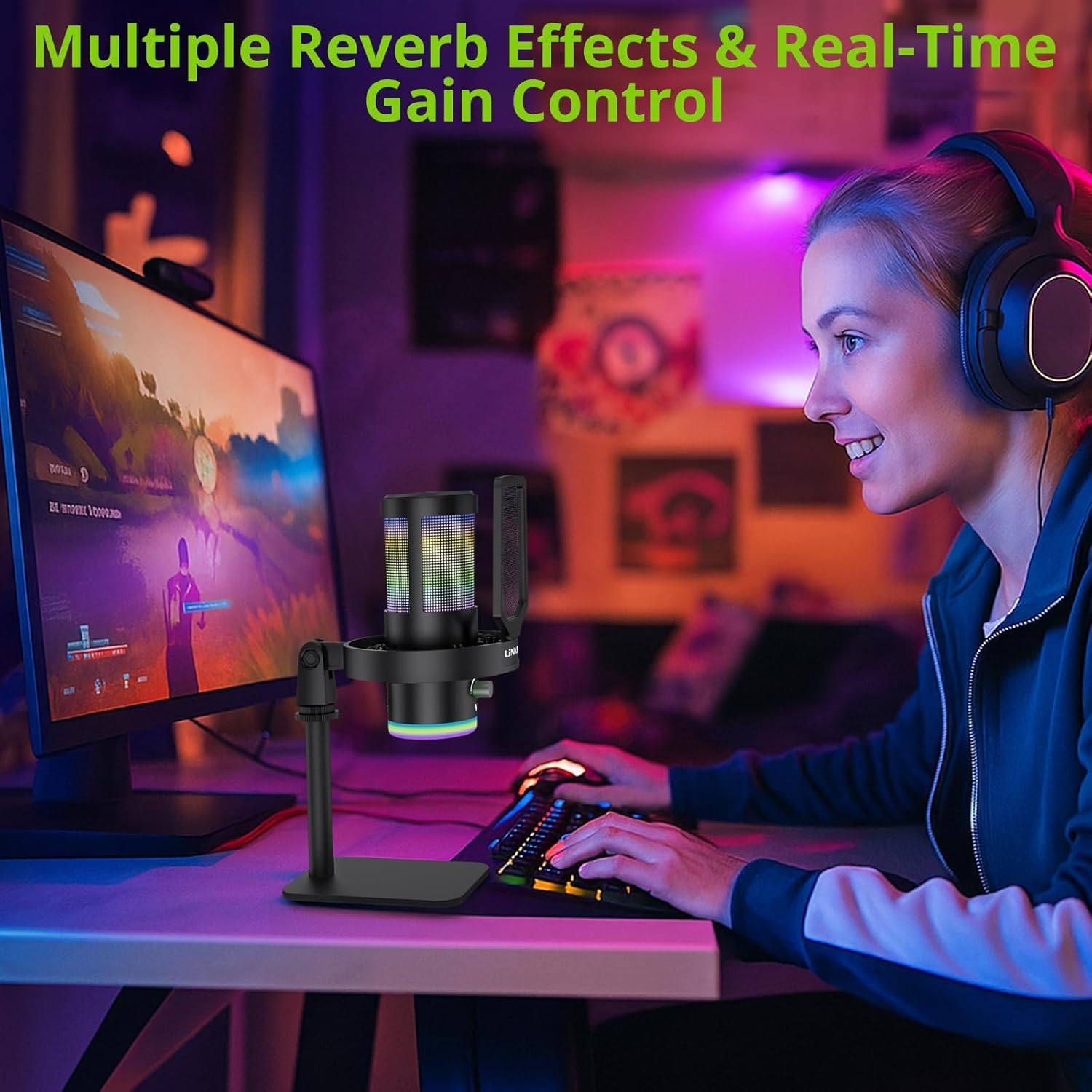
Image: A user operating the microphone with its reverb and gain control features.
4. Instant Mute + Zero-Delay Monitoring
- Przycisk wyciszenia: A touch-sensitive mute button allows for instant silencing of the microphone.
- Gniazdo słuchawkowe 3.5 mm: Plug in headphones to the 3.5mm jack for real-time, zero-latency monitoring of your audio. A dedicated volume dial controls headphone output.
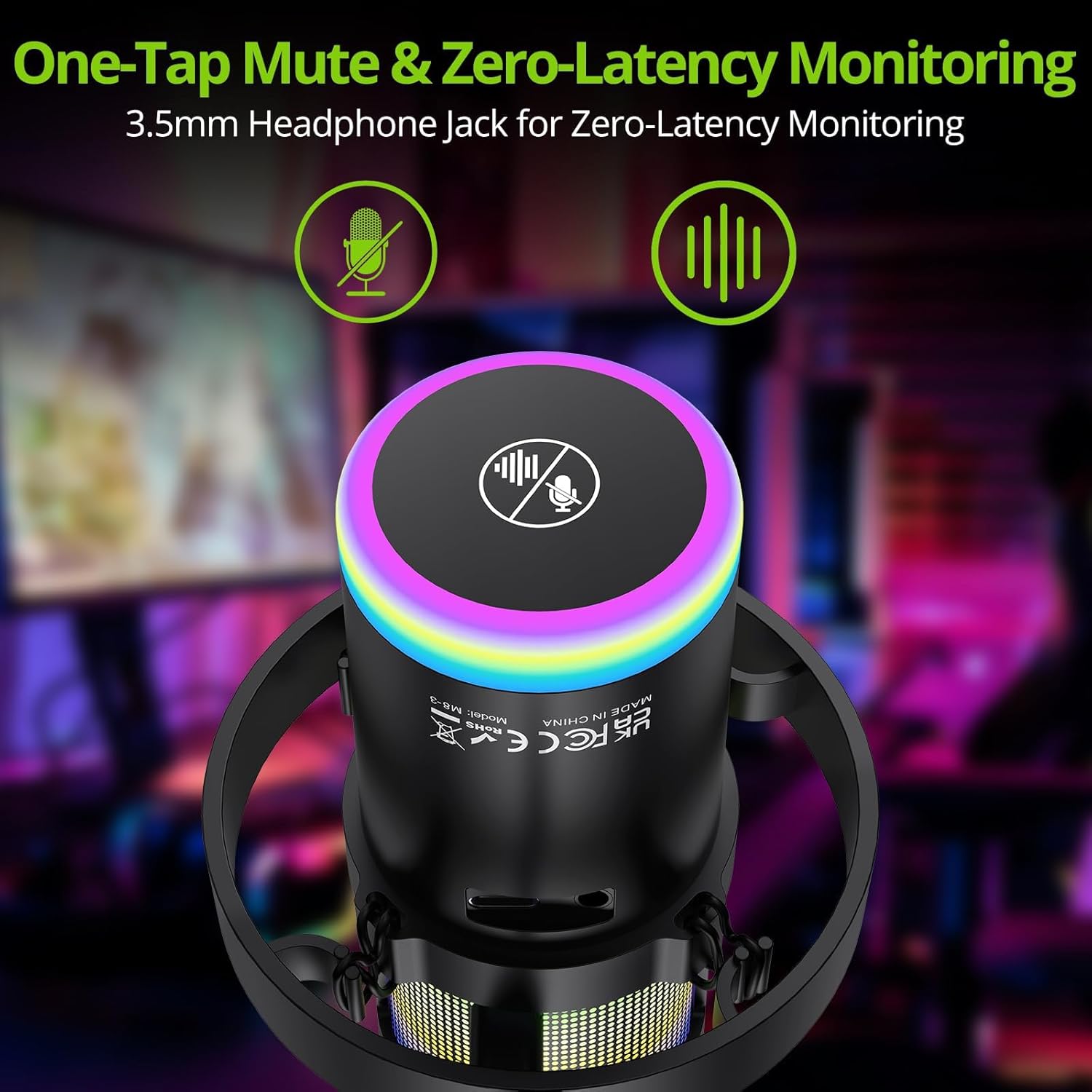
Image: Close-up of the microphone's top, highlighting the mute button and headphone jack for monitoring.
5. Koniec kontroliview

Image: A detailed diagram illustrating the various controls on the LiNKFOR USB Gaming Microphone, including the RGB lighting touch control, 3.5mm headphone jack, USB-C port, and volume/mode knob.
Zgodność
The LiNKFOR USB Gaming Microphone is designed for broad compatibility:
- Kompatybilny z: PC (Windows), Mac, PS4, PS5, Android (OTG-capable phones).
- Niekompatybilny z: Xbox, dedicated sound cards (may interfere with plug-and-play functionality).
Konserwacja
- Czyszczenie: Do czyszczenia zewnętrznej powierzchni mikrofonu należy używać miękkiej, suchej ściereczki. Nie należy używać płynnych środków czyszczących ani rozpuszczalników.
- Składowanie: Przechowuj mikrofon w chłodnym, suchym miejscu, z dala od bezpośredniego światła słonecznego i ekstremalnych temperatur, gdy nie jest używany.
- Obsługiwanie: Unikaj upuszczania mikrofonu i narażania go na silne uderzenia, ponieważ może to spowodować uszkodzenie jego wewnętrznych podzespołów.
Rozwiązywanie problemów
| Problem | Możliwa przyczyna | Rozwiązanie |
|---|---|---|
| Brak dźwięku z mikrofonu | Incorrect device selection; loose cable connection; microphone muted. | Check your device's sound settings to ensure the LiNKFOR microphone is selected as the input device. Reconnect the USB cable. Ensure the microphone is not muted (check the mute button/indicator). |
| Światła RGB nie działają | Lights turned off; power issue. | Touch the top of the microphone to cycle through lighting modes. Long-press to turn them on/off. Ensure the microphone is properly connected and receiving power. |
| Audio is distorted or too quiet | Gain setting too high/low; microphone too close/far from source. | Adjust the gain knob on the microphone. Check your device's input volume settings. Position the microphone appropriately (typically 6-12 inches from the sound source). |
| Monitorowanie słuchawek nie działa | Headphones not properly connected; headphone volume too low. | Ensure headphones are fully plugged into the 3.5mm jack. Adjust the headphone volume dial on the microphone. |
Specyfikacje
| Funkcja | Szczegół |
|---|---|
| Numer modelu | ULK113 |
| Technologia łączności | USB typu C |
| Typ mikrofonu | Condenser, Cardioid |
| Stosunek sygnału do szumu | 85dB |
| Cechy specjalne | RGB Lighting, Noise Cancellation, Mute Button, Volume Control, Headphone Jack, Reverb Effects |
| Kompatybilne urządzenia | PC, PS4/PS5, Mac, Android (OTG) |
| Waga przedmiotu | 1.14 funta |
| Wymiary produktu | 7.28 x 4.53 x 4.33 cala |
| Tworzywo | Plastikowy |
Gwarancja i wsparcie
For warranty information or technical support, please refer to the official LiNKFOR webOdwiedź witrynę lub skontaktuj się z działem obsługi klienta. Zachowaj paragon zakupu na wypadek ewentualnych roszczeń gwarancyjnych.
Możesz odwiedzić LiNKFOR Store on Amazon aby uzyskać więcej informacji i zasobów wsparcia.