
Produkt ponadview
The Abovsare Digital Clock (Model 8833B) is a versatile timekeeping device featuring a large LED display, customizable colors, ambient lighting, and multiple functions designed for convenience and aesthetic appeal. This manual provides detailed instructions for the setup, operation, and maintenance of your digital clock.

Zawartość opakowania
Sprawdź, czy w opakowaniu znajdują się wszystkie elementy:
- Abovsare Digital Clock (Model 8833B)
- Kabel zasilający USB-C
- Zasilacz
- Instrukcja obsługi

Organizować coś
Podłączenie zasilania
The Abovsare Digital Clock requires continuous power via the provided USB-C cable and power adapter.
- Connect the USB-C cable to the "INPUT DC 5V" port on the back or side of the clock.
- Podłącz końcówkę USB-A kabla do zasilacza.
- Insert the power adapter into a standard wall outlet.
Battery Backup (Memory Function)
Dla mocytage memory, install 2 AAA batteries (not included) into the battery compartment on the back of the clock. These batteries only retain time and date settings during brief power interruptions and do not power the display.
Instrukcja obsługi
Ustawianie czasu i daty
Use the "TIME SET" button to adjust the time and date.
- Press and hold "TIME SET" for 2 seconds to enter time setting mode. The hour will flash.
- Użyj przycisków „+” i „-”, aby ustawić godzinę.
- Press "TIME SET" again to move to minute setting, then year, month, and day. Adjust each with "+" and "-".
- Press "TIME SET" to exit.
12/24 Hour Format & Temperature Unit (°C/°F)
To switch between 12-hour and 24-hour time formats, or Celsius and Fahrenheit temperature units:
- Briefly press the "TIME SET" button to cycle between 12/24 hour display.
- Press and hold the "-" (Brightness) button for 2 seconds to switch between Celsius (°C) and Fahrenheit (°F).
Czas letni (DST)
To activate or deactivate Daylight Saving Time:
- Press and hold the "+" (Multicolor) button for 2 seconds to toggle DST on/off. The DST indicator will appear/disappear.
The clock also supports auto-DST adjustment in March/November.
Ustawienia alarmu
Zegar posiada dwa niezależne alarmy.
- Press and hold "ALARM SET" for 2 seconds to enter Alarm 1 setting mode. The alarm hour will flash.
- Use "+" and "-" to adjust the hour, then press "ALARM SET" to move to minutes.
- Press "ALARM SET" again to set the alarm volume (L1-L3).
- Repeat for Alarm 2.
- Briefly press "ON/OFF" to activate/deactivate Alarm 1 or Alarm 2. An alarm icon will appear/disappear.
Funkcja drzemki
When an alarm sounds, press the "SNOOZE/LIGHT" button to activate snooze for 10 minutes.
Display Color Options (13 LED Colors)
Customize the main time display digits with 13 color options.
- Briefly press the "MULTICOLOR" button to cycle through 8 solid colors and 5 dynamic color modes.
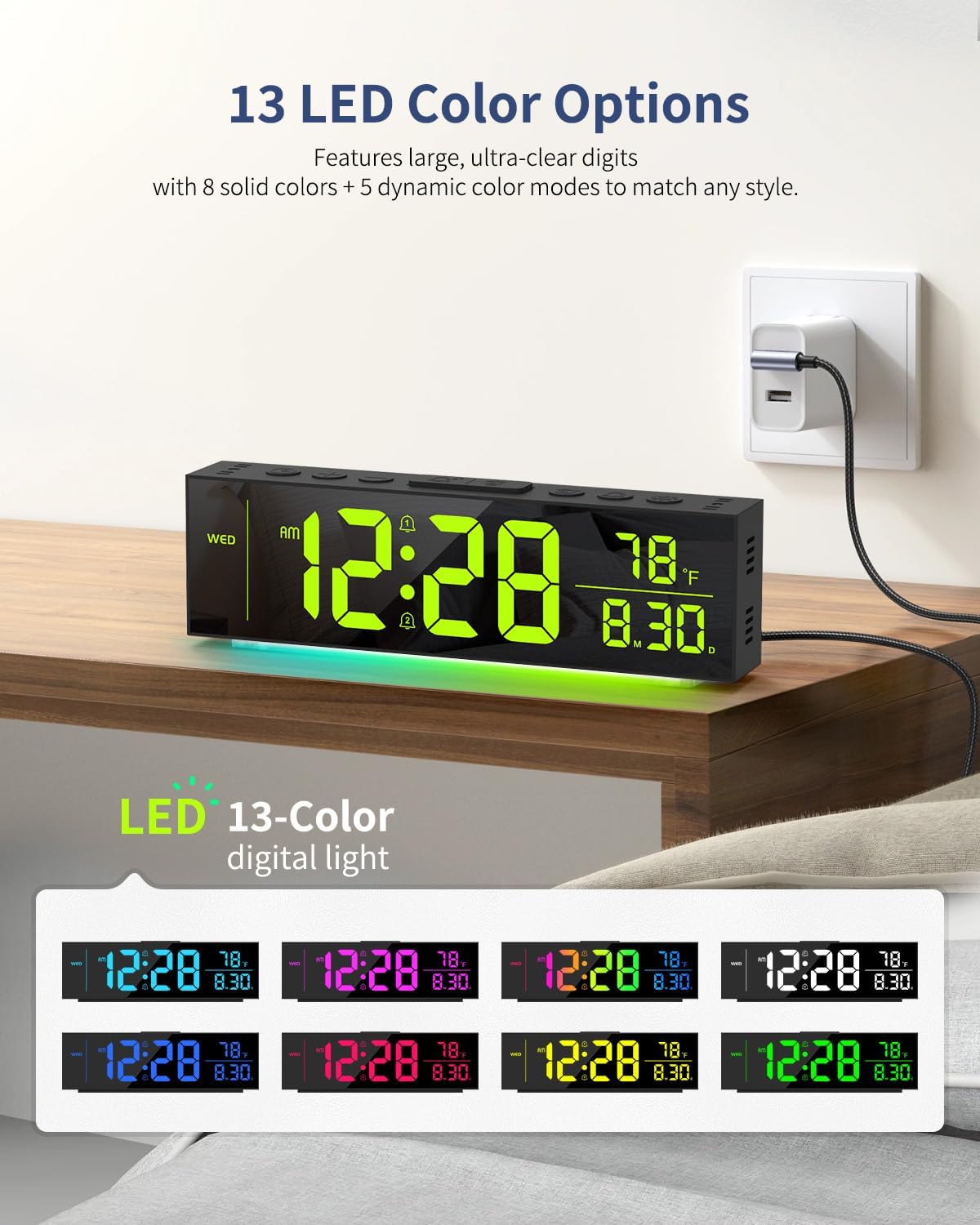
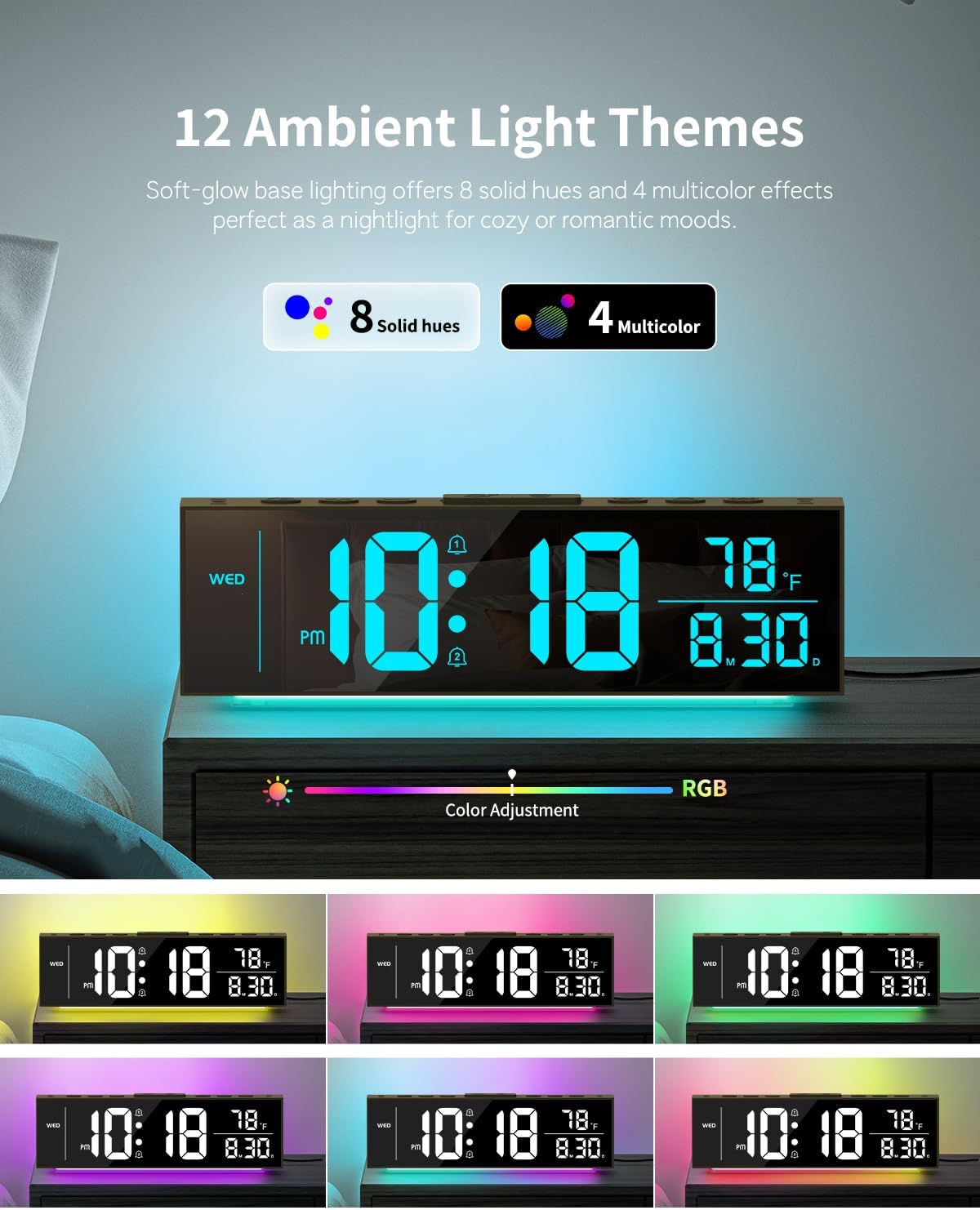
Ambient Light Themes (12 Options)
The clock features a soft-glow base light with 12 themes.
- Briefly press the "SNOOZE/LIGHT" button to cycle through 8 solid hues and 4 multicolor effects for the ambient light.
Brightness Control (Dual & Auto-Dimming)
Adjust the brightness of both the clock digits and ambient lights independently across 5 levels.
- Briefly press the "BRIGHTNESS" button to cycle through 5 brightness levels for the main display digits (100%, 75%, 50%, 25%, 0% - off).
- Briefly press the "DIMMER" button to cycle through 5 brightness levels for the ambient light (including off).
- To activate auto-brightness for the main display, press and hold "DIMMER" for 2 seconds. The clock will intelligently adapt to room lighting conditions.

Konserwacja
Czyszczenie
Gently wipe the clock's surface with a soft, dry cloth. Avoid abrasive cleaners or solvents.
Składowanie
If storing the clock for an extended period, remove the AAA backup batteries.
Rozwiązywanie problemów
Display is Off
- Ensure the USB-C power cable is securely connected to both the clock and the power adapter, and the adapter is plugged into a working outlet.
- Check if the display brightness is set to 0% (off). Briefly press the "BRIGHTNESS" button to increase brightness.
Time/Date Incorrect After Power Outage
- Verify that 2 AAA batteries are correctly installed in the battery compartment. These batteries maintain settings during power interruptions.
- If batteries were not installed or are depleted, reset the time and date manually.
Ambient Light is Off
- Briefly press the "SNOOZE/LIGHT" button to cycle through ambient light options.
- Check if the ambient light brightness is set to 0% (off) using the "DIMMER" button.
Specyfikacje
| Funkcja | Szczegół |
|---|---|
| Marka | Abovsare |
| Numer modelu | 8833B |
| Typ wyświetlacza | Cyfrowa dioda LED |
| Wyświetl kolory | 13 Options (8 solid, 5 dynamic) |
| Ambient Light Colors | 12 Options (8 solid, 4 multicolor) |
| Poziomy jasności | 5 for display, 5 for ambient light |
| Źródło zasilania | Przewodowy elektryczny (prąd stały 5 V) |
| Zapasowa bateria | 2 x AAA batteries (for memory only) |
| Wymiary produktu | 9.2" szer. x 2.6" wys. |
| Tworzywo | Plastikowy |
| Cechy specjalne | Dual Alarms, Snooze, Temperature Display (°C/°F), Date/Day Display, Auto-Dimming, DST |

Gwarancja i wsparcie
For warranty information or technical support, please refer to the contact details provided on the product packaging or the official Abovsare webstrona. Zachowaj dowód zakupu na potrzeby roszczeń gwarancyjnych.