
1. Wprowadzenie
This manual provides instructions for the safe and efficient use of your INIU 45W 20000mAh Power Bank with built-in USB-C cable and the included 240W USB-C fast charging cables. Please read this manual thoroughly before using the product and retain it for future reference.
2. Zawartość opakowania
Sprawdź, czy w przesyłce znajdują się wszystkie elementy:
- INIU 45W 20000mAh Power Bank with Built-in USB-C Cable (x1)
- 240W Fast Charging USB-C to USB-C Cable (x2)
- Instrukcja obsługi (ten dokument)
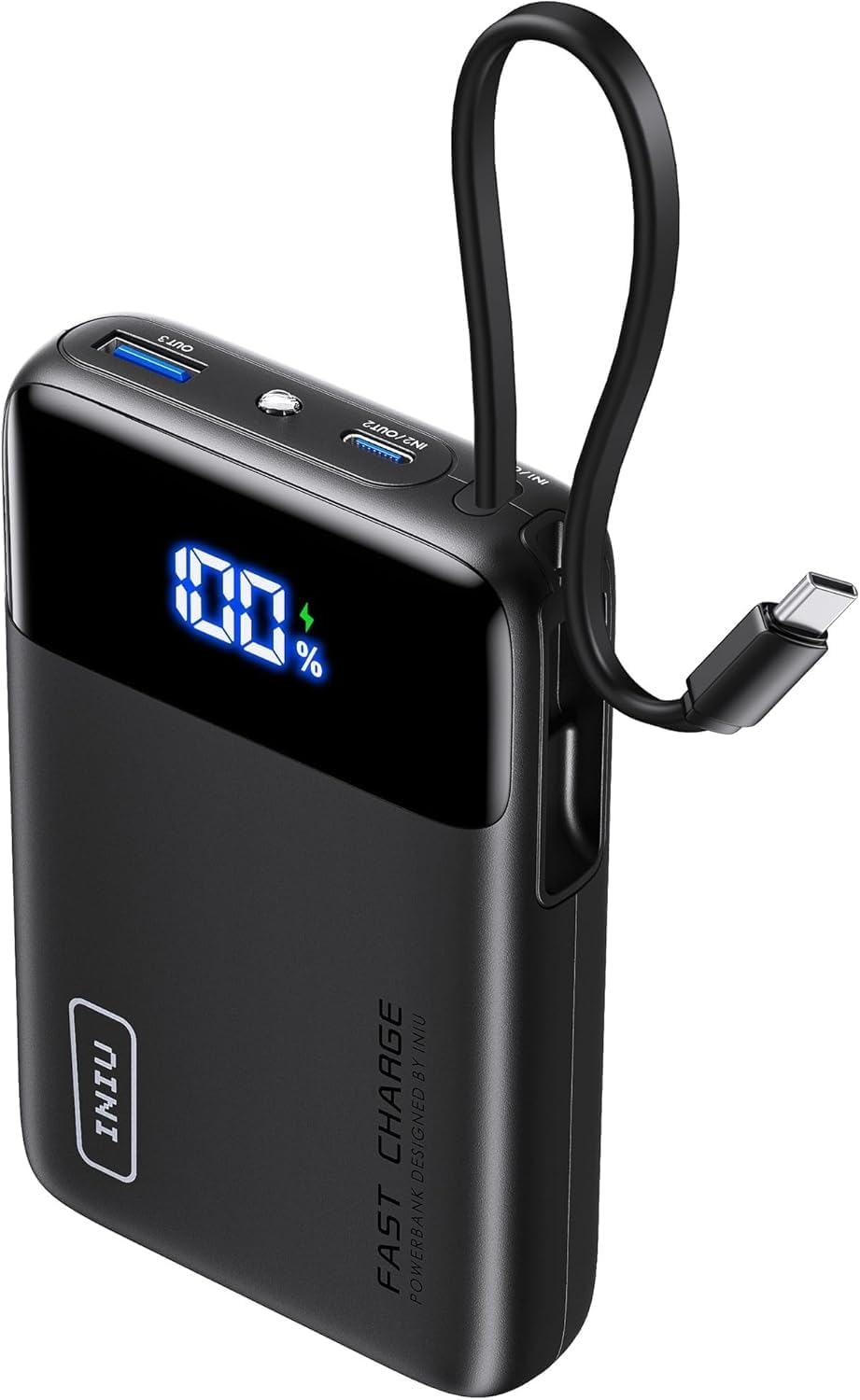
Image: The INIU 45W 20000mAh Power Bank, showing its compact design and integrated USB-C cable. The digital display shows "100%".

Image: Two INIU 240W USB-C to USB-C fast charging cables, coiled, highlighting their robust design and "FAST CHARGE 240W" branding.
3. Koniec produktuview
The INIU 45W 20000mAh Power Bank is a portable charging solution designed for various USB-C compatible devices. It features a built-in USB-C cable for convenience and a digital display for battery percentage. The included 240W USB-C cables support ultra-fast charging for compatible devices.
3.1 Power Bank Features
- Pojemność: 20000mAh
- Moc wyjściowa: Do 45 W
- Wbudowany kabel: Integrated USB-C cable for direct device charging.
- Wyświetlacz cyfrowy: Pokazuje pozostały poziom naładowania baterii w procentachtage.
- Porty wejścia/wyjścia: Additional USB-C and USB-A ports for versatile charging.
3.2 240W USB-C Cable Features
- Dostawa energii: Obsługuje szybkie ładowanie o mocy do 240 W.
- Trwałość: Constructed with a durable nylon braided exterior.
- Długość: 6.6ft (2 meters) for extended reach.
4. Konfiguracja
4.1 Ładowanie powerbanku
Before initial use, fully charge the power bank. Use a compatible USB-C wall charger (not included) and one of the provided 240W USB-C cables or the built-in USB-C cable to connect the power bank's input port to a power source.
- Connect one end of a USB-C cable to the power bank's input port (or use the built-in cable).
- Connect the other end of the USB-C cable to a USB-C wall charger.
- Podłącz ładowarkę ścienną do gniazdka elektrycznego.
- The digital display on the power bank will show the charging progress. It is fully charged when the display shows "100%".
Note: For optimal charging speed of the power bank, use a fast charging wall adapter.
5. Instrukcja obsługi
5.1 Ładowanie urządzeń za pomocą powerbanku
The power bank can charge various devices using its built-in USB-C cable or its additional USB-C and USB-A output ports.
- Korzystanie z wbudowanego kabla USB-C:
- Wyciągnij wbudowany kabel USB-C z gniazda.
- Connect the USB-C end directly to your compatible device's charging port.
- Power bank automatycznie rozpocznie ładowanie Twojego urządzenia.
- Using External USB-C or USB-A Cables:
- Connect one end of a charging cable (e.g., one of the provided 240W USB-C cables) to an output port on the power bank (USB-C or USB-A).
- Podłącz drugi koniec kabla do portu ładowania urządzenia.
- Power bank automatycznie rozpocznie ładowanie Twojego urządzenia.
Na wyświetlaczu cyfrowym pojawi się procentowy wskaźnik naładowania bateriitage of the power bank during device charging.

Image: Illustration showing an iPhone 15 charging to 71% and a Samsung S24 Ultra charging to 84% in 30 minutes using the 240W USB-C cable.

Image: A MacBook Pro 16" (2022) charging to 88% in 30 minutes using the INIU 240W cable, compared to 49% with a 100W cable.
5.2 Using the 240W USB-C Cables
The included 240W USB-C to USB-C cables are designed for high-speed charging of compatible devices. They can be used with the power bank or with a separate USB-C wall charger.
- Connect one end of the 240W USB-C cable to a compatible power source (e.g., a 240W wall adapter, or the power bank's USB-C output port).
- Connect the other end of the cable to your device's USB-C charging port.
- Ensure both the power source and the device support the desired charging wattage dla optymalnej wydajności.

Image: Diagram illustrating the compatibility of the 240W USB-C cable with various devices and their respective power requirements, including VR headsets (240W), MacBook Pro (140W/100W), and smartphones (60W).
Note: These cables are USB 2.0 USB-C to USB-C charging cables and do not support Thunderbolt or video/media output.
6. Konserwacja
6.1 Czyszczenie
- Ensure the power bank is disconnected from all power sources and devices before cleaning.
- Wipe the surface of the power bank and cables with a soft, dry, lint-free cloth.
- Nie należy używać środków czyszczących o działaniu ściernym, rozpuszczalników ani środków chemicznych.
6.2 Przechowywanie
- Store the power bank and cables in a cool, dry place, away from direct sunlight and extreme temperatures.
- Avoid storing in environments with high humidity.
- Jeśli powerbank nie będzie przechowywany przez dłuższy czas, ładuj go do poziomu 50–75% co 3 miesiące, aby zachować sprawność baterii.

Image: Depiction of the "FLYWEAVE Nylon Cable" highlighting its pet-proof design and "Multiple Protections" to prevent damage and ensure longevity.
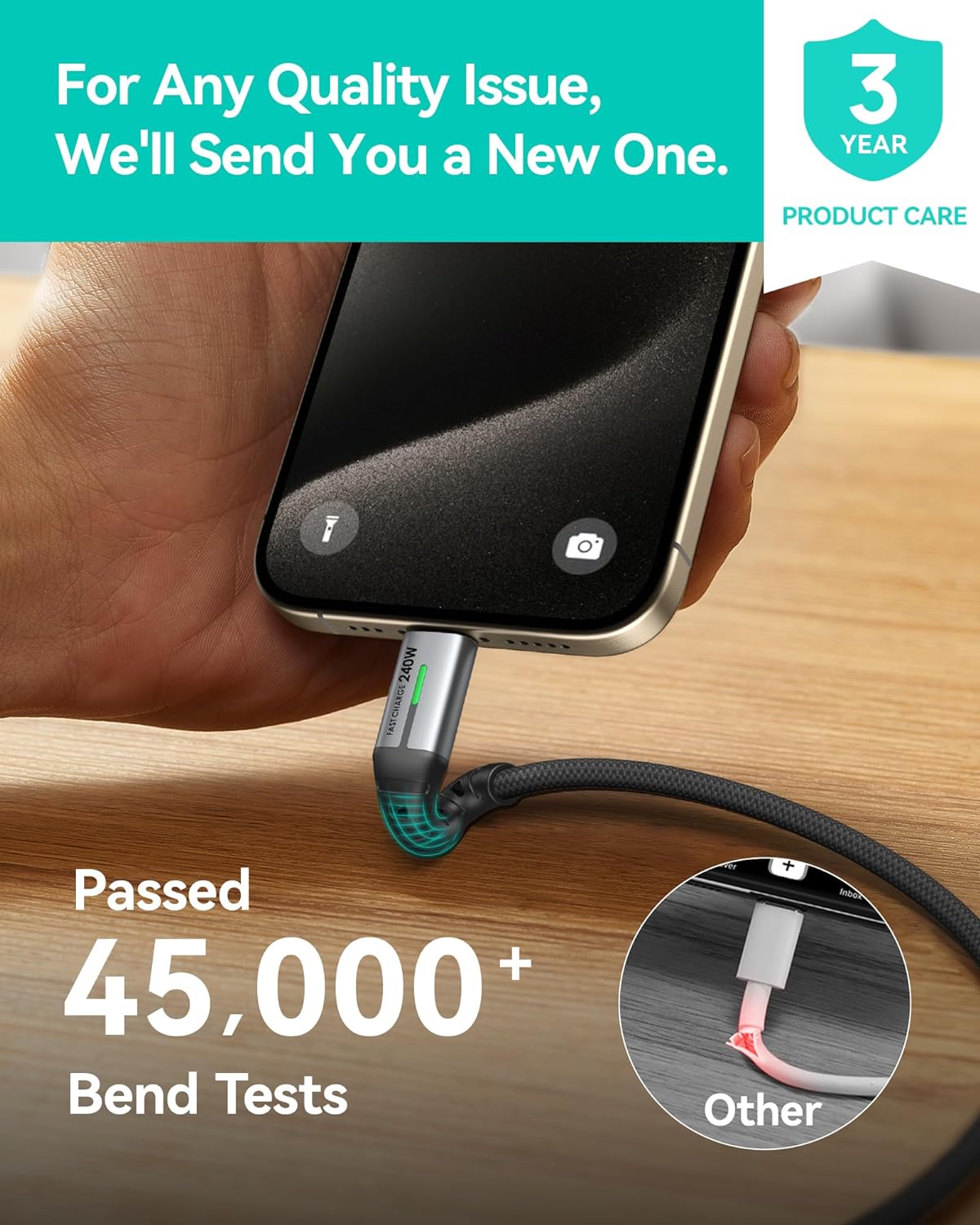
Image: A hand connecting the INIU 240W USB-C cable to a smartphone, with text indicating the cable has passed over 45,000 bend tests, contrasting with a damaged "Other" cable.
7. Rozwiązywanie Problemów
| Problem | Możliwa przyczyna | Rozwiązanie |
|---|---|---|
| Powerbank nie ładuje się | Low battery; faulty cable; incompatible charger; loose connection. | Ensure the power bank has sufficient charge. Try a different USB-C cable. Use a compatible USB-C wall charger. Check all connections. |
| Urządzenie nie ładuje się z powerbanku | Power bank low on charge; faulty cable; device incompatibility; loose connection. | Recharge the power bank. Try a different charging cable. Ensure your device is compatible with USB-C or USB-A charging. Check all connections. |
| Niska prędkość ładowania | Kabel nie obsługuje wysokiego napięciatage; charger not supporting high wattage; device limitation. | Ensure you are using the provided 240W USB-C cables and a compatible fast charging wall adapter. Verify your device supports fast charging. |
| Wyświetlacz cyfrowy nie działa | Powerbank jest wyłączony; wystąpiła wewnętrzna usterka. | Naciśnij przycisk zasilania (jeśli jest dostępny), aby włączyć wyświetlacz. Jeśli problem będzie się powtarzał, skontaktuj się z obsługą klienta. |
8. Specyfikacje
| Funkcja | Szczegół |
|---|---|
| Pojemność banku mocy | 20000mAh |
| Power Bank Output (Max) | 45 W |
| Wbudowany kabel | USB-C |
| Dołączone kable | 2x USB-C to USB-C (240W, 6.6ft/2m) |
| Cable Data Transfer | USB 2.0 (Charging only, no video output) |
| ASIN | B0FPLM1QMC |
| Data pierwszej dostępności | 13 sierpnia 2024 r. |
9. Gwarancja i wsparcie
INIU zapewnia wiodącą w branży 3-letnia opieka iNiu for this product. This warranty covers manufacturing defects and quality issues. For any quality issues, INIU will send a new replacement.
For support, please contact INIU customer service through their official website or the platform where you purchased the product. Please have your purchase details and product model number ready.

Image: A graphic indicating "3 YEAR PRODUCT CARE" with the INIU logo, emphasizing the extended warranty.
10. Ważne informacje dotyczące bezpieczeństwa
- Nie wystawiaj powerbanku na działanie ekstremalnych temperatur (powyżej 60°C/140°F lub poniżej 0°C/32°F), bezpośredniego światła słonecznego ani ognia.
- Nie narażaj power banku na działanie wody ani innych płynów.
- Do not disassemble, modify, or attempt to repair the power bank or cables.
- Przechowywać w miejscu niedostępnym dla dzieci.
- Unikaj upuszczania powerbanku i narażania go na silne uderzenia.
- Należy używać wyłącznie certyfikowanych i kompatybilnych kabli ładujących i adapterów.
- Jeśli powerbank puchnie, wydziela nieprzyjemny zapach lub nadmiernie się nagrzewa, należy natychmiast zaprzestać jego używania i skontaktować się z działem obsługi klienta.
- Powerbank należy utylizować zgodnie z lokalnymi przepisami dotyczącymi odpadów elektronicznych.