
1. Wprowadzenie
Thank you for choosing the DUDUPET 5L Automatic Cat Feeder. This smart feeder is designed to provide convenient and reliable feeding for your pets, ensuring they receive their meals on time and in controlled portions. With its 5-liter capacity and dual 2.4GHz/5GHz WiFi connectivity, you can manage your pet's feeding schedule from anywhere using the dedicated app.
Please read this manual thoroughly before use to ensure proper setup, operation, and maintenance of your feeder.

Image: The DUDUPET Automatic Cat Feeder in a home environment, demonstrating its integration into daily pet care.
2. Informacje dotyczące bezpieczeństwa
- Use only dry pet food with a diameter between 2-14 mm (0.07-0.55 inches). Do not use wet food or kibble over 0.55 inches.
- Keep the feeder away from water and direct sunlight.
- Upewnij się, że zasilacz jest prawidłowo podłączony.
- Do not allow children or pets to play with the feeder.
- The base unit of the feeder is not washable. Only detachable parts should be cleaned with water.
3. Zawartość opakowania
Proszę sprawdzić, czy w paczce znajdują się następujące elementy:
- 1 x DUDUPET Automatic Pet Feeder
- 1 x zasilacz (5 V/1 A)
- 1 x Instrukcja obsługi
4. Koniec produktuview
The DUDUPET Automatic Pet Feeder features a 5-liter food container, suitable for small to medium-sized pets. It includes a sealed food tank lid and a built-in desiccant bag to maintain food freshness. The feeder supports dual power supply options for reliable operation.

Image: Illustration of the feeder's 5-liter capacity and four layers of freshness protection, including a sealed food tank and desiccant box.

Image: The feeder demonstrating its dual power supply capability, using either a 5V power adapter or 4 AA batteries.
5. Instrukcje konfiguracji
5.1 Zasilanie
- Connect the 5V/1A power adapter to the feeder and plug it into a wall outlet.
- For backup power, insert 4 AA batteries (not included) into the battery compartment at the bottom of the feeder. This ensures continuous operation during power outagt.j.
5.2 Pobieranie aplikacji i połączenie Wi-Fi
- Download the "PetTech" app from your smartphone's app store (iOS or Android).
- Open the app and follow the on-screen instructions to create an account and add your DUDUPET feeder.
- Ensure your feeder is within range of a 2.4GHz or 5GHz WiFi network for stable connection.

Image: The feeder is compatible with both 2.4GHz and 5GHz WiFi for a stable and fast connection.
5.3 Ładowanie żywności
- Otwórz pokrywę zbiornika na żywność.
- Pour dry pet food into the tank. Ensure the food size is between 2-14 mm (0.07-0.55 inches).
- Close the lid securely to maintain freshness.
- Place the desiccant bag (if included or replaced) in its designated slot under the lid.
6. Instrukcja obsługi
6.1 Setting Up a Feeding Plan via App
The PetTech app allows you to customize your pet's feeding schedule with precision.
- Open the PetTech app and select your DUDUPET feeder.
- Przejdź do sekcji „Plan żywienia”.
- Set up to 10 meals per day. For each meal, specify the feeding time and the number of servings (1-15 servings, approximately 7 grams per serving).
- Save your customized feeding plan. The app also allows you to view feeding history and share control with multiple family members.
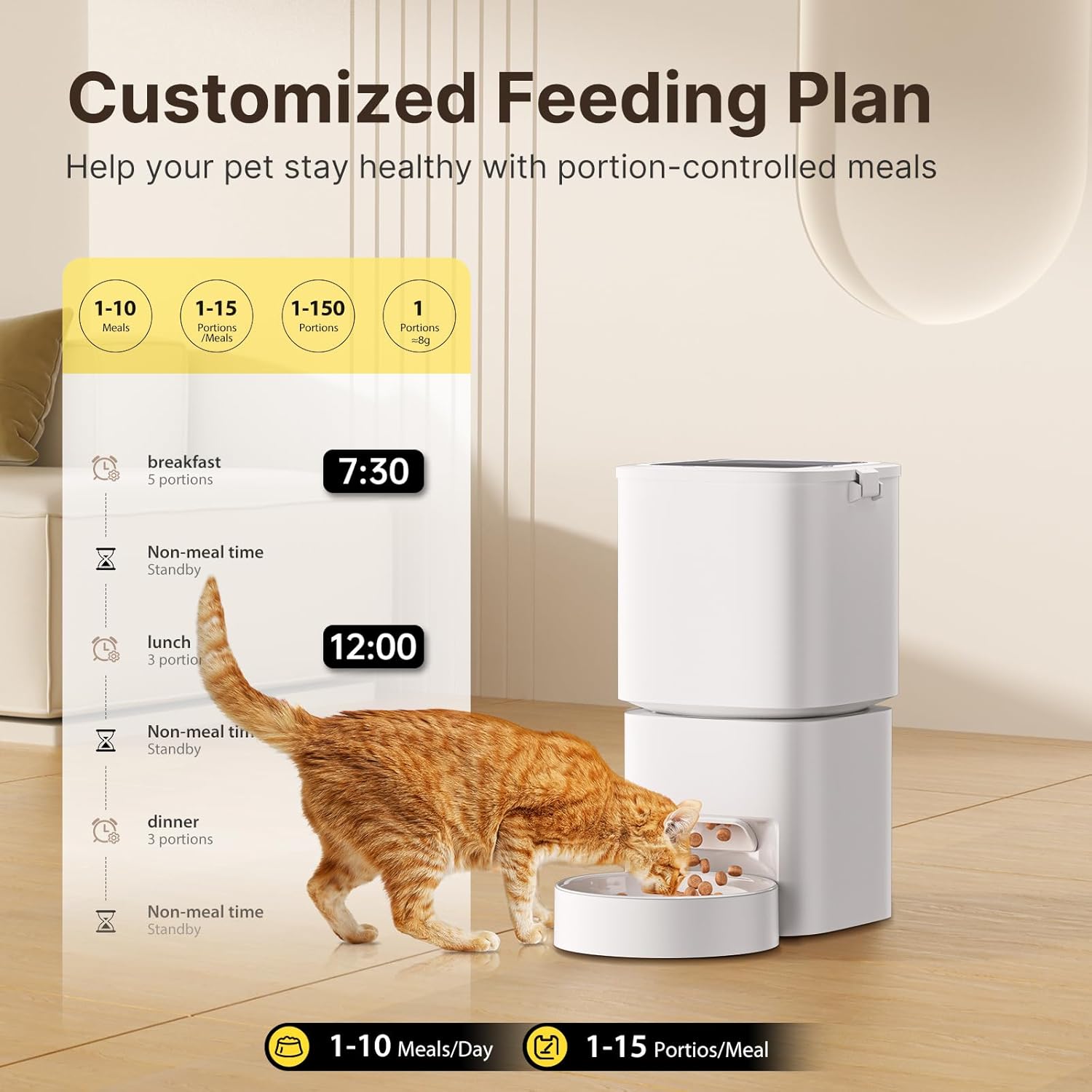
Image: A visual representation of setting up a customized feeding plan with specific meal times and portion sizes.

Image: Demonstrates the convenience of controlling the pet feeder remotely via the app, allowing pet owners to manage feeding from any location.
6.2 Karmienie ręczne
You can dispense food manually through the app or by pressing a button on the feeder (refer to the app interface or feeder buttons for specific manual feed options).
6.3 Recommended Dry Food Sizes
The feeder is designed for dry food with a diameter between 2-14 mm (0.07-0.55 inches). Using food outside this range may cause clogging or improper dispensing.

Image: Guidelines for dry food sizes, indicating that kibble should be between 2-14 mm (0.07-0.55 inches) in diameter to prevent issues.
7. Konserwacja
7.1 Czyszczenie podajnika
Regular cleaning ensures hygiene and proper functioning of the feeder. The feeder features a detachable design for easy cleaning.
- Odłącz podajnik od zasilania i usuń resztki jedzenia.
- Disassemble the food tank, food tray, and other detachable components.
- Wash the detachable parts with mild soap and water. Rinse thoroughly and dry completely before reassembling.
- Ważny: The main base unit containing electronic components cannot be washed. Wipe it clean with a dry or slightly damp płótno.
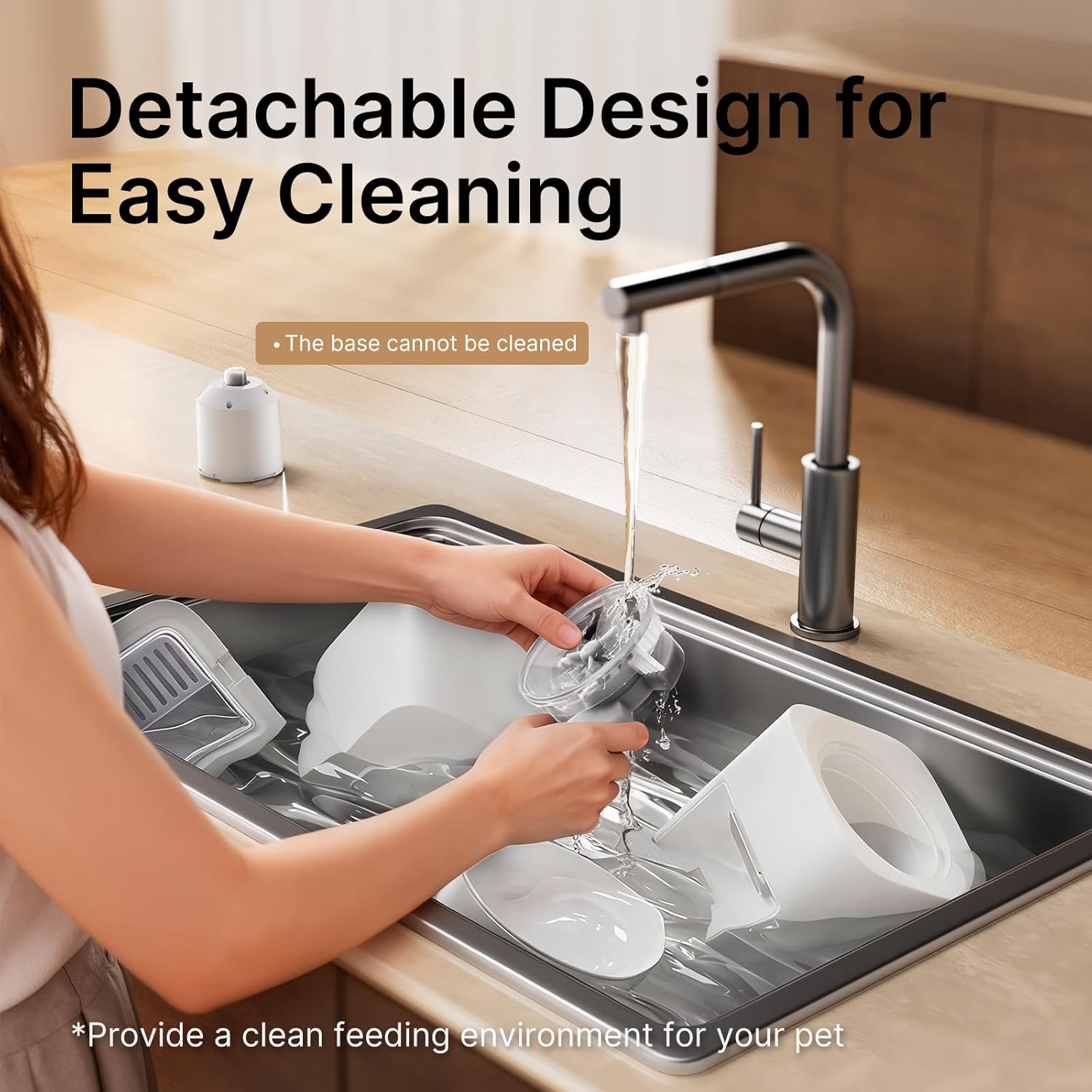
Image: The feeder's detachable components being cleaned in a sink, illustrating the ease of maintaining hygiene.
7.2 Worek pochłaniający wilgoć
The built-in desiccant bag helps keep food fresh. Replace the desiccant bag periodically (e.g., every 1-2 months) to ensure optimal freshness.
8. Rozwiązywanie Problemów
- Podajnik nie podaje pokarmu:
- Check if the food tank is empty.
- Ensure the feeder is powered on and connected to the app.
- Verify that the food size is within the recommended range (2-14 mm) to prevent clogging.
- Clean the dispensing mechanism if there is a blockage.
- Aplikacja nie łączy się z podajnikiem:
- Ensure your phone and feeder are connected to a 2.4GHz or 5GHz WiFi network.
- Uruchom ponownie zasilacz i router.
- Sprawdź czy aplikacja została zaktualizowana do najnowszej wersji.
- Re-pair the feeder with the app if necessary.
- Feeder losing power:
- Upewnij się, że zasilacz jest prawidłowo podłączony.
- If using batteries, check if they are correctly installed and have sufficient charge. Replace batteries if needed.
9. Specyfikacje
| Marka | DUUPET |
| Numer modelu | F09 |
| Pojemność | 5 litrów |
| Wymiary produktu | 19 x 19 x 30.5 cm (7.5 x 7.5 x 12 cala) |
| Waga przedmiotu | 1.2 kg (2.6 funta) |
| Tworzywo | Akrylonitryl-butadien-styren (ABS) |
| Łączność | 2.4GHz / 5GHz WiFi |
| Zasilacz | 5V/1A Adapter (included), 4 x AA Batteries (not included) |
| Posiłki na dzień | 1-10 posiłków |
| Servings per Meal | 1-15 servings (approx. 7g per serving) |
| Allowed Food Size | 2-14 mm (0.07-0.55 inches) dry food |
10. Gwarancja i wsparcie
DUDUPET is committed to customer satisfaction. If you encounter any questions or issues with your automatic pet feeder, please do not hesitate to contact our customer support team. Our friendly and reliable support team is ready to assist you quickly.
Please refer to your purchase documentation or the DUDUPET webSzczegóły dotyczące gwarancji i dane kontaktowe można znaleźć na stronie.