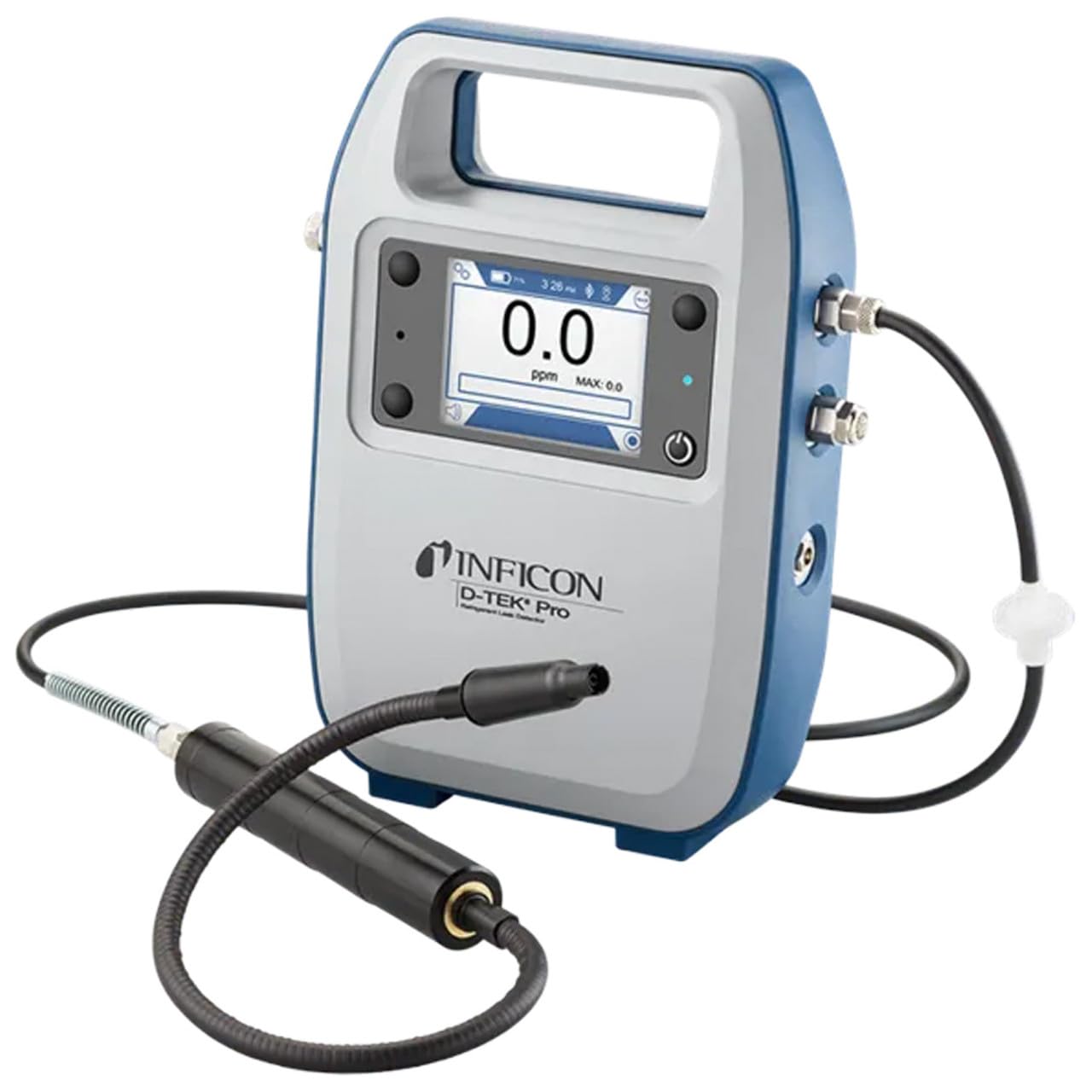
Inficon D-TEK Pro Refrigerant Leak Detector User Manual
Model: 508-202-G1
1. Wprowadzenie
The Inficon D-TEK Pro Refrigerant Leak Detector is designed for precise and rapid detection of refrigerant leaks. This device offers high sensitivity and an all-in-one Pro Mode for efficient leak identification. This manual provides essential information for the proper setup, operation, and maintenance of your D-TEK Pro.
2. Informacje dotyczące bezpieczeństwa
Aby zapobiec obrażeniom ciała i uszkodzeniu urządzenia, należy zawsze przestrzegać następujących środków ostrożności:
Przed przystąpieniem do obsługi urządzenia przeczytaj wszystkie instrukcje.
Korzystaj z urządzenia wyłącznie w sposób opisany w niniejszej instrukcji.
Nie wystawiaj urządzenia na działanie ekstremalnych temperatur lub wilgoci.
Podczas pracy z czynnikami chłodniczymi należy zapewnić odpowiednią wentylację.
Należy nosić odpowiedni sprzęt ochrony osobistej (PPE), taki jak rękawice i okulary ochronne.
Do not attempt to service the device beyond what is described in the maintenance section. Refer all other servicing to qualified personnel.
3. Co znajduje się w pudełku
Sprawdź, czy po rozpakowaniu znajdują się wszystkie elementy:
(1) D-TEK Pro Refrigerant Leak Detector
(1) Soft case with shoulder strap
(1) Spare filters
(1) Phone holder
(1) Kabel ładujący
4. Konfiguracja
4.1 Ładowanie urządzenia
The D-TEK Pro is powered by a rechargeable battery. Before first use, fully charge the device.
Connect the provided charging cable to the charging port on the D-TEK Pro.
Plug the other end of the charging cable into a suitable power source.
The charging indicator on the device will illuminate. Allow sufficient time for a full charge.
4.2 Mocowanie uchwytu telefonu
The included phone holder allows for convenient mobile device integration.
Locate the attachment point for the phone holder on the D-TEK Pro.
Securely attach the phone holder according to its design.
Place your mobile device into the holder, ensuring it is stable.
5. Instrukcja obsługi
5.1 Włączanie/wyłączanie
Aby włączyć, naciśnij i przytrzymaj przycisk zasilania, aż wyświetlacz się zaświeci.
Aby wyłączyć, naciśnij i przytrzymaj przycisk zasilania, aż urządzenie się wyłączy.
5.2 Using Pro Mode for Leak Detection
The D-TEK Pro features an all-in-one Pro Mode that combines cloud hunting and pinpointing capabilities, allowing for efficient leak location.
Ensure the device is powered on and in Pro Mode (refer to the display for mode indication).
Move the sensor probe slowly around suspected leak areas. The device's superior airflow allows for detection from a greater distance.
The D-TEK Pro will indicate the presence of refrigerants with high sensitivity, detecting down to 0.1 ppm.
Follow the increasing readings to pinpoint the exact leak source.
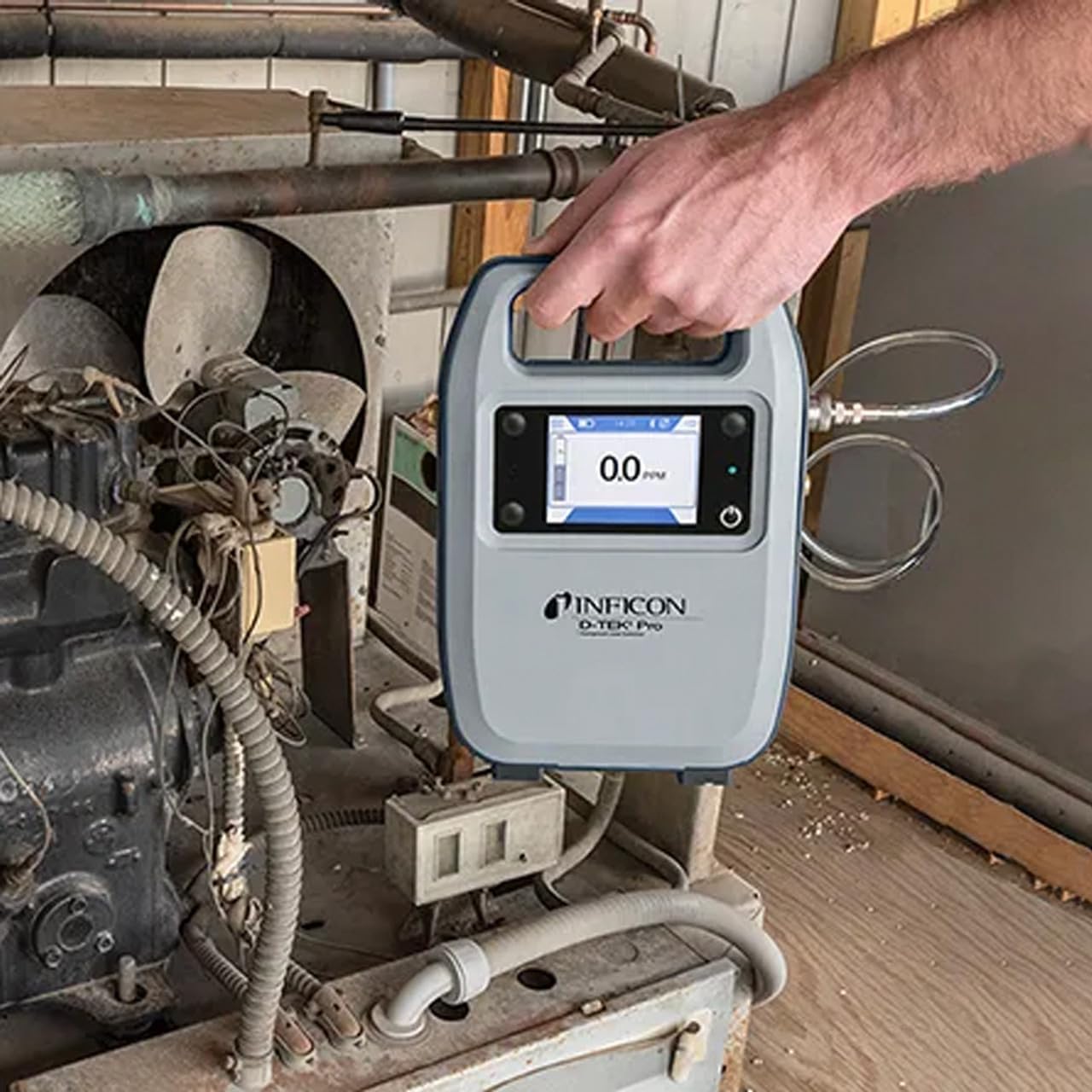
Figure 1: The Inficon D-TEK Pro being used to inspect a refrigeration unit. The display shows a 0.0 ppm reading, indicating no refrigerant detected at the current location. The device is held by a user's hand, demonstrating its portability and ease of use in an industrial setting.
5.3 Refrigerant Compatibility
The D-TEK Pro is designed to detect a wide range of refrigerants, including:
CFCs (Chlorofluorocarbons)
HCFCs (Hydrochlorofluorocarbons)
HFCs (Hydrofluorocarbons)
HFOs (Hydrofluoroolefins)
Blends including A2Ls
5.4 Integracja aplikacji mobilnej
Download the D-TEK Pro mobile app to enhance your leak detection workflow.
Customer Reports: Generate detailed reports with photos and ppm tracking.
Śledzenie GPS: Confirm job location with integrated GPS functionality.
Figure 2: The Inficon D-TEK Pro connected to a smartphone, showcasing the mobile application's interface. This setup allows users to view real-time leak detection data, generate reports, and utilize GPS tracking for job site verification.
6. Konserwacja
6.1 Ogólna pielęgnacja i czyszczenie
To ensure optimal performance and longevity of your D-TEK Pro:
Przetrzyj urządzenie miękką, damp ściereczka. Nie należy używać środków czyszczących o właściwościach ściernych ani rozpuszczalników.
Keep the sensor probe clean and free from debris.
Store the device in its soft case when not in use to protect it from dust and physical damage.
6.2 Wymiana filtra
The D-TEK Pro is designed for low maintenance, requiring no purging and no charcoal filters. However, spare filters are provided for specific applications or if the existing filter becomes visibly soiled or damaged.
Locate the filter housing on the device.
Ostrożnie wyjmij stary filtr.
Insert a new spare filter, ensuring it is seated correctly.
7. Rozwiązywanie Problemów
This section addresses common issues you might encounter with your D-TEK Pro.
Problem
Możliwa przyczyna
Rozwiązanie
Urządzenie nie włącza się.
Niski poziom naładowania baterii lub jej rozładowanie.
Naładuj urządzenie za pomocą dostarczonego kabla ładującego.
Niedokładne lub niespójne odczyty.
Sensor probe is dirty or damaged; environmental interference.
Clean the sensor probe. Ensure proper environmental conditions. If issue persists, contact support.
Aplikacja mobilna nie łączy się.
Bluetooth issue; app not updated.
Ensure Bluetooth is enabled on both devices. Update the D-TEK Pro app to the latest version.
8. Specyfikacje
Funkcja
Szczegół
Numer modelu
508-202-G1
Waga przedmiotu
3 funta
Wymiary opakowania
15 x 12 x 4 cala
Typ wyświetlacza
LCD, LED
Źródło zasilania
Akumulator do ponownego ładowania
Wrażliwość
Rozdzielczość 0.1 ppm
Detected Refrigerants
CFCs, HCFCs, HFCs, HFOs, and blends including A2Ls
9. Informacje o gwarancji
The Inficon D-TEK Pro Refrigerant Leak Detector comes with a 2-letnia gwarancja from the date of purchase. This warranty covers defects in materials and workmanship under normal use. For warranty claims or detailed terms and conditions, please refer to the official Inficon webodwiedź witrynę lub skontaktuj się z działem obsługi klienta.
10. Obsługa klienta
For technical assistance, troubleshooting not covered in this manual, or general inquiries, please contact Inficon customer support.
Zasoby internetowe: Odwiedź oficjalną stronę Inficon Store on Amazon Aby uzyskać informacje o produkcie i jego aktualizacjach.
Informacje kontaktowe: Refer to the Inficon official website for direct contact details (phone, email).
Ask a question about this manual
Ask about setup, troubleshooting, compatibility, parts, safety, or missing instructions. Manuals+ will review the question and use this page’s manual context to help answer it.