
HelloBaby HB6550Plus-2
HelloBaby HB6550Plus-2 Baby Monitor User Manual
Model: HB6550Plus-2 | Brand: HelloBaby
Wstęp
Thank you for choosing the HelloBaby HB6550Plus-2 Baby Monitor. This system provides a secure, non-WiFi connection for monitoring your baby with a 6-inch IPS split screen and two cameras. It features remote pan-tilt-zoom, invisible night vision, two-way talk, lullabies, and temperature alerts to ensure your child's safety and comfort.

Image: The HelloBaby HB6550Plus-2 system, showing the parent unit with a 6-inch IPS screen displaying a split view of two babies, and two camera units.
Zawartość opakowania
Sprawdź zawartość paczki, aby upewnić się, że znajdują się w niej wszystkie elementy:
- 6-inch IPS Split-Screen Parent Unit (Monitor) x 1
- Remote Pan/Tilt/Zoom Camera Unit x 2
- HelloBaby AC Charger x 3 (One for the monitor, two for the cameras)
- Śruby do montażu na ścianie x 2
- Instrukcja obsługi x 1
Informacje dotyczące bezpieczeństwa
Aby zapobiec obrażeniom lub uszkodzeniom, należy przeczytać i stosować się do poniższych instrukcji bezpieczeństwa:
- Ryzyko uduszenia: Keep all cords out of reach of children. Never place the camera or monitor within 3 feet (1 meter) of the crib or playpen. Secure cords to a wall or floor using clips to prevent entanglement.
- Ryzyko zadławienia: This product contains small parts. Keep them away from children.
- Przegrzanie: Nie przykrywaj monitora ani kamery kocami ani ręcznikami. Zapewnij odpowiednią wentylację.
- Woda i wilgoć: Do not expose the product to water or moisture. Use only in dry indoor environments.
- Źródło zasilania: Use only the AC adapters provided by HelloBaby. Using unauthorized adapters may damage the product and void the warranty.
- Ingerencja: Ten produkt działa na częstotliwości 2.4 GHz. Trzymaj go z dala od innych urządzeń 2.4 GHz (np. routerów Wi-Fi, kuchenek mikrofalowych), aby uniknąć zakłóceń.
- Nadzór osoby dorosłej: This product is intended to assist in monitoring, not to replace responsible adult supervision.
Organizować coś
1. Umiejscowienie kamery
Umieść jednostki kamery w miejscu zapewniającym wyraźny widok view of your baby. Ensure the camera is at least 3 feet (1 meter) away from the crib to prevent strangulation hazards from the power cord. The cameras can be placed on a flat surface or wall-mounted using the included screws.
- Optymalny View: Ustaw kamerę tak, aby objęła cały obszar łóżeczka.
- Podłączenie zasilania: Connect the camera to a power outlet using one of the provided AC chargers.

Image: A HelloBaby camera unit demonstrating its 355° horizontal and 120° vertical pan and tilt capabilities.
2. Umiejscowienie monitora
Place the parent unit (monitor) in a convenient location where you can easily view the screen and hear alerts. Ensure it is within the operational range of the cameras (up to 1000ft outdoors, less indoors depending on obstacles).
- Podłączenie zasilania: Connect the monitor to a power outlet using one of the provided AC chargers. The monitor has a built-in rechargeable battery for portable use.
- Antena: Extend the antenna on the monitor for maximum range and signal stability.
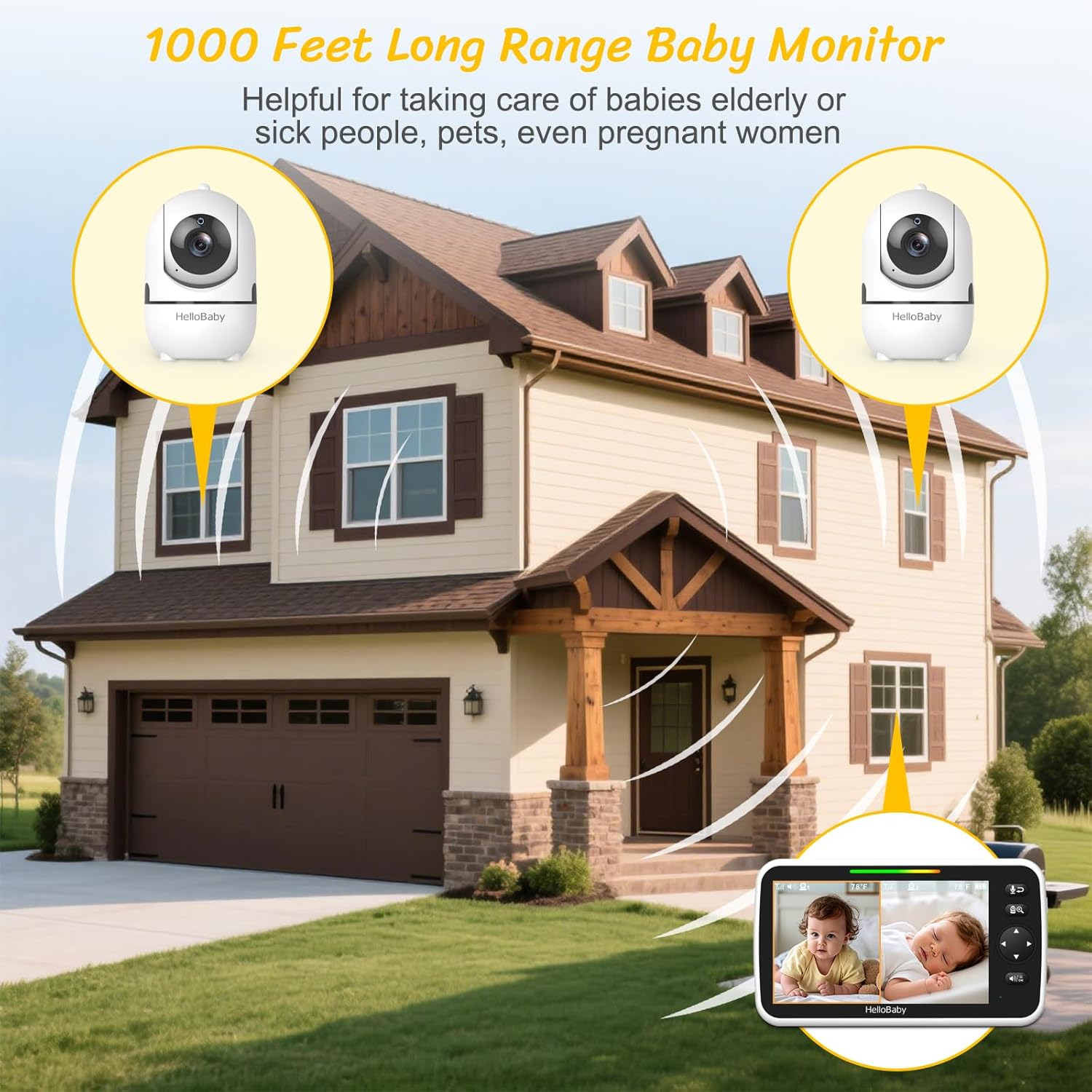
Image: A diagram illustrating the 1000-foot long-range capability of the baby monitor system within a multi-story house.
3. Włączanie i parowanie
Once both the cameras and monitor are connected to power, turn them on. The units are typically pre-paired from the factory. If a camera does not connect automatically, you may need to manually pair it:
- Uzyskaj dostęp do menu monitora.
- Navigate to the "Camera" or "Pairing" option.
- Select an available camera channel.
- Naciśnij przycisk parowania znajdujący się z tyłu kamery w ciągu 10 sekund.
- The monitor will display the camera's feed once successfully paired.
Instrukcja obsługi
1. Funkcje podstawowe
- Włączanie/wyłączanie: Press and hold the power button on the monitor.
- Regulacja głośności: Use the dedicated volume buttons on the monitor to adjust the audio level.
- Jasność: Adjust screen brightness through the monitor's menu settings.
2. Split-Screen Mode
The 6-inch IPS display allows simultaneous viewing of two cameras. Activate split-screen mode via the monitor's menu or a dedicated button (refer to your monitor's specific button layout).
- Wybór dźwięku: In split-screen mode, you can select which camera's audio to hear. The monitor will provide visual alerts for sounds detected by the other camera.
- Auto-Switch Mode: Enable this feature to cycle between cameras every 15 seconds, providing hands-free multi-room awareness.

Image: The monitor screen showing a split view, allowing simultaneous monitoring of two separate rooms or children.
3. VOX / ECO Mode
VOX (Voice Operated eXchange) or ECO mode conserves battery by turning off the monitor screen when no sound is detected. The screen automatically activates when sound is picked up by the camera.
- Aktywacja: Enable VOX/ECO mode through the monitor's menu. You can often adjust the sound sensitivity level.
- Visual Sound Indicators: Even when muted or in VOX mode, colored LED indicators on the monitor will show sound levels, alerting you to crying or noise.
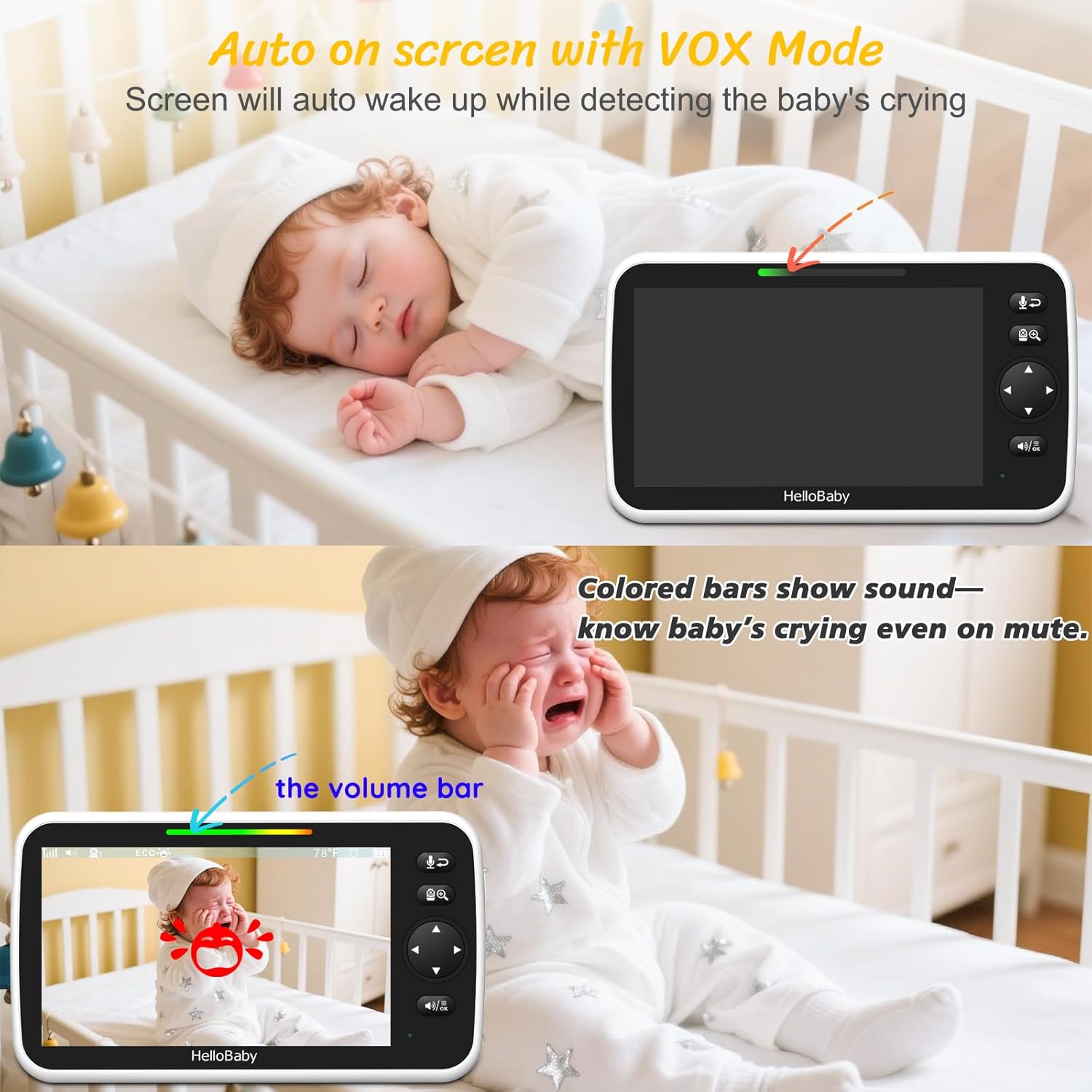
Image: The monitor in VOX mode, illustrating how the screen activates upon detecting a baby's cry, with a visual sound level indicator.
4. Rozmowa dwustronna
Press and hold the microphone button on the monitor to speak to your baby through the camera's speaker. Release the button to hear your baby again.

Image: A user interacting with the two-way talk feature, allowing communication with the monitored area.
5. Kołysanki
The monitor includes 8 pre-programmed lullabies. Access the lullaby function through the menu to play soothing melodies to your baby remotely.
6. Wizja nocna
The cameras are equipped with invisible infrared night vision, automatically activating in low-light conditions. This provides a clear view of your baby in total darkness without disturbing them with visible red lights.
7. Monitorowanie temperatury
The camera units include a room temperature sensor. The current temperature of the baby's room is displayed on the monitor. You can set alerts for temperatures outside a desired range.
8. Panoramowanie, pochylenie i powiększanie (PTZ)
Use the directional buttons on the monitor to remotely control the camera's pan (horizontal) and tilt (vertical) movements. The cameras offer 355° pan and 120° tilt for comprehensive room coverage. The digital zoom function allows you to get a closer look at your baby.
Konserwacja
- Czyszczenie: Do czyszczenia powierzchni monitora i kamery należy używać miękkiej, suchej ściereczki. Nie należy używać środków czyszczących o właściwościach ściernych ani rozpuszczalników.
- Pielęgnacja baterii: For optimal battery life, fully charge the monitor before first use. Avoid extreme temperatures. If storing for extended periods, charge the battery every few months.
- Czyszczenie soczewek: Gently wipe the camera lens with a lens cleaning cloth if it becomes dirty to ensure clear image quality.
Rozwiązywanie problemów
| Problem | Możliwe rozwiązanie |
|---|---|
| Brak obrazu/dźwięku na monitorze |
|
| Słaba jakość obrazu/zakłócenia sygnału |
|
| Tryb VOX nie jest aktywowany |
|
| Camera not responding to PTZ controls |
|
Specyfikacje
| Funkcja | Szczegół |
|---|---|
| Nazwa modelu | HB6550Plus-2 |
| Rozmiar ekranu | 6-calowy ekran IPS z podziałem |
| Technologia łączności | Brak Wi-Fi Technologia FHSS 2.4 GHz |
| Zastosowanie wewnątrz/na zewnątrz | Wewnątrz, Na zewnątrz |
| Źródło zasilania | Battery Powered (Monitor), AC Powered (Cameras) |
| Typ kontrolera | Zdalne sterowanie |
| Typ montażu | Ceiling Mount / Wall Mount |
| Liczba kanałów | 4 |
| Viewing Angle (Camera) | 355 Degrees Pan, 120 Degrees Tilt |
| Monitor Battery Life (VOX/ECO Mode) | 16-30 godziny |
| Monitoruj żywotność baterii (ekran włączony) | 16 godzin |
| Zakres | Up to 1000ft Outdoors |
| Zoom optyczny | 2x |
| Technologia słabego oświetlenia | Thermal Sensing, Invisible Infrared Night Vision |
| Tryb pracy | Audio Only (for secondary camera in split-screen), Temperature Alert |
| Cechy specjalne | Night Vision, 2-Way Audio, Long Battery Life, Portable, Hack Proof, PTZ Technology, Time Display, Cry Detection, 8 Lullabies |
| Wymiary produktu | 18.7 x 13.29 x 4.2 cala |
| Waga przedmiotu | 2.14 funta |
| Baterie | 1 9V battery required (included for monitor) |
Gwarancja i wsparcie
HelloBaby products are designed for reliability and performance. For warranty information, please refer to the documentation included with your purchase or visit the official HelloBaby webstrona.
If you encounter any issues or have questions regarding your HB6550Plus-2 Baby Monitor, please contact our customer support team:
- E-mail: service@hellobaby.net.cn
- Wsparcie online: Odwiedź HelloBaby Store on Amazon Aby zapoznać się z odpowiedziami na często zadawane pytania i dodatkowymi materiałami.
Our professional support team is dedicated to making every stage of parenting easier, safer, and happier.
Ask a question about this manual
Ask about setup, troubleshooting, compatibility, parts, safety, or missing instructions. Manuals+ will review the question and use this page’s manual context to help answer it.