
1. Wprowadzenie
This manual provides essential information and instructions for the QONBINK M91 Smart Watch. Please read this manual thoroughly before using your device to ensure proper operation and to maximize its features. Keep this manual for future reference.
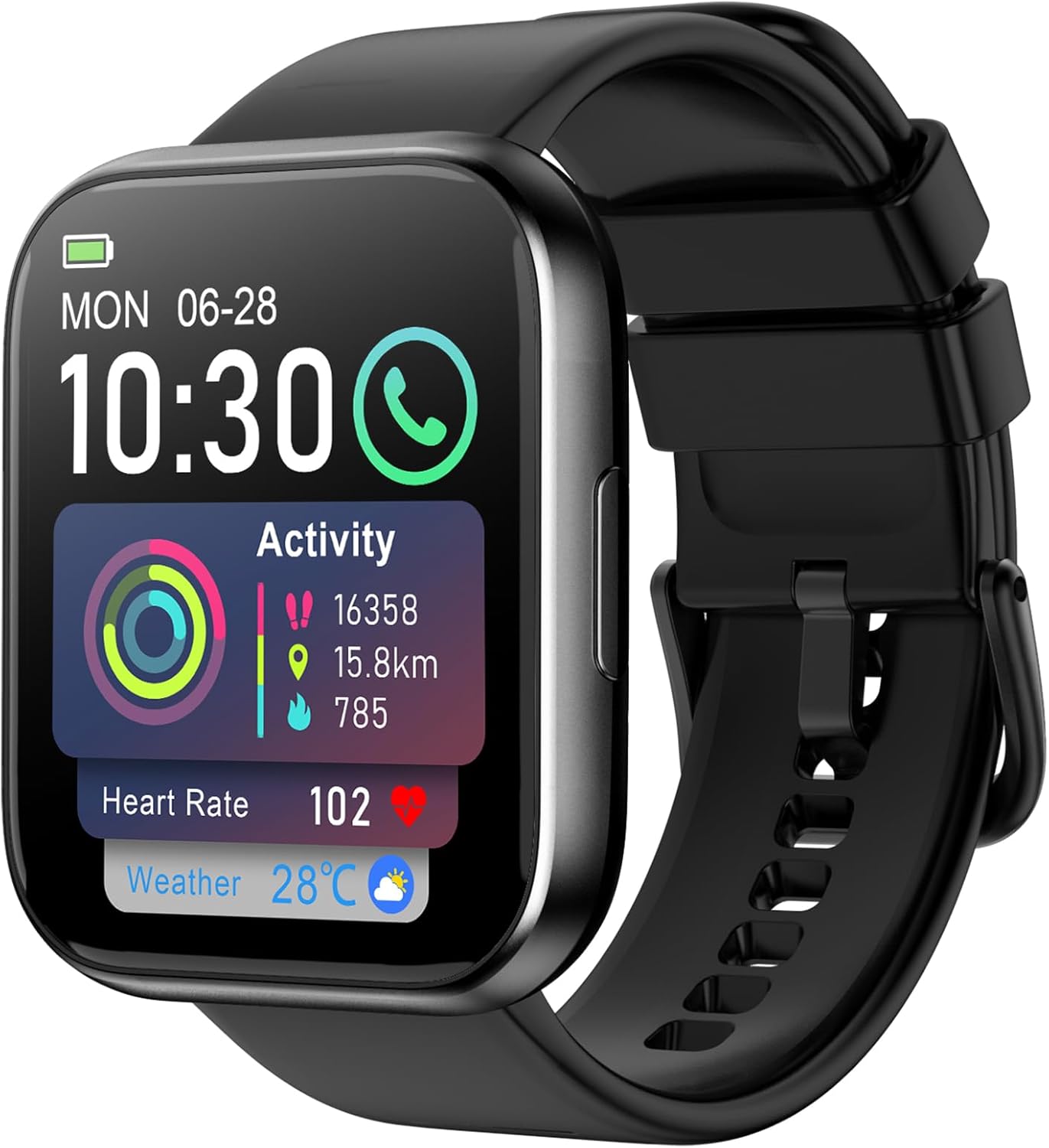
Image: The QONBINK M91 Smart Watch, displaying its main interface with various health and activity metrics.
2. Co znajduje się w pudełku
Upon opening your QONBINK M91 Smart Watch package, you should find the following items:
- QONBINK M91 Smart Watch
- Instrukcja obsługi (ten dokument)
- Kabel ładujący
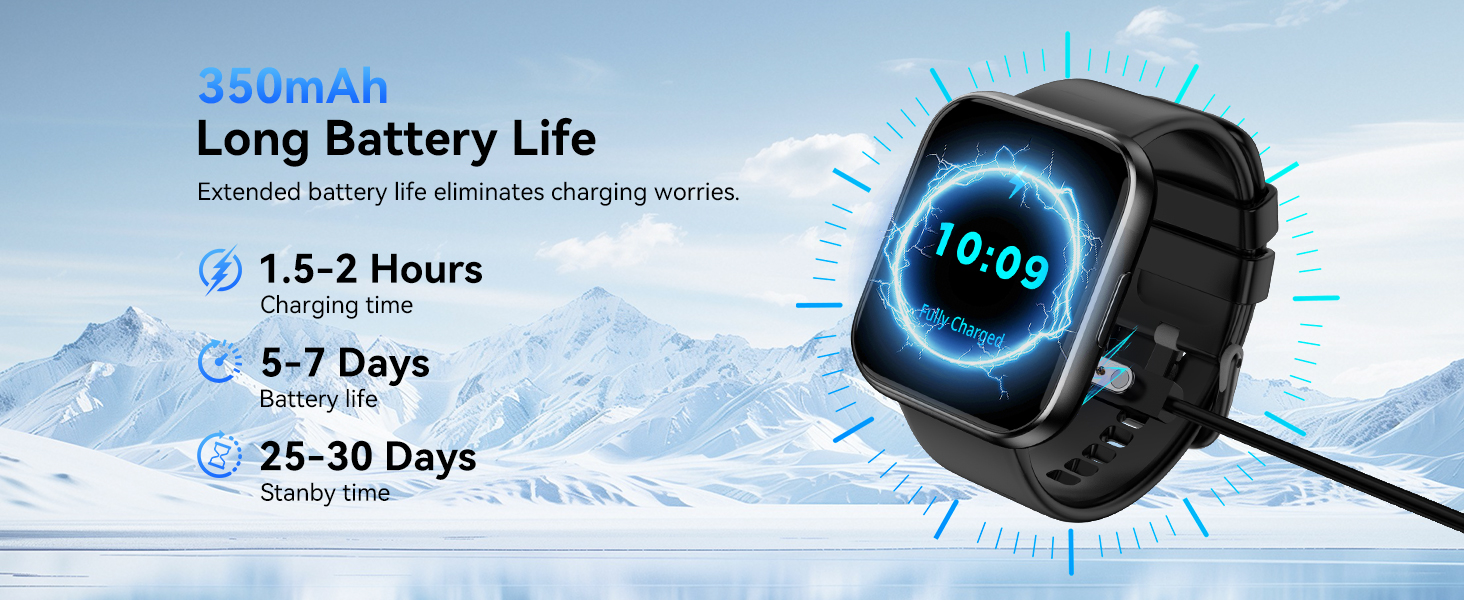
Image: Visual representation of the QONBINK M91 Smart Watch package contents, including the watch, charging cable, and user manual.
3. Koniec produktuview
The QONBINK M91 Smart Watch features a 1.85-inch HD full-touch display and a durable design suitable for daily wear and various activities.
Kluczowe komponenty:
- Wyświetlacz: 1.85-inch HD full-touch color screen.
- Przycisk boczny: Used for power on/off, screen wake/sleep, and menu navigation.
- Czujniki: Z tyłu znajduje się czujnik mierzący tętno, natlenienie krwi i sen.
- Ładowanie styków: Z tyłu znajdują się magnetyczne styki do ładowania.
- Głośnik/Mikrofon: Integrated for Bluetooth calling.

Image: The 1.85-inch full-touch screen of the QONBINK M91 Smart Watch, highlighting its display capabilities and customizable watch faces.
4. Konfiguracja
4.1 Ładowanie urządzenia
Before first use, fully charge your QONBINK M91 Smart Watch.
- Podłącz magnetyczny kabel ładujący do złączy ładujących znajdujących się z tyłu zegarka.
- Podłącz koniec kabla USB do standardowego zasilacza USB (nie ma go w zestawie) lub do portu USB komputera.
- Wyświetlacz zegarka będzie wskazywał stan ładowania.
A full charge typically takes 1.5-2 hours. The watch offers 5-7 days of typical use and up to 25-30 days of standby time.
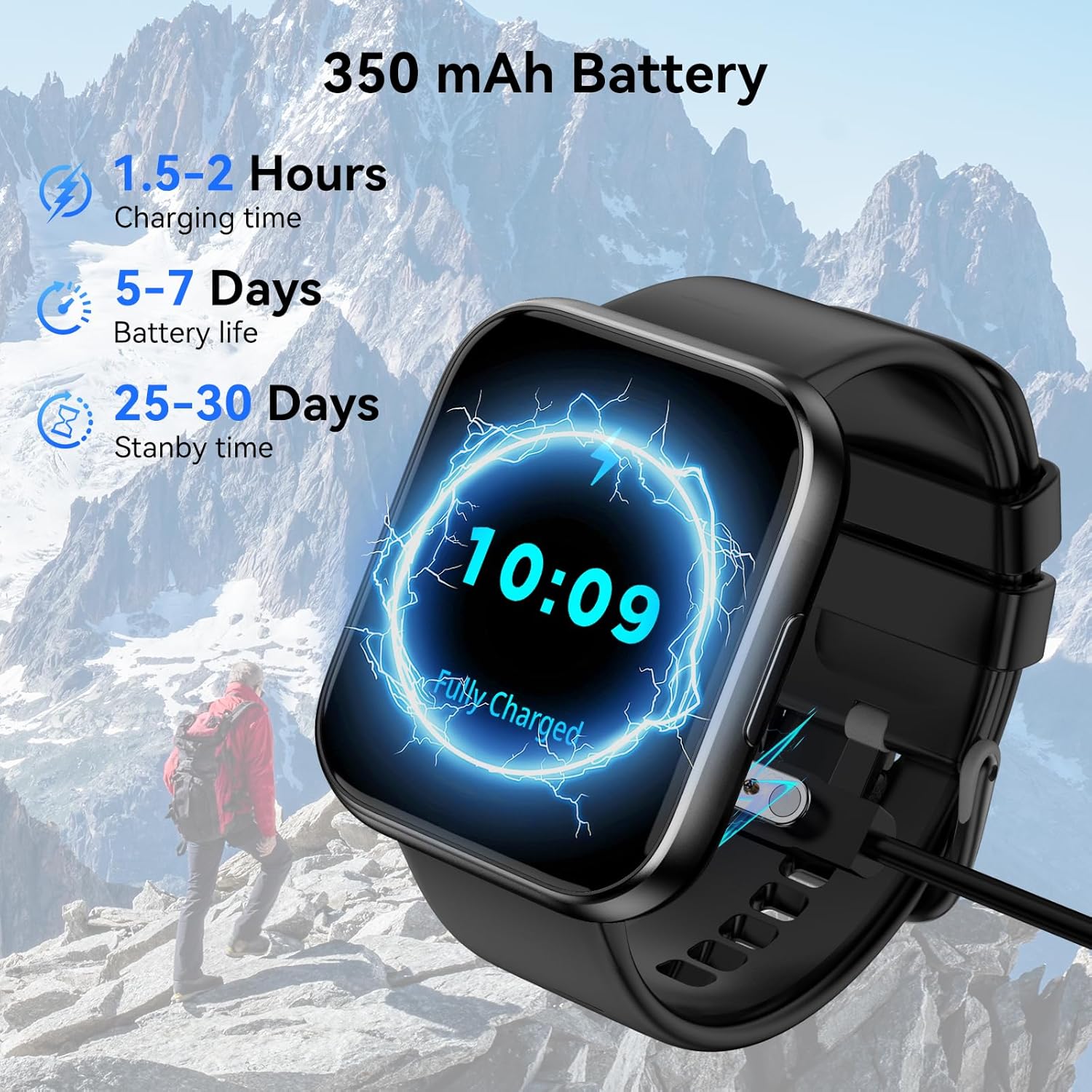
Image: The QONBINK M91 Smart Watch being charged, illustrating its battery capacity and charging specifications.
4.2 Instalacja aplikacji
To unlock the full potential of your smart watch, download and install the 'Da Fit' app on your smartphone.
- Scan the QR code provided in the watch's interface or the quick start guide, or visit http://plus.crrepa.com/app-download/dafit to download the 'Da Fit' app.
- The app is compatible with iOS 10.0 or higher and Android 4.4 or higher.
4.3 Parowanie ze smartfonem
Follow these steps to pair your QONBINK M91 Smart Watch with the 'Da Fit' app:
- Upewnij się, że zegarek jest naładowany i włączony.
- Włącz Bluetooth w swoim smartfonie.
- Open the 'Da Fit' app and follow the on-screen instructions to add a new device.
- Select 'M91' from the list of available devices.
- Potwierdź prośbę o sparowanie na telefonie i zegarku.
- Zezwól na niezbędne uprawnienia do powiadomień i synchronizacji danych.
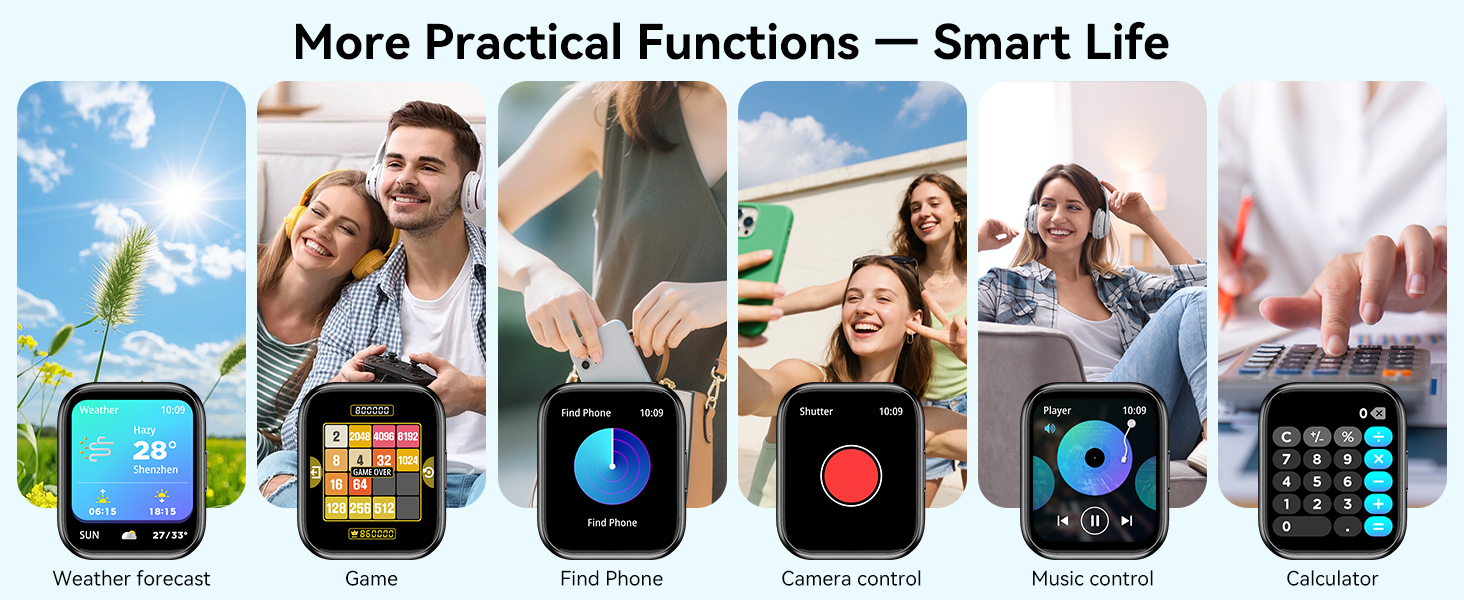
Image: A visual guide demonstrating the process of connecting the QONBINK M91 Smart Watch to a smartphone via the Da Fit application.
5. Instrukcja obsługi
5.1 Podstawowa nawigacja
- Przesuń w górę/w dół: Przewijaj menu i powiadomienia.
- Przesuń w lewo/w prawo: Uzyskaj dostęp do szybkich funkcji lub widżetów.
- Uzyskiwać: Wybierz element lub potwierdź czynność.
- Naciśnij przycisk boczny: Powrót do ekranu głównego lub włączanie/wyłączanie zasilania.
5.2 Dostosowywanie tarcz zegarka
The QONBINK M91 Smart Watch offers over 200 built-in watch face designs. You can also upload custom images via the 'Da Fit' app for personalization.
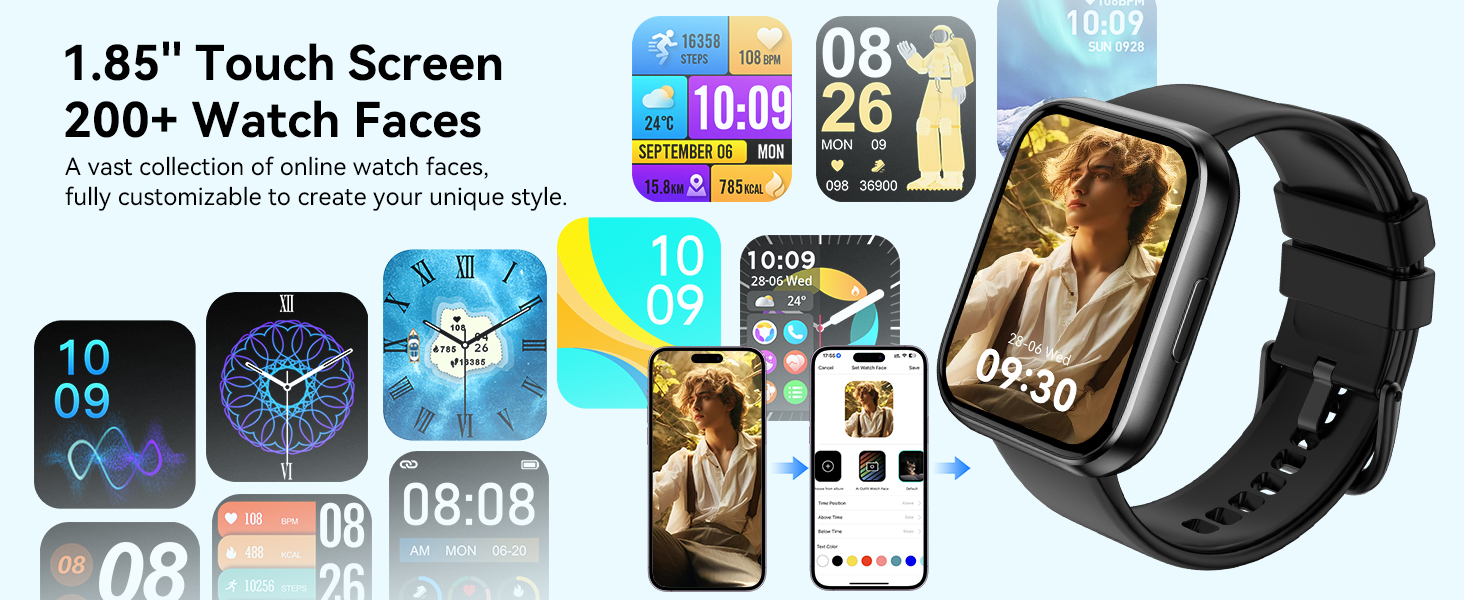
Image: A collection of watch faces available for the QONBINK M91 Smart Watch, demonstrating customization options through the Da Fit app.
5.3 Połączenia i powiadomienia Bluetooth
Once paired, the watch allows you to make and receive calls directly from your wrist using its built-in speaker and microphone. You will also receive notifications for SMS, social media messages, and other app alerts (replying to messages is not supported).

Image: The QONBINK M91 Smart Watch showing an incoming call and a text message, highlighting its Bluetooth communication capabilities.
5.4 Asystent głosowy
Utilize the intelligent voice assistant for hands-free commands such as checking weather, making calls, playing music, or setting alarms.
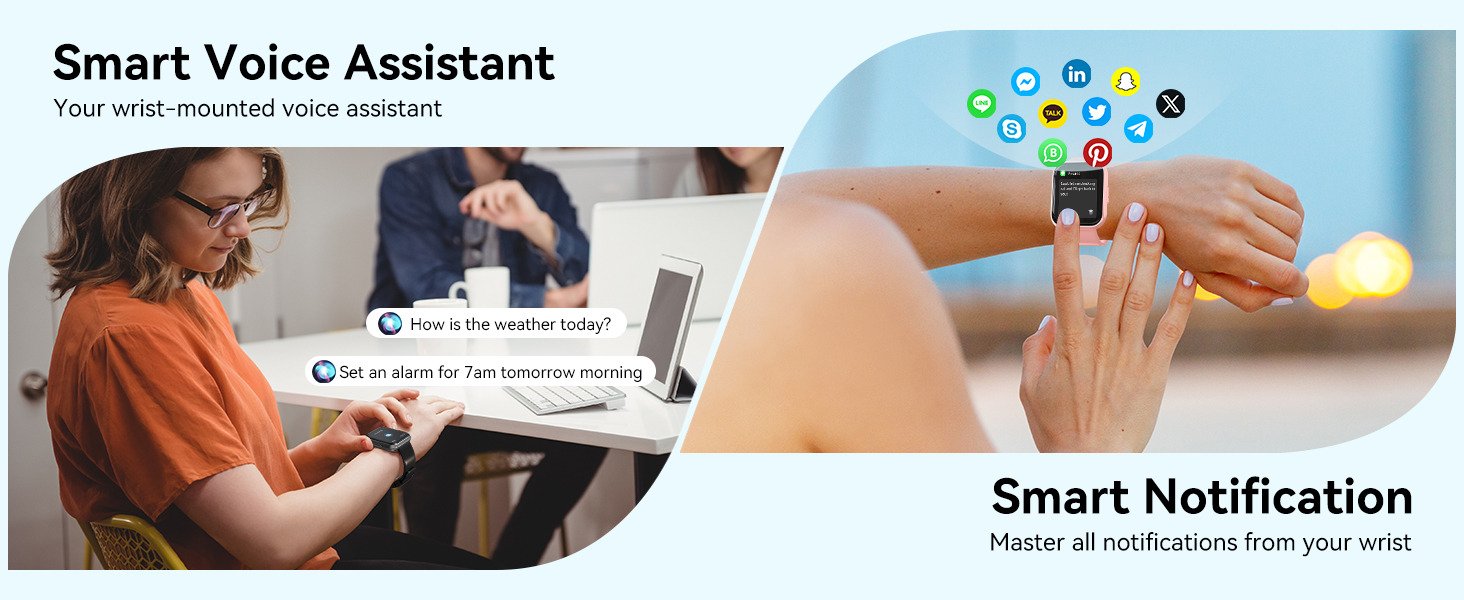
Image: The QONBINK M91 Smart Watch demonstrating its smart voice assistant and notification features.
5.5 Tryby sportowe
The watch supports over 120 sport modes, including walking, hiking, yoga, and more. Real-time data such as calories burned, distance, and duration are recorded and synchronized with the 'Da Fit' app.

Image: The QONBINK M91 Smart Watch showcasing its extensive range of over 120 sport modes.
5.6 Monitorowanie stanu zdrowia
The M91 Smart Watch provides 24/7 health monitoring for key indicators.
- Tętno: Continuous measurement of heart rate, with data synchronized to the mobile app.
- Jakość snu: Monitors sleep patterns, including restful, light, and REM sleep, providing a sleep quality score.
- Tlen we krwi: Precise real-time monitoring of blood oxygen levels.
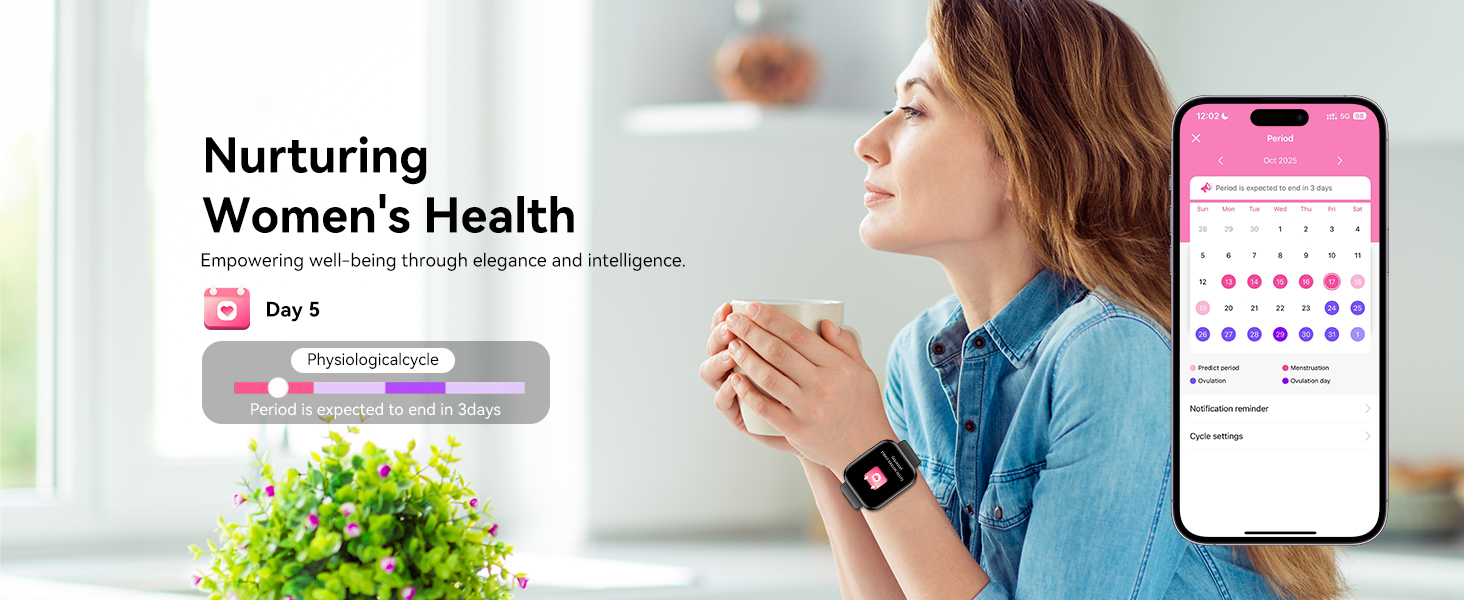
- Zdrowie kobiet: Features for tracking menstrual cycles and physiological periods.

Image: The QONBINK M91 Smart Watch displaying 24/7 health monitoring data for heart rate, blood oxygen, and sleep.
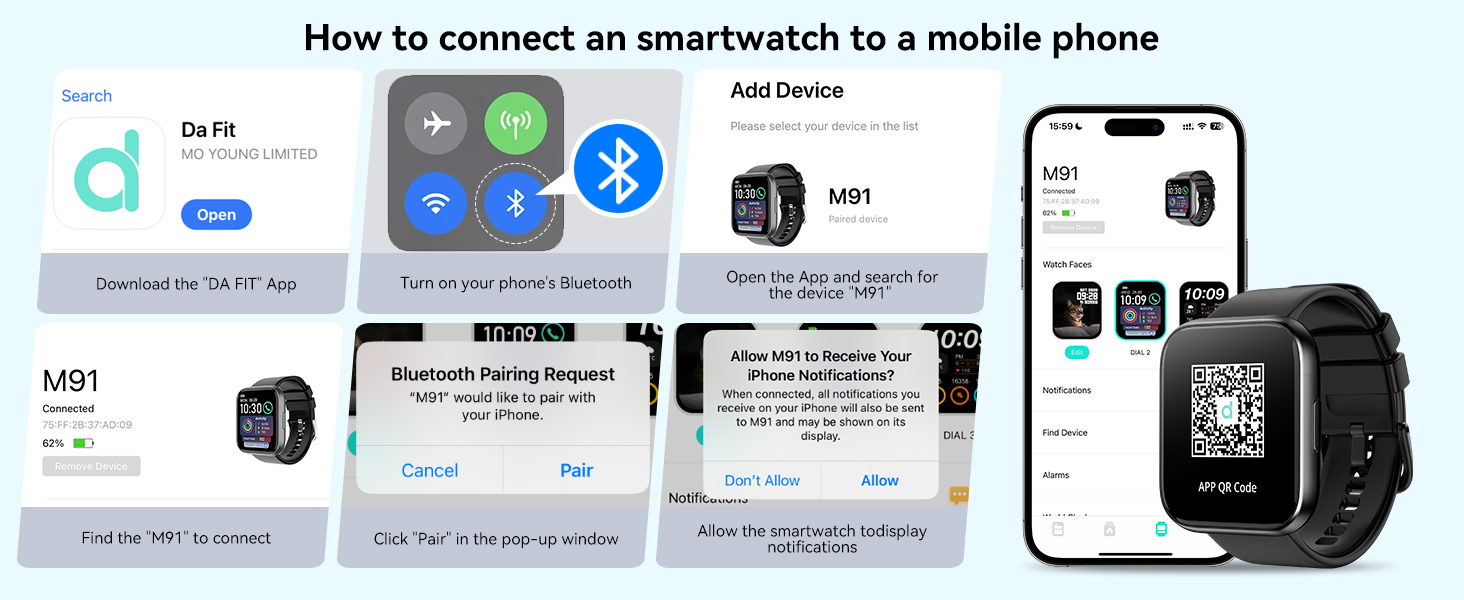
Image: The QONBINK M91 Smart Watch monitoring heart rate during physical activity.
Image: The QONBINK M91 Smart Watch providing scientific sleep monitoring and analysis.
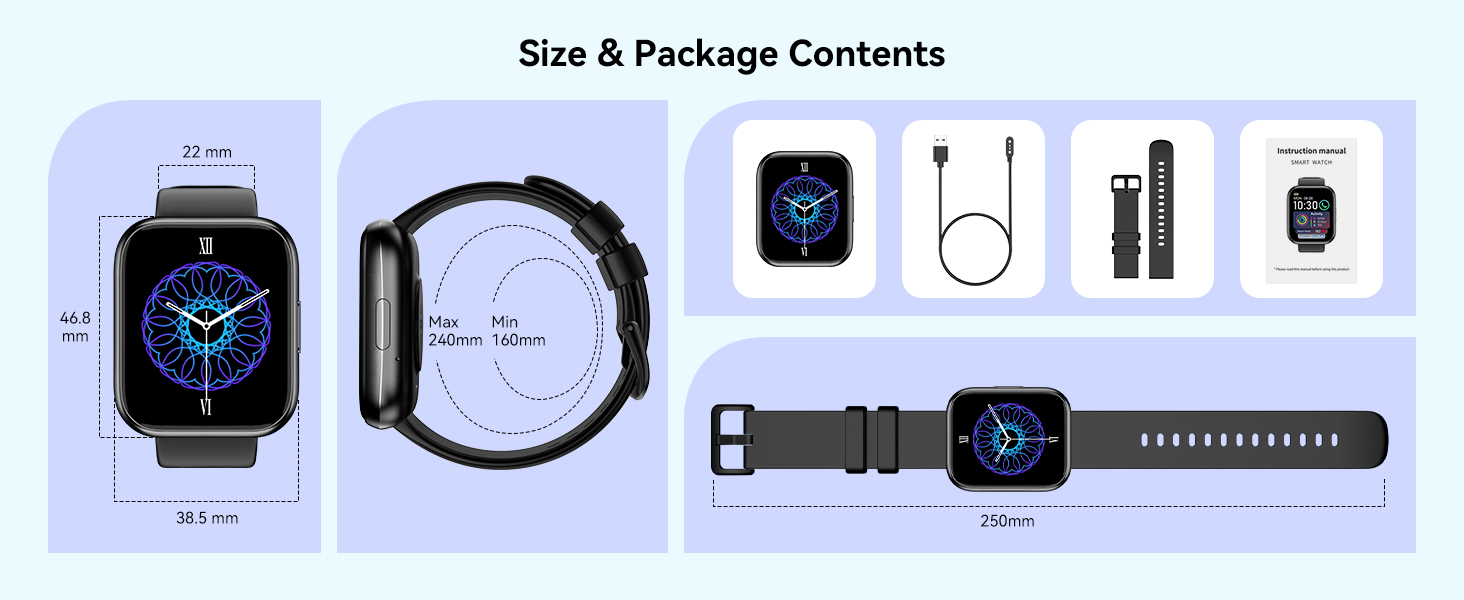
Image: The QONBINK M91 Smart Watch performing blood oxygen monitoring.

Image: The QONBINK M91 Smart Watch assisting with women's health tracking.
5.7 Inne funkcje
The QONBINK M91 Smart Watch includes a variety of practical features:
- Budzik
- Stoper
- Regulator czasowy
- Wyświetlacz pogody
- Sterowanie kamerą (zdalna migawka)
- Sterowanie muzyką
- Znajdź funkcję telefonu
- Przypomnienie o siedzącym trybie życia
- Kalkulator
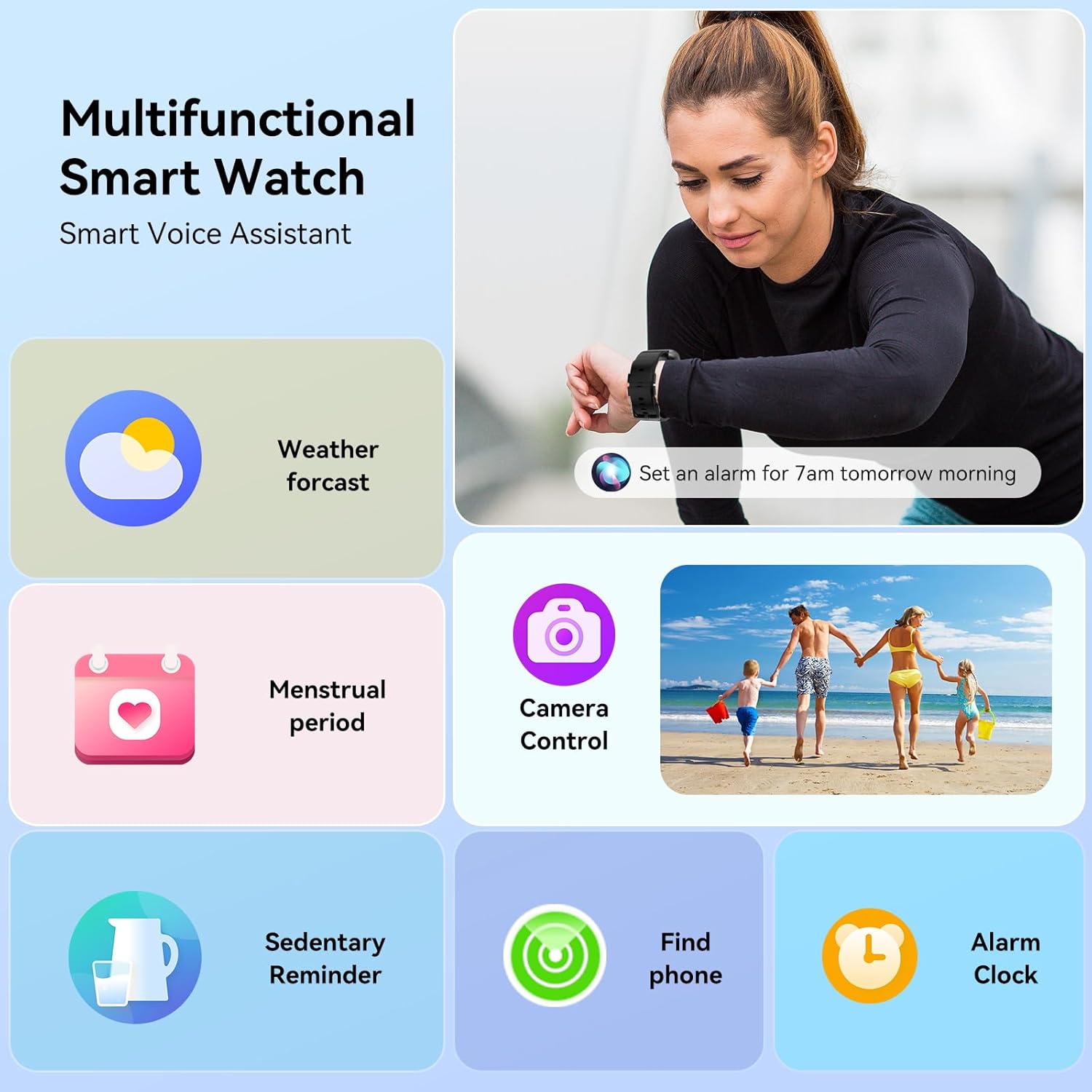
Image: The QONBINK M91 Smart Watch showcasing jego wielofunkcyjnych możliwości.
Obraz: Wizualizacjaview of additional practical functions available on the QONBINK M91 Smart Watch.
6. Konserwacja
6.1 Wodoodporność (IP68)
The QONBINK M91 Smart Watch is IP68 waterproof, meaning it is resistant to dust and can withstand immersion in water up to 1.5 meters for 30 minutes. It is suitable for daily use, including hand washing, rain, and swimming. However, it is not recommended for hot showers, saunas, or diving due to steam and high-pressure water which may compromise the seal.
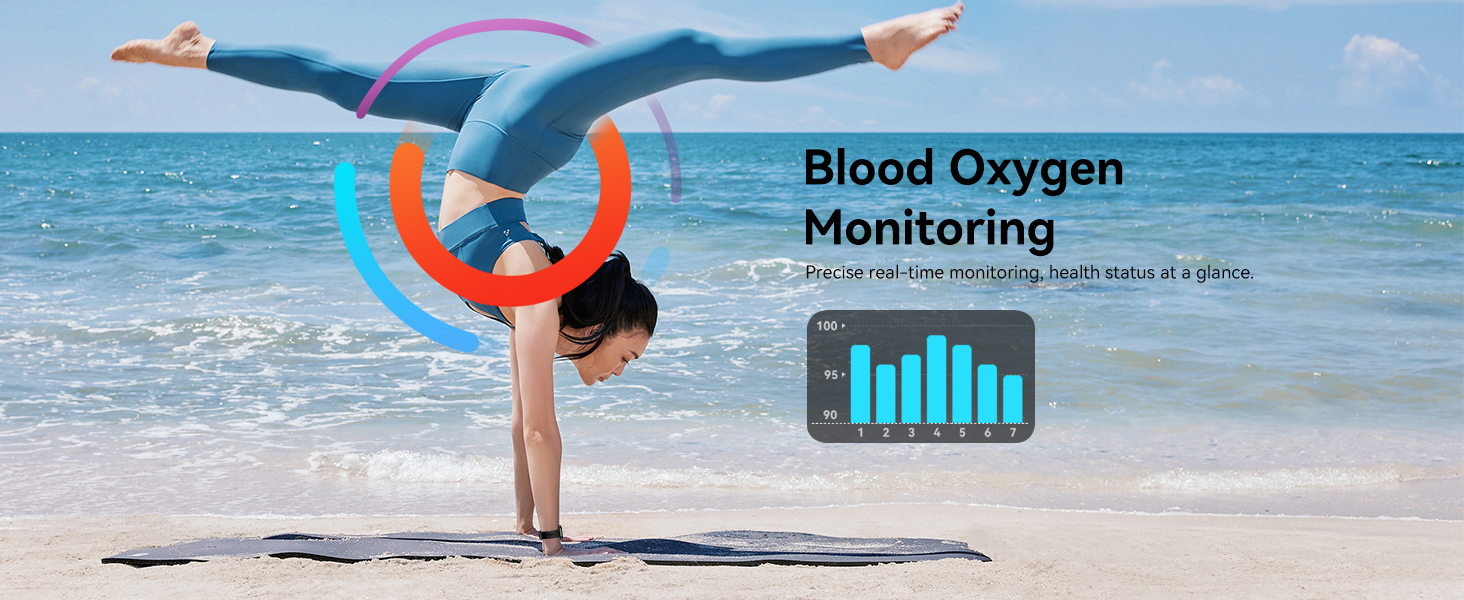
Image: The QONBINK M91 Smart Watch demonstrating its IP68 waterproofing capabilities during water activities.
6.2 Czyszczenie
To maintain the watch's appearance and sensor accuracy:
- Regularnie przecieraj zegarek i pasek miękką, miękką szmatką.amp płótno.
- Przed ładowaniem sprawdź, czy styki ładowania są czyste i suche.
- Unikaj stosowania silnych środków chemicznych i materiałów ściernych.
6.3 Przechowywanie
Przechowuj zegarek w chłodnym i suchym miejscu, gdy nie jest używany. Unikaj ekstremalnych temperatur i bezpośredniego światła słonecznego.
7. Rozwiązywanie Problemów
If you encounter issues with your QONBINK M91 Smart Watch, please refer to the following common solutions:
- Zegarek się nie włącza: Upewnij się, że zegarek jest w pełni naładowany. Podłącz go do kabla ładującego i źródła zasilania.
- Nie można sparować z telefonem:
- Upewnij się, że Bluetooth jest włączony w Twoim telefonie.
- Upewnij się, że zegarek znajduje się w zasięgu Bluetooth (zazwyczaj 10 metrów).
- Uruchom ponownie telefon i zegarek.
- Wyczyść pamięć podręczną Bluetooth w telefonie (jeśli dotyczy) i spróbuj sparować ponownie.
- Ensure the 'Da Fit' app has all necessary permissions.
- Powiadomienia nie zostały odebrane:
- Check if notifications are enabled in the 'Da Fit' app settings.
- Ensure your phone's notification settings allow the 'Da Fit' app to display alerts.
- Sprawdź, czy zegarek jest połączony przez Bluetooth.
- Niedokładne dane dotyczące zdrowia:
- Upewnij się, że zegarek ściśle przylega do nadgarstka — nie jest za ciasny, ani za luźny.
- Utrzymuj obszar czujnika z tyłu zegarka w czystości.
- Note that smart watch health data is for reference only and not intended for medical diagnosis.
- Krótka żywotność baterii:
- Zmniejsz jasność ekranu.
- Ogranicz częste wybudzanie ekranu.
- Wyłącz ciągły pomiar tętna, jeżeli nie jest potrzebny.
- Close unused background apps on the watch (if applicable).
Jeśli problem nadal występuje, skontaktuj się z obsługą klienta.
8. Specyfikacje
| Funkcja | Specyfikacja |
|---|---|
| Numer modelu | M91 |
| Rozmiar wyświetlacza | 1.85 cali |
| Zgodność z systemem operacyjnym | Android 4.4+, iOS 10.0+ |
| Technologia łączności | Bluetooth 5.3 |
| Pojemność baterii | 350 mAh |
| Czas pracy baterii (typowe użytkowanie) | 5-7 dni |
| Czas czuwania | 25-30 dni |
| Czas ładowania | 1.5-2 godziny |
| Stopień wodoodporności | IP68 |
| Monitorowanie zdrowia | Heart Rate, Sleep Quality, Blood Oxygen |
| Tryby sportowe | 120+ |
| Asystent głosowy | Tak |
| GPS | Przez smartfon |
| Waga przedmiotu | 3.52 uncji |
| Wymiary opakowania | 7.24 x 3.31 x 0.75 cala |
9. Gwarancja i wsparcie
QONBINK is committed to providing quality products and customer service. Your M91 Smart Watch comes with the following support:
- Obsługa klienta: Na zapytania odpowiadamy zazwyczaj w ciągu 24 godzin.
- Zasady zwrotu: Możliwość zwrotu bez podania przyczyny w ciągu 30 dni.
- Gwarancja: 1-year free replacement for manufacturing defects.
For any questions, concerns, or support needs, please contact QONBINK customer service through your purchase platform.

Obraz: Ponadview of QONBINK's customer service commitments, including response time, return policy, and warranty.