
Wstęp
Welcome to the QONBINK Smart Watch M91 user manual. This guide provides detailed instructions to help you set up, operate, and maintain your new smart watch. Please read this manual thoroughly before using the device to ensure proper functionality and a safe experience.
Co jest w pudełku
Upon opening your QONBINK Smart Watch M91 package, you should find the following items:
- Smart Watch (M91)
- Instrukcja obsługi
- Kabel ładujący

Image: Contents of the QONBINK M91 Smart Watch package.
Produkt ponadview
The QONBINK Smart Watch M91 features a 1.85-inch HD display and is designed for both men and women. It offers a range of functionalities including Bluetooth calls, over 120 sport modes, 24/7 heart rate and sleep monitoring, and IP68 waterproofing. The watch is compatible with iOS 10.0+ and Android 4.4+ devices.

Image: The QONBINK M91 Smart Watch with its 1.85-inch HD display showing different watch faces.
Organizować coś
1. Pobieranie i instalacja aplikacji
To utilize all features of your QONBINK Smart Watch M91, you need to download and install the Da Fit aplikację na Twoim smartfonie.
- Scan the QR code provided in the watch's interface or the physical manual, or visit http://plus.crrepa.com/app-download/dafit to download the Da Fit app.
- Install the app on your iOS (10.0 or higher) or Android (4.4 or higher) smartphone.
2. Parowanie z telefonem
Follow these steps to pair your smart watch with your smartphone:
- Sprawdź, czy Bluetooth w Twoim telefonie jest włączony.
- Open the Da Fit app on your phone.
- In the app, navigate to the "Add Device" section and search for "M91".
- Select "M91" from the list of available devices.
- Potwierdź prośbę o sparowanie Bluetooth zarówno na telefonie, jak i na zegarku.
- Allow the smart watch to display notifications by granting the necessary permissions in your phone's settings.

Image: Visual guide for connecting the smart watch to a mobile phone.
Instrukcja obsługi
Podstawowa nawigacja
The M91 Smart Watch features a full-touch screen for easy navigation.
- Przesuń w górę/w dół: Przewijaj menu i powiadomienia.
- Przesuń w lewo/w prawo: Uzyskaj szybki dostęp do funkcji lub różnych ekranów.
- Uzyskiwać: Wybierz element lub potwierdź czynność.
- Przycisk boczny: Naciśnij, aby powrócić do ekranu głównego lub wybudzić urządzenie.
Połączenia i powiadomienia Bluetooth
Once paired, the M91 Smart Watch allows you to manage calls and receive notifications directly on your wrist.
- Odbieranie/odrzucanie połączeń: When a call comes in, you can answer or reject it directly from the watch using the built-in speaker and microphone.
- Viewwiadomości: Odbierz i view SMS and social media messages (e.g., Snapchat, Instagram) on your watch. Note: Replying to messages is not supported directly from the watch.
- Call Logs/Dial Pad: Access recent call logs or use the dial pad to initiate calls from your watch.

Image: Smart watch displaying Bluetooth call and message notifications.
Intelligent Voice Assistant
The smart watch includes an intelligent voice assistant for hands-free control.
- Activate the voice assistant to perform commands such as checking the weather, making phone calls, playing music, setting alarms, or other voice commands.

Image: Smart watch with voice assistant and notification features.
Dostosowywanie tarcz zegarka
Personalize your watch with over 200 built-in watch face designs or upload your own images via the Da Fit app.

Image: Customizing watch faces on the M91 Smart Watch.
Tryby sportowe
The M91 Smart Watch offers over 120 sport modes to track your physical activities.
- Select your desired sport mode (e.g., walking, hiking, yoga, rock climbing, skateboarding, roller skating, equestrian sports, athletics, auto racing) from the watch menu.
- The watch will record real-time data such as calories burned, distance covered, and duration.
- Synchronize the data to the Da Fit app for detailed analysis and progress tracking.

Image: Smart watch showing various sport modes.

Image: Diverse range of sports modes available on the smart watch.
Monitorowanie zdrowia
The M91 Smart Watch is equipped with advanced sensors for 24/7 health monitoring.
- Monitorowanie częstości akcji serca: Continuously tracks your heart rate throughout the day. Data is automatically synchronized to the Da Fit app for analysis.
- Monitorowanie snu: Monitors your sleep quality, including restful, light, and rapid eye movement (REM) sleep stages. Provides a sleep quality score and trends in the app.
- Monitorowanie tlenu we krwi: Provides real-time blood oxygen level measurements to help you understand your health status.
- Monitorowanie zdrowia kobiet: Features for tracking menstrual cycles and providing reminders.
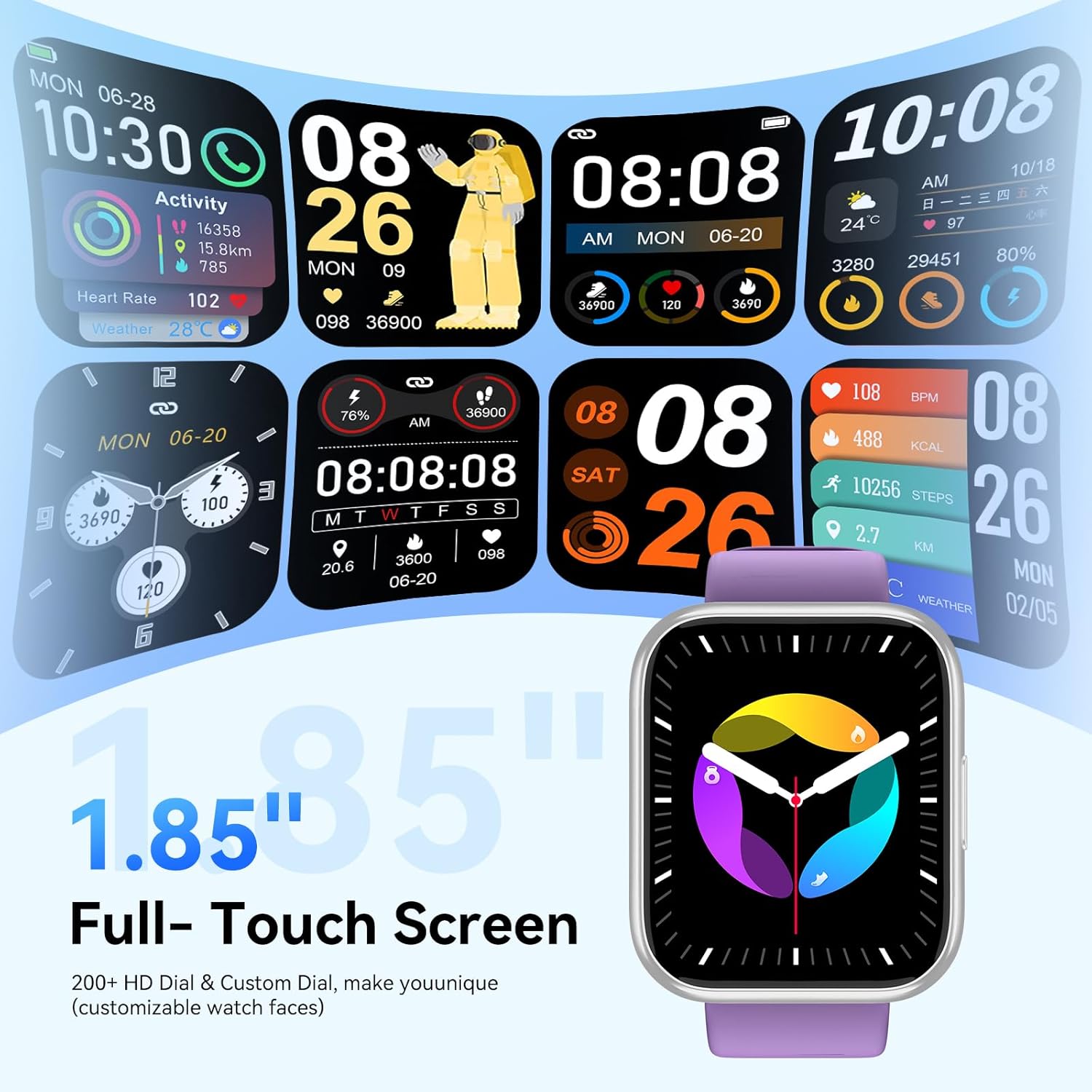
Image: Health monitoring features on the smart watch.

Image: Detailed heart rate monitoring display.

Obraz: Interfejs monitorowania snu.

Image: Blood oxygen monitoring display.

Image: Women's health tracking feature.
Inne funkcje
The M91 Smart Watch includes several other practical features:
- Prognoza pogody: View daily weather updates.
- Sterowanie kamerą: Zdalne sterowanie aparatem w telefonie.
- Sterowanie muzyką: Odtwarzaj, wstrzymuj, pomijaj utwory i reguluj głośność muzyki odtwarzanej na telefonie.
- Znajdź telefon: Zlokalizuj sparowany smartfon, włączając dzwonek.
- Budzik: Ustawiaj alarmy bezpośrednio na zegarku.
- Stoper i timer: Utilize these tools for various activities.
- Przypomnienie o siedzącym trybie życia: Otrzymuj powiadomienia o ruchu po okresach braku aktywności.
- Zawody sportowe: Uzyskaj dostęp do prostych gier na zegarku.
- Kalkulator: Dostępna jest podstawowa funkcja kalkulatora.

Obraz: Ponadview of additional smart watch functions.
Konserwacja
Wodoodporność (IP68)
The QONBINK M91 Smart Watch has an IP68 waterproof rating, meaning it is capable of withstanding immersion in water up to 1.5 meters for 30 minutes.
- It is rain-resistant, sweat-resistant, and oxidation-resistant.
- You can wear it during activities like swimming or surfing.
- Ważny: Avoid prolonged exposure to hot water, steam, or high-pressure water jets, as this may compromise the waterproof seal.

Image: Smart watch demonstrating IP68 waterproofing.
Ładowanie
The watch is equipped with a 350 mAh battery.
- Pełne ładowanie trwa zwykle 1.5-2 godziny.
- Once fully charged, the battery can last for 5-7 days with typical use, and up to 25-30 days in standby mode.
- Use the provided charging cable to connect your watch to a USB power source.
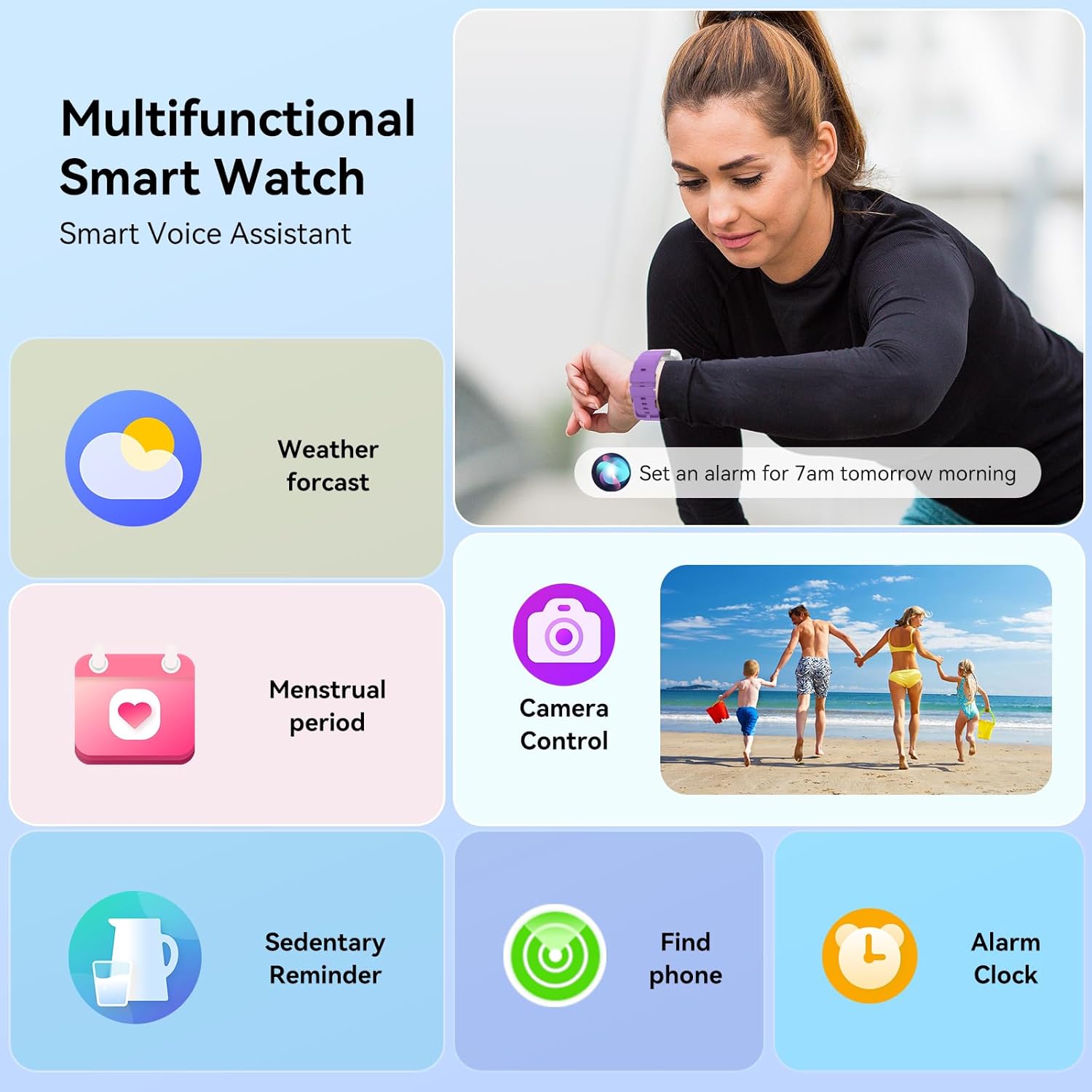
Image: Smart watch charging and battery life details.

Obraz: Informacje o czasie pracy baterii i ładowaniu.
Rozwiązywanie problemów
If you encounter issues with your QONBINK Smart Watch M91, try the following troubleshooting steps:
- Zegarek się nie włącza: Upewnij się, że zegarek jest w pełni naładowany. Podłącz go do kabla ładującego i źródła zasilania na co najmniej 30 minut.
- Nie można sparować z telefonem:
- Upewnij się, że Bluetooth jest włączony w Twoim telefonie.
- Upewnij się, że zegarek znajduje się w zasięgu telefonu.
- Uruchom ponownie telefon i zegarek.
- Check if the Da Fit app has the necessary permissions enabled on your phone.
- Forget the device in your phone's Bluetooth settings and try pairing again through the Da Fit app.
- Powiadomienia się nie wyświetlają:
- Verify that notification permissions are granted to the Da Fit app in your phone's settings.
- Upewnij się, że zegarek jest połączony przez Bluetooth.
- Check the notification settings within the Da Fit app to ensure desired apps are enabled.
- Niedokładne dane dotyczące zdrowia:
- Upewnij się, że zegarek ściśle przylega do nadgarstka, ale nie jest za ciasny.
- Regularnie czyść czujnik znajdujący się z tyłu zegarka.
- Avoid extreme movements during measurements.
- Krótka żywotność baterii:
- Zmniejsz jasność ekranu.
- Limit continuous heart rate monitoring or frequent use of GPS (if applicable via phone).
- Wyłącz niepotrzebne powiadomienia.
- Upewnij się, że zegarek jest za każdym razem w pełni naładowany.
If these steps do not resolve your issue, please contact QONBINK customer support for further assistance.
Specyfikacje
| Funkcja | Szczegół |
|---|---|
| Numer modelu | M91 |
| Rozmiar wyświetlacza | 1.85 cali |
| Łączność | Bluetooth 5.3 |
| Pojemność baterii | 350 mAh (litowo-polimerowy) |
| Czas pracy baterii (typowe użytkowanie) | 5-7 dni |
| Czas czuwania | 25-30 dni |
| Czas ładowania | 1.5-2 godziny |
| Stopień wodoodporności | IP68 |
| Zgodność z systemem operacyjnym | Android 4.4+, iOS 10.0+ |
| Monitorowanie zdrowia | Heart Rate, Sleep, Blood Oxygen, Women's Health |
| Tryby sportowe | 120+ |
| Cechy specjalne | Bluetooth Call, Message Reminder, Voice Assistant, Custom Wallpaper, Activity Tracker, Stopwatch, Timer, Weather Display, Alarm Clock, Camera Control |
| Waga przedmiotu | 3.52 uncji |
| Wymiary opakowania | 7.28 x 3.35 x 0.71 cala |
Gwarancja i wsparcie
For warranty information or technical support, please refer to the contact details provided with your purchase or visit the official QONBINK webZachowaj paragon jako dowód zakupu na wypadek reklamacji.