
1. Wprowadzenie
The Machenike Machcreator Mini Desktop (Model 4762H) is a compact and powerful computing solution designed for various tasks, from office productivity and streaming to light gaming. Featuring a 13th Gen Intel Core i7-13620H processor, 16GB of high-speed DDR5 RAM, and a fast 512GB PCIe M.2 SSD, this mini PC delivers efficient performance in a small form factor. It supports 4K dual monitor output and comes pre-installed with Windows 11 Pro, offering a streamlined and intuitive user experience.
2. Co znajduje się w pudełku
Upewnij się, że w przesyłce znajdują się wszystkie poniższe elementy:
- Machenike Machcreator Mini Desktop (Model 4762H)
- Zasilacz
- Przewód zasilający
- Kabel HDMI
- Uchwyt montażowy VESA
- Śruby montażowe
- Instrukcja obsługi
3. Koniec produktuview
3.1. Porty przednie i tylne
The Machenike Machcreator Mini Desktop offers a comprehensive set of ports for versatile connectivity:
- Porty przednie: 2 x USB 3.2 Gen2 Type-A ports, 1 x USB Type-C, 1 x 3.5mm Audio Jack
- Porty tylne: 2 x RJ45 Ethernet ports, 4 x USB 3.2 Gen2 Type-A ports, 1 x HDMI 2.0, 1 x DisplayPort 1.4

Obraz: Ponadview of the front and rear connectivity ports on the mini PC.
3.2. Układ chłodzenia
The mini PC features an all-new wind blade cooling system with a twin turbine cooling fan and a deluxe all-copper radiator. This design ensures efficient heat dissipation, preventing performance degradation due to overheating and maintaining stable network connections. Three preset modes (Silence, Balance, Performance) are available in the BIOS to match usage scenarios, allowing up to 65W performance release.
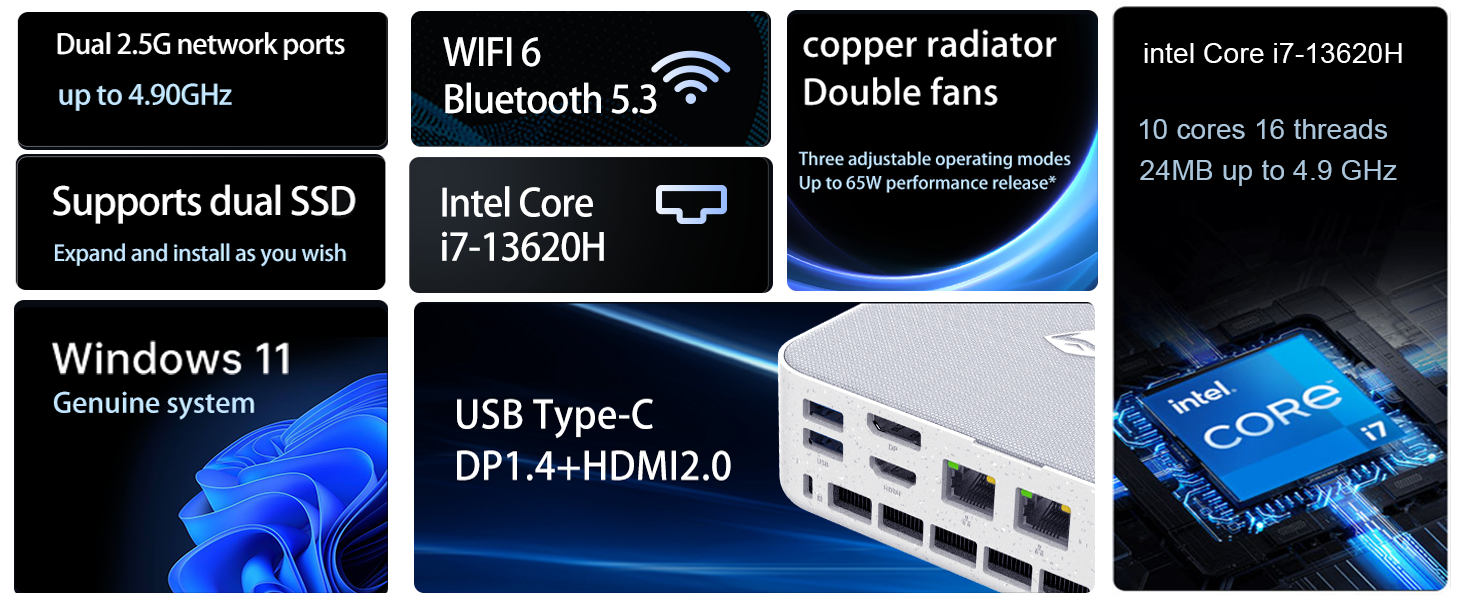
Image: Diagram illustrating the internal cooling system with twin fans and copper radiator.
3.3 Kompaktowa konstrukcja
The Machcreator Mini2 is approximately 0.7L in size, making it highly portable and space-efficient. Its compact dimensions (5.12 x 5 x 1.85 inches) allow it to fit seamlessly into any workspace, reducing clutter and offering flexible placement options, including VESA mounting behind a monitor.

Image: Visual representation of the mini PC's compact dimensions and various port views.
4. Konfiguracja
4.1. Podłączanie urządzeń peryferyjnych
- Connect your monitor(s) to the HDMI 2.0, DisplayPort 1.4, or USB Type-C ports using appropriate cables. The device supports up to 4K dual monitor output.
- Connect your keyboard and mouse to the available USB 3.2 Gen2 Type-A ports.
- If using a wired network, connect an Ethernet cable to one of the RJ45 ports. For wireless connectivity, the device supports Wi-Fi 6.
- Connect the power adapter to the DC-in port on the mini PC, then plug the power cord into an electrical outlet.
4.2. Włączanie i konfiguracja początkowa
- Naciśnij przycisk zasilania znajdujący się z przodu minikomputera. Zaświeci się kontrolka zasilania.
- The device will boot into Windows 11 Pro. Follow the on-screen instructions to complete the initial setup, including language, region, network connection, and user account creation.
- It is recommended to connect to the internet during setup to ensure the latest drivers and security updates are installed.
5. Instrukcja obsługi
5.1. Windows 11 Pro
Your Machenike Machcreator Mini Desktop comes with Windows 11 Pro pre-installed. This operating system is designed to streamline your workflow by arranging open applications using pre-set configurations for enhanced efficiency. Enjoy a more intuitive navigation system that facilitates task completion and leverages advanced features for seamless collaboration.

Image: Windows 11 Pro desktop environment showcasing various application types.
5.2. Performance for Daily Tasks
Equipped with an Intel Core i7-13620H processor (10 Cores, 16 Threads, up to 4.9 GHz) and 16GB DDR5 RAM, the mini PC is capable of handling multiple applications and browser tabs simultaneously without lag. The 512GB PCIe M.2 SSD ensures fast boot-up times and rapid data transfer, making it ideal for business, office, and general computing tasks.
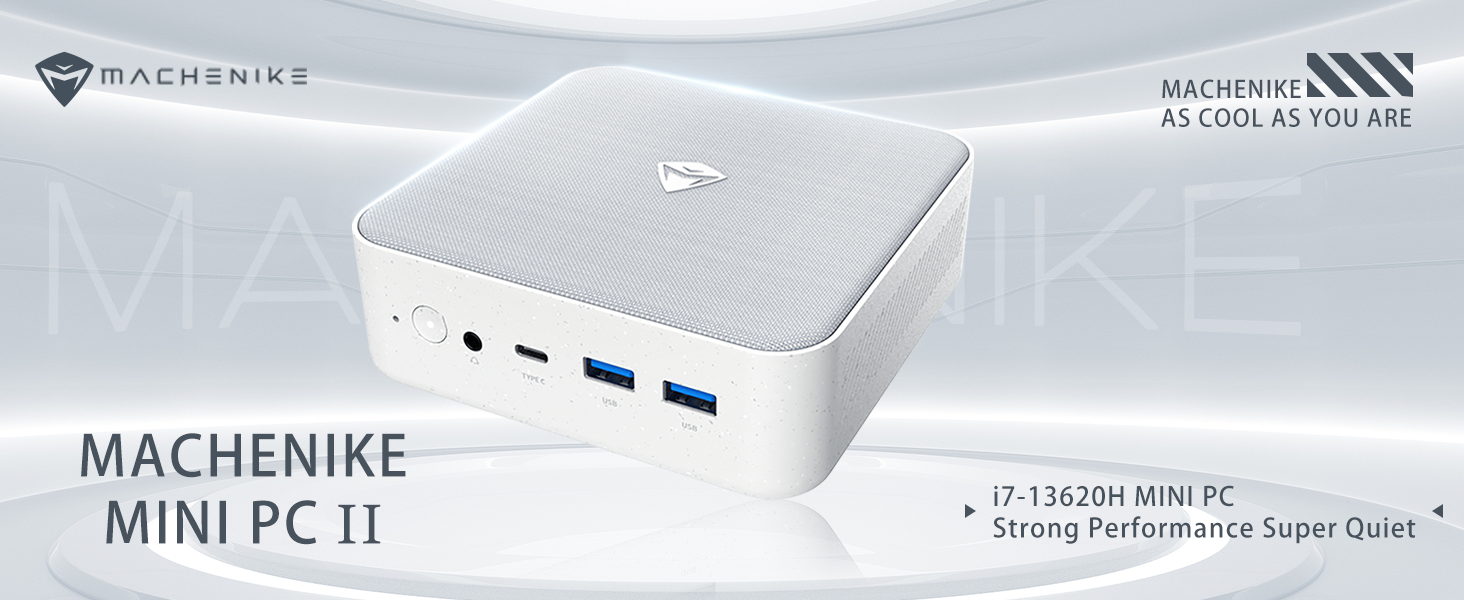
Image: Detailed specifications of the Intel Core i7-13620H processor.
6. Konserwacja
6.1. Aktualizacje oprogramowania
Regularnie sprawdzaj dostępność aktualizacji systemu Windows i instaluj je, aby mieć pewność, że Twój system ma najnowsze poprawki zabezpieczeń i usprawnienia wydajności. Przejdź do Ustawienia > Windows Update aby zarządzać aktualizacjami.
6.2. Czyszczenie
To maintain optimal performance and prevent dust buildup, periodically clean the exterior of the mini PC with a soft, dry cloth. Ensure the ventilation grilles are free from obstructions to allow proper airflow.
7. Uaktualnianie komponentów
The Machenike Machcreator Mini Desktop is designed to allow for easy upgrades of its RAM and SSD storage:
- BARAN: The device supports DDR5 SODIMM RAM. You can upgrade the existing 16GB RAM to a higher capacity (e.g., up to 64GB) by replacing the SODIMM modules.
- Dysk SSD: The mini PC comes with a 512GB PCIe M.2 SSD. It supports dual M.2 SSDs, allowing for expansion up to 4TB. This provides ample space for data and applications.
For detailed instructions on accessing and replacing components, please refer to the manufacturer's official support documentation or consult a qualified technician.
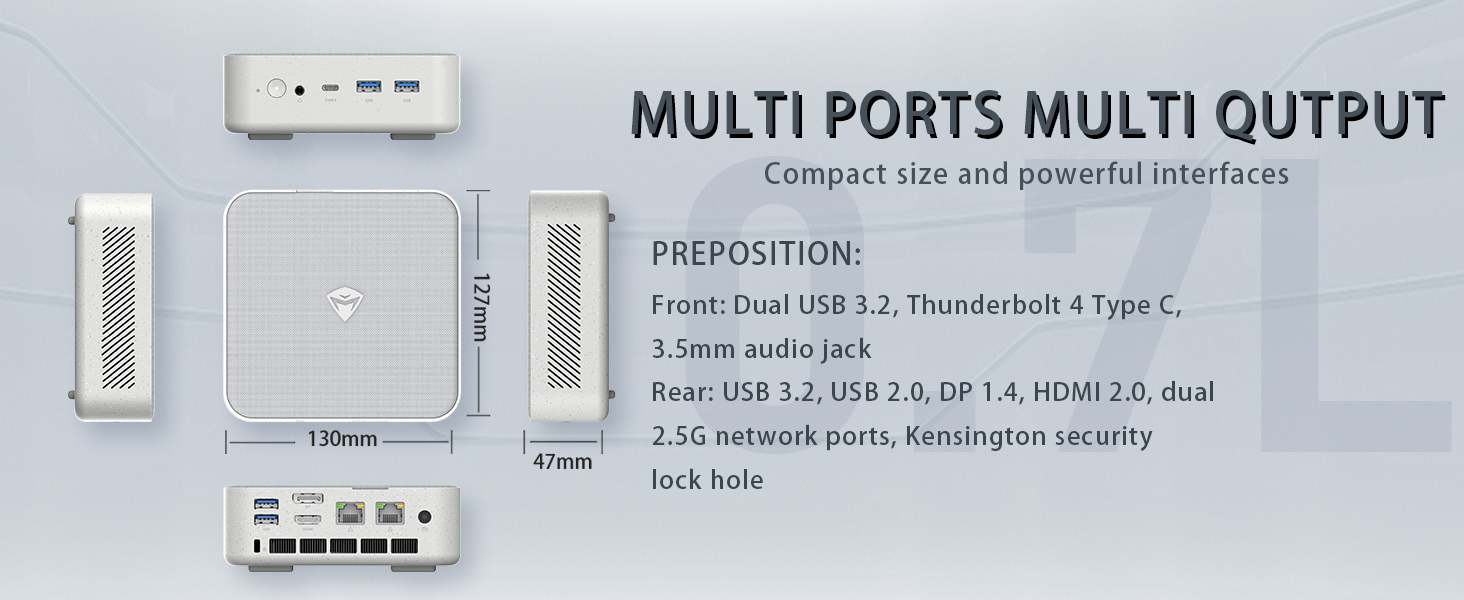
Image: Illustration of the PCIe 4.0 SSD and DDR5 RAM slots, highlighting expansion options.
8. Rozwiązywanie Problemów
8.1. Brak wyjścia wyświetlacza
- Ensure the monitor is powered on and correctly connected to the mini PC's HDMI, DisplayPort, or USB Type-C video output.
- Sprawdź, czy na monitorze wybrano właściwe źródło sygnału wejściowego.
- Try using a different video cable or port.
8.2. System się nie włącza
- Check that the power adapter is securely connected to both the mini PC and a working electrical outlet.
- Upewnij się, że przycisk zasilania jest mocno wciśnięty.
8.3. Performance Issues / Slowdown
- Zamknij niepotrzebne aplikacje działające w tle.
- Sprawdź i zainstaluj wszelkie oczekujące aktualizacje systemu Windows lub sterowniki.
- Ensure the mini PC's ventilation is not obstructed and that it's placed in a well-ventilated area to prevent overheating.
9. Specyfikacje
| Funkcja | Specyfikacja |
|---|---|
| Edytor | Intel Core i7-13620H (10 rdzeni, 16 wątków, do 4.9 GHz) |
| BARAN | 16GB DDR5 SODIMM (Expandable) |
| Składowanie | 512GB PCIe M.2 SSD (Expandable up to 4TB) |
| Grafika | Karta graficzna Intel UHD (zintegrowana) |
| System operacyjny | Windows 11 Pro |
| Wyjście wideo | HDMI 2.0, DisplayPort 1.4, USB Type-C (Supports 4K Dual Monitor) |
| Łączność | Wi-Fi 6, Bluetooth, 2 x RJ45 Ethernet |
| Porty USB | 4 x USB 3.2 Gen2 Type-A, 1 x USB Type-C |
| Audio | 1 x gniazdo audio 3.5 mm |
| Wymiary | 5.12 x 5 x 1.85 cala |
| Waga | 6 funta |
10. Gwarancja i wsparcie
For detailed warranty information and technical support, please refer to the official Machenike webOdwiedź stronę internetową lub skontaktuj się bezpośrednio z działem obsługi klienta. Zachowaj paragon jako dowód zakupu na wypadek ewentualnych roszczeń gwarancyjnych.