
FIDECO HCA64
Instrukcja obsługi koncentratora zasilanego FIDECO HCA64 10-portowego 10 Gb/s USB 3.2 Gen 2
Model: HCA64
1. Wprowadzenie
This manual provides comprehensive instructions for the FIDECO HCA64 10-Port 10Gbps USB 3.2 Gen 2 Powered Hub. It covers setup, operation, maintenance, troubleshooting, and product specifications to ensure optimal performance and longevity of your device. Please read this manual thoroughly before using the product.
2. Zawartość opakowania
Please verify that all items listed below are included in your package. If any items are missing or damaged, please contact FIDECO support.
- FIDECO HCA64 10-Port USB 3.2 Gen 2 Powered Hub
- Zasilacz 12 V 5 A
- Kabel USB-C do USB-C z adapterem USB-A
- Instrukcja obsługi
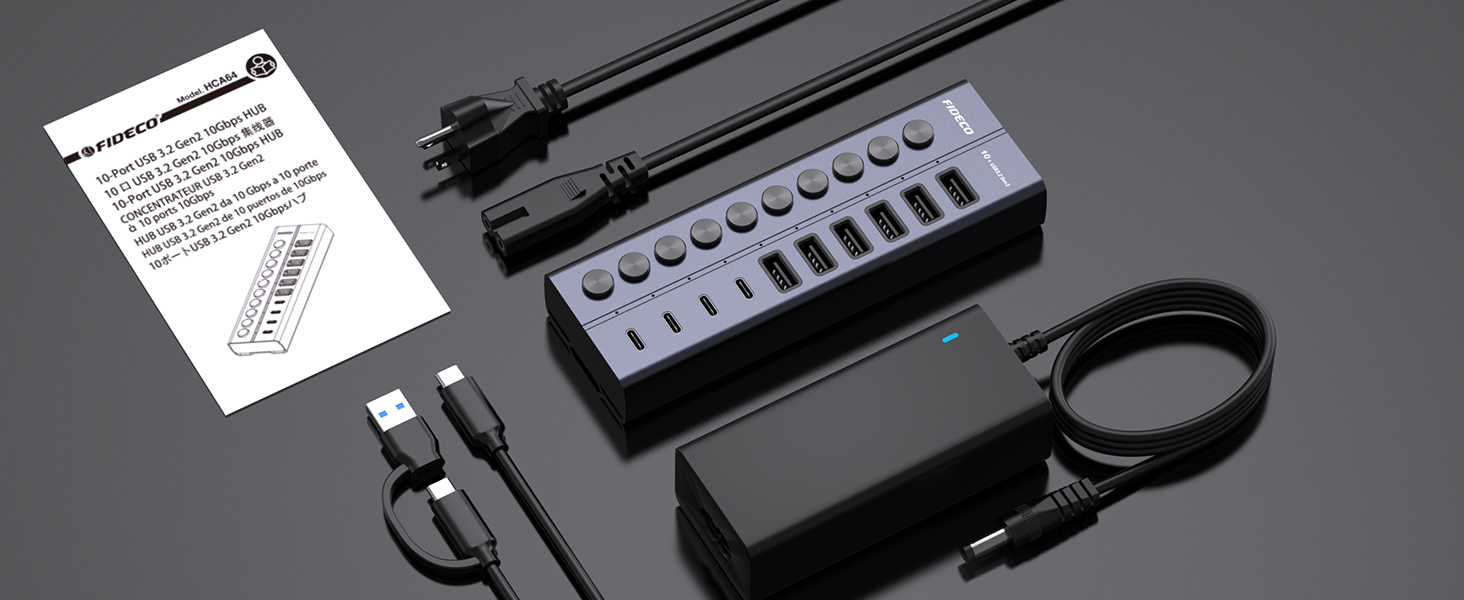
Image: Contents of the FIDECO HCA64 package, including the hub, power adapter, USB cable, and manual.
3. Koniec produktuview
The FIDECO HCA64 is a high-performance 10-port USB hub designed to expand connectivity for your laptop or PC. It features a robust aluminum alloy casing for efficient heat dissipation and includes individual on/off switches for each port.
Główne cechy:
- 10Gbps Super Speed: USB 3.2 Gen 2 standard for rapid data transfer.
- 60W Powered Hub: Includes a 12V 5A power adapter for stable operation and charging.
- Obsługa ładowania BC1.2: All 10 ports support BC1.2 charging (5V/1.5A max).
- Independent On/Off Switches: Control power to individual ports.
- Konstrukcja aluminiowa: Durable and aids in heat dissipation.
- Uniwersalne porty: 6 USB-A ports and 4 USB-C ports.

Obraz: Przód view of the FIDECO HCA64 USB Hub, illustrating the layout of 6 USB-A (10Gbps) and 4 USB-C (10Gbps) ports, along with individual power buttons.
4. Konfiguracja
Follow these steps to set up your FIDECO HCA64 USB Hub:
- Podłącz zasilacz: Plug the 12V 5A power adapter into the DC IN port on the back of the USB hub. Then, plug the power adapter into a wall outlet. The hub requires external power for stable operation and charging capabilities.
- Połącz się z komputerem: Use the provided USB-C to USB-C cable (with the attached USB-A adapter if needed) to connect the hub to an available USB-C or USB-A port on your laptop or PC.
- Włączanie: The hub is plug-and-play; no drivers are required. Once connected, the hub will be ready for use. Individual port power can be controlled using the dedicated on/off switches.

Obraz: Zbliżenie view showing the 60W power adapter being connected to the FIDECO USB Hub, ensuring stable power for multiple devices.

Image: Demonstrates the flexibility of the included USB-C cable with an attached USB-A adapter, allowing connection to both USB-C and USB-A host ports on laptops.
5. Instrukcja obsługi
5.1 Przesyłanie danych
The FIDECO HCA64 hub supports USB 3.2 Gen 2, offering data transfer speeds up to 10Gbps. Connect your USB devices such as external hard drives, USB flash drives, or other peripherals to the available USB-A or USB-C ports on the hub. Ensure the individual port switch is turned on for the connected device.

Image: Illustrates the 10Gbps data transfer capability of both USB-C and USB-A ports on the hub, significantly faster than USB 3.0's 5Gbps.
5.2 Ładowanie urządzenia
All 10 USB ports on the FIDECO HCA64 support BC1.2 charging, providing a maximum power output of 5V/1.5A per port. This is suitable for charging smartphones, tablets, and other USB-powered devices. The hub can simultaneously transfer data and charge devices.

Image: A smartphone and tablet are shown charging simultaneously through the FIDECO USB Hub, demonstrating its BC1.2 fast charging capability.

Image: A laptop connected to the FIDECO USB Hub, which is simultaneously transferring data from a USB drive and charging a smartphone, highlighting multitasking efficiency.
5.3 Using Individual On/Off Switches
Each port on the hub has an independent on/off switch and an LED indicator. Press the button to toggle the power for the corresponding port. The LED will illuminate when the port is active. This feature allows you to manage connected devices without frequent plugging and unplugging, conserving power and extending device lifespan.
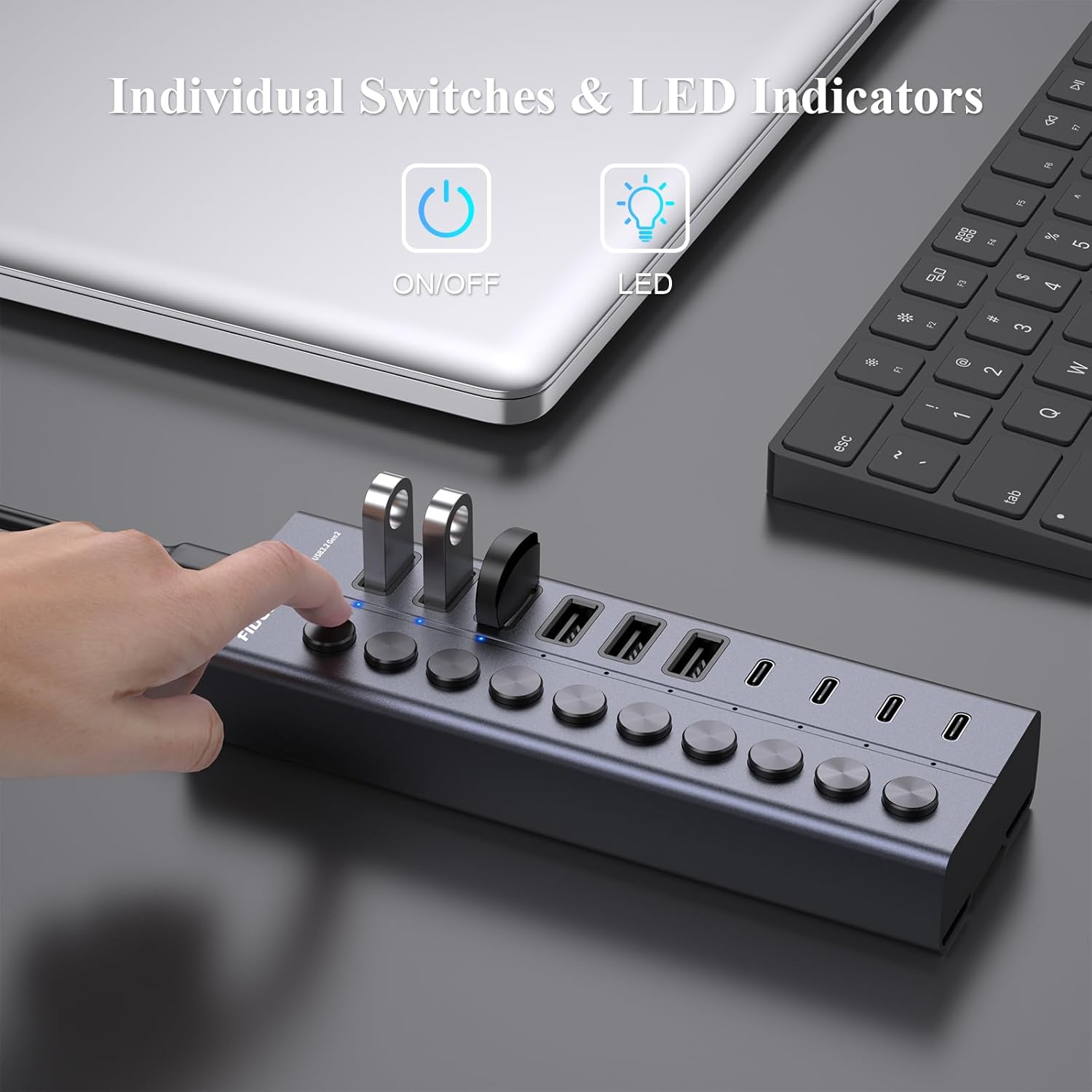
Image: A hand is shown pressing one of the individual on/off switches on the FIDECO USB Hub, with multiple USB drives connected, demonstrating selective power control.

Image: A close-up of the FIDECO USB Hub highlighting the individual on/off switches and their corresponding LED indicators, allowing users to control each device separately.
5.4 Zgodność
The FIDECO HCA64 USB Hub is widely compatible with various operating systems, including Windows, Mac OS, and Linux. It supports a broad range of devices such as card readers, dashcams, desktops, gaming consoles, and laptops.
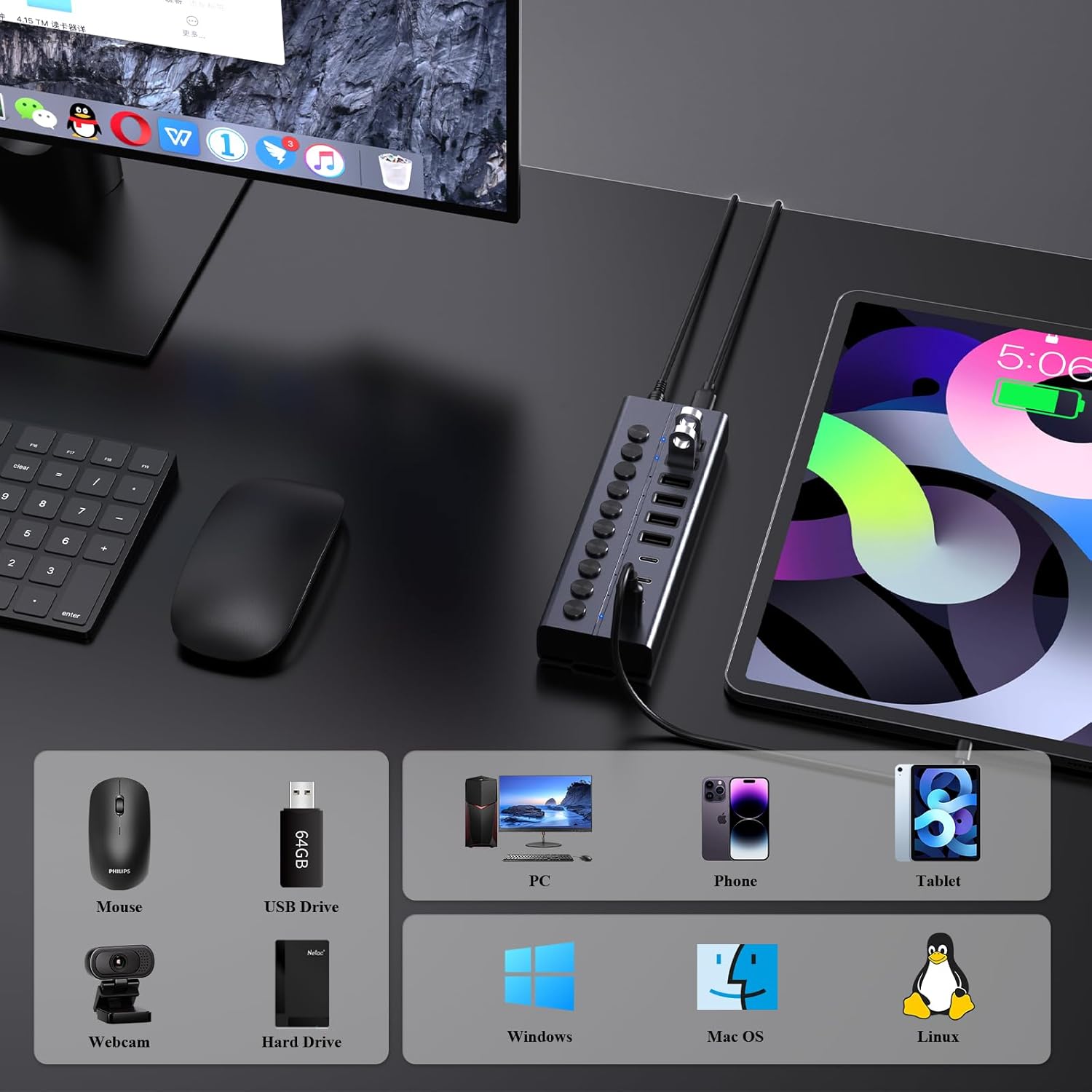
Image: An illustration showing the FIDECO USB Hub connected to a laptop, with icons representing compatible devices like mice, USB drives, webcams, hard drives, phones, tablets, and PCs, as well as operating systems like Windows, Mac OS, and Linux.
5.5 Film demonstracyjny produktu
Watch this video for a visual guide on setting up and using the FIDECO 10Gbps 60W Powered USB Hub.
Video: A demonstration of the FIDECO 10Gbps 60W Powered USB Hub, showcasing its features, connectivity, and high-speed data transfer capabilities.
6. Konserwacja
To ensure the longevity and optimal performance of your FIDECO HCA64 USB Hub, follow these maintenance guidelines:
- Czyszczenie: Do przecierania powierzchni piasty należy używać miękkiej, suchej ściereczki. Unikaj stosowania płynnych środków czyszczących lub materiałów ściernych, ponieważ mogą one uszkodzić powłokę lub elementy wewnętrzne.
- Składowanie: Przechowuj piastę w chłodnym, suchym miejscu, z dala od bezpośredniego światła słonecznego i ekstremalnych temperatur.
- Obsługiwanie: Obchodź się z urządzeniem ostrożnie. Unikaj upuszczania go i narażania na silne uderzenia.
- Wentylacja: Upewnij się, że koncentrator znajduje się w miejscu o odpowiedniej wentylacji, aby zapobiec przegrzaniu, zwłaszcza podczas długotrwałego korzystania z wielu urządzeń.
7. Rozwiązywanie Problemów
If you encounter issues with your FIDECO HCA64 USB Hub, please refer to the following common problems and solutions:
- Urządzenie nierozpoznane:
- Ensure the individual on/off switch for the specific port is activated.
- Verify that the hub is properly connected to your computer and the power adapter is securely plugged in.
- Try connecting the device directly to your computer to confirm it functions independently.
- Uruchom ponownie komputer.
- Niska prędkość przesyłu danych:
- Ensure both the hub and your connected device support USB 3.2 Gen 2 (10Gbps) for maximum speed. Older USB standards will operate at their respective lower speeds.
- Unikaj jednoczesnego podłączania zbyt wielu urządzeń o dużej przepustowości.
- Check the quality of the USB cable used to connect your device to the hub.
- Devices Not Charging or Charging Slowly:
- Confirm the power adapter is connected and functioning. The hub requires external power for charging.
- Note that each port provides a maximum of 5V/1.5A (BC1.2). This may not be sufficient for devices requiring higher power input, such as some portable monitors or high-power laptops.
- Ensure the charging cable is functional and properly connected.
- Przegrzanie piasty:
- While the aluminum design aids in heat dissipation, ensure the hub is in a well-ventilated area.
- Jeśli przegrzewanie nadal występuje, zmniejsz liczbę podłączonych urządzeń o dużym poborze mocy.
8. Specyfikacje
| Funkcja | Szczegół |
|---|---|
| Numer modelu | HCA64 |
| Wymiary produktu | 6 x 2 x 1.1 cala |
| Waga przedmiotu | 1.32 funta |
| Interfejs sprzętowy | USB Type C (Host Connection) |
| Porty USB | 6 x USB-A (10Gbps), 4 x USB-C (10Gbps) |
| Prędkość przesyłu danych | Do 10 Gb/s (USB 3.2 Gen 2) |
| Moc wejściowa | 12V 5A (60W) Power Adapter |
| Wyjście ładowania | BC1.2 (5V/1.5A max per port) |
| Cechy specjalne | Anti-Slip, Fast Charging, Fast Data Transfer, Plug and Play, Powered, Individual On/Off Switches |
| Kompatybilne urządzenia | Card Readers, Dashcams, Desktops, Gaming Consoles, Laptops |
| Systemy operacyjne | Windows, Mac OS, Linux |
9. Gwarancja i wsparcie
9.1 Informacje o gwarancji
FIDECO products are designed for reliability and performance. Specific warranty details may vary by region and retailer. Please retain your proof of purchase for any warranty claims.
9.2 Wsparcie techniczne
For technical assistance, troubleshooting, or any other inquiries regarding your FIDECO HCA64 USB Hub, please contact our support team:
- E-mail: wsparcie@fideco.cn
When contacting support, please provide your product model (HCA64) and a detailed description of the issue.
Ask a question about this manual
Ask about setup, troubleshooting, compatibility, parts, safety, or missing instructions. Manuals+ will review the question and use this page’s manual context to help answer it.