
1. Koniec produktuview
The SPIKECAM Z9 is a compact, computer-free body camera designed for personal security, recording high-definition video and audio. It features night vision, an SOS sound function, and versatile mounting options, making it suitable for various activities such as security, running, and biking.

Obraz: Przód view of the SPIKECAM Z9 Body Camera, showcasinze względu na kompaktową konstrukcję.
Zawartość opakowania
Przed użyciem należy sprawdzić, czy w opakowaniu znajdują się wszystkie elementy:
- SPIKECAM Z9 Main Camera
- Kabel USB
- Instrukcja obsługi
- Type C OTG Adapter
- Standard Back Clip
- 360° Rotational Back Clip
- Miniaturowy statyw
- Uchwyt na rower
- Lanyard Cord
- Czytnik kart TF
- Karta Micro SD 64 GB (wstępnie zainstalowana)
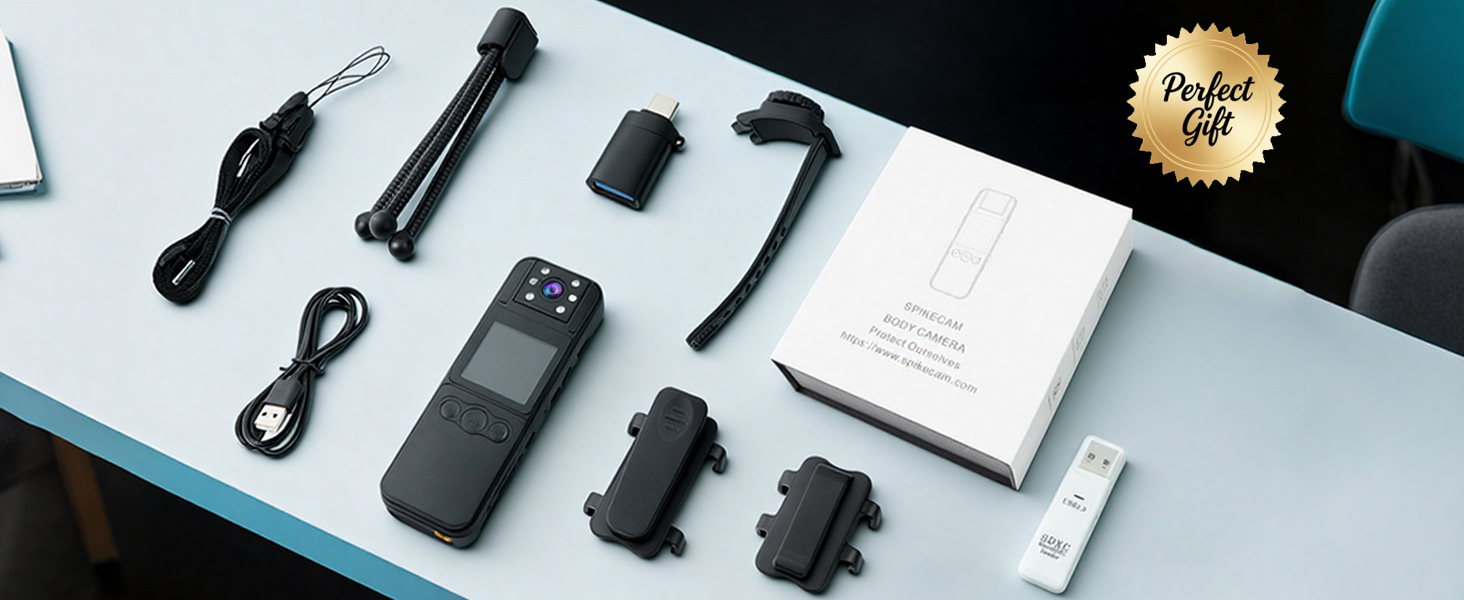
Image: A flat lay of all included accessories: camera, clips, cables, tripod, bike mount, and card reader.
2. Konfiguracja
Ładowanie urządzenia
Before first use, fully charge the SPIKECAM Z9. Connect the camera to a USB power source using the provided USB cable. The charging indicator light will show the charging status and turn off when fully charged.
Wkładanie karty Micro SD
The camera comes with a 64GB Micro SD card pre-installed. If you need to replace or upgrade the card (supports up to 512GB), ensure the camera is powered off. Locate the Micro SD card slot, gently insert the card with the contacts facing the correct direction until it clicks into place. To remove, press the card gently until it springs out.

Image: The SPIKECAM Z9 connected to a laptop, illustrating the Micro SD card slot and card insertion.
Attaching the Clips and Mounts
The SPIKECAM Z9 includes two types of back clips and additional mounts for versatile attachment:
- Standard Clip: For fixed attachment to clothing, bags, or other surfaces.
- Klips obrotowy 360°: Allows for flexible camera positioning and angle adjustment.
- Uchwyt na rower: Securely attach the camera to bicycle handlebars.
- Miniaturowy statyw: For stable placement on flat surfaces.
To attach a clip, align the clip with the grooves on the back of the camera and slide it until it locks into place. Ensure it is securely fastened before use.
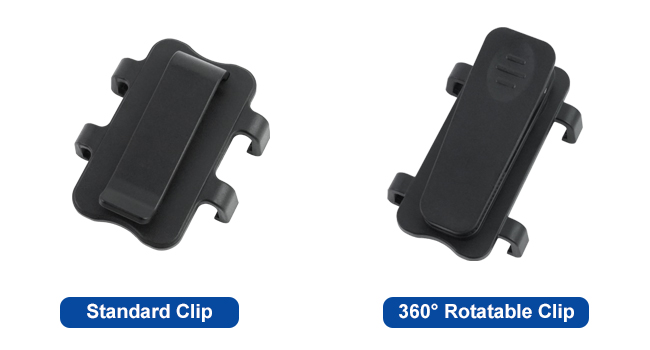
Image: A visual comparison of the standard clip and the 360° rotatable clip.
3. Instrukcja obsługi
Włączanie/wyłączanie zasilania
- Włączanie: Naciśnij i przytrzymaj przycisk zasilania przez kilka sekund, aż ekran się podświetli.
- Wyłączone: Naciśnij i przytrzymaj przycisk zasilania, aż urządzenie się wyłączy.
Nagrywanie wideo
To start video recording, press the Record button. The recording indicator (usually a red dot on the screen) will appear. Press the Record button again to stop recording. Videos are saved as 1080P MP4 files.

Image: A person wearing the SPIKECAM Z9, illustrating its use for continuous 1080P video recording.
Ujęcie
Switch to photo mode (refer to the on-screen menu or dedicated button if available). Press the Shutter button to take a still image. Photos are saved as JPEG files with an effective resolution of 4 MP.
Wizja nocna
The camera features night vision for recording in low-light conditions. Activate night vision through the camera's menu settings. The camera will automatically adjust to capture clearer images in the dark.

Image: Demonstration of night vision, showing a dark indoor scene with enhanced visibility.
Funkcja SOS
In an emergency, activate the SOS function. This typically involves pressing and holding a designated SOS button (refer to your device's physical layout). The camera will emit a loud alarm sound and flash red LED lights to attract attention.
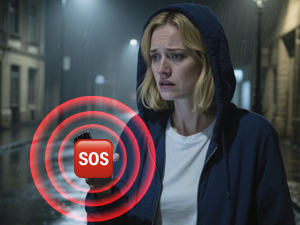
Image: Visual representation of the SOS siren feature being activated on the camera.
Playback and Data Transfer
Możesz ponownieview nagrano footage directly on the camera's 1.5-inch LCD screen. Navigate through files using the control buttons. For larger viewing or data backup, connect the camera to a computer using the USB cable or use the provided Type C OTG adapter to connect to a compatible mobile phone. The TF Card Reader can also be used to access files directly from the Micro SD card on a computer.

Obraz: Użytkownik reviewing recorded video on a smartphone via the OTG function.
4. Konserwacja
Czyszczenie
Use a soft, dry cloth to clean the camera body. For the lens, use a specialized lens cleaning cloth and solution. Avoid using harsh chemicals or abrasive materials that could damage the device.
Składowanie
Store the camera in a cool, dry place away from direct sunlight and extreme temperatures. Ensure the battery is partially charged (around 50%) if storing for extended periods to maintain battery health.
Pielęgnacja baterii
The camera is powered by a nonstandard battery. To maximize battery life, avoid fully discharging the battery frequently. Charge the device regularly, especially if it has not been used for a long time.
5. Rozwiązywanie Problemów
Kamera się nie włącza
- Upewnij się, że bateria jest naładowana. Podłącz kamerę do źródła zasilania i spróbuj ponownie.
- Naciśnij i przytrzymaj przycisk zasilania przez dłuższy czas (5–10 sekund).
Problemy z nagrywaniem (np. brak zapisywania, uszkodzenie) files)
- Check if the Micro SD card is properly inserted.
- Sprawdź, czy na karcie Micro SD jest wystarczająca ilość miejsca.
- Format the Micro SD card (this will erase all data, so back up important file(pierwszy).
- Use a high-speed Micro SD card (Class 10, U1, V30 recommended).
Słaba jakość wideo/zdjęć
- Wyczyść obiektyw aparatu.
- Ensure adequate lighting for optimal recording, or activate night vision in dark environments.
Device Freezes or Becomes Unresponsive
- Wykonaj miękki reset, naciskając i przytrzymując przycisk zasilania, aż urządzenie uruchomi się ponownie.
- If a reset button is available (often a small pinhole), use a thin object to press it.
6. Specyfikacje
| Funkcja | Specyfikacja |
|---|---|
| Marka | SPIKECAM |
| Numer modelu | Z9 |
| Rozdzielczość przechwytywania wideo | 1080p |
| Efektywna rozdzielczość obrazu nieruchomego | 4 MP |
| Technologia czujnika fotograficznego | CMOS |
| Rozmiar ekranu | 1.5 cali |
| Viewing kąt | 110 stopni |
| Typ pamięci flash | Micro SD (64GB included, up to 512GB supported) |
| Format przechwytywania wideo | MP4 |
| Obsługiwany format audio | WAV |
| Średnia żywotność baterii | 6 godzin |
| Cechy | Night Vision, SOS Sound |
| Technologia łączności | USB |
| Poziom wodoodporności | Wodoodporny |
| Wymiary przedmiotu (gł. x szer. x wys.) | 0.67" gł. x 1.38" szer. x 4.13" wys. |
7. Gwarancja i wsparcie
Informacje o gwarancji
The SPIKECAM Z9 Body Camera comes with a 1-roczna ograniczona gwarancja from the date of purchase, covering manufacturing defects. Additionally, SPIKECAM offers a lifetime clip protection plan, allowing for a replacement clip at any time if it breaks.
Proszę zachować dowód zakupu na potrzeby roszczeń gwarancyjnych.
Obsługa klienta
For technical assistance, troubleshooting not covered in this manual, or warranty inquiries, please contact SPIKECAM customer support through their official webstronę internetową lub dane kontaktowe znajdujące się na opakowaniu produktu.