
1. Ważne informacje dotyczące bezpieczeństwa
Please read all safety instructions before using this product. Failure to follow these instructions may result in electric shock, fire, or injury.
- Do not expose the power bank to extreme temperatures (above 45°C or below 0°C) or direct sunlight.
- Do not disassemble, modify, or repair any part of the power bank.
- Trzymaj powerbank z dala od wody i innych płynów.
- Nie upuszczaj, nie przekłuwaj ani nie wywieraj na powerbank nadmiernej siły.
- Podczas użytkowania i ładowania należy zapewnić odpowiednią wentylację.
- This power bank is CCC Certified and includes 9 safety mechanisms: overcharge, overcurrent, short circuit, overvoltage, over-discharge, overheat, recovery, overpower, and flame-retardant casinochrona g.

Image: Advanced safety protection features of the VENTION Power Bank.
2. Koniec produktuview
The VENTION 45W 20000mAh Power Bank is a portable charging solution designed for various electronic devices. It features a high-capacity battery, fast charging capabilities, and a compact design for travel convenience.
- Szybkie ładowanie 45 W: Supports Power Delivery (PD) and PPS protocols for rapid charging of compatible devices.
- 20000 mAh Pojemność: Provides multiple charges for smartphones and tablets, and can partially charge laptops.
- Wbudowany kabel USB-C: Integrated USB-C cable for convenient charging without needing an extra cable. This cable also functions as a lanyard.
- Cyfrowy wyświetlacz LED: Pokazuje pozostały procent bateriitage.
- Wiele portów wyjściowych: Includes an additional USB-C port (45W output) and a USB-A port (22.5W output) for charging up to three devices simultaneously.
- Kompaktowa i przenośna konstrukcja: Smaller than many smartphones, making it easy to carry in pockets or bags.

Image: The VENTION 45W 20000mAh Power Bank.

Image: The compact size of the VENTION Power Bank compared to a smartphone.

Image: The built-in USB-C cable also serves as a convenient lanyard.
3. Zawartość opakowania
W skład pakietu wchodzą następujące elementy:
- 1 x VENTION 45W 20000mAh Power Bank
- 1 x Drawstring Bag
- 1 x Instrukcja obsługi
4. Specyfikacje
| Funkcja | Specyfikacja |
|---|---|
| Marka | WENTYLACJA |
| Nazwa modelu | FHGH0 |
| Numer modelu | FHG |
| Pojemność baterii | 20000 mlnamp Godziny (77 Wh) |
| Typ ogniwa baterii | Polimer litowy |
| Waga akumulatora | 254 gram |
| Wejście (wbudowany kabel USB-C) | 5 V = 3 A, 9 V = 3 A, 12 V = 2.5 A, 15 V = 2 A, 20 V = 1.5 A (maks. 30 W) |
| Wejście (port USB-C) | 5 V = 3 A, 9 V = 3 A, 12 V = 2.5 A, 15 V = 2 A, 20 V = 1.5 A (maks. 30 W) |
| Wyjście (wbudowany kabel USB-C) | 5 V = 3 A, 9 V = 3 A, 12 V = 3 A, 15 V = 3 A, 20 V = 2.25 A (maks. 45 W) |
| Wyjście (port USB-C) | 5 V = 3 A, 9 V = 3 A, 12 V = 3 A, 15 V = 3 A, 20 V = 2.25 A (maks. 45 W) |
| Wyjście (port USB-A) | 5 V = 3 A, 9 V = 2.5 A, 12 V = 1.87 A (maks. 22.5 W) |
| Całkowita wydajność | 5V=3A |
| Wymiary (dł. x szer. x grubość) | 6.1"L x 4.3"W x 1.4"Th (10.35 x 7.14 cm) |
| Funkcja specjalna | Slim, LED Digital Display, Built-in USB-C Cable |
| Kolor | Szary |
5. Konfiguracja
5.1 Pierwsze ładowanie powerbanku
Before first use, fully charge the power bank to ensure optimal performance. The LED digital display will show the battery percentage. A full charge is indicated by 100% on the display.
- Connect the built-in USB-C cable or a separate USB-C cable to the power bank's input port.
- Connect the other end of the cable to a compatible USB wall charger (not included). For fastest charging, use a 30W or higher PD-compatible charger.
- Na wyświetlaczu LED będzie widoczny postęp ładowania.
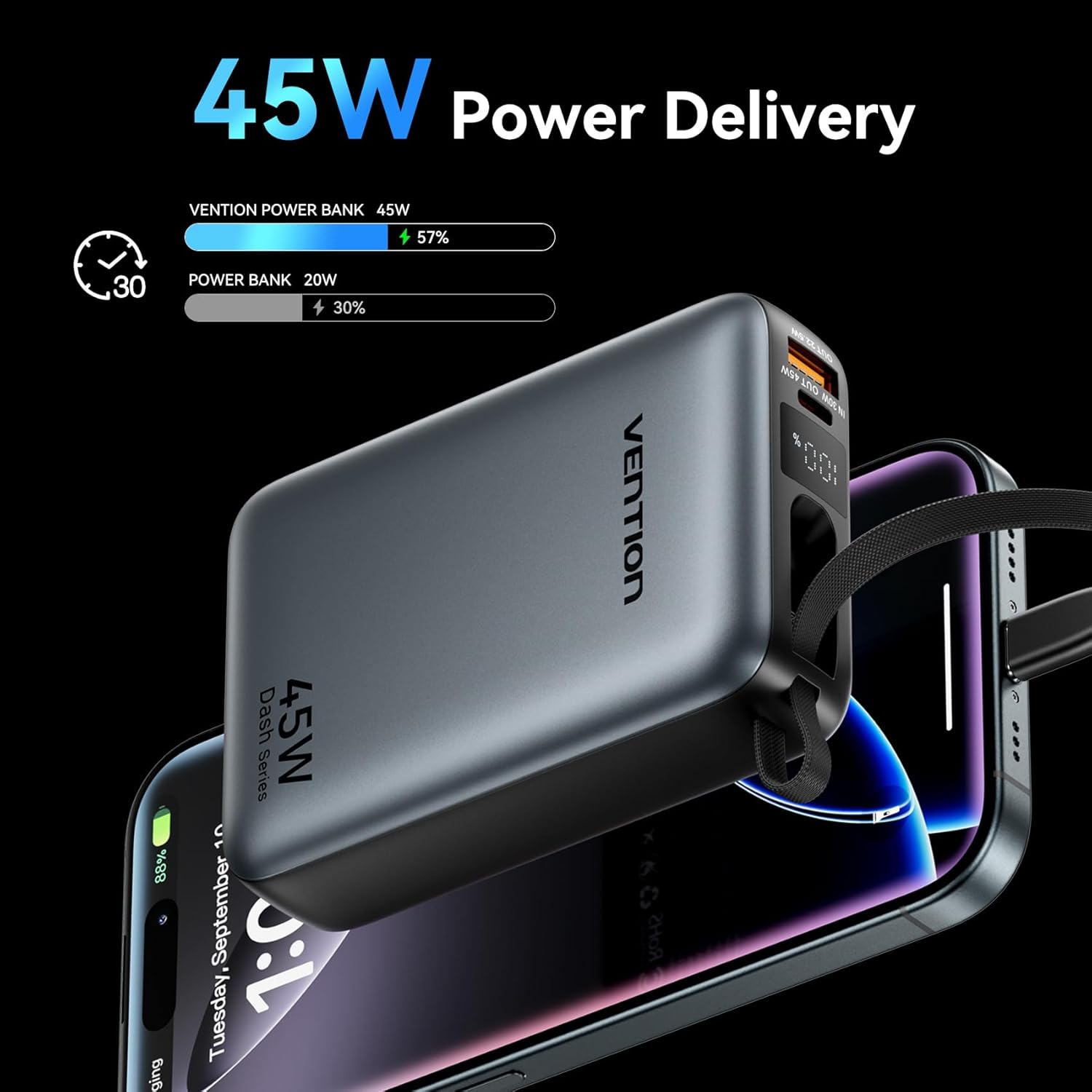
Image: The power bank's LED display showing charging status.
6. Instrukcja obsługi
6.1 Urządzenia ładujące
The power bank can charge various devices using its built-in USB-C cable, dedicated USB-C port, or USB-A port.
- Korzystanie z wbudowanego kabla USB-C: Pull out the integrated USB-C cable from its storage slot and connect it directly to your device's USB-C charging port.
- Korzystanie z portu USB-C: Connect a compatible USB-C to USB-C cable (not included) to the power bank's USB-C output port and then to your device.
- Korzystanie z portu USB-A: Connect a compatible USB-A to your device's charging cable (not included) to the power bank's USB-A output port and then to your device.
Powerbank automatycznie rozpocznie ładowanie urządzenia. Wyświetlacz LED pokaże procentowy poziom naładowania baterii.tage.
6.2 Ładowanie jednoczesne
The VENTION Power Bank supports charging up to three devices concurrently using its built-in USB-C cable, USB-C port, and USB-A port. Note that the total output will be shared among the devices, and charging speed may vary depending on the number of devices and their power requirements.

Image: Charging three devices simultaneously with the power bank.

Image: The built-in USB-C cable ready for use.
7. Konserwacja i pielęgnacja
Właściwa konserwacja gwarantuje trwałość i wydajność Twojego powerbanku.
- Czyszczenie: Przetrzyj powerbank miękką, suchą ściereczką. Nie używaj silnych środków chemicznych ani materiałów ściernych.
- Składowanie: Przechowuj powerbank w chłodnym i suchym miejscu, z dala od bezpośredniego światła słonecznego i ekstremalnych temperatur.
- Stan baterii: To maintain optimal battery health, fully charge the power bank at least once every 3-6 months, even if not in use. Avoid completely discharging the battery frequently.
- Kontrola temperatury: The power bank features smart temperature control to prevent overheating during operation and charging.

Image: Smart temperature control system for safe operation.
8. Rozwiązywanie Problemów
If you encounter issues with your VENTION Power Bank, refer to the following common problems and solutions:
- Power bank nie ładuje:
- Upewnij się, że kabel ładujący jest bezpiecznie podłączony zarówno do powerbanku, jak i do ładowarki ściennej.
- Sprawdź, czy ładowarka ścienna działa prawidłowo i zapewnia wystarczającą moc (np. ładowarka PD 30 W).
- Wypróbuj inny kabel ładujący lub zasilacz sieciowy.
- Urządzenie nie ładuje się z powerbanku:
- Sprawdź, czy power bank jest wystarczająco naładowany.
- Ensure the cable connecting the power bank to your device is securely connected and compatible.
- Wypróbuj inny port w powerbanku lub inny kabel ładujący.
- Some devices may require specific charging protocols; ensure your device is compatible with the power bank's output.
- Powolne ładowanie:
- Ensure your device supports fast charging protocols (PD/PPS) and that you are using a compatible cable.
- Charging speed may decrease as the power bank's battery level increases to protect the device.
- Charging multiple devices simultaneously can reduce the charging speed for each individual device.
9. Gwarancja i wsparcie
VENTION products are designed and manufactured to the highest quality standards. For warranty service or support, please contact VENTION directly.
- Webstrona: www.ventiontech.com
- E-mail: Vention@ventiontech.com