
1. Koniec produktuview
The Ralcam H406BD Dual Lens Articulating Borescope is an advanced inspection camera designed for detailed visual examination of inaccessible areas. It features a 6.5mm slim probe with dual lenses, offering both front and side views simultaneously or individually. The probe is equipped with adjustable LED lights and a two-way articulation mechanism for precise maneuverability. The device includes a 5-inch IPS display for clear, real-time viewing and is powered by a rechargeable battery, making it suitable for automotive, HVAC, plumbing, and industrial inspections.
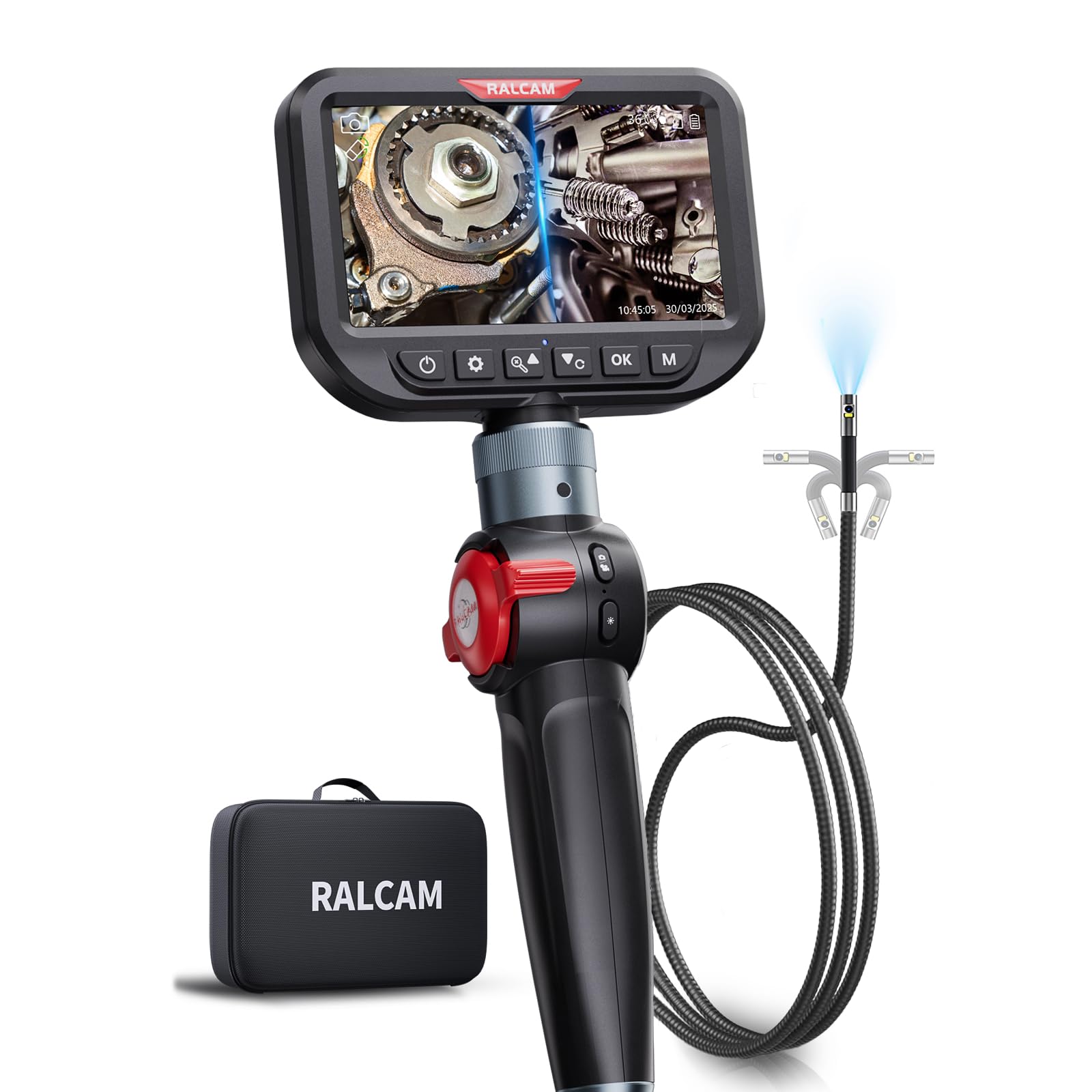
Figure 1: Ralcam H406BD Dual Lens Articulating Borescope main unit.
2. Zawartość opakowania
Sprawdź, czy w przesyłce znajdują się wszystkie elementy wymienione poniżej:
- 1 x Ralcam H406BD Borescope Main Unit
- 1 x 1.5m/5.0ft Flexible Snake Tube (Probe)
- 1 x Etui transportowe
- 1 x karta TF 32 GB (wstępnie zainstalowana)
- 1 x USB-C Charging/Data Transfer Cable
- 1 x Instrukcja obsługi
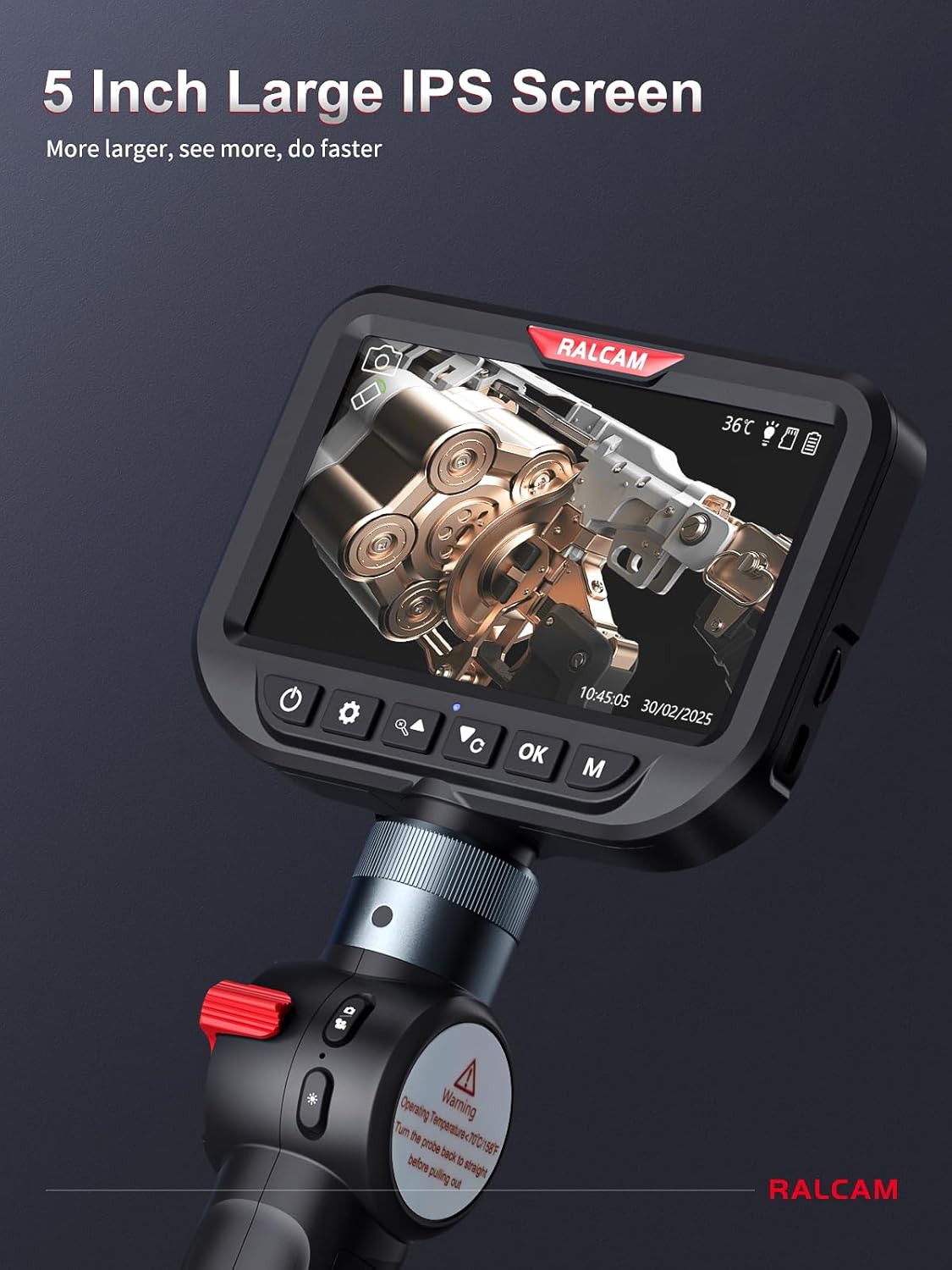
Figure 2: Borescope main unit, flexible probe, and accessories neatly stored in the carrying case.
3. Konfiguracja
3.1 Ładowanie urządzenia
Before first use, fully charge the borescope's built-in rechargeable battery. Connect the provided USB-C cable to the charging port on the main unit and plug the other end into a compatible USB power adapter (not included).

Figure 3: The borescope features a detachable and rechargeable battery for convenience.
3.2 Podłączanie sondy
Carefully align the connector of the flexible snake tube probe with the port on the main unit. Push firmly until it clicks into place, ensuring a secure connection.
3.3 Włączanie/wyłączanie
Press and hold the power button (usually marked with a power symbol) for approximately 2 seconds to turn the device on. The indicator light will turn green. To power off, press and hold the power button again for 2 seconds.
4. Instrukcja obsługi
4.1 Wyświetlacz i elementy sterujące
The 5-inch IPS screen provides a clear, real-time view of the inspection area. The control panel below the screen allows access to various functions.

Figure 4: The 5-inch IPS screen offers a large and detailed view for inspections.
4.2 Regulacja świateł LED
The probe features 6+1 adjustable LED lights to illuminate dark inspection areas. Use the dedicated light adjustment button on the main unit to cycle through different brightness levels (Low-light, Middle-light, Ultra-bright) to suit various lighting conditions and avoid glare.

Figure 5: Adjustable LED lights provide optimal illumination in various environments.
4.3 Switching Lens Modes (Front, Side, Dual View)
The Ralcam H406BD features dual lenses. Long press the appropriate button (indicated by a camera icon with an arrow) to toggle between Front Camera (default), Side Camera, and Dual Camera Modes. This allows for comprehensive inspection without repositioning the probe.

Figure 6: Switching between front, side, and dual camera views do dokładnej inspekcji.
4.4 Articulation Control
The probe offers two-way 210° articulation. Use the red control wheel on the handle to precisely adjust the angle of the camera tip, allowing navigation around obstacles and viewing from multiple perspectives.

Figure 7: Two-way 210° articulation for flexible viewing in confined spaces.
4.5 Robienie zdjęć i nagrywanie filmów
The borescope allows you to capture high-resolution images and videos. Use the dedicated buttons on the control panel to switch to capture mode, take photos, or start/stop video recording. All media is saved to the included 32GB TF card.

Rysunek 8: Wykorzystaj 4-krotny zoom cyfrowy w celu dokładniejszego przyjrzenia się szczegółom.
Video 1: Demonstration of the Ralcam H406BD borescope's features, including articulation, LED adjustment, and dual-lens viewing, during an automotive inspection.
5. Konserwacja
5.1 Czyszczenie sondy i soczewki
The probe is IP67 waterproof, allowing for use in wet and dusty environments. After each use, especially in dirty conditions, gently wipe the probe and camera lens with a soft, damp cloth. Ensure no debris obstructs the lens for clear imaging.

Figure 9: The IP67 waterproof probe is designed for durability in challenging environments.
5.2 Przesyłanie danych
To transfer photos and videos to your computer, connect the borescope to your PC using the provided USB-C cable. The device will appear as a removable storage device, allowing you to access and copy your files.

Figure 10: USB-C port for convenient charging and data transfer to a computer.
6. Rozwiązywanie Problemów
6.1 Brak obrazu na ekranie
- Sprawdź, czy urządzenie jest włączone i w pełni naładowane.
- Check that the probe is securely connected to the main unit.
- Uruchom ponownie urządzenie.
6.2 High Temperature Protection
The device is equipped with high-temperature protection. If the probe temperature exceeds 90°C (194°F), the device may automatically shut down to prevent damage. Allow the probe to cool down before resuming operation.

Figure 11: High temperature protection warning on the screen.
6.3 Słaba jakość obrazu
- Wyczyść obiektyw aparatu zgodnie z opisem w rozdziale Konserwacja.
- Adjust the LED brightness to optimize illumination and reduce glare.
- Ensure the probe is positioned at an optimal distance from the object being inspected.
7. Specyfikacje
| Funkcja | Specyfikacja |
|---|---|
| Numer modelu | H406BD-Max-1.5M |
| Średnica sondy | 6.5mm |
| Długość kabla | 5.0FT (1.5M) Flexible Cable |
| Rozdzielczość przechwytywania wideo | 1080p |
| Rozmiar ekranu | 5 cala IPS |
| Artykulacja | Dwukierunkowy 210° |
| Światła LED | 6+1 regulowanych diod LED |
| Stopień wodoodporności | IP67 (sonda) |
| Bateria | Rechargeable (1 A battery included) |
| Składowanie | Karta Micro SD (32 GB w zestawie) |
| Łączność | USB-C do ładowania i przesyłania danych |
| Waga przedmiotu | 3.03 funta |
| Kolor | Czarny |
8. Gwarancja i wsparcie
For warranty information and technical support, please refer to the documentation included with your product or contact Ralcam customer service. Specific warranty terms and conditions may vary.