
Wstęp
Thank you for choosing the Silvergear Wireless Weather Station Model 4530. This device provides comprehensive weather information, including indoor and outdoor temperature, humidity, UV index, and atmospheric pressure, along with a 5-day weather forecast. It also features a clock, alarm, and moon phase display. This manual will guide you through the setup, operation, and maintenance of your weather station to ensure optimal performance.
Co jest w pudełku

Image: The Silvergear Weather Station, instruction manual, power adapter, and outdoor sensor as packaged in the box.
- Jednostka wyświetlacza stacji pogodowej
- Bezprzewodowy czujnik zewnętrzny
- Zasilacz
- Instrukcja obsługi
Produkt ponadview
Główne cechy

Obraz: Ponadview of the weather station's main features, including real-time monitoring and a 5-day forecast.
- Real-time indoor and outdoor temperature and humidity monitoring.
- Clear display with essential weather data.
- Built-in 5-day weather forecast.
- Flexible placement: stand or wall-mount.
- Dual power modes: batteries or included power adapter.
- Integrated clock, alarm, and moon phase display.
Pomiary

Image: Visual representation of the key weather parameters measured by the device.
The Silvergear Weather Station provides the following detailed measurements:
- Temperatura: Displays current indoor and outdoor temperatures.
- Wilgotność: Measures indoor and outdoor humidity levels.
- Wskaźnik promieniowania ultrafioletowego: Provides information on the current UV radiation level.
- Ciśnienie atmosferyczne: Tracks changes in air pressure.
Elementy wyświetlania

Obraz: szczegółowy view of the weather station's display, indicating where each piece of information is shown.
The display unit presents all key weather data at a glance, including time, date, moon phase, barometric pressure, indoor and outdoor temperature and humidity, and a multi-day weather forecast.
Organizować coś
Zasilanie stacji pogodowej

Image: The weather station can be powered by the included AC adapter or by batteries.
The weather station can be powered in two ways:
- Korzystanie z zasilacza: Connect the included power adapter to the weather station and plug it into a standard wall outlet.
- Korzystanie z baterii: Insert 2 AA batteries (not included) into the battery compartment located on the back of the unit. Ensure correct polarity.
Umiejscowienie czujnika zewnętrznego

Image: The outdoor sensor should be placed within 50 meters of the main unit for optimal signal reception.
Place the wireless outdoor sensor in a suitable location outside your home. For best results:
- Ensure the sensor is within a 50-meter range of the main weather station unit.
- Choose a shaded area to avoid direct sunlight, which can affect temperature readings.
- Protect the sensor from direct rain and snow.
- The sensor transmits updates to the main unit approximately every 60 seconds.
Wstępna konfiguracja i parowanie
Once both the main unit and the outdoor sensor are powered on, they should automatically pair. If pairing does not occur, refer to the troubleshooting section or consult the detailed instructions in the included manual for manual pairing procedures.
Elastyczne umieszczanie
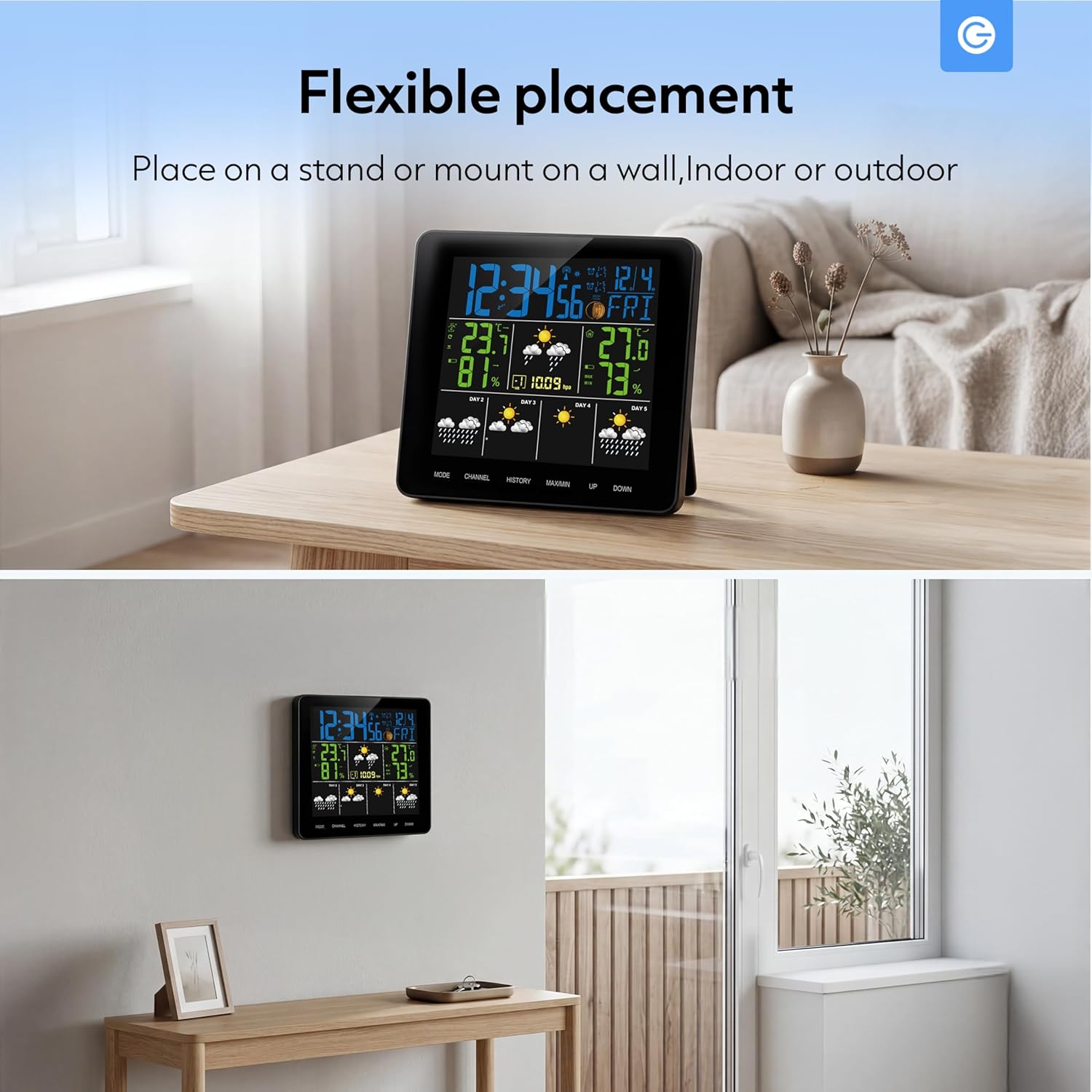
Image: The weather station can be placed on a stand or mounted on a wall, suitable for indoor or outdoor use.
The weather station is designed for flexible placement:
- Podstawka: Use the integrated stand to place the unit on any flat surface, such as a desk or shelf.
- Mocowanie ścienne: The unit can also be mounted on a wall using the designated mounting hole on the back.
Operacyjny
Zrozumienie wyświetlacza

Image: The display shows real-time temperature data and a 5-day forecast using intuitive icons.
The main display provides a clear overview of current and forecasted weather conditions. Key indicators include:
- Current Time and Date: Znajduje się w górnej części wyświetlacza.
- Indoor/Outdoor Temperature and Humidity: Clearly labeled sections for current readings.
- Ikony prognozy pogody: Visual representations for sunny, slightly cloudy, cloudy, rainy, and snowy conditions for the next 5 days.
- Faza Księżyca: An icon indicating the current lunar phase.
- Ciśnienie barometryczne: Displays the current atmospheric pressure.
Funkcje przycisków
The weather station features several buttons for navigation and settings:
- Sposób użycia: Used to switch between display modes (e.g., time setting, alarm setting) and confirm selections.
- KANAŁ: Selects between different outdoor sensor channels (if multiple sensors are used).
- HISTORIA: Displays historical data for temperature and humidity.
- MAKS./MIN.: Shows maximum and minimum recorded temperature and humidity values.
- GÓRA DÓŁ: Adjusts values during setting modes or navigates through options.
Setting Time, Date, and Alarm
To set the time, date, or alarm:
- Naciśnij TRYB button repeatedly until the desired setting (time, date, or alarm) is flashing.
- Użyj UP or W DÓŁ przyciski, aby dostosować wartość.
- Naciskać TRYB ponownie, aby potwierdzić ustawienie i przejść do następnego regulowanego parametru.
- Continue until all settings are complete, then press TRYB aby wyjść z trybu ustawień.
Konserwacja
To ensure the longevity and accuracy of your Silvergear Weather Station, follow these maintenance guidelines:
- Czyszczenie: Przetrzyj wyświetlacz i czujnik miękką szmatką.amp ściereczka. Nie należy używać środków czyszczących o właściwościach ściernych ani rozpuszczalników.
- Wymiana baterii: Replace batteries in both the main unit and the outdoor sensor when the low battery indicator appears on the display. Ensure to use fresh batteries of the correct type (AA for the main unit, typically AAA for the sensor, refer to the specific manual for sensor battery type).
- Ochrona czujnika: Okresowo sprawdzaj czujnik zewnętrzny, czy nie ma w nim zanieczyszczeń lub przeszkód, które mogłyby wpływać na jego odczyty.
Rozwiązywanie problemów
Jeśli masz problemy ze stacją pogodową, zapoznaj się z poniższymi, często występującymi problemami i ich rozwiązaniami:
| Problem | Możliwa przyczyna | Rozwiązanie |
|---|---|---|
| Brak odczytu temperatury/wilgotności zewnętrznej | Sensor out of range or low battery; interference. | Move sensor closer to the main unit; replace sensor batteries; avoid placing near electronic devices. |
| Niedokładne odczyty | Sensor exposed to direct sunlight or moisture; unit not calibrated. | Relocate sensor to a shaded, dry area; consult manual for calibration steps if available. |
| Wyświetlacz jest pusty | Brak zasilania lub słabe baterie. | Ensure power adapter is securely connected or replace main unit batteries. |
| Nieprawidłowa godzina/data | Nie ustawiono prawidłowo. | Follow the 'Setting Time, Date, and Alarm' instructions. |
Specyfikacje
| Funkcja | Szczegół |
|---|---|
| Marka | Srebrny sprzęt |
| Numer modelu | 4530 |
| Kolor | Czarny |
| Łączność | Bezprzewodowy |
| Gwarancja producenta | 2 lat |
| Dostępność części zamiennych | Informacje niedostępne |
| Gwarantowane aktualizacje oprogramowania do | Informacje niedostępne |
| ASIN | B0FM3X2T3D |
| Data pierwszej dostępności | 19 sierpnia 2025 r. |
Informacje o gwarancji
The Silvergear Wireless Weather Station Model 4530 comes with a 2-letnia gwarancja producenta. This warranty covers defects in materials and workmanship under normal use. It does not cover damage caused by misuse, accidents, unauthorized modifications, or improper installation. Please retain your proof of purchase for warranty claims.
Wsparcie
For further assistance, technical support, or warranty inquiries regarding your Silvergear Wireless Weather Station Model 4530, please refer to the contact information provided in the original product packaging or visit the official Silvergear webwitryny. Możesz również skontaktować się ze sprzedawcą, u którego produkt został zakupiony.