
Wstęp
Dziękujemy za zakupasing the INGA Computer Speaker MZ-631. This USB plug-and-play desktop speaker is designed to provide enhanced stereo sound and deep bass for your computer, laptop, or Mac. Its convenient clamp design allows for easy attachment to most monitors, saving valuable desk space. This manual provides detailed instructions for setup, operation, maintenance, and troubleshooting to ensure optimal performance and longevity of your speaker.
Zawartość opakowania
Proszę sprawdzić, czy w paczce znajdują się następujące elementy:
- 1 x INGA Computer Speaker (Model MZ-631)
- 1 x Instrukcja obsługi
- 1 x USB-C to USB-A Adapter (included for versatile connectivity)
Produkt ponadview
The INGA MZ-631 speaker features a compact design with an integrated clamping mechanism for monitor attachment. It delivers 10 Watts of stereo sound with enhanced bass through dual precision-tuned speakers and a passive radiator. Connectivity is simplified with a single USB cable for both audio and power.
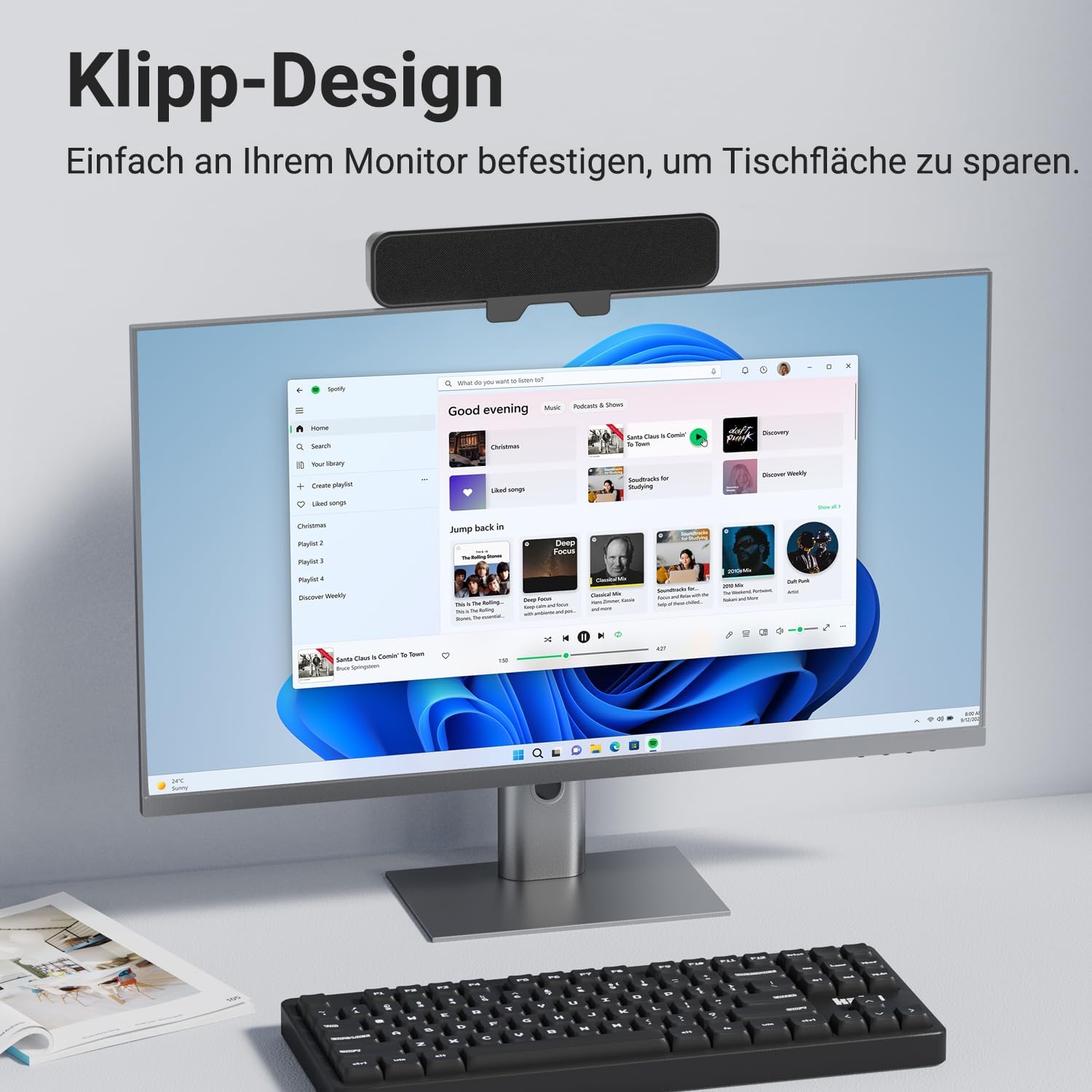
Obraz: Przód view of the INGA Computer Speaker MZ-631, shown clamped to the top of a computer monitor, displaying its sleek design and space-saving placement.
Główne cechy:
- Enhanced Stereo Sound with Rich Audio & Deep Bass: Dual speakers and a passive radiator provide balanced, powerful, and clear audio.
- Instant Plug & Play Setup: Single USB cable for audio and power, no additional drivers or software needed.
- Secure Clip System: Ulepszona klasaamping mechanism fits most monitors up to 1.5 inches thick, with protective silicone pads. (Note: Not compatible with curved-back monitors.)
- Multi-Function Controls: Top-mounted buttons for Volume Down, Mute, Volume Up, and Power.
- Uniwersalna kompatybilność: Works with PC, Mac, Laptops, and other devices via USB.
Instrukcje konfiguracji
1. Podłączanie głośnika
- Locate the USB cable attached to the INGA Computer Speaker.
- Plug the USB connector into an available USB port on your computer (PC or Mac). If your computer only has USB-C ports, use the included USB-C to USB-A adapter.
- The speaker will automatically power on and be recognized by your operating system as an audio output device.

Image: The INGA Computer Speaker connected via its USB cable to a laptop, illustrating the plug-and-play setup. The control buttons (Volume+, Mute, Volume-, Power) are visible on top.
2. Wybór wyjścia audio
After connecting, ensure your computer's audio output is set to the INGA speaker.
- Okna: Right-click the speaker icon in the taskbar, select "Sound settings" or "Playback devices," and choose "INGA Speaker" as the default output device.
- MacOS: Go to System Settings > Sound > Output, and select "INGA Speaker."
Installation (Monitor Mounting)
The INGA MZ-631 speaker is designed for easy and secure attachment to most flat-panel monitors.
- Delikatnie otwórz clamping mechanism on the back of the speaker.
- Position the speaker on top of your monitor, ensuring the front grille faces you.
- Dostosuj clamp so that it securely grips the top edge of your monitor. The protective silicone pads will prevent scratches and ensure a firm hold.
- Ensure the speaker is stable and does not obstruct your monitor's view lub wentylacji.
Ważna uwaga: This speaker is not compatible with curved-back monitors due to its mounting requirements. The clamping mechanism is designed for monitors up to 1.5 inches (approximately 3.8 cm) thick.

Obraz: szczegółowy view of the speaker's clamping mechanism, showing how it securely attaches to the top edge of a monitor, highlighting the 1-inch (2.54 cm) thickness capacity.
Alternative Placement: Desktop
If monitor mounting is not suitable, the speaker can also be placed directly on your desk in front of your monitor. Ensure it is on a stable, flat surface.

Image: Demonstrates various placement options for the speaker, including clamping to the top or bottom of a monitor, or resting on a desk surface.
Instrukcja obsługi
The INGA MZ-631 speaker features intuitive controls located on the top panel.
Obraz: Zbliżenie view of the speaker's top panel, clearly showing the four control buttons: Volume Down, Mute, Volume Up, and Power.
- Przycisk zasilania (⏻): Naciśnij, aby włączyć lub wyłączyć głośnik.
- Przycisk zwiększania głośności (+): Naciśnij, aby zwiększyć głośność.
- Przycisk zmniejszania głośności (-): Naciśnij, aby zmniejszyć głośność.
- Przycisk wyciszenia (🔇): Press to instantly mute or unmute the audio.
Doświadczenie dźwiękowe
The speaker is engineered to deliver a rich audio experience with clear dialogues and powerful bass, suitable for various applications including music, movies, and online meetings.

Image: An internal diagram of the speaker, highlighting its dual speaker drivers and passive radiator, which contribute to its 10W audio output and enhanced sound quality.
Konserwacja
To ensure the longevity and optimal performance of your INGA Computer Speaker, follow these simple maintenance guidelines:
- Czyszczenie: Use a soft, dry cloth to wipe the speaker's surface. Do not use liquid cleaners, aerosols, or solvents, as these may damage the finish or internal components.
- Składowanie: Jeśli głośnik nie będzie używany przez dłuższy czas, należy przechowywać go w chłodnym, suchym miejscu, z dala od bezpośredniego światła słonecznego i ekstremalnych temperatur.
- Obsługiwanie: Unikaj upuszczania głośnika i narażania go na silne uderzenia.
- Środowisko: Keep the speaker away from water, moisture, and excessive dust.
Rozwiązywanie problemów
If you encounter issues with your INGA Computer Speaker, please refer to the following common problems and solutions:
| Problem | Możliwa przyczyna | Rozwiązanie |
|---|---|---|
| Brak dźwięku z głośnika. |
|
|
| Dźwięk jest zniekształcony lub niewyraźny. |
|
|
| Speaker does not clamp securely to monitor. |
|
|
If the problem persists after trying these solutions, please contact INGA Customer Service for further assistance.
Specyfikacje
| Funkcja | Szczegół |
|---|---|
| Nazwa modelu | MZ-631 |
| Marka | INGA |
| Typ głośnika | Glosniki |
| Technologia łączności | USB |
| Tryb wyjścia audio | Stereofoniczny |
| Konfiguracja kanału dźwięku przestrzennego | 2.0 |
| Maksymalna moc wyjściowa głośnika | 10 watów |
| Odpowiedź częstotliwościowa | 20000 kHz |
| Wejście Voltage | 5 V (prąd stały) |
| Źródło zasilania | Elektryczny przewodowy (USB) |
| Typ montażu | Klips |
| Tworzywo | Plastikowy |
| Kolor | Czarny |
| Wymiary produktu | 8" gł. x 2" szer. x 3" wys. (ok. 20.3 cm gł. x 5.1 cm szer. x 7.6 cm wys.) |
| Waga przedmiotu | 12.3 uncji (około 348 gramów) |
| Metoda kontroli | Naciśnij przycisk |
| Kompatybilne urządzenia | Desktop, Laptop, MAC, PC, Smartphone, Tablet |
| Cechy specjalne | Bass Boost, Clip-on, Hi Res Audio, Portable, USB-C to USB Port |
Gwarancja i wsparcie
Informacje o gwarancji
The INGA Computer Speaker MZ-631 comes with a Limited Warranty. Please refer to the warranty card included in your package for specific terms and conditions.
Obsługa klienta
INGA is committed to providing lifetime technical support for its products. If you have any questions, concerns, or require assistance with your speaker, please do not hesitate to contact our Customer Service team. We aim to resolve all inquiries within 24 hours.
Informacje kontaktowe:
Please visit the official INGA webodwiedź witrynę lub zapoznaj się z danymi kontaktowymi podanymi na opakowaniu produktu lub karcie gwarancyjnej.