
1. Wprowadzenie
The Arlo Essential 2K Wired Outdoor Security Camera (Model VMC3081) provides reliable surveillance with crystal-clear 2K video resolution. Designed for continuous power via a plug-in connection, this camera offers advanced features such as person detection, package alerts, color night vision, and two-way audio. Its weather-resistant design ensures performance in various outdoor conditions. This manual will guide you through the installation, operation, and maintenance of your security camera system.
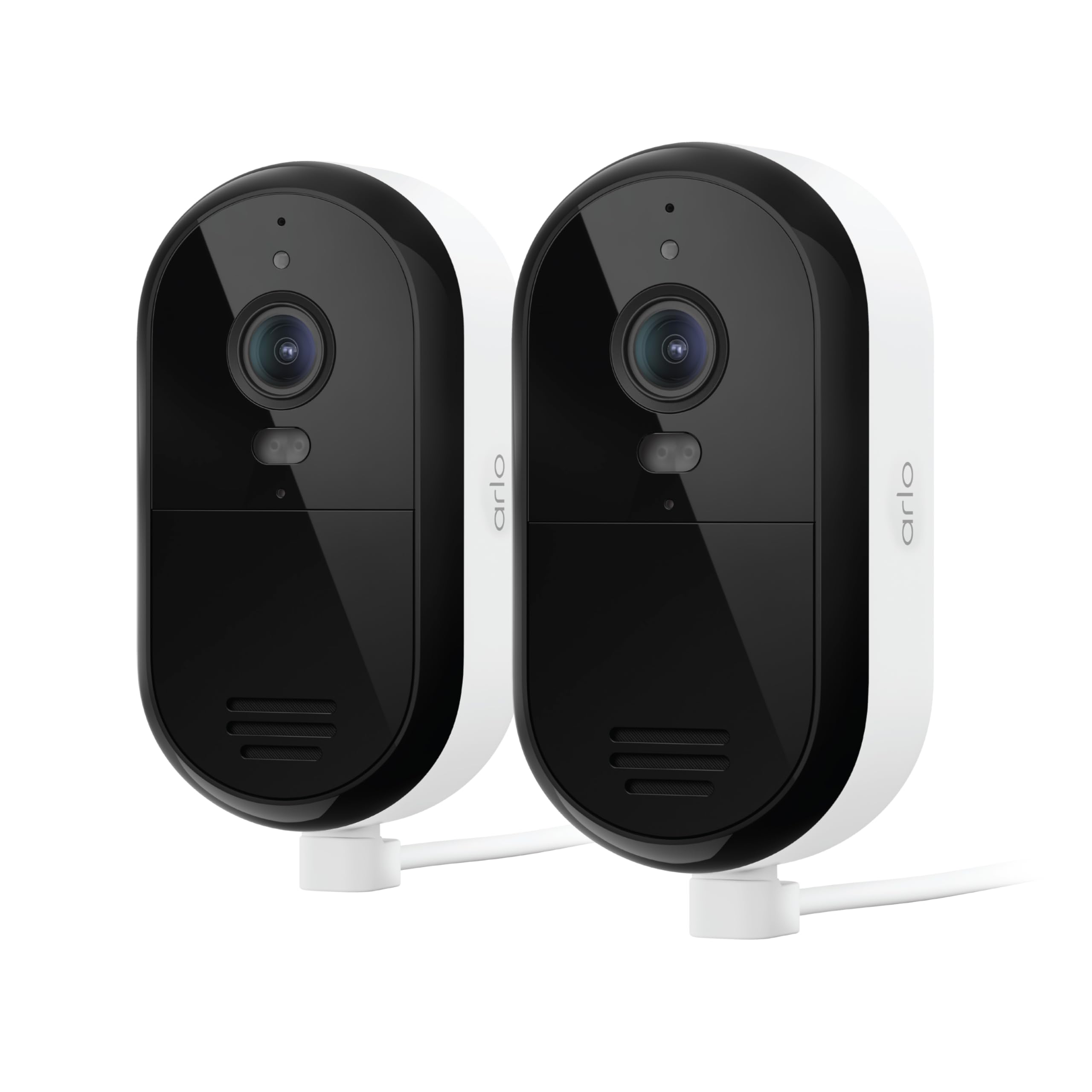
Image 1: Arlo Essential 2K Wired Outdoor Security Camera, showing its compact design.
2. Przewodnik konfiguracji
2.1 Zawartość pudełka
- Arlo Essential 2K Wired Outdoor Security Camera(s)
- Power Adapter with 16ft Cable
- Zestaw do montażu na ścianie i śrub
- Szybki przewodnik
2.2 Kroki instalacji
- Pobierz aplikację Arlo Secure: Szukaj "Arlo Secure" in your mobile device's app store and install it. Create an account or log in if you already have one.
- Włącz kamerę: Connect the provided power adapter to your camera and plug it into an electrical outlet. The camera will power on automatically.
- Dodaj urządzenie w aplikacji: Open the Arlo Secure App, tap the "+" icon to add a new device, and follow the on-screen instructions to connect your camera to your Wi-Fi network. Ensure you are connecting to a 2.4GHz or 5GHz dual-band Wi-Fi network for optimal performance.
- Zamontuj kamerę: Wybierz odpowiednie miejsce na zewnątrz, w którym ustawisz swój aparat, i upewnij się, że jest ono dobrze widoczne. view and is within Wi-Fi range. Use the provided wall mount and screws to securely attach the camera. The 16ft power cable allows for flexible placement.
- Dostosuj kąt kamery: Position the camera to cover your desired surveillance area. You can fine-tune the viewing angle later through the app.

Image 2: A person installing an Arlo Essential camera, demonstrating the plug-in setup.
2.3 Setup Video Tutorial
Video 1: Official Arlo tutorial on setting up the Essential Wired Plug-In Camera.
3. Instrukcja obsługi
3.1 Arlo Secure App Features
The Arlo Secure App is your central control hub for managing your camera. It allows you to view live video, receive alerts, and customize settings.
- Na żywo View: Access real-time video streams from your camera at any time.
- Jakość wideo 2K: Enjoy clear and detailed footage, allowing you to identify faces and objects with precision.
- Color Night Vision & Integrated Spotlight: See in full color even at night, or activate the built-in spotlight to illuminate the area and deter intruders.
- Dwukierunkowe audio: Speak and listen to visitors or deter unwanted guests directly through the camera using your smartphone.
- Inteligentne wykrywanie: Receive intelligent alerts for people, vehicles, packages, and animals, reducing false alarms.
- Strefy aktywności: Zdefiniuj określone obszary w polu widzenia kamery view to focus on, ensuring you only get alerts for events that matter most.
- Zintegrowana syrena: Zdalnie aktywuj głośną syrenę, aby odstraszyć intruzów.
- Dwuzakresowe Wi-Fi: Connects to both 2.4GHz and 5GHz Wi-Fi bands for a stable and reliable connection.

Image 3: Screenshot of the Arlo Secure App displaying various smart detection alerts.

Image 4: The Arlo Secure App interface showing customizable activity zones for focused monitoring.
3.2 Integracja inteligentnego domu
Your Arlo Essential camera can integrate with popular smart home platforms for enhanced control and automation:
- Amazon Alexa
- Asystent Google
- IFTTT (If This Then That)
- Samsung SmartThings
Refer to the respective smart home platform's documentation for specific integration steps and available commands.
3.3 Funkcja ponadview Wideo
Wideo 2: Overview of the Arlo Essential Security Camera's features and capabilities.
4. Konserwacja
Proper maintenance ensures the longevity and optimal performance of your Arlo Essential camera.
4.1 Czyszczenie
- Regularnie czyść obiektyw i korpus aparatu miękką, miękką szmatką.amp ściereczką, aby usunąć kurz i brud.
- Avoid using harsh chemicals, abrasive cleaners, or solvents, as these can damage the camera's finish or lens.
4.2 Odporność na warunki atmosferyczne
The Arlo Essential camera is designed with an IP65 weather-resistant rating, meaning it can withstand heat, cold, rain, and sun. Ensure all cables and connections are properly sealed according to installation instructions to maintain its weather resistance.
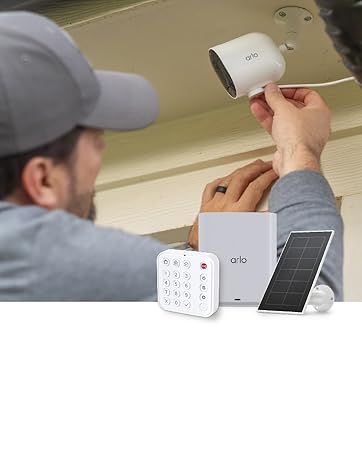
Image 5: Arlo Essential camera demonstrating its weather-resistant design during rain.
5. Rozwiązywanie Problemów
If you encounter issues with your Arlo Essential camera, refer to the following common troubleshooting steps.
5.1 Problemy z łącznością
- Sprawdź sygnał Wi-Fi: Ensure your camera is within range of your Wi-Fi router and has a strong signal.
- Ponowne uruchomienie routera: Spróbuj ponownie uruchomić router Wi-Fi.
- App Reconnection: In the Arlo Secure App, try removing and re-adding the camera to re-establish the connection.
5.2 Problemy z detekcją ruchu
- Dostosuj czułość: In the Arlo Secure App, navigate to camera settings and adjust the motion detection sensitivity.
- Review Strefy aktywności: Ensure your activity zones are correctly configured to cover the desired areas and exclude irrelevant ones.
- Usuń przeszkody: Make sure there are no physical obstructions (e.g., branches, spiderwebs) blokowanie kamery view or interfering with the motion sensor.
5.3 Night Vision Quality
- Wyczyść obiektyw: Sprawdź, czy obiektyw aparatu jest czysty i nie ma na nim smug ani brudu.
- Zewnętrzne źródła światła: Strong external light sources (e.g., streetlights, porch lights) can sometimes interfere with night vision. Adjust camera placement if necessary.
- Color Night Vision Settings: Confirm that Color Night Vision is enabled in the app settings if you desire color footage at night. Note that this feature may require the integrated spotlight to be active.
5.4 Dwukierunkowa transmisja dźwięku nie działa
- Sprawdź ustawienia aplikacji: Verify that microphone and speaker permissions are enabled for the Arlo Secure App on your mobile device.
- Usuń przeszkody: Ensure the camera's microphone and speaker ports are not blocked.
- Poziomy głośności: Check the volume settings on your mobile device and within the Arlo Secure App.
6. Specyfikacje
| Funkcja | Szczegół |
|---|---|
| Marka | Arlo |
| Nazwa modelu | Essential Plug-in Security Camera |
| Numer modelu | VMC3081 |
| Technologia łączności | Dwuzakresowe Wi-Fi 2.4 GHz i 5 GHz |
| Cechy specjalne | 2-Way Audio, Barking Detection, Built-In Light, Motion Sensor, Night Vision |
| Zastosowanie wewnątrz/na zewnątrz | Wewnątrz, Na zewnątrz |
| Rozdzielczość przechwytywania wideo | 1440p (2K) |
| Viewing kąt | 130 stopni |
| Typ powiększenia | Zoom cyfrowy (12x) |
| Poziom wodoodporności | IP65 (Wodoodporność) |
| Źródło zasilania | Elektryczny przewodowy |
| Wymiary przedmiotu | 2.07 x 2.68 x 3.86 cala |
| Waga przedmiotu | 0.9 kilograma |
| Kolor | Biały |
7. Gwarancja i wsparcie
7.1 Informacje o gwarancji
Arlo products are designed for reliability and performance. For detailed warranty information specific to your region and product, please refer to the official Arlo website or the warranty card included with your purchase. Optional protection plans are available for extended coverage.
7.2 Obsługa klienta
For technical assistance, troubleshooting, or any questions regarding your Arlo Essential camera, Arlo offers comprehensive support:
- Aplikacja Arlo Secure: Access help resources directly through the app.
- Arlo Webstrona: Odwiedzać arlo.com/wsparcie for FAQs, user manuals, and community forums.
- Wsparcie czatu 24/7: Available via the Arlo app or webstrona.
Please note that product use and support are primarily for the United States region.
7.3 Arlo Secure Plan
Your camera includes a 1-month trial of the Arlo Secure Plan. This plan unlocks premium features such as 60-day video history, advanced AI-powered smart detections (person, vehicle, package, animal recognition), interactive notifications, and emergency response options. After the trial period, a paid subscription is required to continue accessing these premium features. Visit arlo.com/arlosecure for current information on plans and pricing.

Image 6: Comparison of Arlo Secure Plan features, highlighting benefits like 60-day video history.