
1. Wprowadzenie
This manual provides detailed instructions for the Inateck BCST-72 2D Wireless Barcode Scanner. Please read this guide thoroughly before using the device to ensure proper operation and to maximize its performance. The Inateck BCST-72 is designed for efficient and accurate scanning of various 1D and 2D barcodes, offering versatile connectivity and a long-lasting battery.
2. Zawartość opakowania
Sprawdź, czy w przesyłce znajdują się wszystkie elementy:
- Inateck BCST-72 2D Wireless Barcode Scanner
- USB Charging Cable (USB-A to USB-B)
- Bezprzewodowy klucz USB 2.4G
- Podręcznik użytkownika (ten dokument)
Opis filmu: An unboxing video showing the Inateck BCST-72 barcode scanner, user guide, USB cable, and 2.4G USB dongle being removed from their packaging. This video provides a visual confirmation of the package contents.
3. Koniec produktuview
3.1 Cechy fizyczne
The Inateck BCST-72 is built for durability and comfort, featuring a robust design suitable for various work environments.
- Trwała konstrukcja: The scanner incorporates thickened TPU soft rubber for 360° drop protection, capable of withstanding repeated drops from 1.8 meters.
- Ergonomiczny chwyt: Engineered for comfort during extended use, its balanced weight and slip-resistant backstrap ensure effortless handling.
- Trwały przycisk: The trigger button features a metal and plastic combined design, supporting millions of clicks for long-term reliability.
Opis obrazu: Szczegółowy view of the Inateck BCST-72 barcode scanner, illustrating its robust construction with enhanced TPU for 360-degree protection against drops from up to 1.8 meters.

Opis obrazu: A hand holding the Inateck BCST-72 barcode scanner, emphasizing its ergonomic design for comfortable and effortless control during use.

Opis obrazu: A close-up shot of the Inateck BCST-72 barcode scanner's yellow trigger button, highlighting its durable construction designed for millions of clicks.
4. Konfiguracja
4.1 Ładowanie skanera
Before initial use, fully charge the scanner. Connect the provided USB charging cable to the scanner's charging port and a USB power source. The scanner is equipped with a 2600mAh battery, offering up to 180 days of standby time or 180,000 scans on a single charge.

Opis obrazu: The Inateck BCST-72 barcode scanner with an overlay indicating its 180-day standby battery life, 144 hours of non-stop scanning, and 2600mAh battery capacity.
4.2 Opcje łączności
The BCST-72 offers three connectivity modes: 2.4G Wireless, Bluetooth, and Wired USB. It is compatible with Windows, Mac, iOS, Android, iPadOS, and Linux operating systems.
4.2.1 Połączenie Bluetooth
Aby połączyć się przez Bluetooth:
- Włącz skaner.
- Download the "Inateck Scanner" app from the App Store or Google Play.
- Open the app and follow the on-screen instructions to pair the scanner via Bluetooth. The app will guide you through the setup process.
- Once paired, the scanner can be used with your device.
4.2.2 Połączenie bezprzewodowe 2.4G
For 2.4G wireless connection:
- Insert the 2.4G USB dongle into an available USB port on your computer or host device.
- Włącz skaner. Powinien automatycznie połączyć się z kluczem sprzętowym.
- The scanner will function as a keyboard input device.
4.2.3 Połączenie przewodowe USB
To connect via wired USB:
- Podłącz skaner do komputera za pomocą dostarczonego kabla USB.
- The scanner will be recognized as a USB HID keyboard device and is ready for use.

Opis obrazu: The Inateck BCST-72 barcode scanner shown connecting via Bluetooth to devices running Windows, macOS, Linux, Raspberry Pi, iOS, and Android, illustrating its broad compatibility.

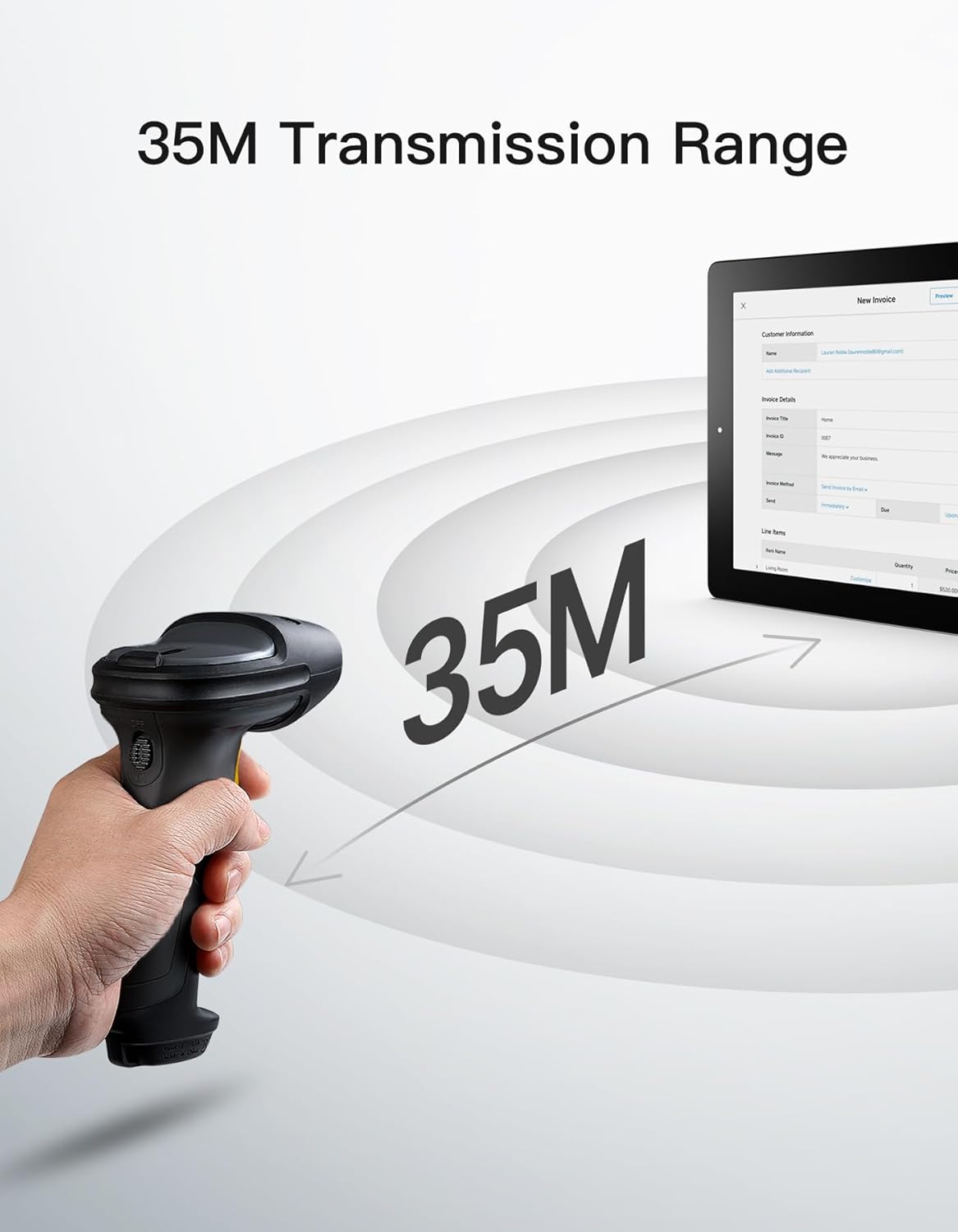
Opis obrazu: The Inateck BCST-72 barcode scanner illustrating its 35-meter wireless transmission range, connecting to a tablet displaying an invoice.
5. Instrukcja obsługi
5.1 Skanowanie kodów kreskowych
The Inateck BCST-72 accurately reads almost all 1D and 2D barcodes within a 4–35 cm scanning range. It supports mainstream barcode types including Code 128, EAN-13, UPC-A, QR Code, PDF-417, Data Matrix, Aztec Code, and more. Equipped with a red laser aiming frame and white fill light, it reliably scans damaged, small, or blurred barcodes in both bright and low-light conditions.

Opis obrazu: The Inateck BCST-72 barcode scanner head shown with various 1D and 2D barcodes, indicating its "Super Decoding Ability" to read different types of codes.

Opis obrazu: The Inateck BCST-72 barcode scanner highlighting its capability to read both 1D and 2D barcodes, listing various supported formats like Code 128, EAN-13, UPC-A, QR, and Data Matrix.
5.2 Tryby skanowania
The scanner offers multiple scanning modes to suit different applications:
- Tryb ręczny: Naciśnij przycisk spustowy, aby zeskanować każdy kod kreskowy osobno.
- Tryb ciągły: The scanner continuously emits a scan beam, reading barcodes as they pass through the field of view bez konieczności naciskania spustu.
- Tryb automatycznego wykrywania: The scanner automatically detects barcodes placed within its scanning range and activates the scan beam.
- Tryb ekwipunku: Allows for offline data collection, storing up to 270,000 barcodes internally before uploading them to a host device.

Opis obrazu: The Inateck BCST-72 barcode scanner in a stand, demonstrating its automatic detection mode for hands-free scanning.

Opis obrazu: The Inateck BCST-72 barcode scanner continuously scanning multiple items on a conveyor belt, illustrating its continuous scanning mode.

Opis obrazu: The Inateck BCST-72 barcode scanner used in inventory mode, showing scanned data being uploaded to a spreadsheet, highlighting its offline data collection capability.
5.3 Inateck Scanner App & SDK
The Inateck Scanner app (available on App Store and Google Play) and SDK provide advanced configuration options and seamless integration with ERP systems. The app allows for fast configuration of Bluetooth pairing, barcode settings, and data processing. You can customize settings such as volume, barcode types, suffixes, and prefixes. The SDK enables developers to integrate the scanner directly into custom software solutions.
Opis filmu: An official product video demonstrating the Inateck BCST-72 barcode scanner's features, including its decoding ability, battery life, durable design, and the functionality of the Inateck Scanner app for configuration and data processing. It also highlights the SDK for seamless integration.
6. Konserwacja
To ensure the longevity and optimal performance of your Inateck BCST-72 barcode scanner, follow these maintenance guidelines:
- Czyszczenie: Do czyszczenia zewnętrznej części skanera użyj miękkiej, suchej ściereczki. Do czyszczenia okna skanowania użyj delikatnej, niepozostawiającej włókien ściereczki.ampCzyścić łagodnym, nieściernym środkiem czyszczącym. Unikać silnych środków chemicznych i materiałów ściernych, które mogłyby zarysować soczewkę.
- Pielęgnacja baterii: Avoid fully discharging the battery frequently. For long-term storage, charge the battery to about 50% and store the device in a cool, dry place. Recharge periodically if stored for extended periods.
- Składowanie: Store the scanner in a clean, dry environment away from extreme temperatures, direct sunlight, and corrosive materials.
7. Rozwiązywanie Problemów
If you encounter issues with your Inateck BCST-72 scanner, refer to the following common solutions:
- Skaner się nie włącza: Upewnij się, że bateria jest naładowana. Podłącz skaner do źródła zasilania za pomocą kabla USB i ładuj go przez co najmniej 30 minut, zanim spróbujesz go ponownie włączyć.
- Unable to Connect via Bluetooth/2.4G:
- Ensure the scanner is in the correct pairing mode.
- Sprawdź, czy Bluetooth jest włączony na urządzeniu hosta.
- W przypadku technologii 2.4G upewnij się, że klucz sprzętowy USB jest prawidłowo podłączony i rozpoznany przez urządzenie.
- Spróbuj ponownie uruchomić skaner i urządzenie hosta.
- Skaner nie odczytuje kodów kreskowych:
- Ensure the barcode is clean, undamaged, and within the scanner's optimal reading range (4-35 cm).
- Check if the barcode type is supported by the scanner. You can configure supported barcode types via the Inateck Scanner app.
- Adjust the distance and angle of the scanner relative to the barcode.
- Ensure sufficient lighting for the barcode. The scanner has a white fill light for low-light conditions.
- Brak transmisji danych:
- Confirm successful connection (Bluetooth, 2.4G, or wired).
- Upewnij się, że kursor znajduje się w aktywnym polu tekstowym na urządzeniu hosta, w którym można wprowadzać dane.
- Check the scanner's settings via the Inateck Scanner app for any data processing rules that might be affecting output.
For further assistance, refer to the electronic manual within the Inateck Scanner app or contact Inateck customer support.
8. Specyfikacje
| Funkcja | Szczegół |
|---|---|
| Marka | Inateck |
| Model | BCST-72 |
| Możliwość skanowania | 1D and 2D Barcodes (Code 128, EAN-13, UPC-A, QR Code, PDF-417, Data Matrix, Aztec Code, etc.) |
| Zakres skanowania | 4–35 cm |
| Łączność | Bezprzewodowa łączność 2.4G, Bluetooth, przewodowy port USB |
| Zgodność | Windows, Mac, iOS, Android, iPadOS, Linux |
| Bateria | 1 bateria litowo-jonowa (w zestawie), 2600 mAh |
| Żywotność baterii | Up to 180 days standby or 180,000 scans |
| Ochrona przed upadkiem | Withstands 1.8-meter drops |
9. Gwarancja i wsparcie
Inateck products come with a standard warranty. For specific warranty terms and conditions, please refer to the documentation included with your purchase or visit the official Inateck website. If you require technical support, have questions about product operation, or need assistance with troubleshooting, please contact Inateck customer support. You can find contact information on the Inateck website or within the Inateck Scanner app.
Odwiedź Inateck Store Aby uzyskać więcej informacji i produktów.


