
1. Wprowadzenie
This manual provides essential information for the safe and efficient use of your LG 32-inch Smart TV (2025) LR600 Series. Please read this manual thoroughly before operating your TV and retain it for future reference. The LG LR600 TV offers a high-definition picture and integrates LG's webOS smart platform, suitable for various living spaces.
2. Informacje dotyczące bezpieczeństwa
Aby zmniejszyć ryzyko pożaru, porażenia prądem lub obrażeń ciała, należy zawsze przestrzegać podstawowych zasad bezpieczeństwa podczas korzystania z tego produktu.
- Nie wystawiaj telewizora na działanie deszczu ani wilgoci.
- Nie blokuj otworów wentylacyjnych.
- Upewnij się, że nikt nie chodzi po przewodzie zasilającym ani nie jest on przyciśnięty.
- Odłączaj telewizor od zasilania podczas burzy z piorunami lub jeśli nie używasz go przez dłuższy czas.
- Wszelkie prace serwisowe należy powierzać wykwalifikowanemu personelowi.
3. Co znajduje się w pudełku
Po rozpakowaniu sprawdź, czy wszystkie elementy są obecne.
- LG 32-inch Smart TV
- Zdalne sterowanie
- Kabel zasilający
- Szybki przewodnik
- Zestaw do montażu na ścianie
- Stojak pod telewizor (jeśli nie jest montowany na ścianie)
Rysunek 3.1: Included components and TV dimensions. This image displays the LG 32-inch Smart TV alongside its remote, power cable, and a wall mount kit, with key dimensions highlighted.
4. Konfiguracja
4.1 Rozpakowanie
Ostrożnie wyjmij telewizor i wszystkie akcesoria z opakowania. Zachowaj opakowanie na wypadek ewentualnego transportu lub naprawy.
4.2 Instalacja stojaka (opcjonalnie)
If you choose not to wall-mount your TV, attach the included stand:
- Aby zapobiec uszkodzeniu ekranu, połóż telewizor ekranem do dołu na miękkiej, płaskiej powierzchni.
- Dopasuj podstawy stojaka do odpowiednich otworów na spodzie telewizora.
- Przymocuj stojaki za pomocą dołączonych śrub.
4.3 Montaż na ścianie (opcjonalnie)
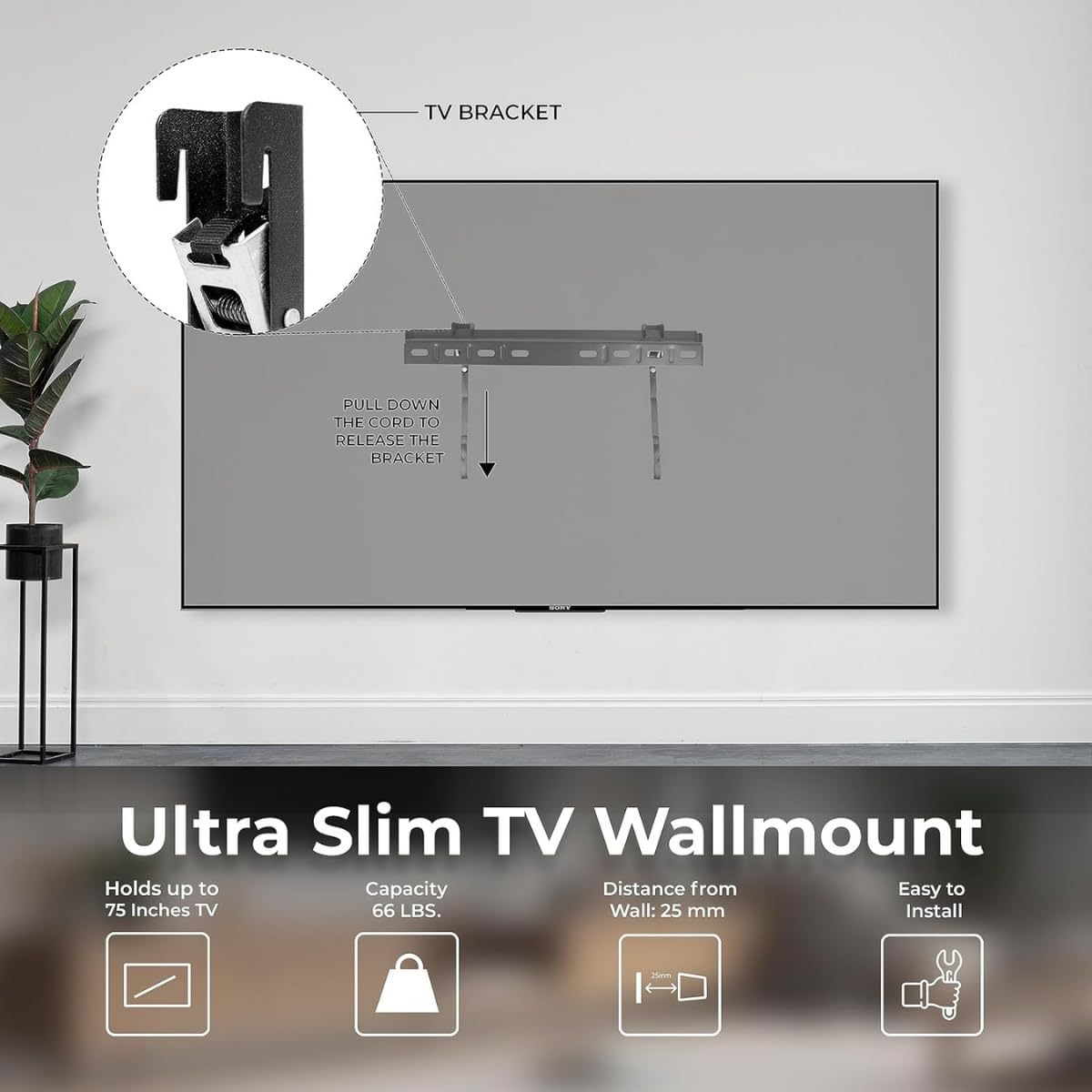
The LG LR600 Series supports VESA-compatible wall mounts. A wall mount kit is included. Follow the instructions provided with your specific wall mount for safe installation.
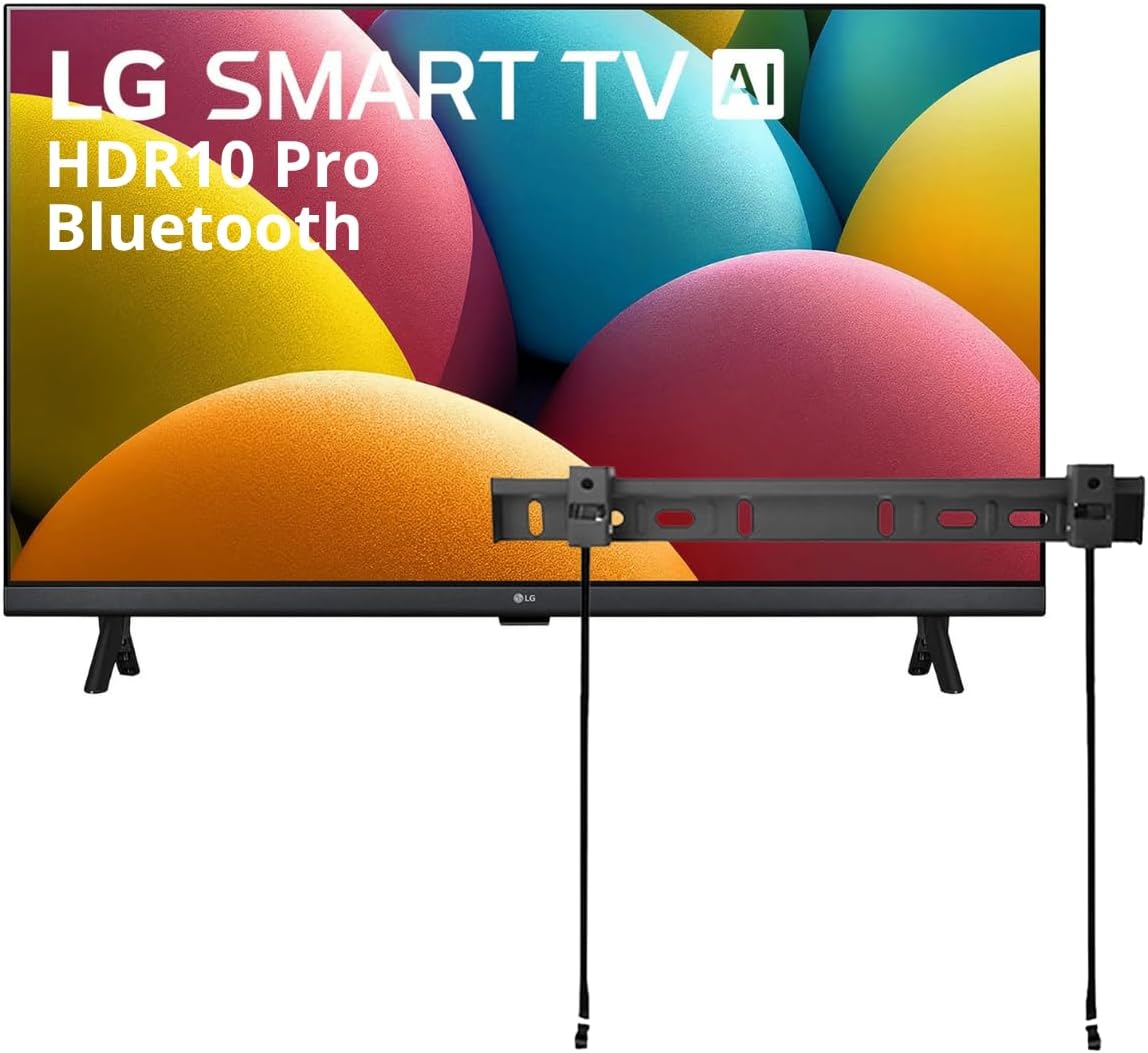
Rysunek 4.1: LG 32-inch Smart TV with an attached wall mount bracket. This image shows the television from the front, with a wall mount bracket positioned above it, indicating its compatibility with wall mounting.

Rysunek 4.2: Details of the Ultra Slim TV Wallmount. This image illustrates the design and features of the wall mount, including its slim profile and release mechanism.
4.4 Podłączanie urządzeń peryferyjnych
Connect your devices to the TV's ports:
- Moc: Podłącz kabel zasilający do telewizora i gniazdka ściennego.
- HDMI: Use HDMI ports for high-definition video and audio devices like Blu-ray players, game consoles, or set-top boxes. One HDMI port supports eARC for soundbar connectivity.
- USB: Connect USB drives to play photos and videos.
- Antena/kabel: Podłącz antenę lub wejście telewizji kablowej.

Rysunek 4.3: Tył view of the LG 32-inch Smart TV, displaying various input ports including HDMI, USB, and antenna connections.
5. Obsługa telewizora
5.1 Konfiguracja początkowa
After connecting power, turn on the TV. Follow the on-screen prompts to select your language, connect to a Wi-Fi network (Wi-Fi 5 supported), and complete the initial setup of webSystem operacyjny 23.
5.2 webInteligentne funkcje systemu operacyjnego 23
Twój telewizor LG Smart TV działa na webOS 23, providing access to a full web browser, AI chatbot, Home Hub, and compatibility with Apple AirPlay and Apple Home. Navigate through apps and content using the intuitive interface.

Rysunek 5.1: Zrzut ekranu webOS 23 interface, showing various streaming applications and smart features.
5.3 Picture Settings: HDR10 Pro
The TV supports Active HDR, compatible with HDR10 and HLG formats. HDR10 Pro enhances color and adjusts brightness on a scene-by-scene basis, revealing greater detail in both dark and bright areas of the image for a more dynamic visual experience.

Rysunek 5.2: Visual comparison demonstrating the enhanced color and contrast provided by HDR10 Pro compared to standard dynamic range (SDR).
5.4 Sound Settings: AI Sound and Bluetooth Surround Ready
The TV features AI Sound, which analyzes audio content and optimizes it for dialogue, music, or sports. Additionally, Bluetooth 5.0 allows you to wirelessly connect two compatible Bluetooth speakers to create a surround sound effect without cables.

Rysunek 5.3: Illustration depicting the immersive virtual 5.1 Up-mix experience provided by AI Sound for Spatial Symphony.
5.5 Gaming Features: Game Dashboard & Optimiser
For gamers, the Game Dashboard & Optimiser provides a centralized location to adjust settings for optimal gameplay. Quickly change game genre settings, manage FPS, AI Sound, Black Stabilizer, and Low Latency options.

Rysunek 5.4: Screenshot of the Game Dashboard & Optimiser interface during gameplay, showing various adjustable settings.
5.6 Asystenci głosowi
The TV integrates with LG ThinQ AI, Google Assistant, and Amazon Alexa, allowing for voice control of your TV and compatible smart home devices.
6. Konserwacja
6.1 Czyszczenie telewizora
To clean the screen, gently wipe with a soft, dry, lint-free cloth. For the TV frame, use a soft cloth dampczyścić łagodnym roztworem czyszczącym. Unikać stosowania silnych środków chemicznych lub materiałów ściernych.
6.2 Aktualizacje oprogramowania
Ensure your TV's software is up-to-date for optimal performance and security. You can check for updates through the TV's settings menu under 'General' > 'About This TV' > 'Check for Updates'.
7. Rozwiązywanie Problemów
Jeśli masz problemy z telewizorem, zapoznaj się z poniższymi typowymi rozwiązaniami:
- Brak zasilania: Sprawdź, czy kabel zasilający jest prawidłowo podłączony do telewizora i gniazdka ściennego. Spróbuj użyć innego gniazdka.
- Brak obrazu/dźwięku: Upewnij się, że wybrano prawidłowe źródło sygnału. Sprawdź wszystkie połączenia kablowe (HDMI, antena).
- Problemy z połączeniem sieciowym: Verify your Wi-Fi password. Restart your router and the TV.
- Pilot nie działa: Wymień baterie. Upewnij się, że między pilotem a telewizorem nie ma żadnych przeszkód.
8. Specyfikacje
Key technical specifications for the LG 32-inch Smart TV (2025) LR600 Series:
| Funkcja | Specyfikacja |
|---|---|
| Marka | LG |
| Model | LR600 |
| Rozmiar ekranu | 32 cale (82 cm przekątna) |
| Technologia wyświetlania | PROWADZONY |
| Rezolucja | 1080p (HD) |
| Częstotliwość odświeżania | 60 Hz |
| Edytor | α5 Gen 8 AI Processor |
| Obsługa HDR | HDR10, HLG (Active HDR) |
| System operacyjny | webSystem operacyjny 23 |
| Łączność | Wi-Fi 5, Bluetooth 5.0 |
| Porty | 2 HDMI (1 with eARC), 1 USB |
| Asystenci głosowi | LG ThinQ AI, Google Assistant, Amazon Alexa |
| Wymiary (szer. x wys. x gł.) | 29" x 17.2" x 3.3" (bez stojaka) |
| Waga przedmiotu | 13.12 funta |

Rysunek 8.1: Illustration of the α5 AI Processor Gen6, the core component responsible for optimizing picture and sound.
9. Gwarancja i wsparcie
For warranty information and technical support, please refer to the warranty card included with your product or visit the official LG support webZachowaj paragon jako dowód zakupu.
For further assistance, you may visit the LG support page: www.lg.com/us/support