
Wstęp
Thank you for choosing the INGA HKDR631M Computer Speakers. This device provides high-quality stereo sound and clear voice communication through its detachable microphone. Designed for versatility, it easily connects to various devices and offers multiple mounting options to optimize your workspace. Please read this manual carefully to ensure proper setup and operation.
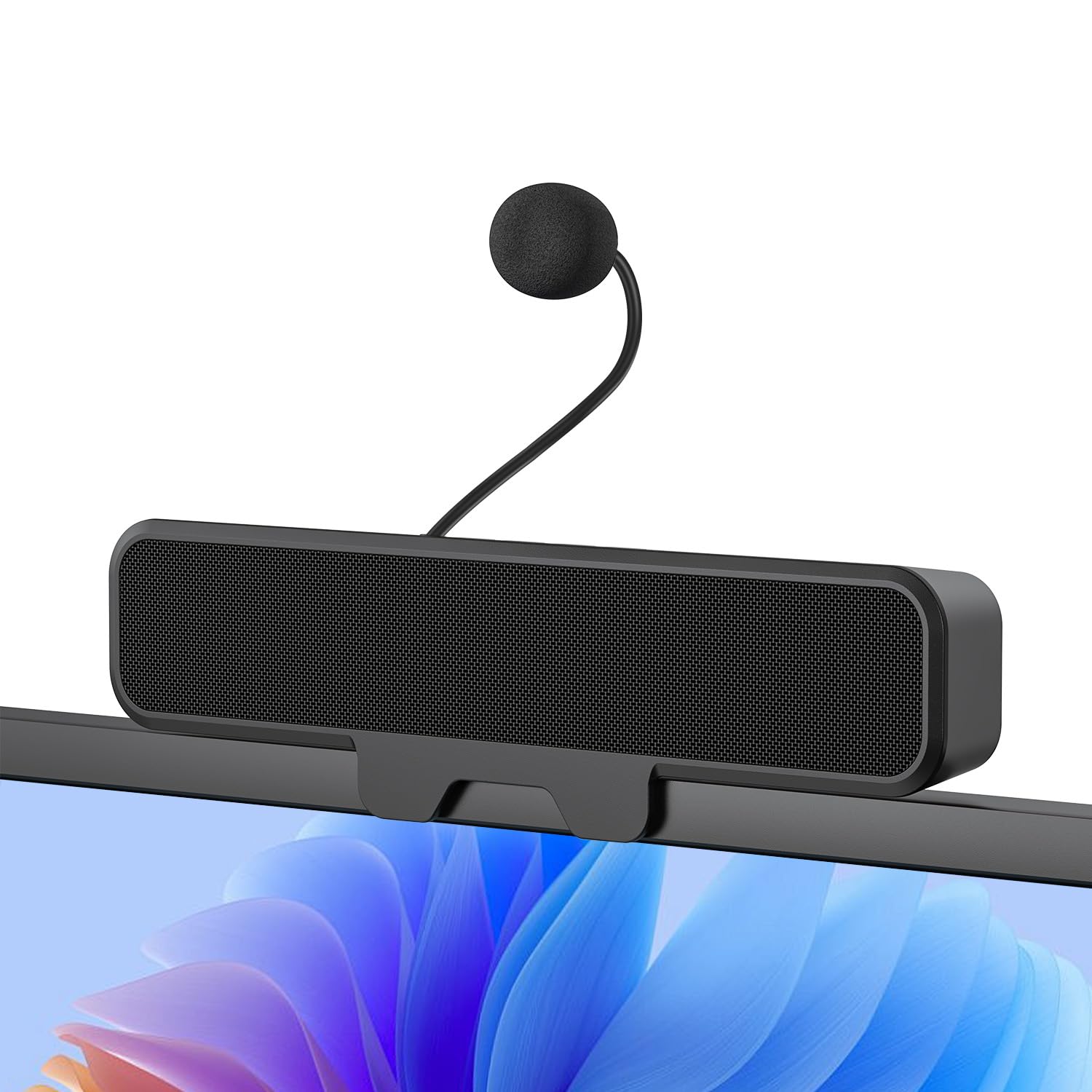
Figure 1: INGA HKDR631M Computer Speakers
A black soundbar-style speaker with a detachable microphone attached, positioned on a desk in front of a computer monitor displaying a video conference.
Co jest w pudełku
- 1 x INGA Computer Speaker
- 1 x Odpinany mikrofon
- 1 x Instrukcja obsługi
- USB-A to USB-C Adapter (included with the cable)
Instrukcje konfiguracji
1. Montaż głośników
The INGA HKDR631M speakers offer versatile mounting options. You can use the built-in clip to attach it to your monitor or place it directly on your desk.
- Montaż na zatrzask: The sturdy clip is designed to attach to monitors up to 1 inch (2.54 cm) thick. Gently open the clip and position the speaker on the top edge of your monitor. Ensure it is securely fastened.
- Umieszczenie na pulpicie: For monitors with curved backs or if you prefer a desktop setup, the speaker can stand independently on its base.

Rysunek 2: Wiele opcji montażu
This image illustrates how the speaker can be securely clipped to the top of a monitor (up to 1 inch thick) or placed on a desk using its integrated stand. Note: Not compatible with curved-back monitors for clip-on mounting.
2. Attaching the Detachable Microphone
Locate the detachable microphone. Insert the microphone's connector into the designated port on the speaker unit. Ensure it is firmly connected.
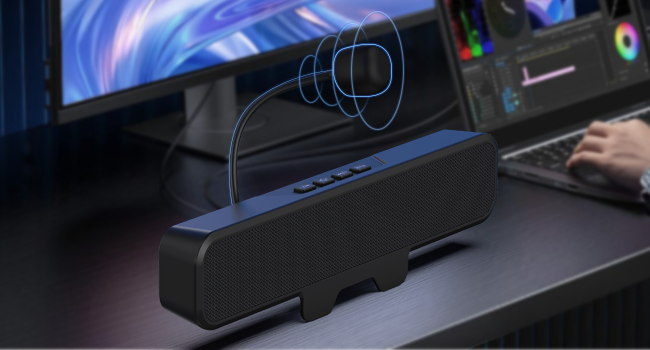
Rysunek 3: Podłączanie odłączanego mikrofonu
Zbliżenie view of the speaker unit, highlighting the port where the flexible, unidirectional microphone is inserted.
3. Łączenie się z urządzeniem
The INGA HKDR631M speakers are plug-and-play, requiring no additional drivers. Connect the speaker to your computer or device using the integrated USB cable.
- The speaker comes with a USB-A connector and an included USB-C adapter for broad compatibility.
- Plug the USB connector into an available USB port on your PC, Mac, laptop, or gaming console.
- The device will be automatically recognized, and audio output will be routed through the speakers.

Figure 4: USB Connectivity with Adapters
This image displays the speaker's integrated USB cable with a USB-A connector, alongside a separate USB-C adapter, demonstrating its broad compatibility with different computer ports.
Video 1: Usage Methods and Effects of the INGA HKDR631M Speaker
This video demonstrates the setup and functionality of the INGA HKDR631M speakers, including connection and basic operation.
Instrukcja obsługi
1. Regulacja zasilania i głośności
The speakers are powered via the USB connection. Once connected, they are ready for use. Volume can be adjusted using the dedicated buttons on the speaker unit or through your device's operating system.
- Zwiększenie głośności: Naciśnij przycisk '+'.
- Ściszanie: Naciśnij przycisk '-'.
2. Microphone Mute Function
The speaker features a convenient one-touch mute button for the microphone, allowing for instant privacy control.
- Wycisz/wyłącz wyciszenie mikrofonu: Press the microphone mute button (often indicated by a microphone icon with a slash) on the speaker unit. An indicator light may show the microphone's status.

Figure 5: One-Touch Microphone Mute
Od góry do dołu view of the speaker, emphasizing the control panel with the microphone mute button, which allows for quick and easy privacy control.
3. Funkcje audio
Experience immersive stereo sound with enhanced bass, ideal for gaming, meetings, and multimedia consumption.
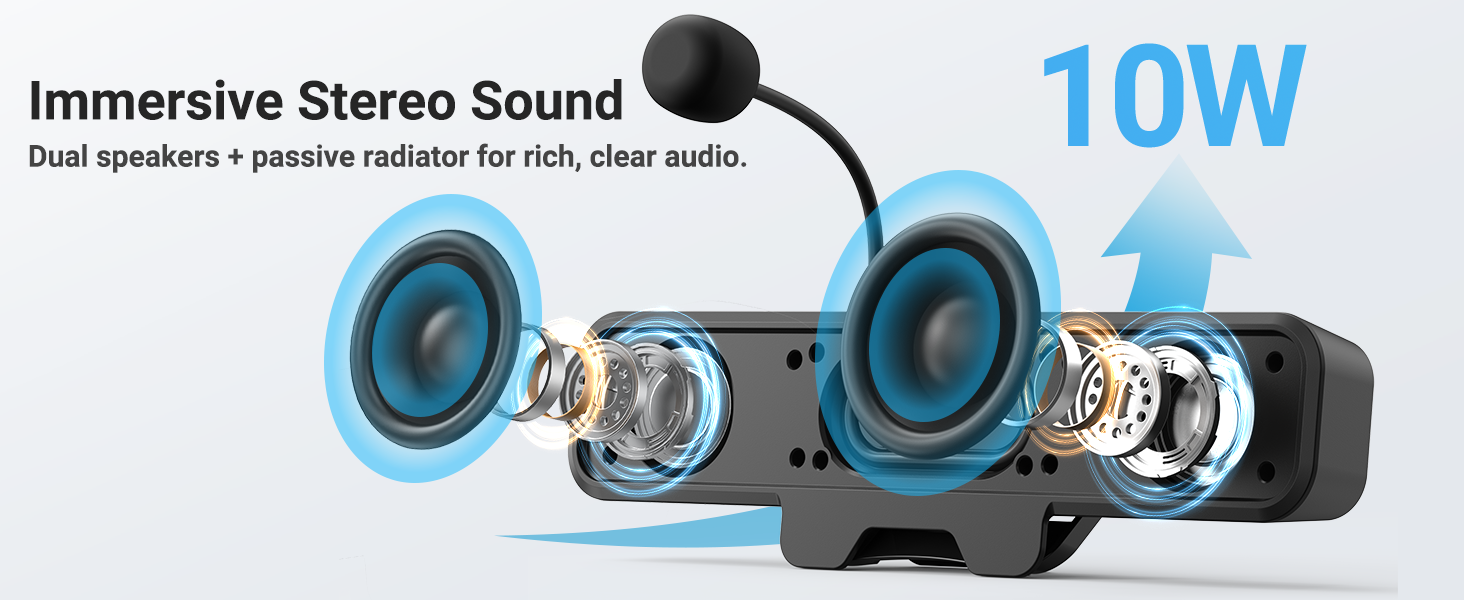
Rysunek 6: Dźwięk stereo immersyjny
An internal diagram of the speaker, showing the dual high-performance drivers and a passive bass radiator, which work together to produce rich, clear audio with enhanced bass.
Konserwacja
To ensure the longevity and optimal performance of your INGA HKDR631M speakers, follow these maintenance guidelines:
- Czyszczenie: Do czyszczenia powierzchni głośnika należy używać miękkiej, suchej ściereczki. Nie należy używać płynnych środków czyszczących ani materiałów ściernych.
- Składowanie: Jeśli głośniki nie będą używane przez dłuższy czas, należy je przechowywać w chłodnym, suchym miejscu, z dala od bezpośredniego światła słonecznego i ekstremalnych temperatur.
- Obsługiwanie: Avoid dropping the speakers or subjecting them to strong impacts. Do not attempt to disassemble the unit.
Rozwiązywanie problemów
If you encounter issues with your INGA HKDR631M speakers, refer to the following common problems and solutions:
Brak wyjścia dźwięku
- Sprawdź połączenie USB: Ensure the USB cable is securely plugged into both the speaker and your device. Try a different USB port.
- Sprawdź ustawienia urządzenia: Confirm that the INGA HKDR631M is selected as the default audio output device in your computer's sound settings.
- Dostosuj głośność: Increase the volume using the speaker's controls and your device's system volume. Ensure the speaker is not muted.
- Uruchom ponownie urządzenie: Sometimes, a simple restart of your computer can resolve audio recognition issues.
Mikrofon nie działa
- Sprawdź połączenie mikrofonu: Ensure the detachable microphone is fully inserted into its port on the speaker.
- Zaznacz przycisk wyciszenia: Press the microphone mute button on the speaker to ensure it is not muted.
- Sprawdź ustawienia urządzenia: In your computer's sound settings, ensure the INGA HKDR631M microphone is selected as the default input device. Check microphone privacy settings in your operating system.
- Ustawienia aplikacji: If using a specific application (e.g., Zoom, Discord), check its internal audio settings to ensure the correct microphone is selected.
Poor Sound Quality or Static
- USB Port Interference: Try connecting the speaker to a different USB port, preferably a direct port on your computer rather than a hub.
- Integralność kabla: Sprawdź, czy kabel USB nie jest uszkodzony lub zagięty.
- Czynniki środowiskowe: Keep the speakers away from other electronic devices that might cause interference.
- Aktualizacje oprogramowania: Ensure your operating system and audio drivers are up to date.
Speaker Does Not Clip Securely to Monitor
- Monitor Thickness: The clip is designed for monitors up to 1 inch thick. Ensure your monitor falls within this specification.
- Curved Monitors: The clip-on design is not compatible with monitors that have a curved back. In such cases, use the desktop placement option.
Specyfikacje
| Marka | INGA |
| Numer modelu | HKDR631M |
| Maksymalna moc wyjściowa głośnika | 10 watów |
| Odpowiedź częstotliwościowa | 20 kHz |
| Technologia łączności | USB |
| Tryb wyjścia audio | Stereofoniczny |
| Typ montażu | Klips |
| Materiał obudowy | Metal, Plastik |
| Typ głośnika | Monitor |
| Dodatkowe funkcje | Bass Boost, Clamp Installation, Detachable Microphone, Plug and Play, USB Port |
| Kolor | Czarny |
| Metoda kontroli | Dotykać |
| Rozmiar głośnika | 248 milimetrów |
| Konkretne zastosowania produktu | Desktop multimedia, Communication, Gaming |
| Liczba kanałów audio | 2.0 |
| Protokół łączności | USB |
| Źródło zasilania | Elektryczny przewodowy (USB) |
| Wejście Voltage | 5 V (prąd stały) |
| Wymiary przedmiotu (gł. x szer. x wys.) | 9" gł. x 1.85" szer. x 1.26" wys. |
| Kompatybilne urządzenia | Laptop, MAC, PC, Gaming Consoles |
| Typ sterownika audio | Dynamiczny sterownik |
Informacje o gwarancji
The INGA HKDR631M Computer Speakers come with a Roczna gwarancja producenta. This warranty covers parts and labor for defects in materials and workmanship under normal use. Please retain your proof of purchase for warranty claims.
For detailed warranty terms and conditions, please refer to the official INGA webodwiedź witrynę lub skontaktuj się z działem obsługi klienta.
Obsługa klienta
Should you require assistance, have questions, or need to report an issue, please contact INGA customer service. We are committed to providing excellent support across various channels.
For the most up-to-date contact information, please visit the official INGA webodwiedź witrynę lub zapoznaj się z danymi kontaktowymi dołączonymi do opakowania produktu.