
boAt Rockerz Trinity Gen 2
boAt Rockerz Trinity Gen 2 Bluetooth Neckband Earphones User Manual
Model: Rockerz Trinity Gen 2
Wstęp
Thank you for choosing the boAt Rockerz Trinity Gen 2 Bluetooth Neckband Earphones. This manual provides essential information for setting up, operating, and maintaining your earphones. Please read it carefully to ensure proper use and to maximize your listening experience. These earphones are designed for extended audio playback, high-resolution sound, and clear communication.
Co jest w pudełku
- boAt Rockerz Trinity Gen 2 Earphones
- Kabel ładujący
- Instrukcja obsługi
The package includes the boAt Rockerz Trinity Gen 2 Earphones, a charging cable, and this user manual.
Produkt ponadview
The boAt Rockerz Trinity Gen 2 features a flexible neckband design with in-ear earbuds. It includes integrated controls for media playback, call management, and voice assistant activation. The neckband houses the battery and main electronics.
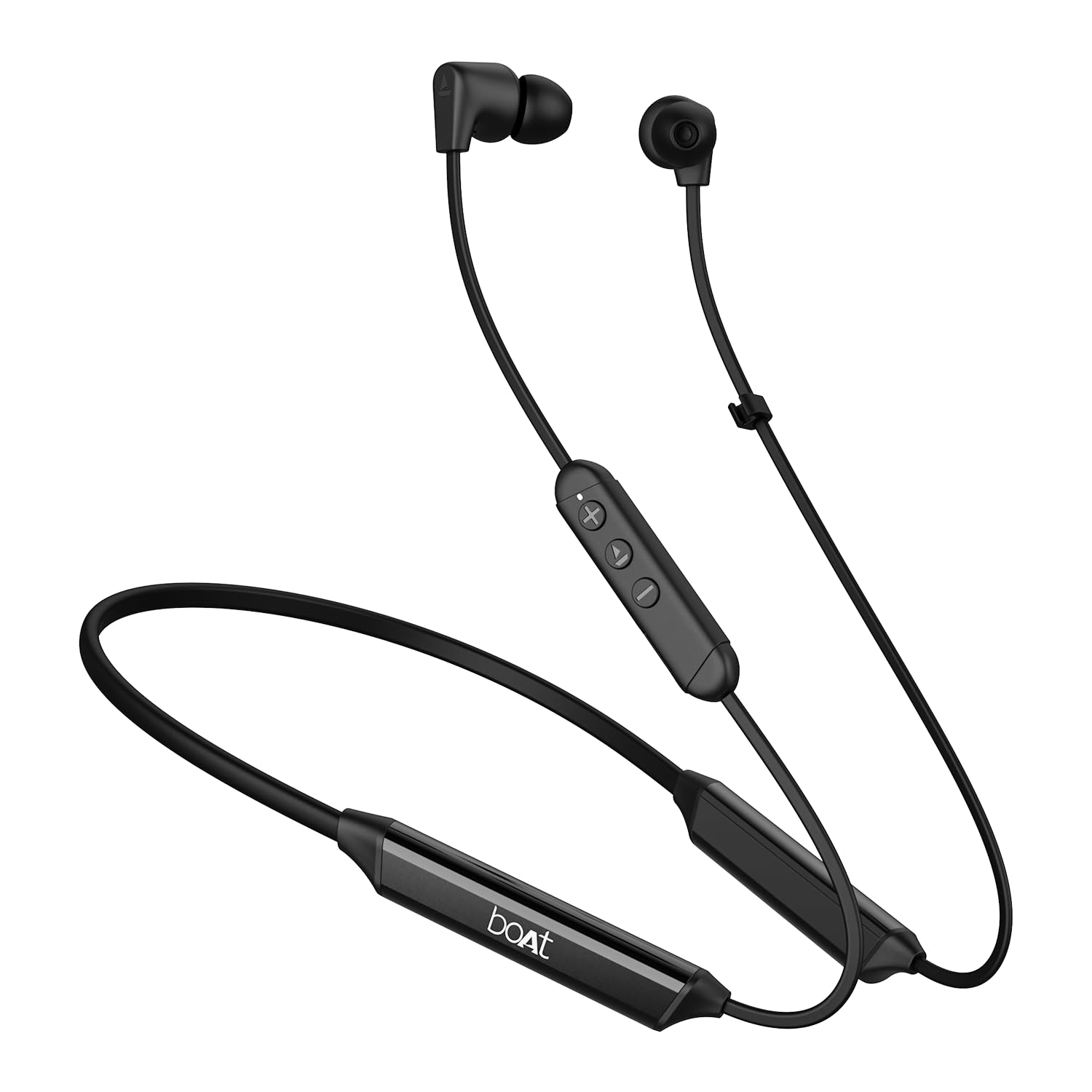
Image: The boAt Rockerz Trinity Gen 2 neckband earphones, highlighting the flexible neckband and in-ear design.

Obraz: szczegółowy view of the boAt Rockerz Trinity Gen 2 earbuds and the inline control panel, showing buttons for volume and playback.
Organizować coś
1. Ładowanie słuchawek
Before first use, fully charge your earphones. Connect the provided charging cable to the charging port on the neckband and to a USB power source. The LED indicator will show charging status. A full charge provides up to 150 hours of playback. With ASAP Charge, 10 minutes of charging provides up to 24 hours of playback.
Image: The boAt Rockerz Trinity Gen 2 neckband, illustrating its long battery life with "150 HOURS PLAYBACK" text.
2. Włączanie/wyłączanie zasilania
- Włączanie: Press and hold the Multi-function button (usually the center button on the inline control) for approximately 3 seconds until the LED indicator flashes blue and you hear a power-on prompt.
- Aby wyłączyć: Press and hold the Multi-function button for approximately 5 seconds until the LED indicator flashes red and you hear a power-off prompt.
3. Parowanie Bluetooth
- Upewnij się, że słuchawki są wyłączone.
- Press and hold the Multi-function button for about 5-7 seconds until the LED indicator flashes red and blue alternately, indicating pairing mode.
- Włącz Bluetooth na swoim urządzeniu (smartfonie, laptopie) i wyszukaj dostępne urządzenia.
- Select "boAt Rockerz Trinity Gen 2" from the list of found devices.
- Once connected, the LED indicator will flash blue slowly, and you will hear a confirmation tone.

Image: The boAt Rockerz Trinity Gen 2 earphones connected to both a smartphone and a tablet, illustrating the dual pairing feature.
4. Dual Pairing (Multipoint)
The Rockerz Trinity Gen 2 supports dual pairing, allowing connection to two devices simultaneously. After pairing with the first device, disable Bluetooth on that device. Put the earphones back into pairing mode and connect to the second device. Once connected to the second device, re-enable Bluetooth on the first device. The earphones will automatically connect to both devices, allowing seamless switching between them for calls and media.
Instrukcja obsługi
Podstawowe sterowanie
- Odtwórz/Pauza: Naciśnij raz przycisk wielofunkcyjny.
- Zwiększenie głośności: Naciśnij przycisk '+'.
- Ściszanie: Naciśnij przycisk '-'.
- Następny utwór: Naciśnij i przytrzymaj przycisk „+”.
- Poprzedni utwór: Naciśnij i przytrzymaj przycisk „-”.
- Odbieranie/kończenie połączeń: Naciśnij raz przycisk wielofunkcyjny.
- Odrzuć połączenie: Naciśnij i przytrzymaj przycisk wielofunkcyjny przez 2 sekundy.
- Aktywuj asystenta głosowego: Dwukrotnie naciśnij przycisk wielofunkcyjny.
Dźwięk Hi-Res z LDAC
The Rockerz Trinity Gen 2 supports Hi-Res Audio with LDAC codec, providing superior sound quality. Ensure your connected device also supports LDAC for the best audio experience. This feature allows for high-resolution audio transmission over Bluetooth, preserving more detail from your music.

Image: The boAt Rockerz Trinity Gen 2 earphones displaying the "Hi-Res Audio Wireless" and "LDAC" logos, indicating high-resolution audio support.
Dwa tryby korektora
Switch between different equalizer modes to customize your audio experience. Refer to the product's quick start guide or experiment with button combinations (often a triple-press of the Multi-function button or a combination with volume buttons) to cycle through available EQ presets. This allows you to adjust the sound profile według Twoich preferencji.

Image: A close-up of the boAt Rockerz Trinity Gen 2 earbuds, highlighting the availability of dual EQ modes for sound customization.
AI-ENx™ Technology for Clear Calls
The earphones feature AI-ENx™ technology, which enhances call clarity by eliminating background noise. This ensures your voice is heard clearly during calls, even in noisy environments.

Image: A close-up of a boAt Rockerz Trinity Gen 2 earbud, emphasizing the AI-ENx™ technology for clear voice calls.
BEAST™ Mode (Low Latency)
Activate BEAST™ Mode for a low-latency gaming experience (65ms). This mode synchronizes audio with visuals, providing a more immersive gaming session. To activate/deactivate BEAST™ Mode, refer to the specific instructions in your quick start guide, usually involving a dedicated button press or a combination.

Image: The boAt Rockerz Trinity Gen 2 earphones with "BEAST™ MODE 65ms Low Latency" text, depicted alongside gaming characters to illustrate its use for gaming.
Konserwacja
Czyszczenie
- Wytrzyj słuchawki miękką, suchą i niepozostawiającą włókien ściereczką.
- Nie używaj ostrych środków chemicznych, rozpuszczalników czyszczących ani silnych detergentów.
- Regularnie czyść końcówki douszne, aby zapobiec gromadzeniu się woskowiny, która może mieć wpływ na jakość dźwięku.
Wodoodporność (IPX5)
The earphones are IPX5 rated, meaning they are resistant to sweat and light splashes of water. They are not designed for submersion in water. Avoid exposing them to heavy rain or direct water jets. Ensure the charging port cover is securely closed when not charging to maintain water resistance.

Image: The boAt Rockerz Trinity Gen 2 earbuds with water droplets on them, illustrating their IPX5 water resistance rating.
Składowanie
Store the earphones in a cool, dry place away from direct sunlight and extreme temperatures. Avoid storing them with sharp objects that could damage the cables or earbuds.
Rozwiązywanie problemów
Brak zasilania
- Sprawdź, czy słuchawki są w pełni naładowane.
- Press and hold the Multi-function button for 3-5 seconds to power on.
Nie można sparować z urządzeniem
- Ensure the earphones are in pairing mode (LED flashing red and blue alternately).
- Upewnij się, że w Twoim urządzeniu włączony jest Bluetooth i że znajduje się ono w zasięgu (zazwyczaj 10 metrów).
- Forget "boAt Rockerz Trinity Gen 2" from your device's Bluetooth list and try pairing again.
- Uruchom ponownie urządzenie i słuchawki.
Niski lub zniekształcony dźwięk
- Dostosuj głośność zarówno w słuchawkach, jak i w podłączonym urządzeniu.
- Ensure the ear tips are clean and properly seated in your ears.
- Wypróbuj końcówki douszne o różnych rozmiarach, aby zapewnić lepsze dopasowanie.
- Zbliż się do podłączonego urządzenia, aby uniknąć zakłóceń.
Mikrofon nie działa
- Sprawdź, czy słuchawki są prawidłowo podłączone do urządzenia.
- Check your device's audio settings to ensure the earphones are selected as the input device.
- Clean the microphone opening if it appears obstructed.
Specyfikacje
| Marka | łódź |
| Nazwa modelu | Rockerz Trinity Gen 2 |
| Umieszczenie ucha | W uchu |
| Współczynnik kształtu | W uchu |
| Kontrola hałasu | AI-ENx™ Technology (for calls) |
| Technologia łączności | Bluetooth |
| Średnia żywotność baterii | 150 godzin |
| Czas ładowania akumulatora | 10 Minutes (for 24 hours playback via ASAP Charge) |
| Typ sterownika audio | Dynamic Driver (10mm, inferred from description) |
| Zakres częstotliwości | 20 Hz - 20 000 Hz |
| Odporność na wodę | IPX5 |
| Cechy specjalne | Hi-Res Audio with LDAC, Dual EQ Modes, AI-ENx™ Technology, Dual Pairing, BEAST™ Mode (65ms Low Latency), ASAP Charge |
| Metoda kontroli | Głos, przycisk |
| Waga przedmiotu | 60 gram |
Gwarancja i wsparcie
Informacje o gwarancji
The boAt Rockerz Trinity Gen 2 earphones come with a 1-letnia gwarancja from the date of purchase. This warranty covers manufacturing defects. Please retain your purchase receipt for warranty claims. The warranty does not cover damage caused by misuse, accidents, unauthorized modifications, or normal wear and tear.
Obsługa klienta
For technical assistance, warranty claims, or any other inquiries, please contact boAt customer support:
- E-mail: info@imaginemarketingindia.com
- Producent: Imagine Marketing Ltd
Please visit the official boAt webwitryna zawierająca najnowsze informacje dotyczące pomocy technicznej i dane kontaktowe.
Ask a question about this manual
Ask about setup, troubleshooting, compatibility, parts, safety, or missing instructions. Manuals+ will review the question and use this page’s manual context to help answer it.