
1. Koniec produktuview
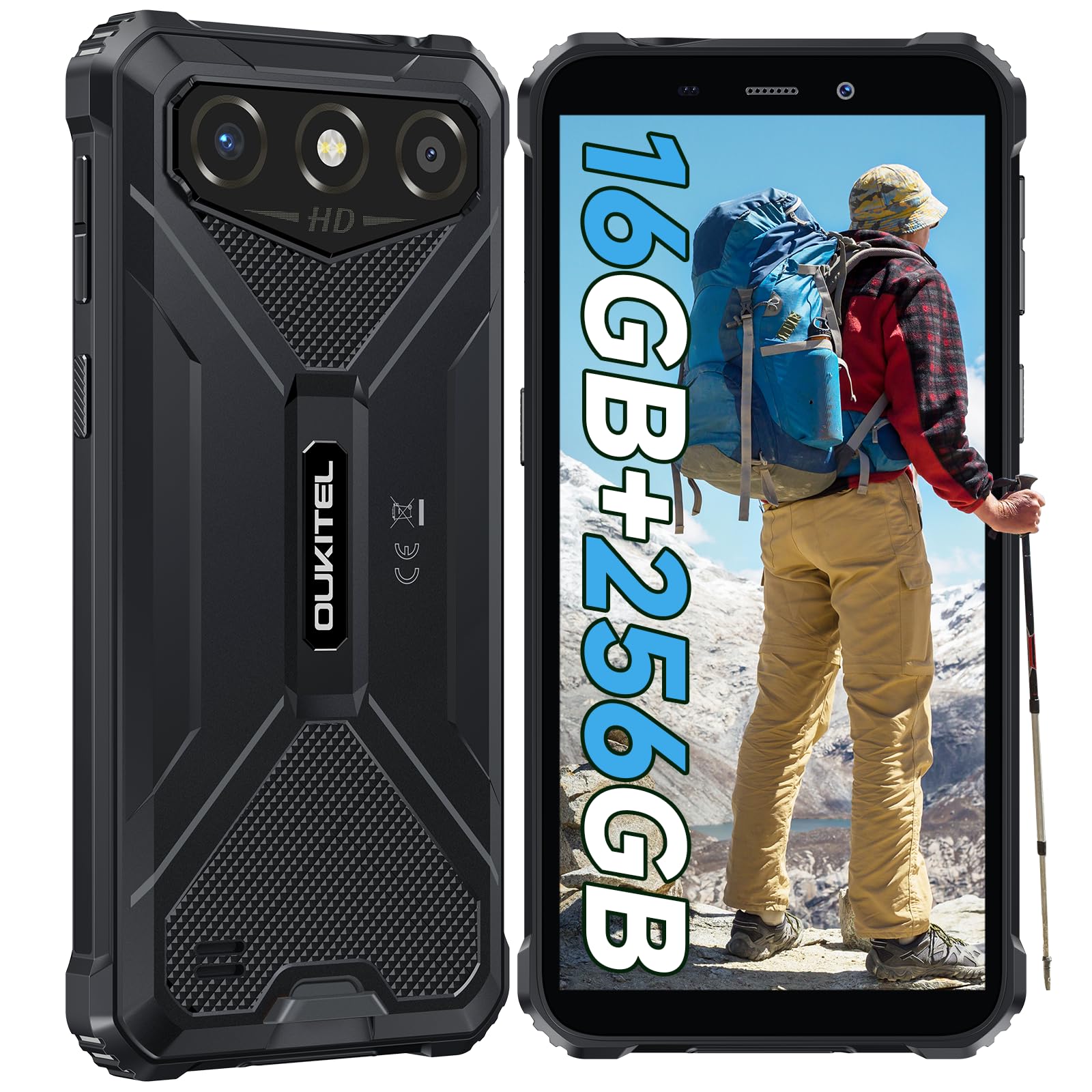
The OUKITEL G3 is a rugged smartphone designed for durability and performance in challenging environments. It features a 6.0-inch HD display, a 6300mAh battery, 16GB RAM (expandable), 256GB ROM (expandable to 1TB), and a 13MP main camera. The device is certified with IP68, IP69K, and MIL-STD-810H ratings, ensuring resistance to water, dust, and drops. It operates on Android 14 and supports 4G Dual SIM, GPS, Face ID, and OTG functionality.
2. Zawartość opakowania
Sprawdź, czy w przesyłce znajdują się wszystkie elementy:
- 1x OUKITEL G3 Smartphone
- 1x ładowarka
- 1x kabel typu C
- 1x SIM Card Ejector Pin
- 1x Instrukcja obsługi

3. Konfiguracja początkowa
3.1. Wkładanie kart SIM i karty TF
- Znajdź tackę na kartę SIM znajdującą się z boku urządzenia.
- Otwórz tackę za pomocą dołączonego narzędzia do wyjmowania karty SIM.
- Carefully place your Nano SIM cards (up to two) and/or a TF card (for memory expansion up to 1TB) into the designated slots.
- Upewnij się, że karty są ułożone prawidłowo, zgodnie ze wskazówkami na tacce.
- Delikatnie wsuń tackę z powrotem do telefonu, aż zatrzaśnie się na swoim miejscu.

3.2. Ładowanie akumulatora
Before first use, fully charge the device. Connect the Type-C cable to the phone's charging port and the other end to the provided charger. Plug the charger into a power outlet. The battery indicator on the screen will show charging status. The OUKITEL G3 features a 6300mAh battery for extended use.
3.3. Włączanie/wyłączanie zasilania
- Aby włączyć: Naciśnij i przytrzymaj przycisk zasilania, aż pojawi się logo OUKITEL.
- Aby wyłączyć: Naciśnij i przytrzymaj przycisk zasilania, a następnie wybierz opcję „Wyłącz” z listy opcji na ekranie.
- Aby ponownie uruchomić: Naciśnij i przytrzymaj przycisk zasilania, a następnie wybierz z opcji opcję „Uruchom ponownie”.
4. Instrukcja obsługi
4.1. Wyświetlacz i nawigacja
The OUKITEL G3 features a 6.0-inch HD display with 450 nits brightness and Corning Glass 5 protection. Navigate the Android 14 interface using touch gestures: tap, swipe, pinch-to-zoom. Access quick settings by swiping down from the top of the screen.

4.2. Funkcje aparatu
The device is equipped with a 13MP rear camera and a 5MP front camera. Open the Camera app to capture photos and videos. Features include:
- Standardowy tryb zdjęć: Do fotografii codziennej.
- Tryb upiększania AI: Enhances facial features in portraits.
- Tryb aparatu podwodnego: Allows capturing photos and videos while submerged up to 1.5m for 30 minutes. Ensure all ports are securely sealed before underwater use.
- Tryb panoramy: For wide-angle landscape shots.

4.3. Battery Management and OTG
The 6300mAh battery provides extended usage. To optimize battery life, manage screen brightness, close unused applications, and enable power-saving modes when needed. The device supports OTG (On-The-Go) reverse charging, allowing you to use your OUKITEL G3 to charge other compatible devices via a Type-C OTG cable (sold separately).

4.4. Custom Key and Security Features
- Klucz niestandardowy: A programmable button on the side of the device for quick access to specific applications or functions. Configure its actions (single click, double click, long press) in the phone settings.
- Identyfikator twarzy: Use facial recognition for secure unlocking of your device. Set up Face ID in the Security settings.
- Nawigacja GPS: The OUKITEL G3 supports GPS, GLONASS, Beidou, and Galileo navigation systems for accurate positioning.

5. Konserwacja i trwałość
The OUKITEL G3 is built to withstand harsh conditions, certified with IP68, IP69K, and MIL-STD-810H standards.
- Wodoodporność IP68: Protected against continuous immersion in water up to 1.5 meters for 30 minutes. Ensure all port covers are tightly sealed before exposure to water.
- IP69K Dust Resistance: Pełna ochrona przed wnikaniem pyłu i strumieniami wody pod wysokim ciśnieniem i wysoką temperaturą.
- Odporność na upadek MIL-STD-810H: Designed to withstand drops from up to 1.5 meters. The aluminum frame and rubberized corners provide enhanced shock absorption.
Do czyszczenia urządzenia użyj miękkiego, damp cloth. Avoid harsh chemicals or abrasive materials. Regularly check port covers for proper sealing to maintain water and dust resistance.

6. Rozwiązywanie Problemów
Jeśli napotkasz problemy z urządzeniem OUKITEL G3, zapoznaj się z poniższymi typowymi rozwiązaniami:
| Problem | Możliwe rozwiązanie |
|---|---|
| Urządzenie nie włącza się | Upewnij się, że bateria jest naładowana. Podłącz ładowarkę i odczekaj kilka minut przed ponownym włączeniem. |
| Słaby sygnał sieci | Check if SIM cards are correctly inserted. Move to an area with better network coverage. Contact your service provider if the issue persists. |
| Aplikacje ulegają awarii lub zawieszają się | Close background applications. Clear the cache of the problematic app. Restart the device. Ensure sufficient storage space is available. |
| Bateria szybko się rozładowuje | Reduce screen brightness. Disable unused features like Wi-Fi, Bluetooth, GPS. Close power-intensive apps. Check battery usage in settings to identify culprits. |
| Ekran dotykowy nie reaguje | Uruchom ponownie urządzenie. Jeśli problem będzie się powtarzał, przywróć ustawienia fabryczne (najpierw wykonaj kopię zapasową danych). |
7. Specyfikacje techniczne
| Funkcja | Szczegół |
|---|---|
| Marka | OUKITEL |
| Model | G3 |
| System operacyjny | Android 14 |
| BARAN | 4 GB (z możliwością rozszerzenia do 16 GB wirtualnej pamięci RAM) |
| Pamięć wewnętrzna (ROM) | 256 GB |
| Możliwość rozbudowy pamięci masowej | Do 1TB (karta TF) |
| Rozmiar wyświetlacza | 6.0 cali |
| Rozdzielczość wyświetlacza | HD (450 nits brightness, Corning Glass 5) |
| Częstotliwość odświeżania | 60 Hz |
| Kamera tylna | 13 megapiksela |
| Przednia kamera | 5 megapiksela |
| Pojemność baterii | 6300 mAh |
| Port ładowania | USB typu C |
| Oceny trwałości | IP68, IP69K, MIL-STD-810H |
| Obsługa kart SIM | Dual 4G Nano SIM |
| Nawigacja | GPS, GLONASS, Beidou, Galileo |
| Bezpieczeństwo biometryczne | Identyfikator twarzy |
| Gniazdo audio | 3.5mm |
Szczegółowe informacje na temat efektywności energetycznej można znaleźć w bazie danych EPREL UE: https://eprel.ec.europa.eu/qr/2400970

8. Gwarancja i wsparcie
OUKITEL provides the following support for the G3 smartphone:
- Zasady zwrotu: Możliwość zwrotu bez podania przyczyny w ciągu 30 dni.
- Gwarancja: TWO-YEAR warranty.
- Wsparcie techniczne: Długoterminowa pomoc techniczna.
- Obsługa klienta: Całodobowa obsługa klienta online.
For any inquiries or support, please contact OUKITEL official customer service.