
WILCZE PUDEŁKO X3
Instrukcja obsługi kamery samochodowej i zestawu przewodowego WOLFBOX X3
Model: X3
Marka: WOLFBOX
1. Wprowadzenie
Thank you for choosing the WOLFBOX X3 Dash Cam and USB C ACC Hardwire Kit. This manual provides detailed instructions for the installation, operation, and maintenance of your new dash cam system. The WOLFBOX X3 offers a dual-camera setup with 2.5K 60FPS front recording and 1080P 30FPS rear recording, enhanced by a STARVIS 2 IMX675 sensor for clear footage in various lighting conditions. It also features 5.8GHz Wi-Fi, GPS, and Advanced Driver Assistance System (ADAS) functions to enhance your driving experience and safety.
2. Zawartość opakowania
Sprawdź, czy w przesyłce znajdują się wszystkie elementy wymienione poniżej:
- WOLFBOX X3 Front Dash Cam
- Kamera tylna
- USB C ACC Hardwire Kit (11.48 ft)
- GPS Module (integrated or separate)
- Various Fuse Taps (Mirco, Mini, Small, Medium)
- Narzędzie do podważania
- Instrukcja obsługi
- Akcesoria montażowe
- 64GB MicroSD Card (if included in specific package)

Obraz: Ponadview of the WOLFBOX X3 Dash Cam, rear camera, hardwire kit, 64GB SD card, and a smartphone displaying the WOLFBOX app interface.
3. Koniec produktuview
3.1 Funkcje kamery samochodowej
- Podwójne nagrywanie: Front 2.5K (2560*1440P) at 60fps and Rear 1080P at 30fps.
- STARVIS 2 IMX675 Sensor: Enhances low-light performance and reduces image noise.
- Wi-Fi 5.8 GHz: For faster and more stable video transfers to the WOLFBOX app.
- Wbudowany GPS: Rejestruje dane dotyczące prędkości i lokalizacji pojazdu.
- Smart ADAS: Advanced Driver Assistance System for proactive hazard alerts.
- Ekran dotykowy: Intuitive interface for easy control and settings adjustment.

Image: Illustrates the WOLFBOX X3's dual recording capabilities, showing 2.5K 60FPS for the front camera and 1080P 30FPS for the rear camera, emphasizing ultra-smooth video.
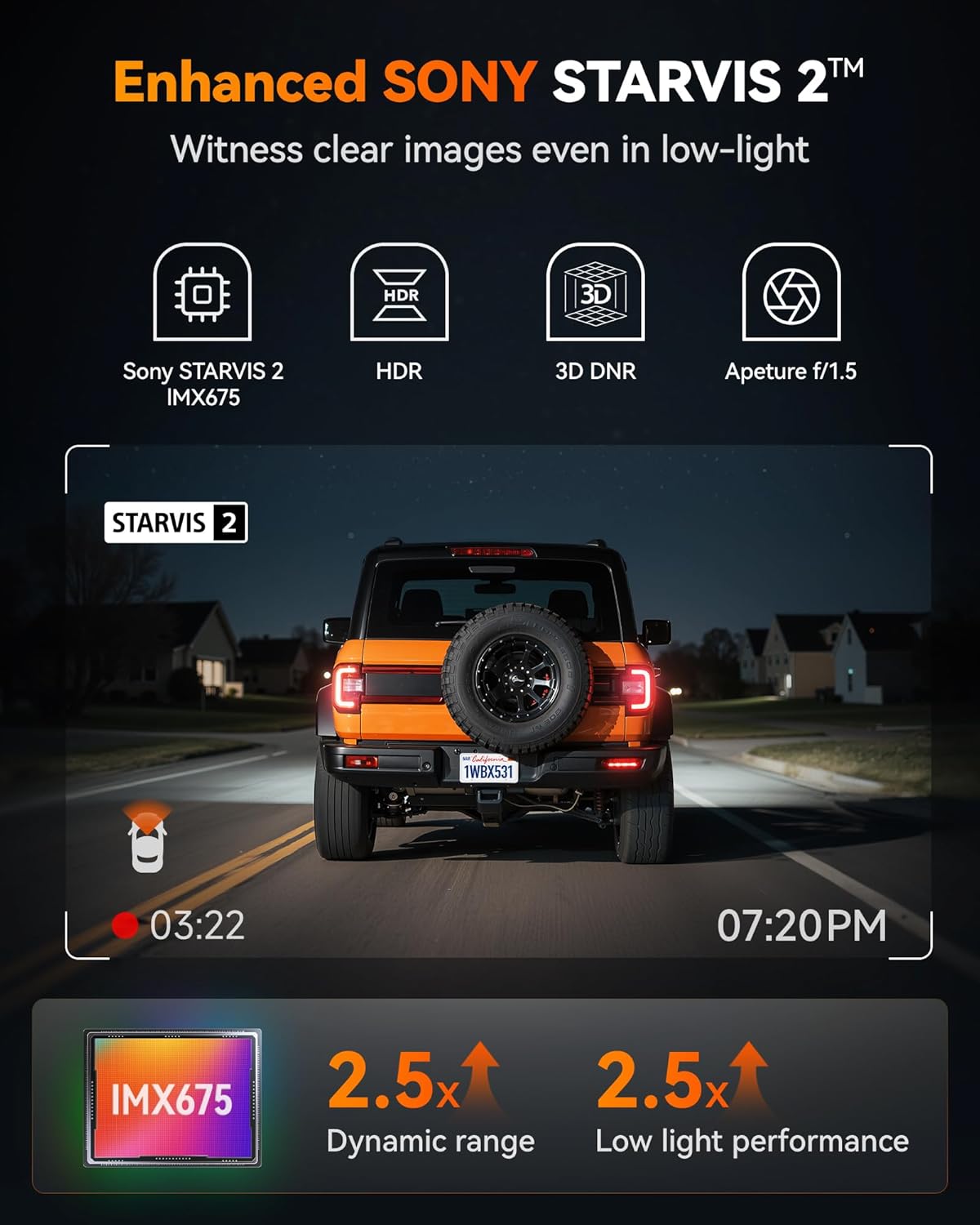
Image: Highlights the Enhanced SONY STARVIS 2 IMX675 sensor, detailing its benefits for clear images in low-light conditions, improved dynamic range, and low light performance.
3.2 Hardwire Kit Features
- Duża pojemność: 11.48 ft cable, 5A steady output.
- Tomtage Wprowadź: Supports 12V-24V vehicle power.
- Adjustable Protection Voltage: Three levels (12.4V, 12V, 11.6V) to prevent vehicle battery drain.
- Port USB-C: Compatible with the WOLFBOX X3 and other Type-C powered devices.

Image: Displays the WOLFBOX USB C ACC Hardwire Kit, including the main cable with a voltage display, various fuse taps, and a pry tool for installation.
4. Konfiguracja i instalacja
4.1 Wkładanie karty MicroSD
- Sprawdź, czy kamera samochodowa jest wyłączona.
- Insert the MicroSD card (Class 10 or higher, up to 256GB recommended) into the designated slot until it clicks.
- Format the MicroSD card via the dash cam's settings menu upon first use.
4.2 Montaż kamery samochodowej
- Przednia kamera: Wybierz miejsce na przedniej szybie, które nie będzie Ci przeszkadzać. view, zwykle za tyłemview mirror. Clean the area thoroughly. Attach the mounting bracket to the windshield, then slide the dash cam onto the bracket.
- Kamera tylna: Zamontuj tylną kamerę na tylnej szybie, aby zapewnić wyraźny obraz. view. Route the cable neatly along the headliner and pillar trim to the front dash cam.
4.3 Instalacja zestawu okablowania
The hardwire kit provides continuous power for parking monitoring and protects your vehicle's battery from draining.
- Zidentyfikuj skrzynkę bezpieczników: Znajdź skrzynkę bezpieczników swojego pojazdu (sprawdź instrukcję obsługi pojazdu).
- Connect ACC Wire (Red): Use one of the provided fuse taps to connect the red ACC wire to a fuse that is only powered when the ignition is on (e.g., radio, cigarette lighter).
- Connect B+ Wire (Yellow): Use another fuse tap to connect the yellow B+ wire to a fuse that has constant power (e.g., hazard lights, interior lights).
- Connect GND Wire (Black): Securely attach the black GND wire to a metal bolt or screw on the vehicle's chassis for a ground connection.
- Trasa kabli: Neatly route all cables along the vehicle's interior trim using the pry tool to conceal them.
- Połącz się z kamerą samochodową: Plug the USB-C end of the hardwire kit into the dash cam's power input.

Image: Illustrates the different types of fuse taps provided (Mirco, Mini, Small, Medium) to ensure compatibility with various vehicle fuse boxes. Each tap includes a slot for the original fuse and a new fuse for the dash cam.
4.4 Regulacja głośnościtage Ochrona
The hardwire kit features a switch to adjust the battery protection voltage. This prevents the dash cam from draining your car battery when the ignition is off.
- 12.4V: Highest protection, cuts power if battery drops to 12.4V.
- 12V: Medium protection, cuts power if battery drops to 12V.
- 11.6V: Lowest protection, cuts power if battery drops to 11.6V.
Adjust the switch on the hardwire kit from left to right to select your desired protection voltagpoziom.
5. Instrukcja obsługi
5.1 Włączanie/wyłączanie i nagrywanie
- Kamera samochodowa włączy się automatycznie i rozpocznie nagrywanie po włączeniu zapłonu pojazdu.
- It will automatically power off when the ignition is turned off (or enter parking mode if hardwired).
- Recordings are saved in a loop, overwriting the oldest files when the MicroSD card is full, unless locked.
5.2 Obsługa ekranu dotykowego
Navigate the dash cam's settings and features by tapping the icons on the touch screen. Common functions include: video playback, settings menu, Wi-Fi toggle, and emergency recording.
5.3 Funkcjonalność Wi-Fi i GPS
- Wi-Fi: Enable Wi-Fi on the dash cam via the touchscreen. Download the WOLFBOX app on your smartphone. Connect your phone to the dash cam's 5.8GHz Wi-Fi network. This allows for faster video transfers, live preview, and settings adjustments.
- GPS: The built-in GPS module automatically records your vehicle's speed and location. This data is embedded into video filei może być viewed via the WOLFBOX app or compatible PC software.

Image: Demonstrates the 5.8GHz Wi-Fi and GPS capabilities of the WOLFBOX X3, showing a smartphone connected to the dash cam app with map data and speed information, highlighting fast data transfer.
5.4 Zaawansowany system wspomagania kierowcy (ADAS)
The WOLFBOX X3 features ADAS technology to provide real-time alerts for potential road hazards.
- Ostrzeżenie przed kolizją czołową (FCW): Ostrzega Cię, jeśli zbliżasz się do pojazdu zbyt szybko.
- Ostrzeżenie o opuszczeniu pasa ruchu (LDW): Ostrzega Cię, jeśli Twój pojazd zjedzie z pasa ruchu bez sygnalizacji.
- Zatrzymaj się i ruszaj: Notifies you when the vehicle in front of you starts moving after a stop.
These features can be enabled or disabled in the dash cam's settings menu.

Image: Illustrates the Advanced Driver Assistance System (ADAS) features, including Forward Collision Warning, Lane Departure Warning, and Stop & Go, showing how the system detects and alerts drivers to potential hazards.
6. Konserwacja
6.1 Zarządzanie kartami MicroSD
- Regularly format the MicroSD card (at least once a month) to ensure optimal performance and prevent data corruption.
- Replace the MicroSD card every 6-12 months, as continuous overwriting can degrade its lifespan.
6.2 Czyszczenie
- Use a soft, dry cloth to clean the dash cam's screen and lenses.
- Unikaj stosowania ściernych środków czyszczących i rozpuszczalników.
6.3 aktualizacji oprogramowania sprzętowego
Sprawdź oficjalną stronę WOLFBOX website or app periodically for firmware updates. Updates can improve performance, add new features, or fix bugs. Follow the provided instructions carefully when updating firmware.
7. Rozwiązywanie Problemów
- Kamera samochodowa się nie włącza:
Check power connection. Ensure the hardwire kit is correctly installed and receiving power. Verify the vehicle's ignition is on. - Recording Errors/Corrupted Files:
Format the MicroSD card. Try a different, high-quality MicroSD card. Ensure the card is Class 10 or higher. - Problemy z połączeniem Wi-Fi:
Ensure Wi-Fi is enabled on the dash cam. Restart both the dash cam and your smartphone. Ensure you are connecting to the correct 5.8GHz network. - GPS Not Recording Data:
Upewnij się, że kamera samochodowa ma czyste pole widzenia. view of the sky. Verify GPS functionality is enabled in settings. - Alerty ADAS nie działają:
Ensure ADAS features are enabled in the settings. Calibrate the camera if necessary (refer to specific instructions in the dash cam's menu). Ensure the windshield is clean and free of obstructions. - Hardwire Kit Draining Battery:
Dostosuj głośnośćtage protection level on the hardwire kit to a higher setting (e.g., 12.4V). Ensure the B+ wire is connected to a constant power source and the ACC wire to an ignition-switched source.
8. Specyfikacje
| Funkcja | Szczegół |
|---|---|
| Rozdzielczość przedniej kamery | 2.5K (2560*1440P) @ 60fps |
| Rozdzielczość tylnej kamery | 1080p przy 30 klatkach na sekundę |
| Czujnik obrazu | STARVIS 2 IMX675 |
| Częstotliwość Wi-Fi | 5.8 GHz |
| GPS | Built-in (records speed and location) |
| Funkcje ADAS | Forward Collision Warning, Lane Departure Warning, Stop & Go |
| Hardwire Kit Cable Length | 11.48 stóp |
| Wyjście zestawu przewodowego | 5A steady |
| Hardwire Kit Input Voltage | 12 V-24 V |
| Hardwire Kit Protection Voltage | 12.4V, 12V, 11.6V (adjustable) |
| Funkcje wyświetlacza | Wireless, Touch Screen |
| Data pierwszej dostępności | 31 lipca 2025 r. |
9. Gwarancja i wsparcie
WOLFBOX products typically come with a standard manufacturer's warranty. Please refer to the warranty card included in your package or visit the official WOLFBOX webSzczegółowe warunki gwarancji można znaleźć na naszej stronie.
For technical support, troubleshooting assistance, or any inquiries regarding your WOLFBOX X3 Dash Cam, please contact WOLFBOX customer service through their official webstronę internetową lub dane kontaktowe znajdujące się na opakowaniu produktu.
Ask a question about this manual
Ask about setup, troubleshooting, compatibility, parts, safety, or missing instructions. Manuals+ will review the question and use this page’s manual context to help answer it.