
1. Wprowadzenie
The Aurzen Roku TV Smart Projector (Model A02A11) offers a comprehensive home entertainment solution with a built-in Roku streaming experience. This portable projector delivers 1080P Full HD resolution, Dolby Audio, and convenient features like auto-focus and keystone correction. Designed for versatility, it is suitable for various environments, from home theaters to outdoor movie nights, and integrates seamlessly with smart home ecosystems.
2. Co znajduje się w pudełku
- Aurzen EAZZE D1R Roku TV Projector x1
- Remote Control x1 (2*AAA Batteries Not Included)
- Przewód zasilający x1
- Warranty Card x1 & Quick Start Guide x1
- Note: No HDMI Cable Included
3. Koniec produktuview
The Aurzen Roku TV Smart Projector combines high-quality projection with the convenience of the Roku streaming platform. Below are its key features and components.
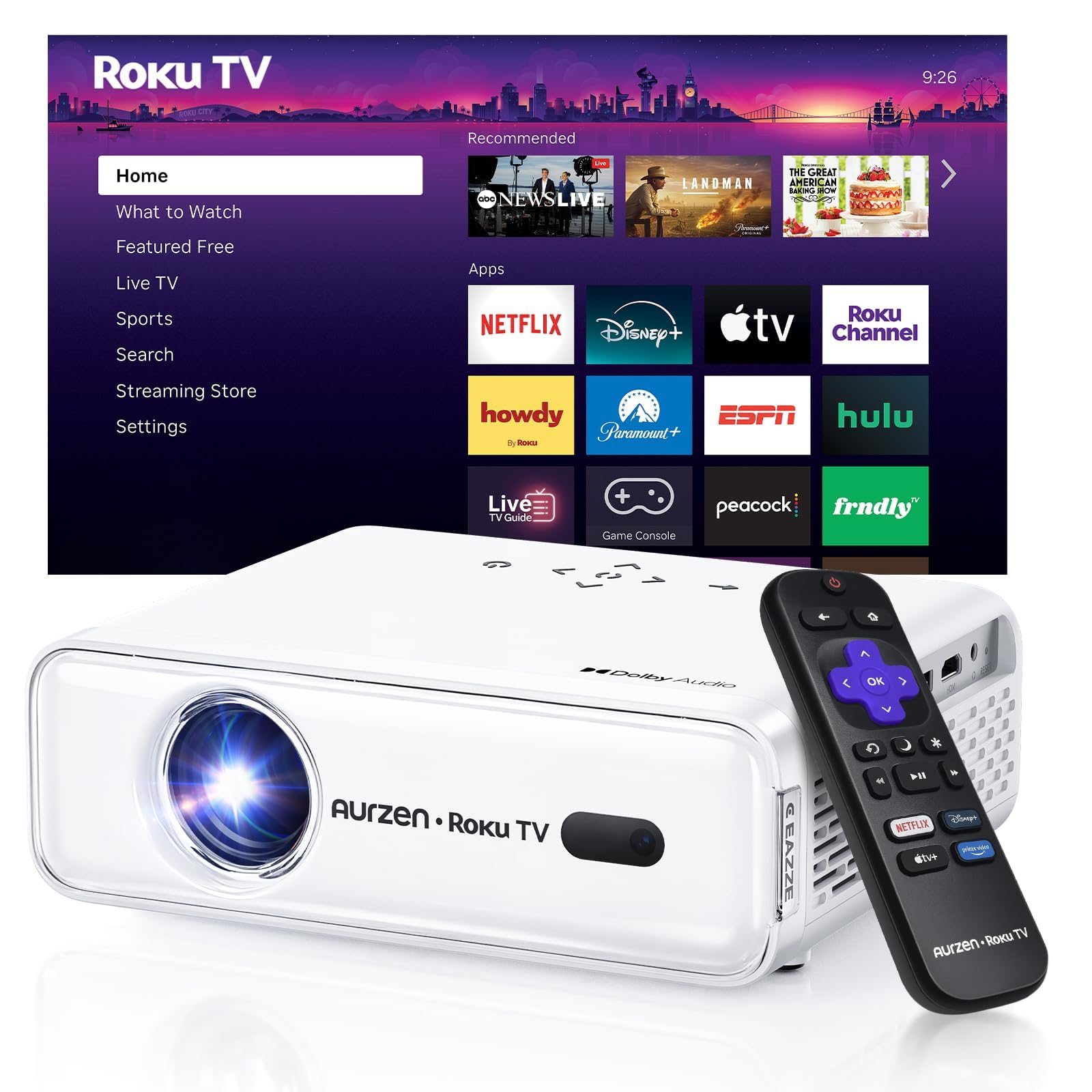
Rycina 1: Przód view of the Aurzen Roku TV Smart Projector.
3.1. Roku TV Streaming Experience
Enjoy America's #1 TV streaming platform built directly into your projector. Access popular apps like Netflix, Prime Video, Disney+, Hulu, YouTube, Roku Channel, and Apple TV. A Roku account and internet connection are required for activation.

Figure 2: The simple and fast Roku TV home screen interface.
3.2. High-Definition Visuals
The projector offers 1080P Full HD resolution, providing enhanced clarity and detail for your favorite movies and TV shows. It can project a massive screen size from 60 to 150 inches, ideal for home theater and outdoor viewing.
3.3. Brightness Levels
Choose from 3 brightness levels to suit your environment:
- Low (LOW POWER): For dim environments like basements.
- Medium (STANDARD): Suitable for cozy bedrooms.
- High (VIVID): For living rooms or outdoor nights, cutting through extra light for sharp visuals.
3.4. Automatyczne regulacje
Advanced auto-focus and auto-keystone correction features instantly adjust for a sharp, aligned screen. Simply place the projector, power it on, and enjoy a perfectly adjusted image without manual setup.

Figure 3: Illustration of the automatic focus and keystone correction.
3.5. Immersive Audio
Experience deep, resonant audio with Dolby Audio and built-in Dual 5W speakers. These speakers deliver crisp, powerful sound that fills the room, making you feel part of the action.

Figure 4: Dolby Audio integration for enhanced sound quality.
3.6. Opcje łączności
The projector supports dual-band WiFi (2.4G/5G) for smooth, lag-free streaming and Bluetooth 5.2 for connecting to headphones or external speakers. It also includes HDMI and USB ports for wired connections.
Rysunek 5: Tył view of the projector showing USB, HDMI, and audio ports.
3.7. Integracja inteligentnego domu
The projector is compatible with Apple HomeKit, Siri, Alexa, and Google Assistant, allowing for easy voice control and seamless integration into your smart home ecosystem.

Figure 6: Projector's compatibility with various smart home voice assistants.
4. Konfiguracja
4.1. Pierwsze włączenie zasilania
- Podłącz przewód zasilający do projektora i gniazdka elektrycznego.
- Naciśnij przycisk zasilania na projektorze lub na pilocie, aby go włączyć.
- The projector will automatically perform auto-focus and auto-keystone correction upon startup.
4.2. Roku Account and Internet Connection
A Roku account and an active internet connection are required for full functionality and activation of the Roku streaming platform. Follow the on-screen prompts to connect to your Wi-Fi network and set up or log in to your Roku account.
5. Instrukcja obsługi
5.1. Navigating the Roku Home Screen
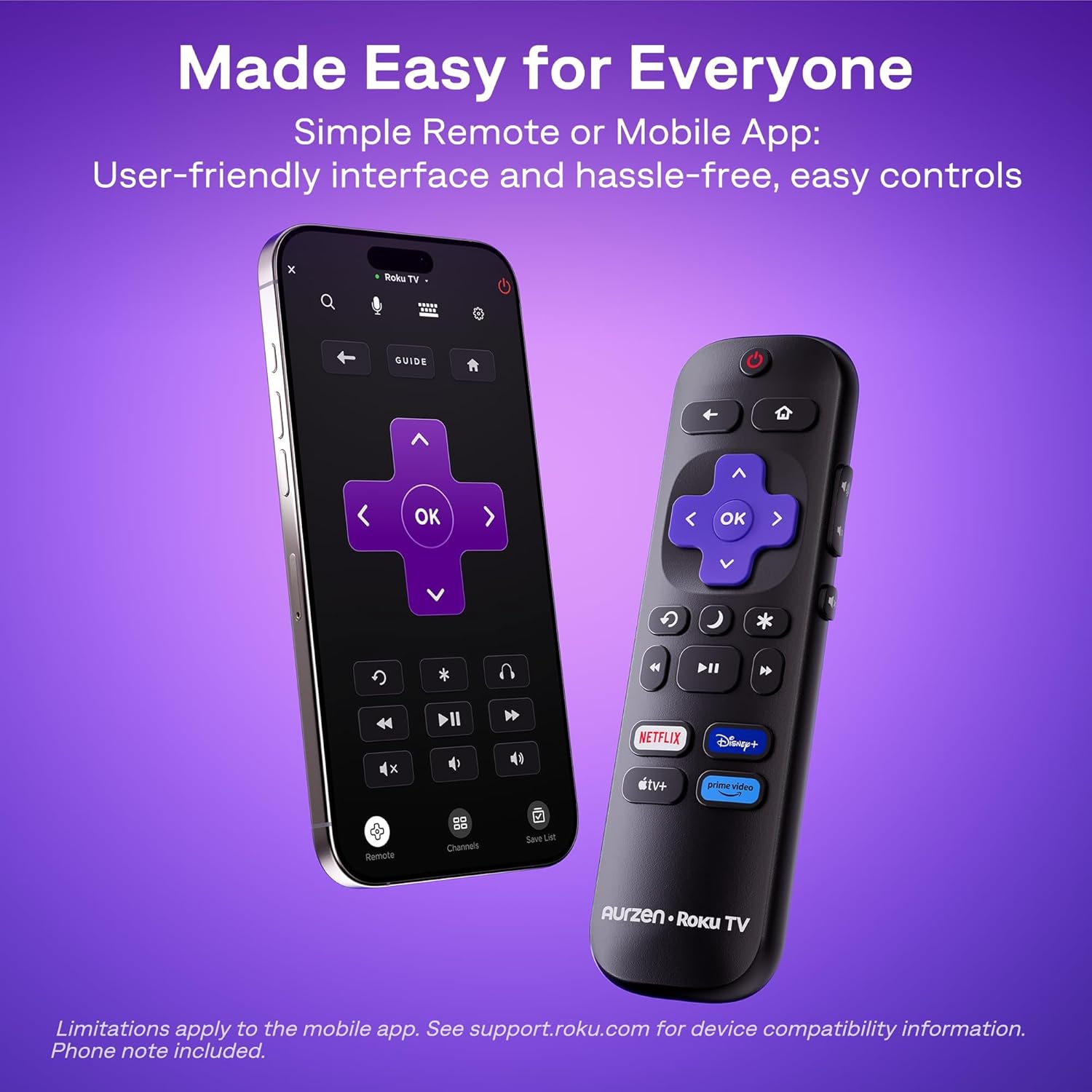
The Roku interface offers intuitive navigation, quick search, and personalized recommendations. Use the included remote control or the Roku mobile app to browse channels, search for content, and access settings.
5.2. Pilot zdalnego sterowania
The included remote control provides easy access to all Roku functions. For enhanced control, including typing and voice commands, download the Roku mobile app on your smartphone.
5.3. Regulacja jasności
To change the brightness mode, navigate to the projector settings via the Roku menu and select your preferred brightness level (Low, Medium, or High) based on your viewśrodowiska.
5.4. Przesyłanie i dublowanie ekranu
The projector supports Apple AirPlay for seamless streaming of videos, photos, and music from your Apple devices. It also supports other casting features for compatible devices.

Figure 7: Stream content effortlessly using Apple AirPlay.
6. Łączność
6.1. Połączenie WiFi
Connect to your home network using dual-band Wi-Fi (2.4G/5G) for stable and fast streaming. Navigate to the network settings in the Roku menu to set up your Wi-Fi connection.
6.2. Parowanie Bluetooth
Pair Bluetooth 5.2 compatible headphones or speakers for a private listening experience or enhanced audio. Access Bluetooth settings in the Roku menu to pair your devices.
6.3. HDMI and USB Ports
Use the HDMI port to connect external devices such as gaming consoles, Blu-ray players, or laptops. The USB port allows for playback of media files z dysku USB.
7. Konserwacja
7.1. Czyszczenie soczewki
Delikatnie przetrzyj obiektyw projektora miękką, niepozostawiającą włókien ściereczką. W przypadku uporczywych zabrudzeń użyj środka do czyszczenia soczewek przeznaczonego specjalnie do powierzchni optycznych. Unikaj materiałów ściernych, które mogłyby zarysować obiektyw.
7.2. Czyszczenie otworów wentylacyjnych
Regularly clean the projector's ventilation grilles to prevent dust buildup, which can affect performance and lead to overheating. Use a soft brush or a can of compressed air to remove dust.
7.3. Przechowywanie
Gdy projektor nie jest używany, należy go przechowywać w chłodnym, suchym miejscu, z dala od bezpośredniego światła słonecznego i ekstremalnych temperatur. W przypadku dłuższego przechowywania, należy rozważyć użycie oryginalnego opakowania lub etui ochronnego, aby zapobiec gromadzeniu się kurzu i uszkodzeniom.
8. Rozwiązywanie Problemów
8.1. Dim Image
Zapewnij viewing environment is sufficiently dark. Adjust the projector's brightness setting to High (VIVID) mode if there is ambient light. For optimal clarity, use the projector in a dark room.
8.2. Rozmazany lub zniekształcony obraz
The projector features automatic focus and keystone correction. If the image appears blurry or distorted, try moving the projector slightly to trigger the automatic adjustment. Alternatively, navigate to 'Projector settings' in the Roku menu to manually adjust focus and keystone.
8.3. Brak dźwięku lub słaba jakość dźwięku
Check the projector's volume settings. If using external Bluetooth speakers, ensure they are properly paired and charged. For wired connections, verify that audio cables are securely connected. The built-in speakers support Dolby Audio, but for a more immersive experience, consider connecting to a dedicated sound system via Bluetooth or the audio output port.
8.4. Problemy z łącznością
For Wi-Fi problems, ensure your router is working and the projector is within range. Reconnect to the Wi-Fi network via Roku settings. For Bluetooth, ensure the device is in pairing mode. For HDMI/USB, check cable connections and ensure the correct input source is selected.
8.5. Input Lag for Gaming
While the projector offers a large screen, it may not be ideal for fast-paced competitive gaming due to potential input lag. For optimal gaming performance, a dedicated gaming monitor or TV is recommended.
9. Specyfikacje
| Funkcja | Szczegół |
|---|---|
| Marka | Aurzen |
| Numer modelu | A02A11 |
| Rozdzielczość wyświetlacza | 1920 x 1080 (1080P Full HD) |
| Jasność | Lumenów 280 ANSI |
| Technologia łączności | WiFi (2.4G/5G), Bluetooth 5.2, HDMI, USB, Audio |
| Cechy specjalne | Roku Streaming Experience, Dolby Audio, Auto Focus & Keystone, Official Apple AirPlay, Ecosystem Compatible (Apple HomeKit, Siri, Alexa, Google Assistant) |
| Waga przedmiotu | 4.64 funta |
| Wymiary opakowania | 13.19 x 9.45 x 4.29 cala |
| Kolor | Biały |
10. Gwarancja i wsparcie
Aurzen products are designed for quality and reliability. For warranty information, please refer to the Warranty Card included in your product packaging. For technical support or customer service, please visit the official Aurzen webOdwiedź witrynę lub skontaktuj się bezpośrednio z działem obsługi klienta. Zachowaj paragon zakupu na wypadek reklamacji.
11. Informacje dotyczące bezpieczeństwa
- Nie patrz bezpośrednio w obiektyw projektora, gdyamp jest włączony, ponieważ może to spowodować uszkodzenie oczu.
- Zapewnij odpowiednią wentylację wokół projektora, aby zapobiec przegrzaniu. Nie blokuj otworów wentylacyjnych.
- Trzymaj projektor z dala od wody i innych płynów.
- Use only the power cord provided with the projector.
- Nie próbuj samodzielnie otwierać ani naprawiać projektora. Wszelkie prace serwisowe zleć wykwalifikowanemu personelowi.
- Przechowywać w miejscu niedostępnym dla dzieci.