
Wstęp
This manual provides detailed instructions for the setup, operation, and maintenance of your COLMI P86 Smartwatch. Please read this guide thoroughly to ensure proper use and to maximize your device's features.
Co jest w pudełku
Upon opening your COLMI P86 Smartwatch package, you should find the following items:
- COLMI P86 Smartwatch with Band
- Kabel ładujący
- Instrukcja obsługi (ten dokument)

Image: Contents of the COLMI P86 Smartwatch package, showing the smartwatch, charging cable, and user manual.
Organizować coś
1. Ładowanie smartwatcha
Before initial use, fully charge your COLMI P86 Smartwatch. Connect the provided magnetic charging cable to the charging contacts on the back of the watch and to a USB power source. A full charge typically takes approximately 2 hours.

Image: The COLMI P86 Smartwatch connected to its magnetic charging cable, displaying "Charging..." on the screen. Information on charging time and battery life is also shown.
The 400mAh battery provides 5-7 days of battery life under normal use and up to 30 days of standby time.
2. Instalacja i parowanie aplikacji
- Pobierz aplikację: Scan the QR code provided in the quick start guide or search for the official COLMI app in your smartphone's app store (compatible with Android and iPhone).
- Utwórz konto: Postępuj zgodnie z instrukcjami wyświetlanymi na ekranie, aby utworzyć konto i skonfigurować usługę profile.
- Łączenie w pary:
- Upewnij się, że Bluetooth jest włączony w Twoim smartfonie.
- Open the COLMI app and navigate to the device pairing section.
- Select your COLMI P86 from the list of available devices.
- Potwierdź prośbę o sparowanie na smartfonie i smartwatchu.
- Rozwiązywanie problemów z parowaniem: If you encounter issues pairing, try deleting the app from your phone, restarting your phone and watch, and then reinstalling the app and rescanning the QR code for pairing.
Instrukcja obsługi
1. Podstawowa nawigacja
The COLMI P86 Smartwatch features a touch-sensitive AMOLED screen and a rotating crown for navigation.
- Ekran dotykowy: Przesuń palcem w lewo, w prawo, w górę lub w dół, aby uzyskać dostęp do różnych menu i funkcji. Dotknij, aby wybrać elementy.
- Obrotowa korona: Press the crown to wake/sleep the device or return to the watch face. Rotate the crown to scroll through menus or change watch faces.

Obraz: szczegółowy view of the COLMI P86 smartwatch highlighting the delicate rotating crown for innovative interaction and the curved AMOLED screen with 1.93-inch 368x448 resolution.
2. Wyświetlacz i tarcze zegarka
The smartwatch features a 1.93-inch curved AMOLED screen with 368x448 resolution, offering clear visuals.
- Zmiana tarcz zegarka: Long-press the watch face on the screen or use the rotating crown to browse and select from hundreds of available watch faces. More options are available through the companion app.
- Zawsze na wyświetlaczu: This feature allows the smartwatch to continuously display essential information like time without requiring manual screen activation.

Image: The COLMI P86 Smartwatch showcasing its Always On Display functionality, which keeps information visible without needing to manually light up the screen.

Image: A selection of over 100 watch faces available for the COLMI P86 Smartwatch, including dynamic dials and options for DIY customization via the app.
3. Połączenia Bluetooth
The COLMI P86 supports Bluetooth calling, allowing you to make, answer, and end calls directly from your wrist. It features a built-in microphone and speaker for clear audio.
- Upewnij się, że Twój smartwatch jest połączony ze smartfonem przez Bluetooth.
- Access the call function from the watch menu to dial or answer incoming calls.

Image: The COLMI P86 Smartwatch showing its Bluetooth calling capability with an incoming call notification, alongside message display and icons for microphone, call, dial pad, and speaker.
4. Monitorowanie stanu zdrowia
The smartwatch provides comprehensive health monitoring features, including heart rate, blood oxygen, and sleep tracking.
- Monitorowanie częstości akcji serca: The 8-channel heart rate sensor continuously monitors your heart rate, providing timely reminders for irregular heart rates.
- Monitorowanie natlenienia krwi (SpO2): Zmierz poziom tlenu we krwi bezpośrednio za pomocą zegarka.
- Monitorowanie snu: The watch analyzes your sleep quality, providing insights into your sleep patterns.
- Testowanie warunków skrajnych: Monitoruj swój poziom stresu.

Image: The COLMI P86 Smartwatch highlighting its high-precision sensors for accurate vital sign monitoring, including an 8-channel heart rate sensor and blood oxygen sensor. Displays for sleep monitoring, blood oxygen, and stress testing are also shown.
Note: The health monitoring features are for reference only and should not be used for medical diagnosis or treatment. Consult a medical professional for health concerns.
5. Exercise Tracking
The COLMI P86 offers over 100 exercise modes for both indoor and outdoor activities. It records exercise time, steps, and calories burned.
- Select your desired sport mode from the watch menu before starting an activity.
- The watch will automatically track relevant data.
- Review your exercise data in the companion app for detailed analysis.
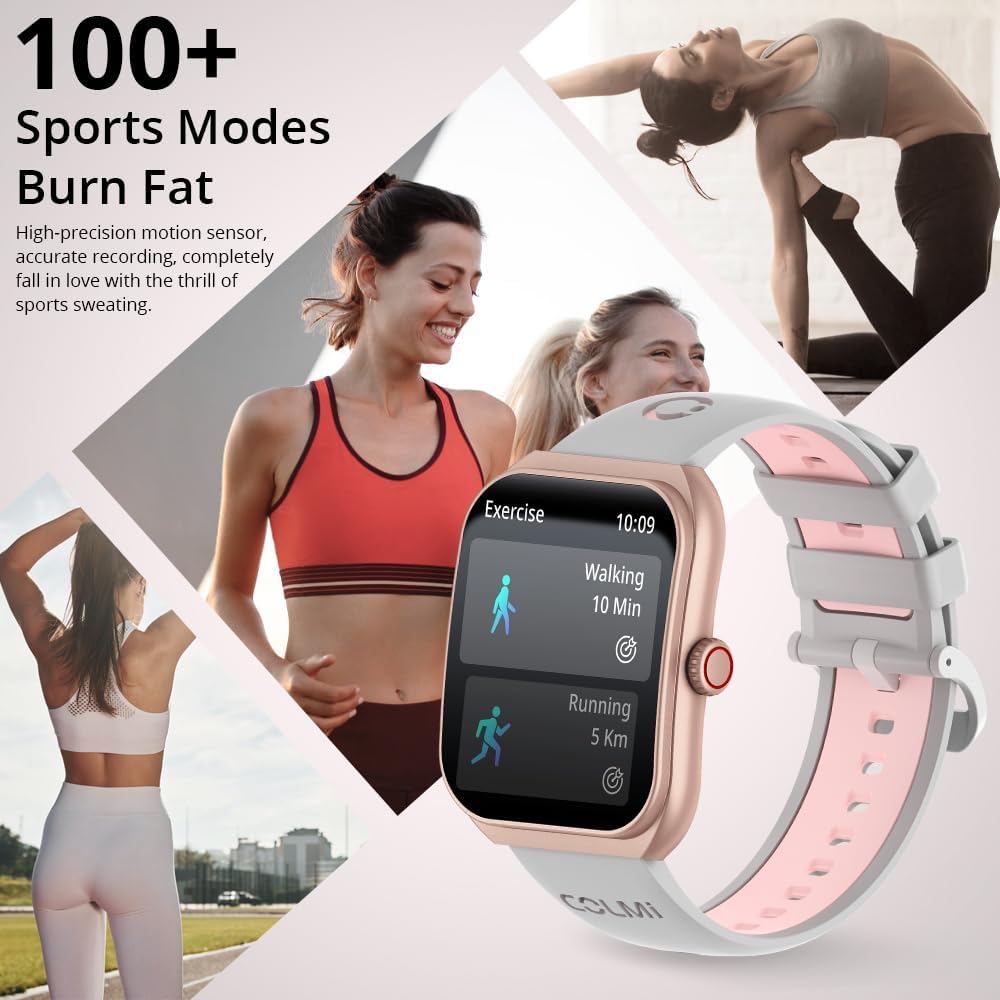
Image: The COLMI P86 Smartwatch showcasing its support for over 100 sports modes, with a display showing walking and running exercise data. Various fitness activities are depicted in the background.
6. Powiadomienia
Receive notifications for calls, messages, and other app alerts directly on your smartwatch. Ensure notification permissions are enabled in the companion app and your phone settings.
Konserwacja
1. Czyszczenie
- Przetrzyj ekran i obudowę zegarka miękką, niepozostawiającą włókien ściereczką.
- For the watch band, use a mild soap solution and rinse thoroughly, then dry completely before wearing.
- Unikaj stosowania silnych środków chemicznych i materiałów ściernych.
2. Wodoodporność
The COLMI P86 Smartwatch has a 1ATM water resistance rating, meaning it is resistant to splashes and brief immersion. It is suitable for daily use and light rain.
Ważny: Do not wear the watch while swimming, showering, or in saunas, as steam and hot water can compromise the water seal. Avoid pressing buttons underwater.
Rozwiązywanie problemów
- Zegarek się nie włącza: Upewnij się, że zegarek jest w pełni naładowany. Podłącz go do ładowarki na co najmniej 30 minut.
- Nie można sparować ze smartfonem:
- Sprawdź, czy w telefonie włączony jest Bluetooth i czy zegarek jest widoczny dla innych osób.
- Spróbuj ponownie uruchomić telefon i smartwatch.
- If issues persist, uninstall the COLMI app, restart your phone, and then reinstall the app and attempt pairing again.
- Powiadomienia się nie wyświetlają:
- Check app permissions on your smartphone to ensure the COLMI app has access to notifications.
- Verify that notification settings are enabled within the COLMI app for specific applications.
- Sprawdź, czy zegarek jest prawidłowo podłączony przez Bluetooth.
- Niedokładna liczba kroków: Ensure the watch is worn snugly on your wrist. Calibrate step tracking within the app if available.
- Krótka żywotność baterii:
- Zmniejsz jasność ekranu.
- Disable "Always On Display" if not needed.
- Limit frequent heart rate or blood oxygen monitoring.
- Upewnij się, że żadne aplikacje działające w tle nie zużywają nadmiernie energii.
Specyfikacje
| Funkcja | Szczegół |
|---|---|
| Numer modelu | COLMI P86 |
| Rozmiar ekranu | 1.93 cali |
| Typ wyświetlacza | AMOLED, Curved Screen |
| Rezolucja | 368x448 |
| Pojemność baterii | 400mAh (0.4 Amp Godziny) |
| Czas pracy baterii (normalne użytkowanie) | 5-7 dni |
| Czas czuwania | Do 30 dni |
| Łączność | Bluetooth |
| Zgodność z systemem operacyjnym | Android, iPhone |
| Pojemność pamięci masowej | 128 MB |
| Waga przedmiotu | 100 gramów (3.53 uncji) |
| Odporność na wodę | 1ATM (Splash resistant) |
| Cechy specjalne | AMOLED, Bluetooth calling, Curved screen, Heart Rate/Blood Oxygen/Sleep Monitoring, 100+ Exercise Modes |
Gwarancja i wsparcie
COLMI provides professional after-sales service for your P86 Smartwatch. If you have any questions regarding the use or quality of your product, please contact our customer support team.
For support, please refer to the contact information provided with your purchase or visit the official COLMI webstrona. Zachowaj dowód zakupu na potrzeby roszczeń gwarancyjnych.