
1. Koniec produktuview
The Yakry Automatic Cat Feeder with Camera (Model C2) is designed to provide convenient and reliable feeding for your cats and small dogs. Featuring a high-definition camera with night vision, app control, and 5G WiFi support, this feeder allows you to monitor and manage your pet's meals remotely. Its large capacity and fresh-keeping design ensure your pet receives timely and healthy nutrition.
Główne cechy:
- HD Camera with Night Vision: Monitor your pet's feeding process with a 1080P HD camera and night vision for clear visuals day or night.
- Easy-to-Use App Control & 5G WiFi Support: Set customized feeding schedules remotely via an intuitive mobile app. Compatible with both 5GHz and 2.4GHz WiFi networks.
- Duża pojemność 4 l: Holds approximately 17 cups of dry food, sufficient for an adult cat for up to 20 days. Designed for indoor cats and small dogs.
- Twist-Lock Lid & Desiccant: Keeps food fresh and dry, supporting your pet's well-being.
- Food-Grade Stainless Steel Bowl: Provides healthy and hygienic feeding, reducing the risk of chin acne.
- SD Card Video Storage & Motion Detection: Supports SD card recording (4-128GB) and advanced motion detection for playback of events.
- Dwukierunkowy dźwięk: Komunikuj się ze swoim pupilem w czasie rzeczywistym.
- Precyzyjna kontrola porcji: Dispenses food in 10-gram portions (approximately 1/12 cup). Suitable for kibble sizes less than 0.5 inch.
Zawartość pudełka:
- Cat Feeder with Camera x 1
- Food Storage Bucket x 1
- Lid and Desiccant x 1
- Miska ze stali nierdzewnej x 1
- USB Cable and Adapter x 1
2. Przewodnik konfiguracji
2.1 Montaż
- Attach Food Storage Bucket: Align the food storage bucket with the main feeder unit and rotate to lock it securely in place.
- Włóż środek pochłaniający wilgoć: Open the desiccant compartment in the lid and insert the provided desiccant packet to maintain food freshness. Close the compartment.
- Umieść miskę ze stali nierdzewnej: Position the stainless steel bowl liner into the feeder's base.

Figure 2.1: Assembled Yakry Automatic Cat Feeder with Camera.
2.2 Zasilanie urządzenia
The feeder can be powered via the included USB cable and adapter or by batteries (not included) for backup power.
- Zasilanie USB: Connect the USB cable to the feeder and plug the adapter into a wall outlet.
- Zapas baterii: Do nieprzerwanej pracy podczas wyłączenia zasilaniatagW tym celu należy zainstalować 3 baterie typu D (brak w zestawie) w komorze baterii znajdującej się na spodzie podajnika.
2.3 Instalacja aplikacji i połączenie Wi-Fi
- Download the companion app (e.g., Smart Life or Tuya Smart) from your device's app store.
- Zarejestruj się lub zaloguj na swoje konto.
- Add the device by following the in-app instructions. Ensure your smartphone is connected to a 2.4GHz or 5GHz Wi-Fi network during setup.
- The feeder supports both 2.4GHz and 5GHz Wi-Fi for flexible connectivity.
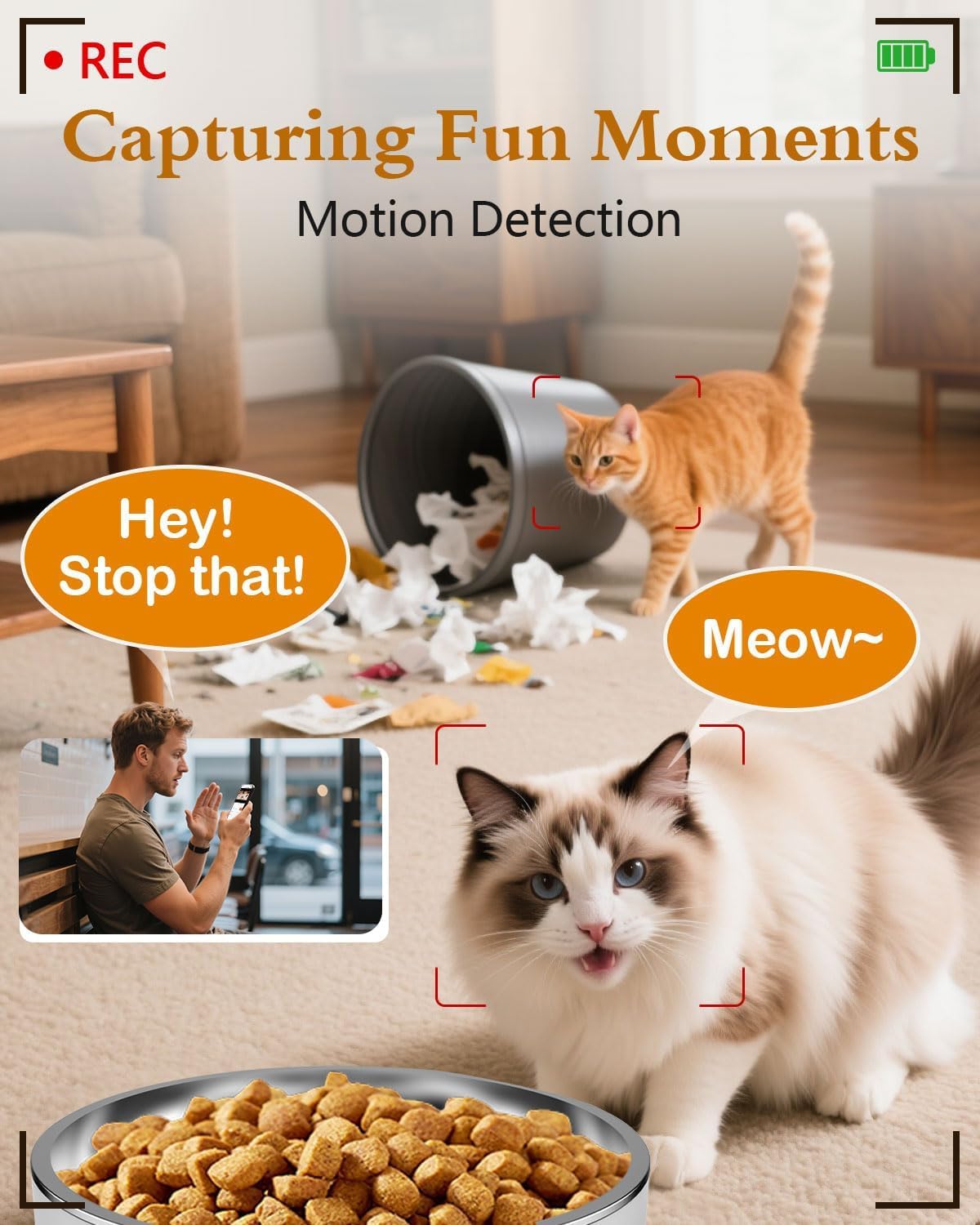
Figure 2.2: App interface for Wi-Fi setup.
3. Instrukcja obsługi
3.1 Karmienie ręczne
You can dispense food manually at any time using the app or the physical 'Feed' button on the device.
- Za pośrednictwem aplikacji: Open the app, navigate to your feeder, and tap the 'Feed' button. You can select the number of portions to dispense.
- Za pośrednictwem urządzenia: Press the 'Feed' button on the feeder once to dispense one portion.
Video 3.1: Official Yakry video demonstrating the features of the Automatic Cat Feeder with Camera, including manual feeding and app control.
3.2 Planowanie automatycznego podawania
Set up a personalized feeding schedule through the app to ensure your pet is fed consistently.
- In the app, go to the 'Schedule' section.
- Kliknij „Dodaj”, aby utworzyć nowe wydarzenie karmienia.
- Select the desired time, days of the week, and number of portions (1 portion ≈ 10 grams).
- Zapisz harmonogram.
3.3 Nagrywanie głosu
Record a custom voice message that plays during feeding times to call your pet.
- In the app, navigate to the 'Record' option.
- Follow the prompts to record your message.
- The message will play automatically when food is dispensed according to the schedule.
3.4 Funkcje aparatu
- Na żywo View: Access the 1080P HD camera feed through the app to see your pet in real-time.
- Widzenie nocne: W warunkach słabego oświetlenia kamera automatycznie przełącza się na tryb nocny w podczerwieni, zapewniając wyraźne obrazy.
- Detekcja ruchu: Receive alerts on your phone when motion is detected near the feeder. Recordings can be stored on an SD card (4-128GB, not included).
- Dwukierunkowy dźwięk: Use the app's microphone feature to speak to your pet and hear their responses.

Figure 3.1: Live monitoring with 1080P HD camera.

Figure 3.2: Two-way audio communication with your pet.
4. Konserwacja
4.1 Czyszczenie
Regularne czyszczenie zapewnia higienę i prawidłowe funkcjonowanie podajnika.
- Miska ze stali nierdzewnej: The bowl is removable and dishwasher-safe or can be hand-washed with mild soap and water.
- Wiadro do przechowywania żywności: Detach the bucket and wash it with mild soap and water. Ensure it is completely dry before refilling with food.
- Jednostka główna: Wytrzyj zewnętrzną część jednostki głównej za pomocąamp płótno. Nie zanurzaj jednostki głównej w wodzie.

Figure 4.1: Detachable design for easy cleaning.
4.2 Wymiana środka pochłaniającego wilgoć
Replace the desiccant packet every 1-2 months, or as needed, to maintain optimal food freshness and prevent moisture buildup.
5. Rozwiązywanie Problemów
5.1 Problemy z łącznością
- Podajnik nie łączy się z siecią Wi-Fi: Ensure your router supports 2.4GHz or 5GHz networks and that the feeder is within range. Restart your router and the feeder, then attempt to reconnect via the app.
- Aplikacja nie odpowiada: Close and reopen the app. Check for app updates. Ensure your phone has a stable internet connection.
5.2 Feeding Issues
- Żywność nie jest wydawana: Check if the food hopper is empty. Ensure kibble size is less than 0.5 inch to prevent blockages. Clean the dispensing mechanism if necessary.
- Incorrect portion size: Verify the portion settings in the app. Recalibrate if needed.
5.3 Problemy z aparatem
- No camera feed: Check Wi-Fi connection. Restart the feeder. Ensure the camera lens is clean.
- Słaba jakość obrazu: Zapewnij odpowiednie oświetlenie. Wyczyść obiektyw aparatu.
6. Specyfikacje produktu
| Funkcja | Specyfikacja |
|---|---|
| Numer modelu | C2 |
| Waga przedmiotu | 3.69 funta |
| Wymiary produktu (dł. x szer. x wys.) | 7.5 x 10.6 x 7.5 cala |
| Pojemność żywności | 4 Liters / 17 Cups |
| Kibble Size Limit | Less than 0.5 inch |
| Rozdzielczość kamery | Rozdzielczość 1080P HD |
| Wizja nocna | Podczerwony |
| Łączność Wi-Fi | 2.4 GHz i 5 GHz |
| Składowanie | SD Card (4-128GB, not included) |
| Źródło zasilania | USB Cable & Adapter, D-cell Batteries (backup) |
| Gatunki docelowe | Dogs & Cats |
| Zalecane zastosowanie | Wnętrz |
7. Gwarancja i wsparcie
7.1 Informacje o gwarancji
The Yakry Automatic Cat Feeder with Camera (Model C2) comes with a Dwuletnia gwarancja od daty zakupu, obejmując wady produkcyjne i usterki powstałe w trakcie normalnego użytkowania.
7.2 Obsługa klienta
For any questions, technical assistance, or warranty claims, please contact our Wsparcie online 24/7. Refer to the contact information provided with your product packaging or visit the official Yakry webstronie, aby uzyskać szczegółowe informacje na temat pomocy technicznej.