
1. Wprowadzenie
Thank you for choosing the UCOCARE Mini Portable Projector V18. This projector is designed to provide a high-quality visual and audio experience for various entertainment and presentation needs. Featuring native 1080P resolution with 4K support, AI-enhanced visuals and audio, and smart screen adjustments, it offers versatility and ease of use. Please read this manual thoroughly before using the product to ensure proper operation and to maximize its lifespan.
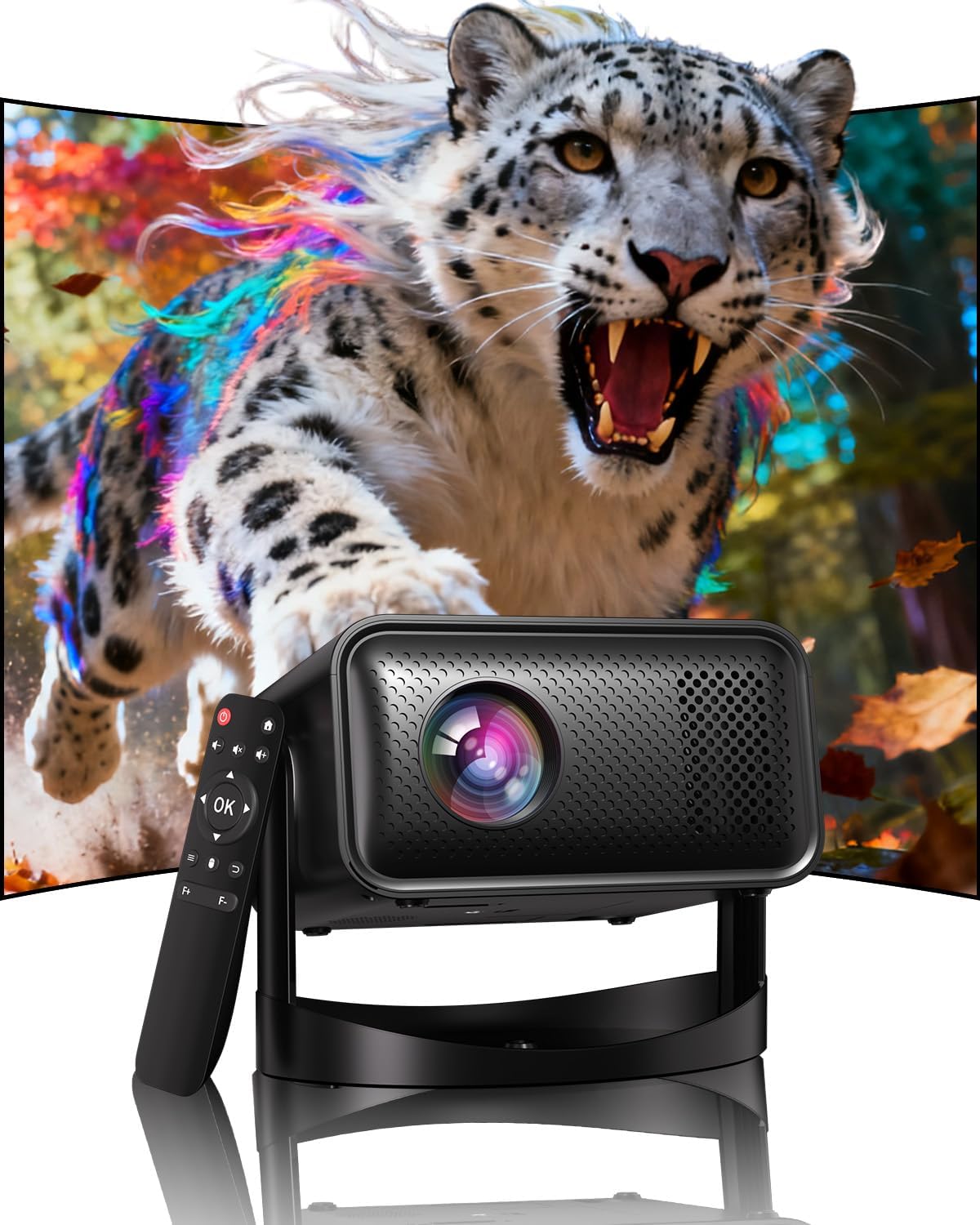
Image: The UCOCARE Mini Portable Projector V18, showcasing its compact design and the vibrant projection capabilities.
2. Informacje dotyczące bezpieczeństwa
- Nie patrz bezpośrednio w obiektyw projektora, gdyamp jest włączony.
- Zapewnij odpowiednią wentylację wokół projektora, aby zapobiec przegrzaniu.
- Używaj wyłącznie zasilacza dostarczonego z urządzeniem.
- Trzymaj projektor z dala od wody, wilgoci i materiałów łatwopalnych.
- Unikaj umieszczania projektora na niestabilnych powierzchniach.
- Nie próbuj samodzielnie demontować ani naprawiać projektora. Skontaktuj się z obsługą klienta, aby uzyskać pomoc.
3. Zawartość opakowania
Sprawdź, czy w przesyłce znajdują się wszystkie elementy:
- UCOCARE Mini Portable Projector V18
- Zdalne sterowanie
- Przewód zasilający
- Instrukcja obsługi (ten dokument)
4. Koniec produktuview
The UCOCARE V18 projector combines advanced features in a compact design, making it suitable for various environments. It weighs approximately 2.09 pounds and measures 8.35 x 8.03 x 5.28 inches.

Image: The compact and lightweight design of the UCOCARE Mini Portable Projector V18, highlighting its dimensions and portability.
4.1 Główne cechy
- Natywna rozdzielczość 1080P z obsługą 4K: Delivers sharp and detailed images.
- AI-Enhanced Visuals: Improves detail, contrast, and color for a lifelike viewzdobywania doświadczenia.
- AI-Enhanced Audio: Provides clear dialogue and rich, distortion-free sound.
- Smart Screen Adjustment: Features electric focus, 50%-100% zoom, and auto keystone correction.
- Dwuzakresowe Wi-Fi: Supports 2.4GHz/5GHz for stable and high-speed streaming.
- Łączność Bluetooth: Do urządzeń audio bezprzewodowych.
- Elastyczny stojak obrotowy o 180°: Allows projection on walls, ceilings, or tables.
- Uniwersalna łączność: HDMI, USB, and 3.5mm audio jack.
5. Konfiguracja
5.1 Umieszczenie
Position the projector on a stable surface. The 180° flexible rotating stand allows you to adjust the projection angle to suit your needs, whether projecting on a wall, ceiling, or screen.
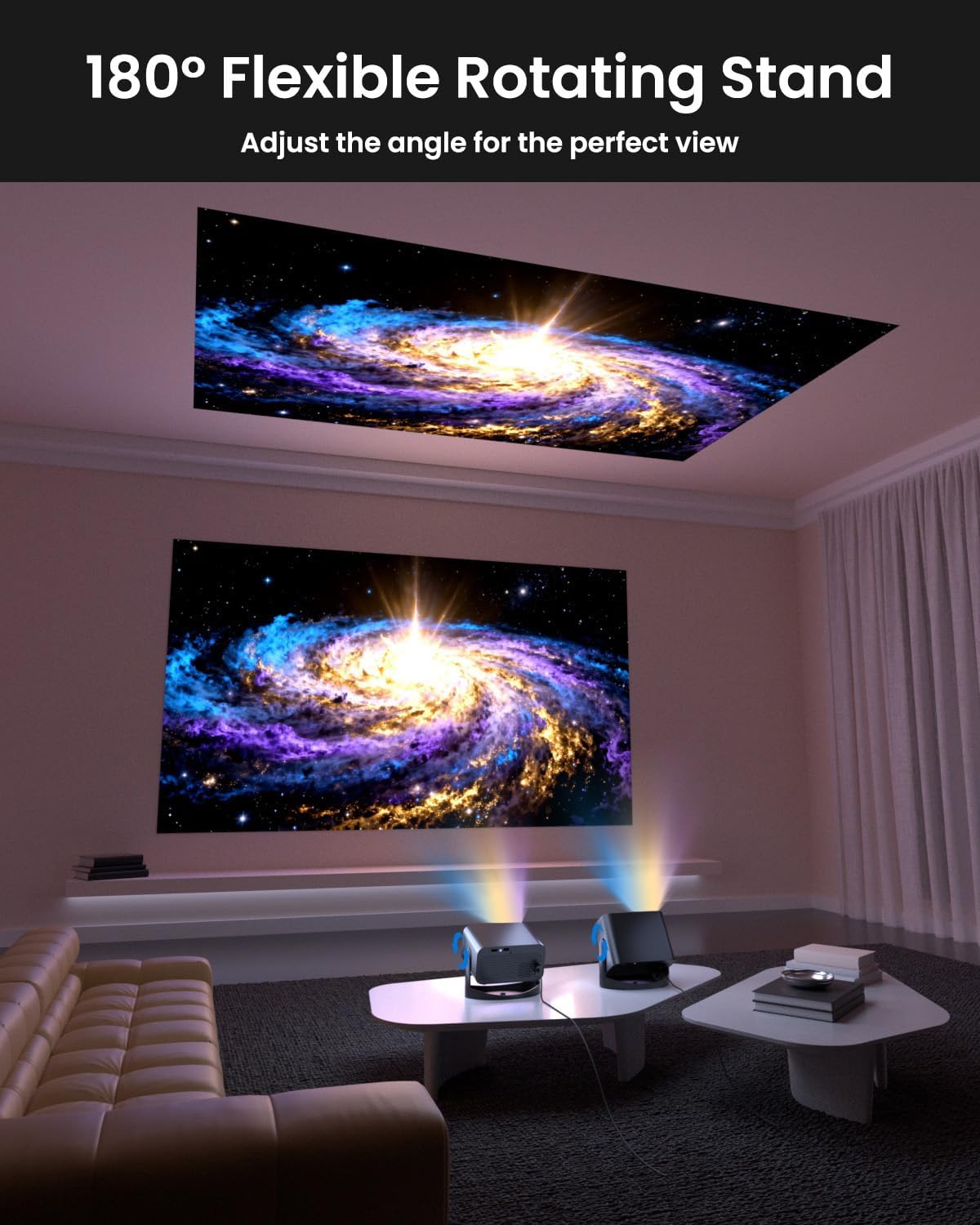
Image: The UCOCARE Mini Portable Projector V18 demonstrating its flexible 180° rotating stand, allowing projection onto various surfaces.
5.2 Połączenie zasilania
- Podłącz przewód zasilający do portu wejściowego zasilania projektora.
- Podłącz drugi koniec przewodu zasilającego do gniazdka elektrycznego.
- Naciśnij przycisk zasilania na projektorze lub pilocie, aby go włączyć.
5.3 Initial Screen Adjustment
The projector features smart screen adjustment for optimal viewing.
- Skupienie elektryczne: Use the remote control to activate one-touch electric focus for a clear image.
- Automatyczna korekcja trapezu: The projector will automatically correct vertical distortion.
- Funkcja powiększenia (50%-100%): Adjust the screen size without moving the projector using the remote control.

Image: Visual representation of the smart screen adjustment features: Electric Focus, 50%-100% Zoom, and Auto Keystone Correction.
5.4 Połączenie sieciowe (WiFi)
- Przejdź do menu „Ustawienia” w projektorze.
- Wybierz „Sieć” lub „Ustawienia Wi-Fi”.
- Choose your desired 2.4GHz or 5GHz WiFi network from the list.
- Wprowadź hasło i połącz.
5.5 parowanie Bluetooth
- Przejdź do menu „Ustawienia” i wybierz „Bluetooth”.
- Włącz Bluetooth w projektorze.
- Przełącz urządzenie audio Bluetooth (np. głośnik, słuchawki) w tryb parowania.
- Wybierz urządzenie z listy na ekranie projektora, aby je sparować.
6. Obsługa
6.1 Podłączanie urządzeń zewnętrznych
Projektor obsługuje różne źródła sygnału wejściowego:
- HDMI: Connect devices like laptops, gaming consoles, or TV sticks using an HDMI cable.
- USB: Podłącz dysk USB, aby odtwarzać multimedia files bezpośrednio.
- Gniazdo audio 3.5 mm: Podłącz zewnętrzne przewodowe głośniki lub słuchawki.
- Przesyłanie bezprzewodowe: Stream content from your smartphone or tablet via WiFi.

Obraz: Ponadview of the UCOCARE Mini Portable Projector V18's universal multi-device connectivity options.
6.2 Jakość obrazu
Experience stunning visuals with AI-enhanced technology.

Image: The UCOCARE Mini Portable Projector V18's AI-enhanced video quality, detailing 4K support, HDR 10+, Native 1080P, and Wide Color Gamut.
6.3 Jakość dźwięku
The projector features AI-enhanced audio for an immersive sound experience.
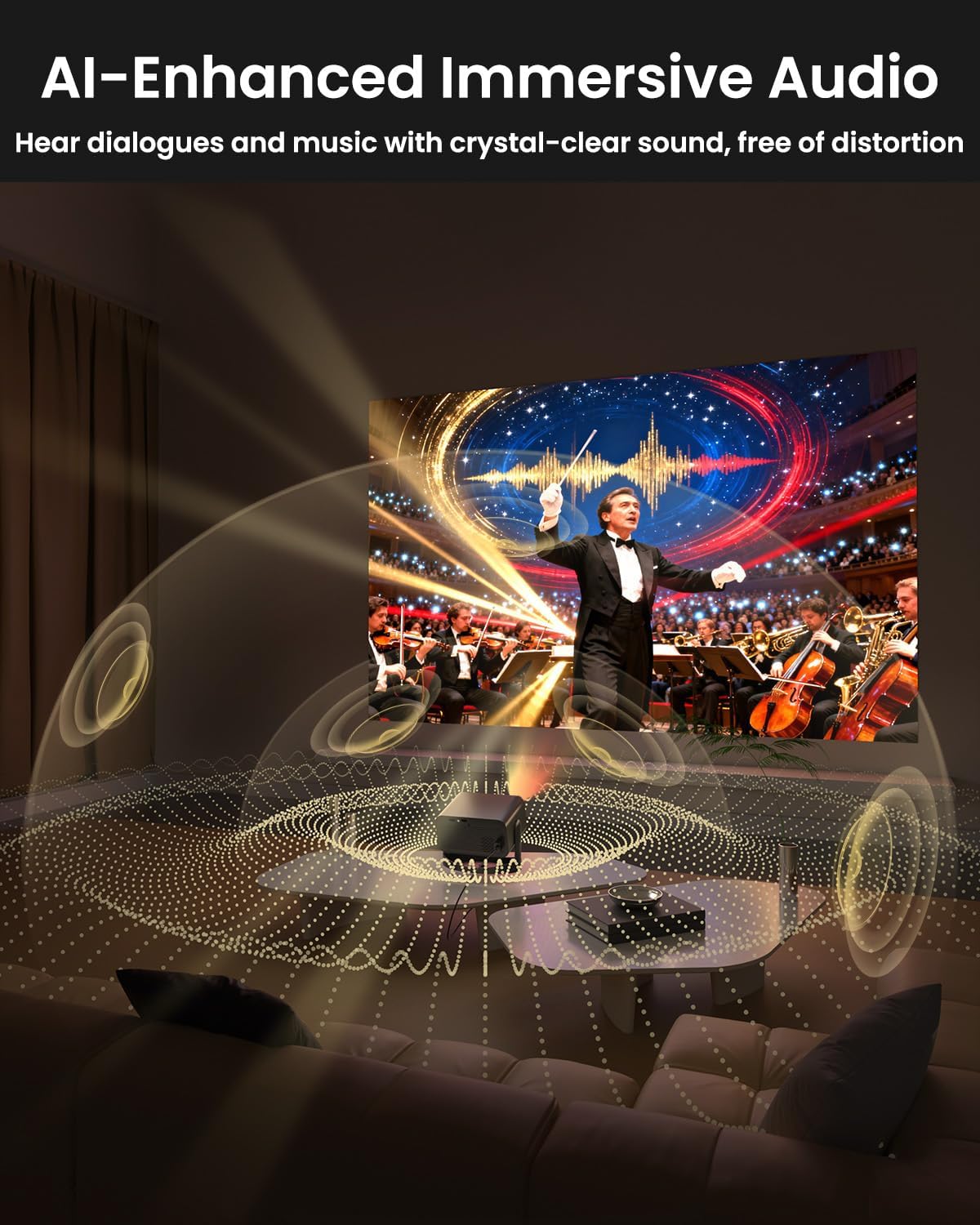
Image: The UCOCARE Mini Portable Projector V18 delivering AI-enhanced immersive audio, creating a surround sound experience.
6.4 Funkcje zdalnego sterowania
The included remote control allows you to navigate menus, adjust volume, change input sources, and control playback. Refer to the remote control diagram in your quick start guide for specific button functions.
6.5 Scenariusze użycia
The UCOCARE V18 projector is versatile for various uses:
- Kino domowe: Enjoy movies and shows on a large screen.
- Hazard: Connect your console for an immersive gaming experience.
- Prezentacje biznesowe: Project documents and slides for meetings.
- Bedtime Relax: Project calming visuals or stories onto the ceiling.

Image: The UCOCARE Mini Portable Projector V18 adapting to various scenarios, including home theater, business, gaming, and relaxation.
7. Konserwacja
7.1 Czyszczenie obiektywu
Do delikatnego przecierania soczewki projektora używaj miękkiej, niepozostawiającej włókien ściereczki przeznaczonej specjalnie do soczewek optycznych. Unikaj stosowania materiałów ściernych i silnych środków chemicznych.
7.2 Usuwanie kurzu
Regularly clean the projector's exterior with a soft, dry cloth. For ventilation openings, use a soft brush or compressed air to remove dust buildup, ensuring proper airflow.
7.3 Przechowywanie
Jeśli projektor nie jest używany przez dłuższy czas, należy go przechowywać w chłodnym, suchym miejscu, z dala od bezpośredniego światła słonecznego i ekstremalnych temperatur. Aby zapobiec kurzowi i uszkodzeniom, należy używać oryginalnego opakowania lub etui ochronnego.
8. Rozwiązywanie Problemów
Jeśli masz problemy z projektorem, zapoznaj się z poniższymi typowymi problemami i ich rozwiązaniami:
| Problem | Możliwa przyczyna | Rozwiązanie |
|---|---|---|
| Brak obrazu na ekranie | Odłączony kabel zasilający, nieprawidłowe źródło sygnału wejściowego, założona osłona obiektywu. | Sprawdź podłączenie zasilania, wybierz właściwe źródło sygnału wejściowego, zdejmij osłonę obiektywu. |
| Obraz jest rozmazany | Nie ustawiono ostrości, projektor jest za daleko/za blisko. | Use electric focus function. Adjust projector distance if necessary. |
| Brak dźwięku | Zbyt niski poziom głośności, zewnętrzne urządzenie audio nie jest podłączone, nieprawidłowe wyjście audio. | Increase volume, check Bluetooth connection or 3.5mm cable, select correct audio output in settings. |
| WiFi/Bluetooth connectivity issues | Out of range, incorrect password, interference. | Ensure projector is within range of router/device. Re-enter password. Reduce interference. |
| Pilot nie działa | Batteries low/dead, obstruction, remote not paired. | Replace batteries. Remove obstructions. Re-pair remote if applicable. |
9. Specyfikacje
| Funkcja | Szczegół |
|---|---|
| Marka | UCOCARE |
| Numer modelu | V18 |
| Rozdzielczość wyświetlacza | Natywna rozdzielczość 1920 x 1080 (1080P), obsługa 4K |
| Technologia łączności | 2.4GHz/5GHz Wi-Fi, Bluetooth, 3.5mm Jack, HDMI, USB |
| Cechy specjalne | 4K Supported, Native 1080P, Adjustable Stand, Electric Focus, Auto Keystone, Portable Mini Size, Built-In 2.4G/5GHz WiFi, Built-In Bluetooth |
| Waga przedmiotu | 2.09 funta |
| Wymiary opakowania | 8.35 x 8.03 x 5.28 cala |
| Zalecane zastosowania | Biznes, Edukacja, Gry, Kino domowe |
10. Gwarancja i wsparcie
UCOCARE products are manufactured to high-quality standards. For warranty information, please refer to the documentation included with your purchase or visit the official UCOCARE website. If you require technical assistance or have questions not covered in this manual, please contact UCOCARE customer support.
Informacje kontaktowe można zazwyczaj znaleźć na opakowaniu produktu lub oficjalnej stronie marki webstrona.