
1. Wprowadzenie
Thank you for choosing the Jawploy 80GB MP3 Player with Bluetooth. This device is designed to provide a versatile and portable audio experience, featuring high-fidelity sound, extensive storage, and multiple functions including FM radio, voice recording, video playback, and e-book reading. This manual will guide you through the setup, operation, and maintenance of your new MP3 player.
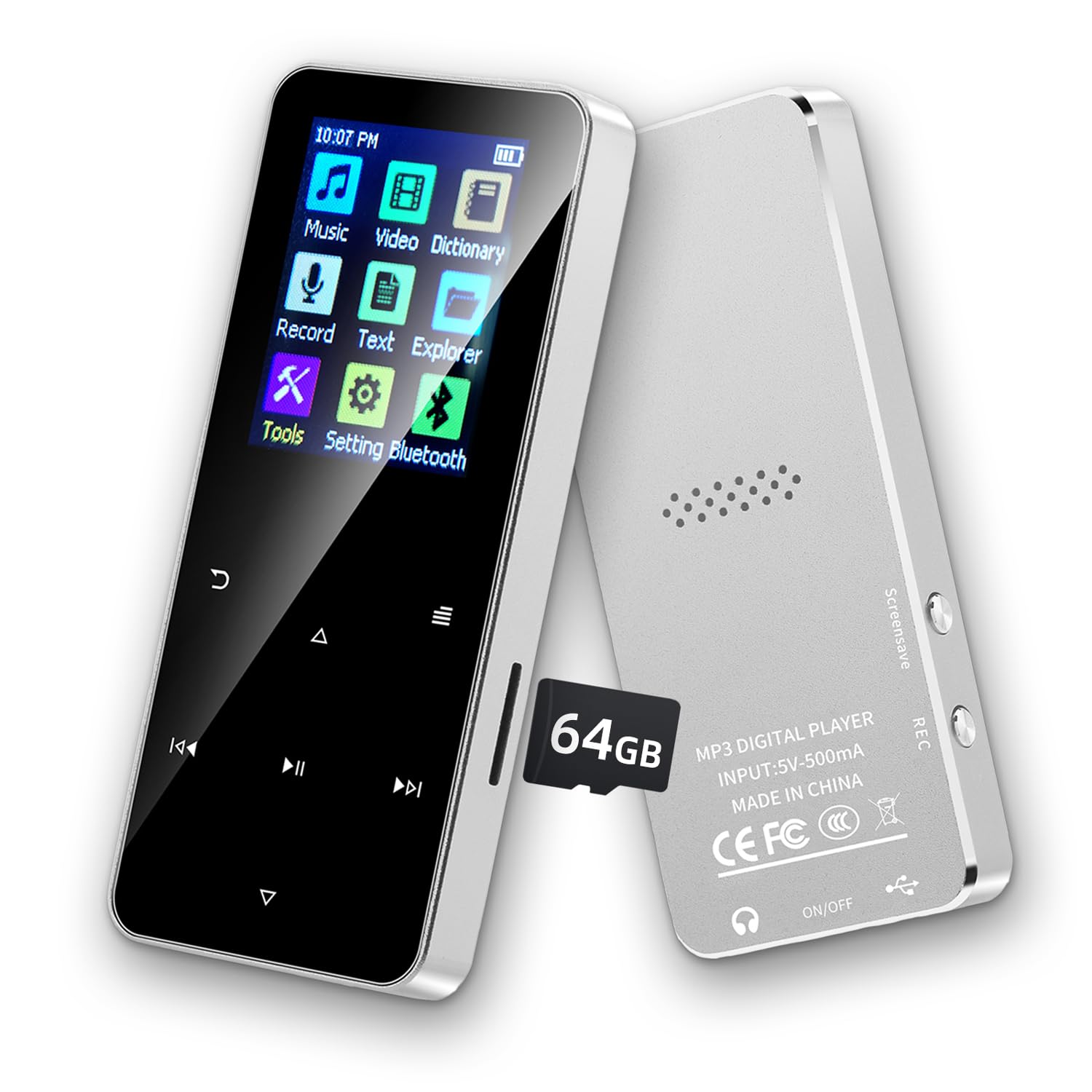
Image of the Jawploy 80GB MP3 Player with Bluetooth, showcasinze względu na kompaktową konstrukcję i interfejs użytkownika.
2. Co znajduje się w pudełku
Sprawdź zawartość paczki, aby upewnić się, że znajdują się w niej wszystkie elementy:
- 1 x Jawploy 80GB MP3 Player (16GB built-in + 64GB card)
- 1 x kabel USB
- 1 x słuchawki
- 1 x Instrukcja obsługi
3. Koniec produktuview
The Jawploy MP3 Player features a durable alloy body, a 1.8-inch vibrant color display, and responsive touch buttons for easy navigation. It includes a built-in HD speaker, a 3.5mm audio jack for wired headphones, and a TF card slot for expandable storage.

Image showing the Jawploy MP3 player's sturdy alloy casing, 1.8-inch screen, touch buttons, built-in HD speaker, and 3.5mm audio jack.
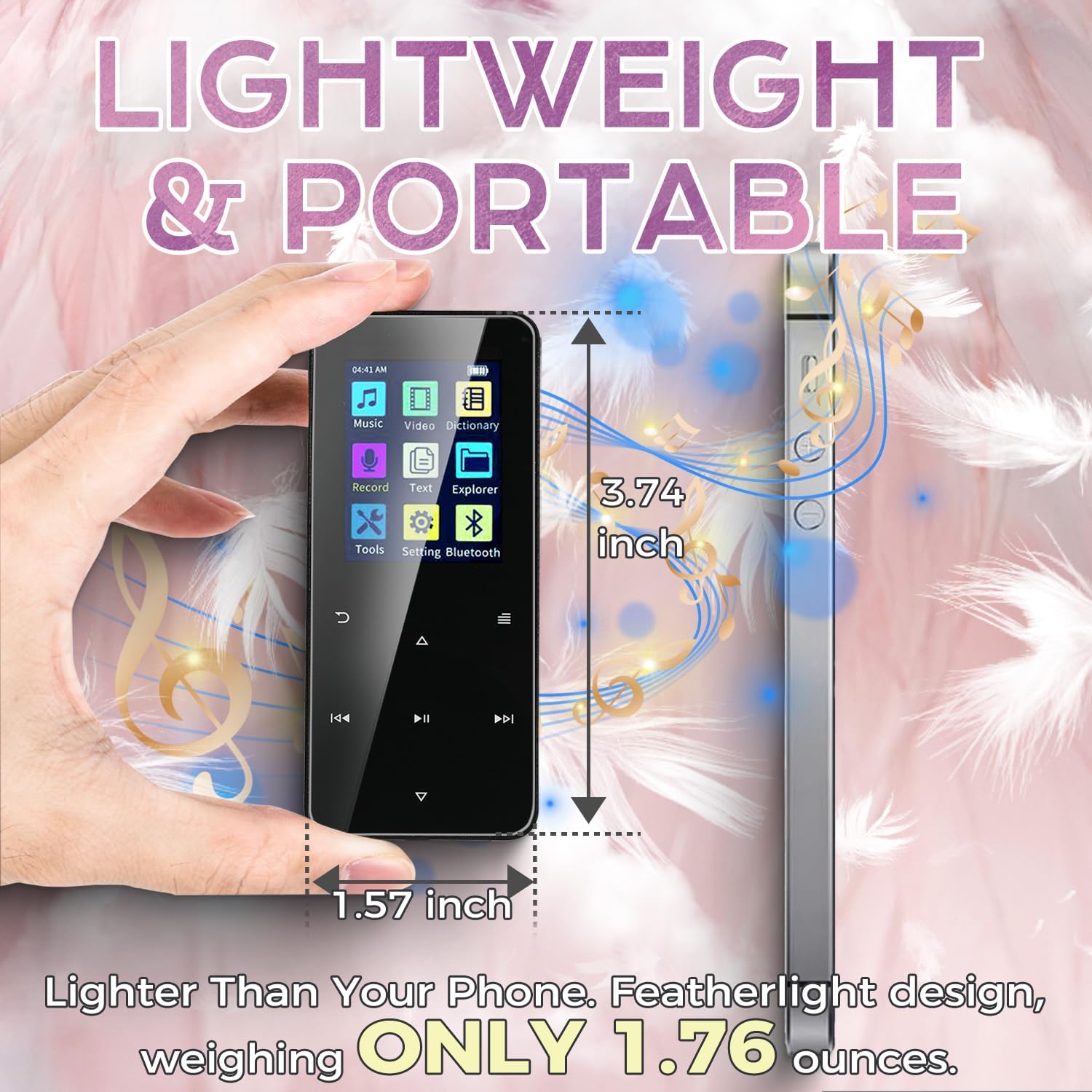
Image illustrating the compact size and lightweight design of the Jawploy MP3 player, measuring 3.74 inches by 1.57 inches and weighing 1.76 ounces.
4. Konfiguracja
4.1 Włączanie/wyłączanie
Aby włączyć urządzenie, naciśnij i przytrzymaj przycisk zasilania z boku, aż ekran się podświetli. Aby wyłączyć, naciśnij i przytrzymaj przycisk zasilania ponownie, aż urządzenie się wyłączy.
4.2 Ładowanie urządzenia
Connect the included USB cable to the MP3 player's charging port and the other end to a USB power adapter (not included) or a computer's USB port. The battery indicator on the screen will show charging status. A full charge typically takes a few hours.
4.3 Wkładanie karty pamięci
The device comes with a 64GB TF card pre-installed, complementing the 16GB built-in storage. To insert or replace a TF card, locate the card slot on the side of the player. Gently push the card into the slot until it clicks into place. To remove, push the card in again until it springs out.
Official product video demonstrating the physical features, charging process, and memory card insertion for the Jawploy MP3 Player.
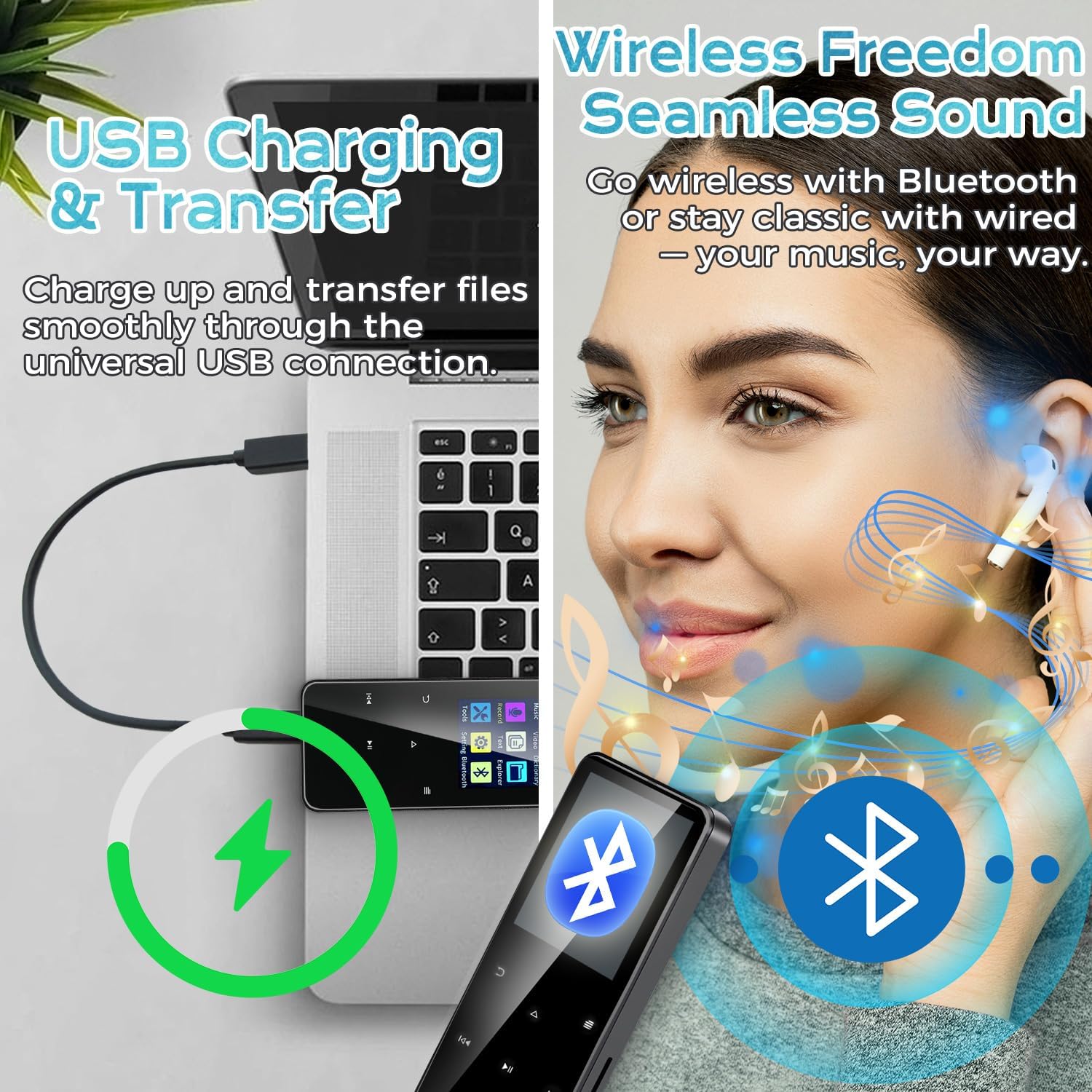
Image showing the Jawploy MP3 player connected to a laptop via USB for charging and file przenosić.
5. Instrukcja obsługi
5.1 Nawigacja
Use the touch buttons below the screen to navigate through menus and control playback. The central button typically acts as 'Enter' or 'Play/Pause', while the surrounding buttons are for navigation (up, down, left, right) and volume control.
5.2 Odtwarzanie muzyki
From the main menu, select 'Music'. You can browse your music by All Songs, Artists, Albums, Genres, or Playlists. The player supports various audio formats including FLAC, MP3, WMA, WAV, AAC, and OGG for a high-quality listening experience.
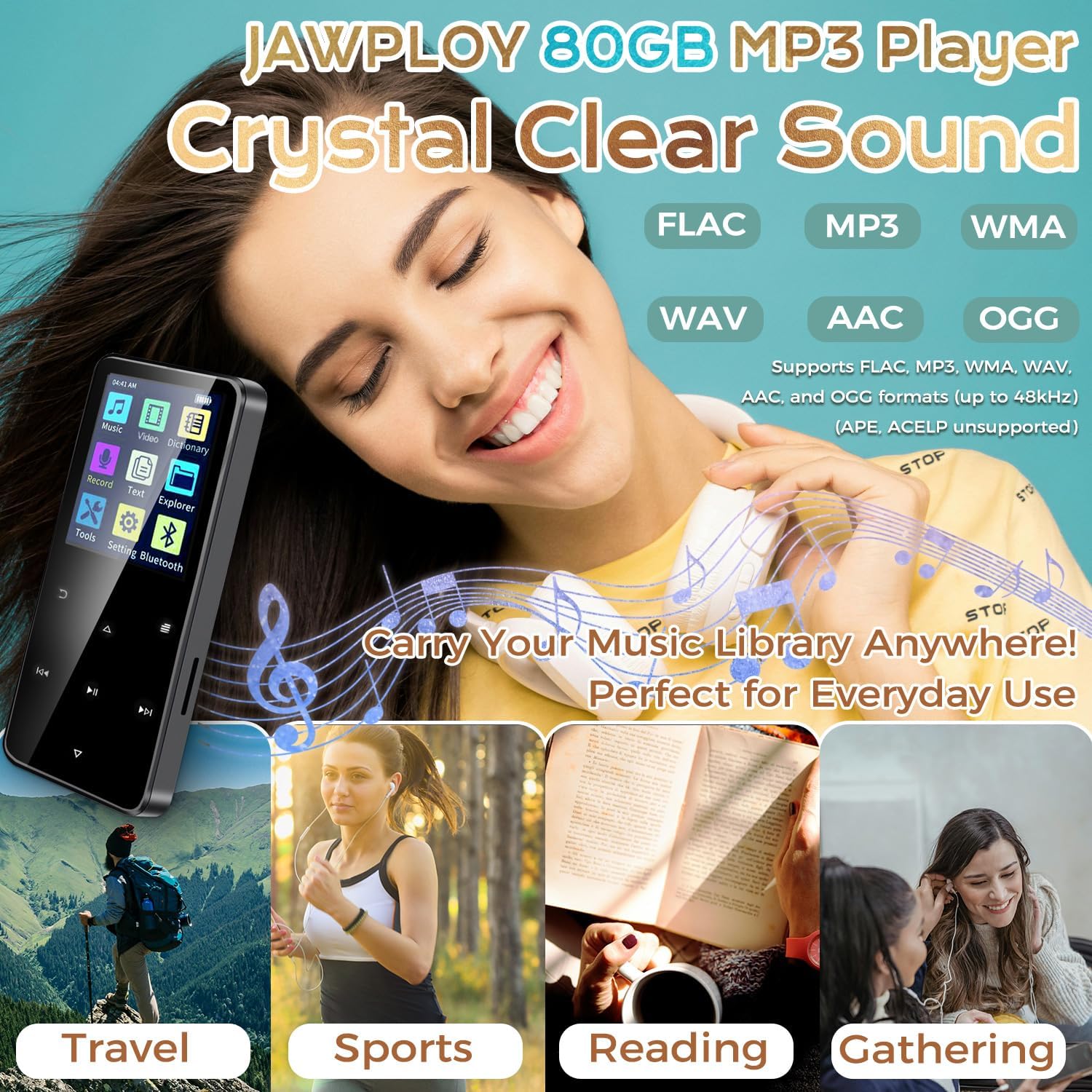
Image highlighting the Jawploy MP3 Player's support for various lossless audio formats like FLAC, MP3, WMA, WAV, AAC, and OGG, emphasizing crystal clear sound.
5.3 parowanie Bluetooth
Aby połączyć się ze słuchawkami lub głośnikami Bluetooth:
- Przejdź do „Ustawień” w menu głównym.
- Wybierz „Bluetooth”.
- Włącz Bluetooth.
- The player will search for available devices. Select your device from the list to pair.
5.4 Radio FM
To use the FM radio function, ensure wired earphones are connected as they act as the antenna. Select 'FM Radio' from the main menu. You can auto-scan for stations or manually tune.
5.5 Dyktafon
Select 'Record' from the main menu to access the voice recorder. Press the appropriate button to start and stop recording. Recorded files are saved in the device's memory.
5.6 Odtwarzanie wideo
The player supports AVI and AMV video formats (128x160 resolution). Transfer compatible video files to the device and select 'Video' from the main menu to play them.
5.7 Czytnik e-booków
The device supports TXT format e-books. Transfer your TXT files to the player and select 'E-Book' from the main menu to read.
5.8 Inne funkcje
The player also includes a stopwatch, alarm clock, and calendar functions, accessible through the 'Tools' or 'Settings' menu.
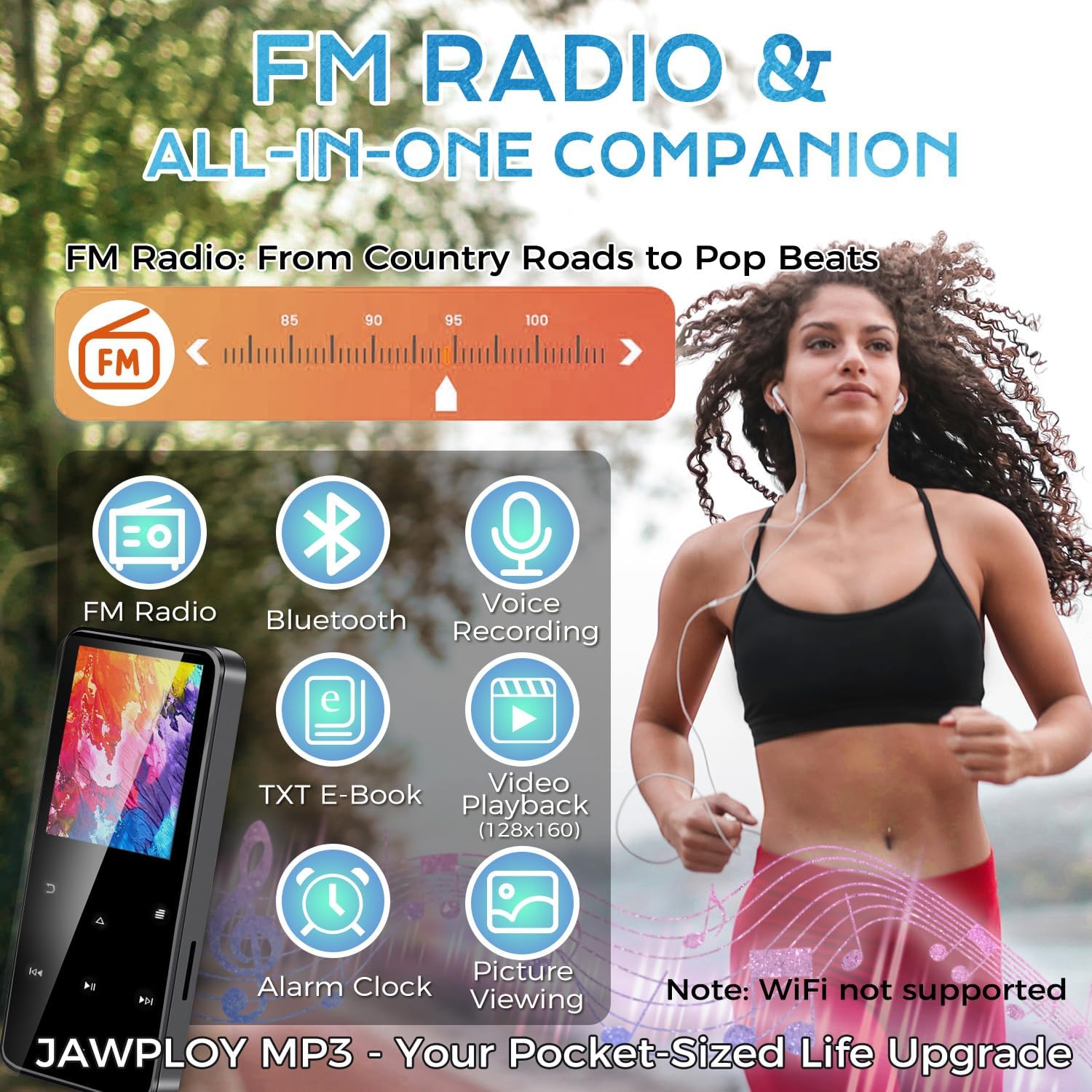
Image highlighting the multi-functional aspects of the Jawploy MP3 player, including FM radio, Bluetooth, voice recording, e-book, video playback, and alarm clock.
6. Konserwacja
- Przechowuj urządzenie w suchym miejscu, z dala od ekstremalnych temperatur.
- Czyść ekran i obudowę miękką, suchą ściereczką. Unikaj stosowania silnych środków chemicznych.
- Unikaj upuszczania urządzenia i narażania go na silne uderzenia.
- Aby wydłużyć żywotność akumulatora, należy go regularnie ładować, nawet jeśli nie jest używany często.
7. Rozwiązywanie Problemów
- Urządzenie nie włącza się: Upewnij się, że bateria jest naładowana. Podłącz ją do źródła zasilania i spróbuj ponownie.
- Unable to play certain files: Sprawdź, czy file format is supported by the player (e.g., FLAC, MP3, WMA, WAV, AAC, OGG for audio; AVI, AMV for video; TXT for e-books).
- Problemy z połączeniem Bluetooth: Ensure Bluetooth is enabled on both the player and the external device. Keep devices within close proximity during pairing.
- Brak dźwięku: Check volume levels. Ensure earphones are properly connected or Bluetooth device is paired and connected.
- Urządzenie zamrożone: Naciśnij i przytrzymaj przycisk zasilania przez 10–15 sekund, aby wymusić ponowne uruchomienie.
8. Specyfikacje
| Funkcja | Szczegół |
|---|---|
| Nazwa modelu | ZY-006 |
| Pojemność pamięci masowej | 80 GB (16GB built-in + 64GB card) |
| Możliwość rozbudowy pamięci masowej | Up to 144GB (with 128GB card) |
| Rozmiar ekranu | 1.8 cali |
| Technologia łączności | Bluetooth, USB |
| Obsługiwane formaty audio | FLAC, MP3, WMA, WAV, AAC, OGG |
| Obsługiwane formaty wideo | AVI, AMV (128x160 resolution) |
| E-Book Format Supported | Tekst |
| Cechy specjalne | Built-In Speaker, E-Book Reader, FM Radio, Voice Recorder, Touch Buttons |
| Waga przedmiotu | 1.76 uncji (50 grama) |
| Wymiary produktu | 0.39 x 1.57 x 3.74 cala |
| Battery Life (MP3 via wired headphones) | Do 16 godzin |
9. Gwarancja i wsparcie
Your Jawploy MP3 Player is covered by a standard manufacturer's warranty. For specific warranty details, returns, or technical support, please refer to the contact information provided with your purchase or visit the official Jawploy webStrona. Zachowaj dowód zakupu na wypadek roszczeń gwarancyjnych.