
1. Wprowadzenie
Thank you for choosing the Ameta S50 Lite GPS Drone. This manual provides essential information for the safe operation, maintenance, and troubleshooting of your drone. Please read this manual thoroughly before operating the drone to ensure proper use and to prevent damage or injury.
Wytyczne bezpieczeństwa
- Dronem należy zawsze sterować na otwartej przestrzeni, z dala od ludzi, budynków i przeszkód.
- Podczas użytkowania drona należy zachować bezpieczną odległość.
- Nie należy latać przy silnym wietrze, deszczu lub innych niesprzyjających warunkach pogodowych.
- Ensure batteries are fully charged and propellers are securely attached before each flight.
- Adhere to all local laws and regulations regarding drone operation.
2. Zawartość opakowania
Sprawdź, czy w przesyłce znajdują się wszystkie elementy:
- Ameta S50 Lite GPS Drone
- Pilot zdalnego sterowania
- Intelligent Flight Batteries (3 included for extended flight time)
- Zapasowe śmigła
- Kabel ładujący USB
- Torba transportowa
- Instrukcja obsługi (ten dokument)

Image: Complete package contents of the Ameta S50 Lite GPS Drone, including the drone, remote controller, batteries, spare propellers, USB cable, and carrying bag.
3. Konfiguracja
3.1 Ładowanie i instalacja akumulatora
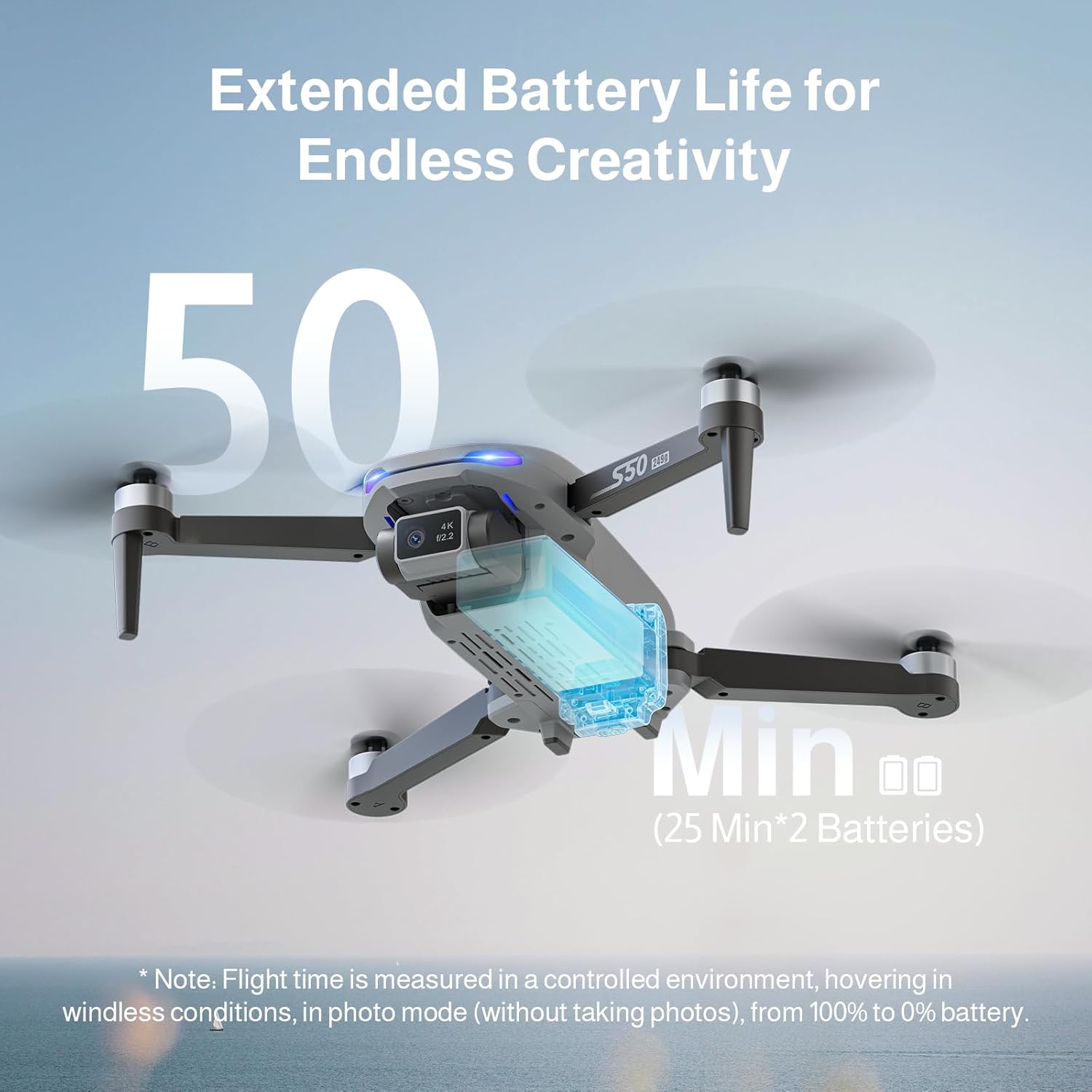
The Ameta S50 Lite drone is equipped with high-capacity 2000mAh batteries, providing up to 25 minutes of flight time per battery. Ensure all batteries are fully charged before flight.
- Connect the intelligent flight battery to the USB charging cable.
- Podłącz kabel ładujący USB do odpowiedniego zasilacza USB (nie ma go w zestawie).
- The battery indicator lights will show charging status. Once fully charged, disconnect the battery.
- To install, slide the charged battery into the battery compartment on the rear of the drone until it clicks securely into place.

Image: Specifications of the Ameta S50 Lite drone battery, detailing its nominal voltage of 7.4V and rated capacity of 2000mAh.

Image: Illustration showing the proper method for inserting the high-performance battery into the Ameta S50 Lite drone's battery compartment.

Image: The Ameta S50 Lite drone with a battery partially inserted, demonstrating how the battery provides an additional 25 minutes of flight time.
3.2 Mocowanie śmigła
Ensure propellers are correctly attached to their respective motor shafts. Match the propeller type (A or B) with the corresponding motor arm.
3.3 Przygotowanie pilota zdalnego sterowania
Install batteries into the remote controller (if applicable) and ensure it is fully charged. Familiarize yourself with the control sticks and buttons.
3.4 Pobieranie aplikacji i łączenie
Download the official Ameta drone application from your device's app store. Power on the drone and remote controller, then connect your smartphone to the drone's 5G WiFi network as displayed in your phone's Wi-Fi settings. Open the app to establish connection and view sygnał FPV.
4. Instrukcja obsługi
4.1 Lista kontrolna przed lotem
- Check battery levels of both drone and remote controller.
- Ensure propellers are securely attached and undamaged.
- Select an open, clear flying area.
- Calibrate the drone's compass and gyroscope as per app instructions.
4.2 Podstawowe sterowanie lotem
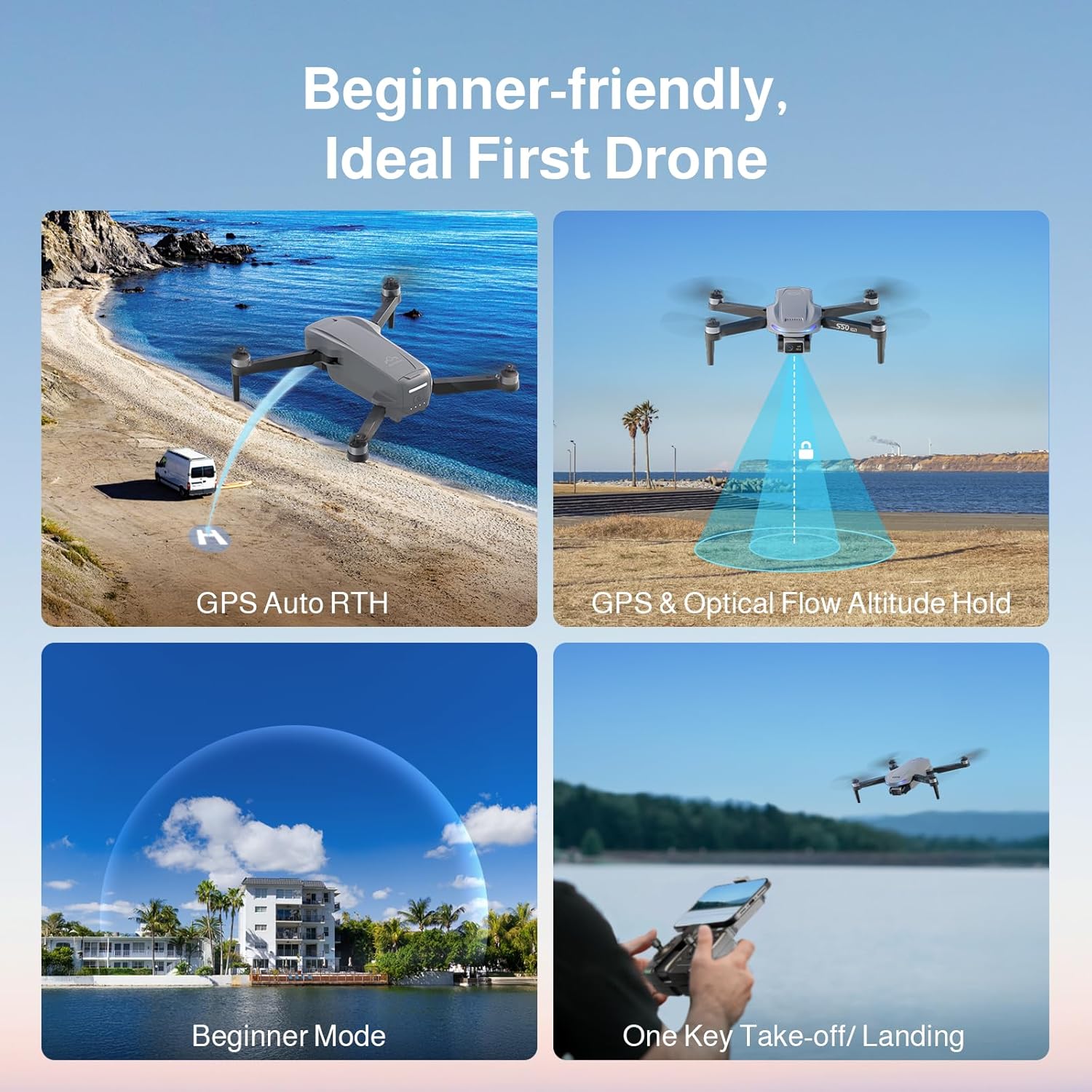
The Ameta S50 Lite features one-key take-off/landing and GPS/Optical Flow Altitude Hold for stable flight, making it suitable for all skill levels.
- Start/lądowanie jednym klawiszem: Press the designated button on the remote or in the app to automatically take off or land.
- Utrzymywanie wysokości: The drone will automatically maintain its altitude, allowing for easier control of horizontal movement.
- Regulowane poziomy prędkości: Switch between three speed modes (low, medium, high) to match your flying environment and skill level.
- Tryb - Początkujący: Activates restricted flight parameters for new pilots, enhancing safety and ease of control.

Image: Visual representation of the Ameta S50 Lite's beginner-friendly features, including GPS Auto Return to Home, GPS & Optical Flow Altitude Hold, Beginner Mode, and One-Key Take-off/Landing.
4.3 Inteligentne tryby lotu
Leverage the drone's GPS positioning system and smart modes for advanced flight capabilities and cinematic shots.
- Powrót do domu (RTH): The drone can automatically return to its take-off point. This includes One-Key RTH, Low Battery RTH, and Lost Signal RTH.
- GPS Follow (Follow Me): Dron będzie automatycznie podążał za pilotem zdalnego sterowania lub podłączonym smartfonem, rejestrując dynamiczne ruchy ciała.tage.
- Waypoints Flight: Plan a custom flight path by setting multiple waypoints on the map in the app, and the drone will fly along the designated route.
- Okrągła mucha: Dron będzie krążył wokół wyznaczonego punktu lub obiektu, utrzymując ustalony promień i wysokość.
- Rakieta: The drone ascends vertically while recording, creating a dramatic reveal shot.
- Odległy: The drone flies away from the pilot while ascending, capturing a wide landscape shot.
- Panorama: Captures multiple images to stitch together a wide panoramic photo.
- Czas wygaśnięcia: Records a series of photos over time to create a time-lapse video.
- Selfie z gestem: Wykonuj określone gesty dłonią, aby uruchomić nagrywanie zdjęć lub filmów.
Obraz: Ponadview of the Ameta S50 Lite drone's reliable GPS features, including Return to Home, Waypoints Flight, Circle Fly, and GPS Follow.
4.4 Obsługa kamery
The Ameta S50 Lite is equipped with a 4K camera featuring a 13MP Sony IMX258 Sensor and a 90° adjustable lens, capable of capturing high-quality photos and videos.
- Przechwytywanie zdjęć/wideo: Use the dedicated buttons on the remote controller or within the app to take photos or start/stop video recording.
- Regulowany obiektyw: Adjust the camera angle remotely via the app or remote controller to capture different perspectives.
- Transmisja FPV: Enjoy smooth, real-time first-person view (FPV) via 5G WiFi transmission with a range of up to 500m.

Image: The Ameta S50 Lite drone in flight, highlighting its hands-free 4K camera with a built-in 13MP IMX258 Sensor for high-resolution recording.
Obraz: Szczegółowy view of the Ameta S50 Lite drone's camera, emphasizing its 4K resolution (3840x2160), 5G WiFi transmission up to 500m, and 90° adjustable camera lens.
5. Konserwacja
Regular maintenance ensures the longevity and optimal performance of your Ameta S50 Lite drone.
- Pielęgnacja baterii: Przechowuj akumulatory w chłodnym i suchym miejscu. Nie przeładowuj ani nie rozładowuj nadmiernie. W przypadku dłuższego przechowywania naładuj je do około 50–60%.
- Kontrola śmigła: Regularly check propellers for cracks, bends, or damage. Replace any damaged propellers immediately.
- Czyszczenie: Do czyszczenia korpusu drona i obiektywu kamery używaj miękkiej, suchej ściereczki. Unikaj stosowania silnych środków chemicznych i płynów.
- Składowanie: When not in use, store the drone and its accessories in the provided carrying bag in a dry, cool environment.
6. Rozwiązywanie Problemów
| Problem | Możliwa przyczyna | Rozwiązanie |
|---|---|---|
| Dron się nie włącza | Niski poziom naładowania baterii; Bateria nie została prawidłowo zainstalowana | Charge battery fully; Reinstall battery securely |
| Brak transmisji FPV w aplikacji | WiFi not connected; App not launched correctly | Ensure phone is connected to drone's 5G WiFi; Restart app and drone |
| Niestabilny lot/dryfowanie | Nieprawidłowa kalibracja; Silny wiatr; Uszkodzone śmigła | Perform compass and gyroscope calibration; Fly in calm conditions; Replace damaged propellers |
| Słaby/utracony sygnał GPS | Flying indoors or near tall structures; Interference | Fly in open outdoor areas; Avoid areas with high electromagnetic interference |
7. Specyfikacje
| Funkcja | Szczegół |
|---|---|
| Marka | Ameta |
| Model | S50 Lite |
| Kamera | 4K Video, 13MP Photos, Sony IMX258 Sensor, 90° Adjustable Lens |
| Czas lotu | Up to 25 minutes per battery (75 minutes with 3 batteries) |
| Pojemność baterii | 2000mAh, 7.4V |
| Przenoszenie | 5G WiFi FPV, up to 500m range |
| System pozycjonowania | GPS, Optical Flow |
| ASIN | B0FJXNLS69 |
8. Gwarancja i wsparcie
Informacje o gwarancji: Please refer to the product packaging or the official Ameta webSzczegółowe warunki gwarancji znajdziesz na stronie. Zachowaj dowód zakupu na wypadek roszczeń gwarancyjnych.
Obsługa klienta: For technical assistance, troubleshooting, or any inquiries regarding your Ameta S50 Lite drone, please contact Ameta customer service through the contact information provided on the official webwitryny lub opakowania produktu.


